Direct Comparison
Before the details, here is the at-a-glance verdict. Both tools generate presentations with AI right in your browser, so the deciding factor is the quality of the result, how on-brand it stays, and how much you can create in one place. The two profiles below cover most real-world cases — and if you are specifically shopping for a Gamma alternative, this is the fastest way to decide.
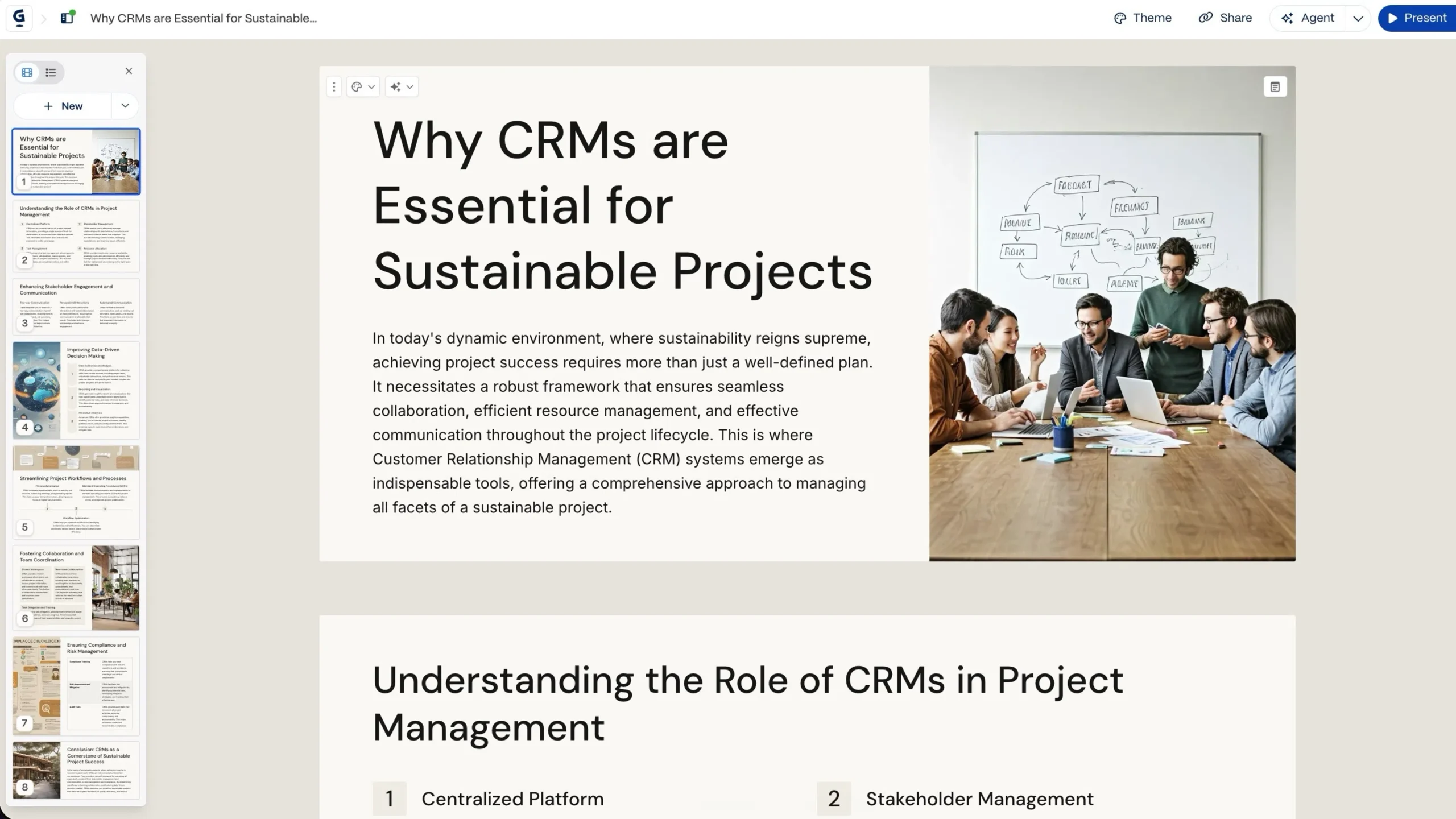
Choose Gamma AI if…
You want quick, web-native documents, pages, and decks to share as a link, and you like a scroll-based, card-style format. Creators, indie founders, and web-first teams will appreciate the speed and the sharing experience.
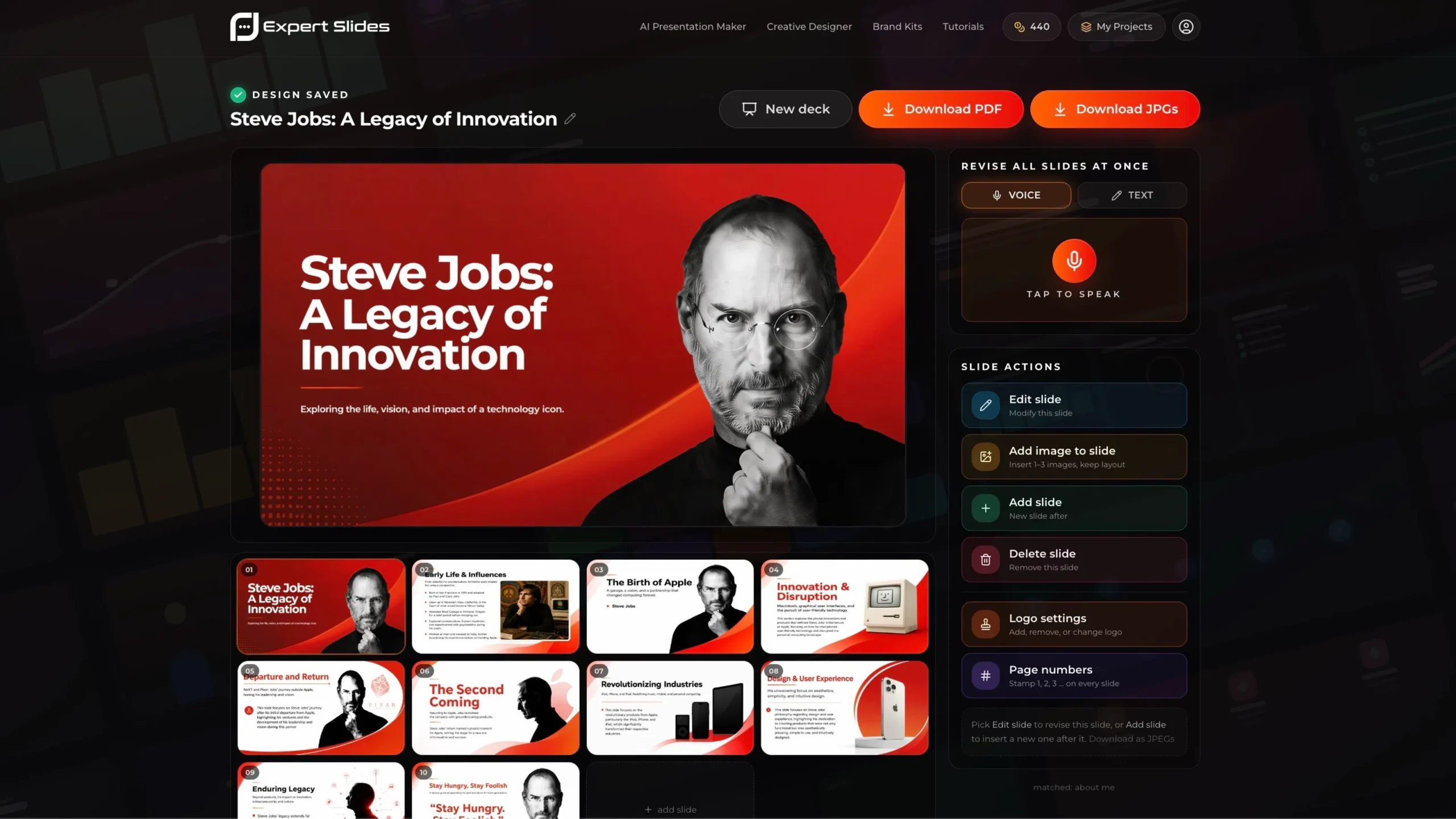
Choose ExpertSlides if…
You want the best all-rounder: studio-quality, on-brand decks — complete with images, tables, text, sections, and infographics — generated by top-tier AI models in under two minutes, with full brand control and one-click, presentation-ready PDF export.
Gamma AI vs. ExpertSlides: Head-to-Head
The fastest way to see the difference is side by side. The table below summarizes how each tool handles the things that matter most when you present to clients, leadership, or investors — and it is the quickest way to judge ExpertSlides as a Gamma alternative.
| Feature comparison |  |
 |
|---|---|---|
| AI engine | Proprietary model | Claude Opus 4.8 + ExpertSlides Onyx 2.5 |
| Content it builds | Slides, docs & web pages | Images, tables, text, sections & infographics |
| Design styles | Built-in themes | Designer-crafted styles, rendered by AI |
| Brand control | Theme-level styling | Brand kits, logo & style locking |
| Document import | Limited | PDF, DOCX, PPTX, XLSX, CSV, TXT + images |
| Export | PDF / PPTX (may need cleanup) | One-click PDF, up to 4K, presentation-ready |
| Modes | Presentations, docs, sites | Presentation, Social Media & Infographic builders |
| Best for | Web-first sharing & quick concepts | The best all-rounder for polished, on-brand decks |
| Feature comparison | |
|---|---|
| AI engine | Proprietary model |
| Content | Slides, docs & pages |
| Design styles | Built-in themes |
| Brand control | Theme-level styling |
| Doc import | Limited |
| Export | PDF / PPTX (cleanup) |
| Modes | Slides, docs, sites |
| Best for | Web-first sharing |
| Feature comparison | |
|---|---|
| AI engine | Claude Opus 4.8 + Onyx 2.5 |
| Content | Images, tables, text, infographics |
| Design styles | Designer-crafted, AI-rendered |
| Brand control | Brand kits, logo & style lock |
| Doc import | PDF, DOCX, PPTX, XLSX, CSV, TXT |
| Export | One-click PDF, up to 4K |
| Modes | Slides, social & infographics |
| Best for | Best all-rounder, on-brand |
Takeaway: Both build decks fast, but ExpertSlides pairs top-tier AI models with designer-crafted styles and full brand control — so the first draft already looks studio-made and stays on brand.
Gamma AI vs. ExpertSlides: Which AI Presentation Tool Should You Choose?
The AI presentation space has exploded over the last two years, and two names come up again and again: Gamma AI and ExpertSlides. Both turn a prompt or a document into a presentation in minutes — but they aim at different outcomes. Gamma leans into web-native documents and pages. ExpertSlides focuses on producing the best all-rounder presentation: studio-quality, on-brand decks with images, tables, text, sections, and infographics, generated by top-tier AI models. That focus is why many teams now evaluate ExpertSlides as their go-to Gamma AI alternative.
That difference shapes everything: the polish of the first draft, how closely the design matches your brand, how much you can create in one place, and how fast you get there. Neither tool is "bad" — they are simply built for different audiences and outcomes. The right question is not which platform is objectively superior, but which one fits the way you and your team produce, review, and deliver presentations. If you specifically want a Gamma alternative, the rest of this guide is your shortcut.
What Is Gamma AI?
Gamma AI is a web-native content tool that generates presentations, documents, and simple web pages from a prompt. Instead of fixed slides, Gamma uses a flexible, card-based canvas: each "card" expands or contracts to fit its content, and decks are designed to be viewed in the browser as much as projected on a screen. You type what you want, Gamma drafts an outline, and it fills in copy, layout, and imagery automatically.
Its strengths are speed and a modern, scroll-friendly feel. For founders sharing a quick concept, creators publishing a link, or anyone who lives entirely on the web, that frictionless flow is genuinely appealing — you can go from idea to a shareable page faster than almost anywhere else.
The trade-off is polish and brand depth. Gamma's themes look clean out of the box, but for highly branded, asset-rich decks — custom palettes, infographics, data visuals, and tightly controlled typography — you can hit the limits of a lightweight, web-first editor. Exporting to other formats may also need cleanup before a deck is client-ready. That gap is exactly why so many users start looking for a Gamma alternative.
ExpertSlides AI Presentation Maker
Turn any topic or document into a polished deck in minutes.
Type a prompt or upload a file — top-tier AI models build a structured, on-brand presentation, complete with images, tables, and infographics. The Gamma alternative built for polish; no design skills required.
Try ExpertSlides risk-free!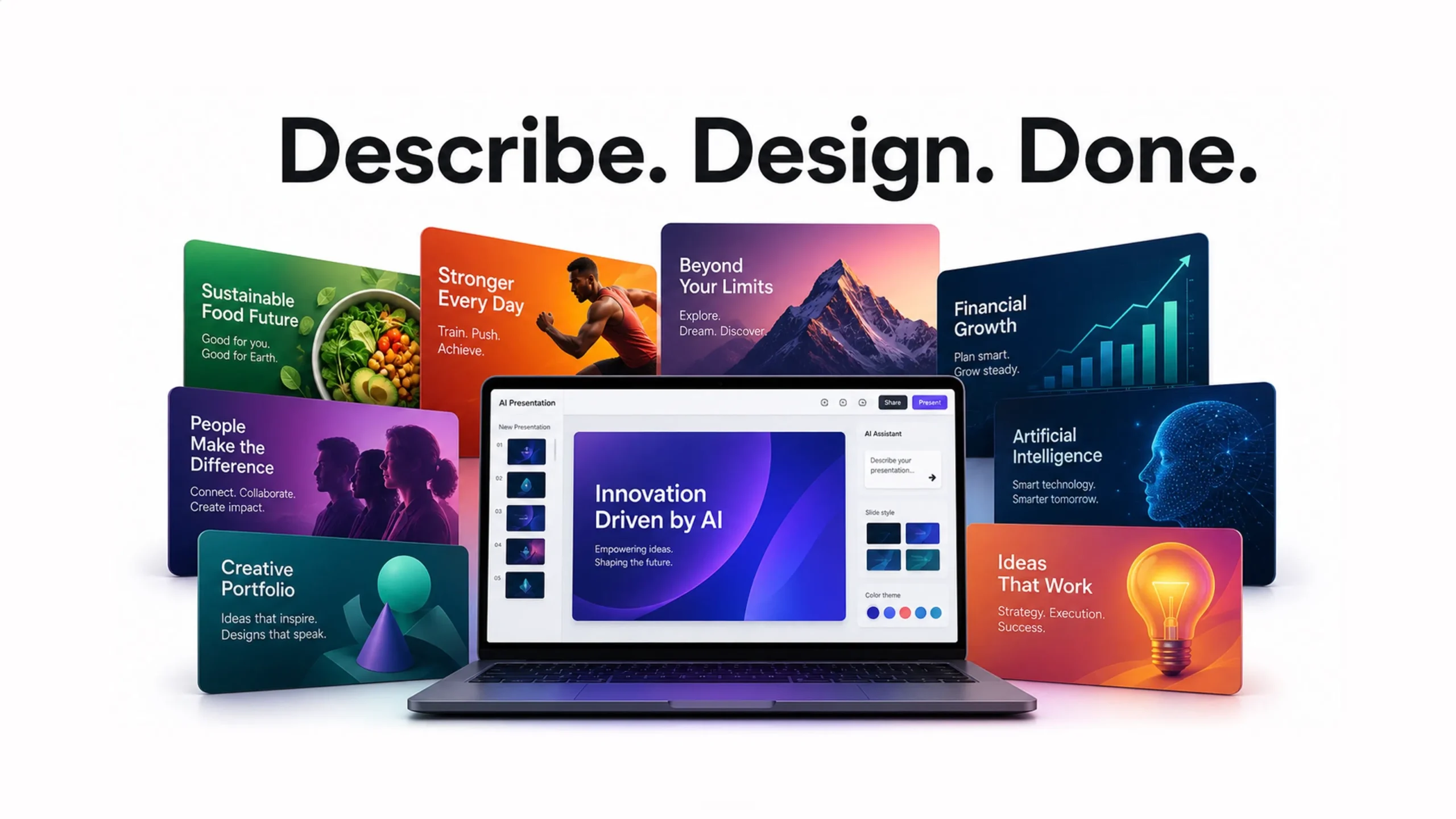
What Is ExpertSlides?
ExpertSlides is an AI Presentation Maker at expertslides.ai — and an increasingly popular Gamma AI alternative — that turns a topic, a few notes, or an uploaded document into a complete, professionally designed deck in under two minutes. It is powered by Claude Opus 4.8 and the in-house ExpertSlides Onyx 2.5 model, and every design is crafted by senior human designers first, then rendered at scale by AI — so you get studio quality without the studio price tag.
It is a true all-rounder: a single run produces images, tables, text, structured sections, and infographics, and you can switch between the Presentation Designer, Social Media Creator, and Infographic Builder. Import a PDF, Word, PowerPoint, Excel, CSV, or text file (or images) and the AI organizes everything into a clean, persuasive narrative automatically.
Brand control is built in — brand kits, logos, and style locking keep every slide on identity — and you can refine with voice, search live data, work in multiple languages, and export a presentation-ready PDF in up to 4K. It runs on infrastructure built to enterprise security standards (ISO 27001, SOC 2, HIPAA, GDPR). For teams that also live in PowerPoint, a separate ExpertSlides Add-In brings a 14,500+ slide library right inside the app. Together, they make ExpertSlides a complete Gamma alternative for teams that care about polish.
Feature Deep Dive ExpertSlides
Here is a closer look at the ExpertSlides capabilities that decide whether a deck lands — ordered by day-to-day impact, with the single most important one flagged. The throughline: top-tier AI models plus designer-crafted styles, so you move fast without sacrificing polish or brand — the capabilities that make ExpertSlides a credible Gamma alternative.
AI Generation Quality
Powered by Claude Opus 4.8 and the ExpertSlides Onyx 2.5 model, ExpertSlides writes clearer narratives and picks stronger layouts — generating complete, structured decks (50+ slides) with consistent storytelling from intro to close. The first draft already feels finished.
Designer-Crafted Styles
Every style is created by senior human designers, then rendered at scale by AI. Pick a look — from minimal to bold pitch-deck — and get balanced layouts, typography, and color harmony automatically, without manual design work.
Brand & Identity Control
Brand kits, logos, and style locking keep your colors, fonts, and identity consistent on every slide. You can even train the AI on your own images so generated visuals match your world, not a generic stock look.
All-in-One Content & Export
One run produces images, tables, text, sections, and infographics — plus dedicated Social Media and Infographic modes. Export a presentation-ready PDF in up to 4K resolution.
Speed, Scale & Security
A fast, lean server infrastructure delivers a polished deck in under two minutes. Refine with voice, search live data, work in multiple languages, and rely on enterprise-grade security: ISO 27001, SOC 2, HIPAA, and GDPR.
Pricing Comparison
Weigh pricing against what you actually get — model quality, brand control, and the range of content each plan produces all factor into real value. ExpertSlides figures are current at the time of writing; Gamma figures should be confirmed against their pricing page before publishing. On price, ExpertSlides also holds up well as a Gamma alternative.
| Pricing | |
|
|---|---|---|
| Free / trial | Free plan available | Start free — no credit card |
| Entry plan | $10/mo | Starter — $15/mo (with discount code) · 100 credits |
| Most popular | $24/mo | Pro — $99/mo · 500 credits |
| Top plan | $86/mo | Premium — $399/mo · 2,500 credits |
| Commercial license | Unknown for Gamma AI | Included on every plan |
| Pricing | |
|---|---|
| Free / trial | Free plan available |
| Entry plan | $10/mo |
| Most popular | $24/mo |
| Top plan | $86/mo |
| Commercial license | Unknown for Gamma AI |
| Pricing | |
|---|---|
| Free / trial | Start free — no credit card |
| Entry plan | Starter — $15/mo (with discount code) · 100 credits |
| Most popular | Pro — $99/mo · 500 credits |
| Top plan | Premium — $399/mo · 2,500 credits |
| Commercial license | Included on every plan |
Value note: Look past the sticker price to what each plan generates. ExpertSlides builds top-tier models, designer styles, and brand control into every tier — so what you are really paying for is the quality and polish of the output, not just the number of credits.
Pros and Cons
Gamma AI
Pros- Fast, modern, web-native output
- Great for shareable links and quick concepts
- Clean default themes with little effort
- Often produces generic AI slop — boring slides that don't sell
- Lighter brand & asset controls
- Card-based format has a learning curve
- Polish can vary on complex, data-heavy decks
ExpertSlides
Pros- Incredible slides that are actually usable
- Top-notch, human-like designs that sell
- Top-tier models: Claude Opus 4.8 + Onyx 2.5
- Designer-crafted styles, rendered by AI
- All-rounder: images, tables & infographics
- Brand kits, logos & style locking
- One-click PDF export, up to 4K
- Subscription / credit-based pricing
- Most power sits in the paid plans

Stay on brand, automatically
Your colors. Your logo. Every single slide.
ExpertSlides applies your brand kit, logo, and style lock across the whole deck, so every presentation looks like your design team made it.
Try ExpertSlides risk-free!Real-World Scenarios
Specs are abstract until you map them onto a real Tuesday. Here is how the two tools play out in the situations teams face week to week — the moments when "fast," "polished," and "on-brand" stop being buzzwords and start saving you hours. Each one shows ExpertSlides working as a practical Gamma alternative.
The Sales Pitch Under Deadline
A rep needs a tailored deck in an hour. With ExpertSlides they upload discovery notes, top-tier models build a structured pitch, the brand kit snaps colors and logo into place, and it exports a polished, on-brand PDF — ready to present, with no manual design.
The Quarterly Board Review
Board decks must look immaculate and stay consistent. ExpertSlides keeps fonts, colors, and layout on-brand across every slide, turns the numbers into clean tables and infographics, and exports cleanly so the CFO, analyst, and chief of staff can review without surprises.
The Agency Producing at Scale
Agencies produce dozens of branded decks a month. Designer-crafted styles plus a per-client brand kit let a team spin up polished, on-brand decks in minutes — across presentations, social posts, and infographics — without rebuilding from scratch each time.
How to Choose: A Quick Checklist
Run through these questions before you commit. The more that point toward polished, on-brand output built fast, the more ExpertSlides is the right call — and the clearer it becomes that you want a Gamma alternative.
- Do you need studio-quality, on-brand decks, not just quick drafts?
- Do you want top-tier AI models doing the heavy lifting?
- Do you need images, tables, and infographics in one place?
- Is consistent branding — kits, logo, fonts — important?
- Do you want one-click, presentation-ready PDF export in high resolution?
- Is a shareable web link the only output you will ever need?
Studio-quality styles, generated for you
Stop building from scratch. Start from designer-crafted.
Pick a style and let top-tier AI fill it with your content — images, tables, and infographics included.
Try ExpertSlides risk-free!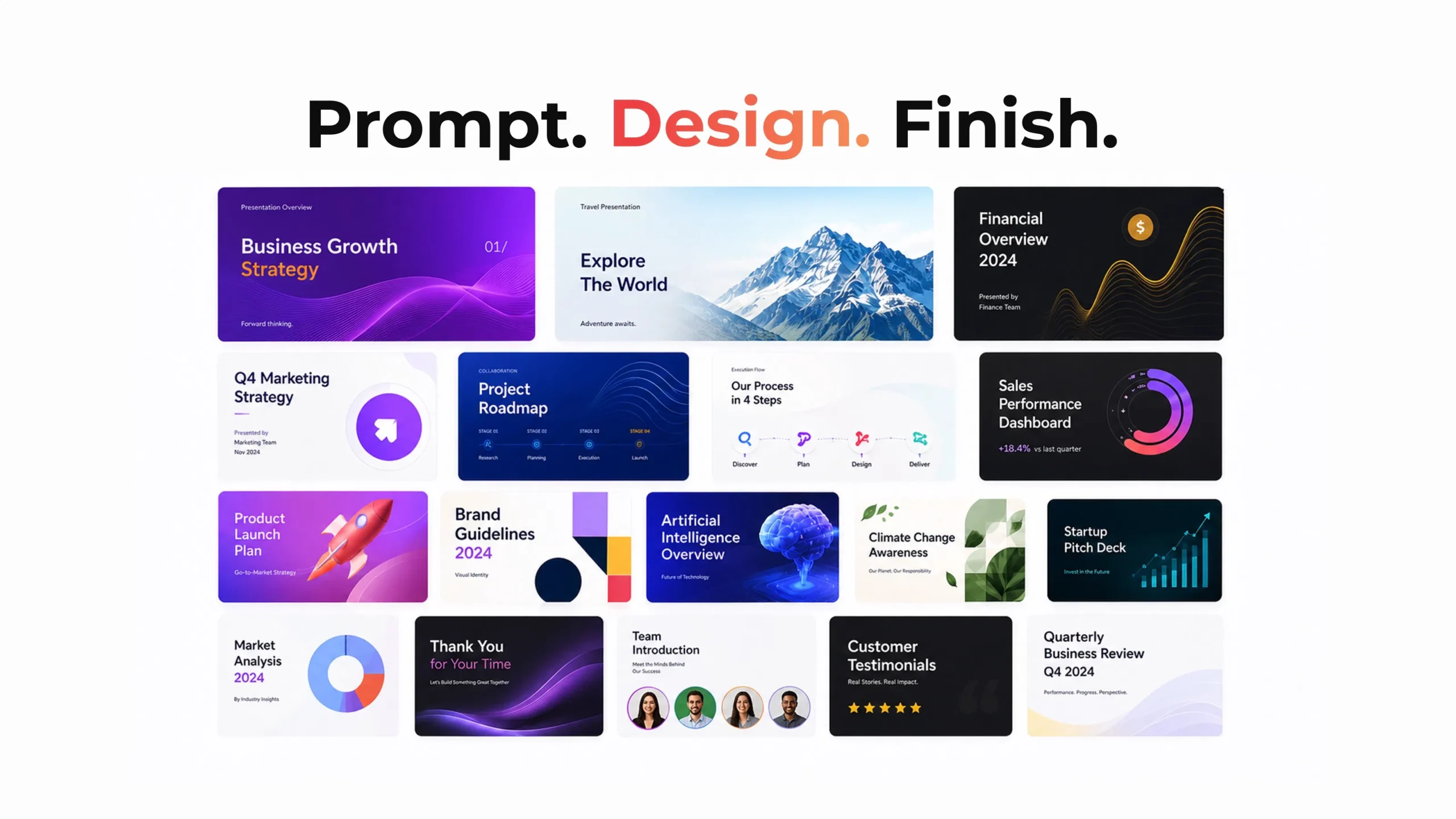
Frequently Asked Questions
What AI models does ExpertSlides use?
Top-tier models — Claude Opus 4.8 plus the in-house ExpertSlides Onyx 2.5 — running on a fast, lean infrastructure, so a polished deck is ready in under two minutes.
How do I export and share my deck?
Export a presentation-ready PDF with one click, in up to 4K resolution — ready to present, email, or upload anywhere, with no reformatting.
Which tool keeps my brand more consistent?
ExpertSlides. Brand kits, logos, and style locking carry your colors and fonts across every slide, and you can train the AI on your own images.
Is there a free way to try ExpertSlides?
Yes — you can start free with no credit card. Paid plans (Starter, Pro, Premium) add more AI credits, brand kits, faster servers, and a full commercial license.
Is ExpertSlides a good Gamma alternative?
Yes. ExpertSlides is built as a Gamma AI alternative that prioritizes studio-quality, on-brand slides — top-tier models, designer-crafted styles, and brand kits — so the output looks human-made, not generic. It is the Gamma alternative most teams reach for when polish matters.
Do I need design skills to use either tool?
No. Every ExpertSlides style is crafted by senior designers and rendered by AI, so non-designers get studio-quality, on-brand slides automatically.
The Verdict: The Best Gamma Alternative?
Gamma AI is a genuinely impressive tool for web-native documents and quick, shareable concepts. If your work begins and ends as a browser link, it is a pleasure to use. But the moment you need a presentation that looks studio-made and stays perfectly on brand, the edge goes to ExpertSlides — and as a Gamma alternative, it is hard to beat.
ExpertSlides pairs top-tier AI models (Claude Opus 4.8 + Onyx 2.5) with designer-crafted styles, full brand control, and all-in-one content — images, tables, and infographics — generated in under two minutes and exportable to a presentation-ready PDF. For teams that want speed without sacrificing polish or brand, it is the more complete choice. For most teams searching for a Gamma AI alternative, ExpertSlides is the one to try first.
Ready to create presentations the smart way?
Join thousands of professionals who design faster, stay on brand, and never fight with formatting again.
Try ExpertSlides risk-free!