Alphabet Template: 50 Editable Letter Slides For PowerPoint
Fifty alphabet slides in one blue look, each built around large letters in a different form: options A, B and C, acronyms spelled out letter by letter, glossaries from A to H, lettered steps, letter grades and a single monogram beside a statement. Change the colours and fonts of all of them at once, let the AI build your own deck in this look, download them as PowerPoint or edit each slide in the editor.
This alphabet template pack holds 50 slides, and on each one large letters carry the design: three option cards headed A, B and C, the five letters of a SMART goal in a column of tiles, the AIDA funnel as four lettered bars, a glossary from A to F, a rating scale from A to E, the steps of DMAIC on chevrons and one giant monogram letter beside a vision. All of them share one blue look on light, white and navy grounds, so any five of them sit in one deck without looking borrowed.
These alphabet slides are more than letters on a page. Every slide is finished and written out with neutral sample content on methods any team uses — SMART, AIDA, STAR, MoSCoW, GROW, PEST, SCQA, SIPOC, SCAMPER, HEART and others — with roles instead of names and round sample figures. The letter is always the largest thing on the slide, and the word it begins stands beside or under it in bold with one quiet line, so an acronym is read at a glance and remembered after the talk.
If you are looking for an acronym or letter template for PowerPoint, a free account downloads the slides as a PPTX file whose texts and shapes stay editable. You can also stay in the browser: pick your colours and fonts in the bar above the slides, describe your topic and let the AI build your own deck in this look, or open the slides one to one in the editor.
Your Own Letters In This Look
Describe your topic, the acronym you teach or the options you compare, or attach the notes you already have. ExpertSlides builds your own alphabet deck in this look in a few minutes, with your letters, your words and your figures.
Every slide is a complete alphabet slide with neutral sample content — well-known methods, short titles, roles instead of names and round figures — that fits any team. Replace its letters, words and figures with yours.
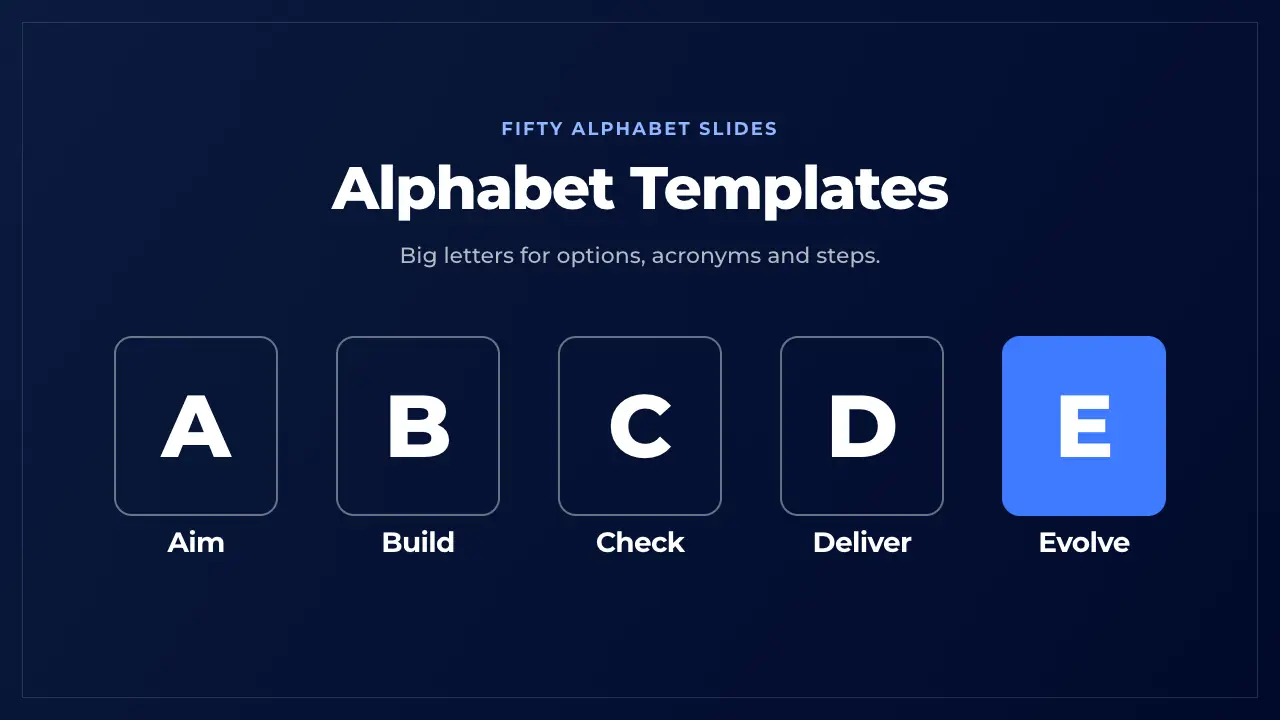
1 · Five Letter Tiles CoverThe opening slide of the pack: five large square tiles with the letters A to E, the last one filled, and one bold word under each. Use it as the title of a deck that works with letters, acronyms or lettered steps. Change the words to the steps of your own topic.
2 · Three Option Cards A, B, CThree options side by side, each led by a large letter: A, B and C. The recommended option is filled in the highlight and carries a small label. Use it when a decision has to be made between a few clear choices; put the cost or the time of each option at the card's foot.
3 · Vertical Acronym Beside A PhotoThe five letters of a SMART goal stand in a column of blue tiles, each with its word and one line of explanation, next to a tall photo. Use it to set or check goals with a team. Replace the lines with your own example goal.
4 · Lettered Funnel Of Four BarsThe AIDA funnel drawn as four bars that narrow from Attention to Action, each led by its large letter, with the count of each stage beside it. Use it to show how people move from a first look to an order and where most of them drop off.
5 · Glossary Cards From A To FA short glossary in six cards, one letter each from A to F, with the term and a two-line definition. Use it at the start of a project or a training to agree on the words everyone uses. Swap the terms for those of your own field.
6 · Monogram Letter With StatementOne giant letter carries the slide: the V of the vision, set beside the statement, three short points and a photo. Use it for a vision, a value or any single idea that deserves a slide of its own. Change the letter to the first letter of your own idea.
7 · Five Lettered ChevronsThe five steps of DMAIC as one row of chevrons, each holding its letter, with the step's name and a two-line caption under it. Use it to explain an improvement project or to show where a project stands. Replace the captions with the work of your own project.
8 · Two Plans Side By SideTwo options on two equal cards: a photo, a large letter A or B, a title, a short text and three facts in the same order. Use it when a decision comes down to two clear plans. Keep the facts alike on both sides so they can be compared at a glance.
9 · Three Giant Letters With FiguresThe three letters of a KPI stand large in pale squares, each with its word and one line, and a band under them shows three sample indicators. Use it to introduce key figures before a report. Replace the band's figures with the indicators your team follows.
10 · Question And Answer On A PhotoA question and its answer, each under a giant letter in a ring, set on a photo under a navy overlay. Use it to open a discussion, to answer the one question everyone asks or to close a talk. Keep the question short and the answer to one clear sentence.
11 · Four Tall Letter CardsThe four parts of the STAR method on four equal cards, each with its letter large in a blue tile, its word and a short text. Use it to prepare interviews, reviews or case stories. Write a real example into the four cards to show how an answer is built.
12 · Lettered Bars Of An ABC AnalysisAn ABC analysis drawn as three rows, each led by its letter in a blue tile, with the share of items it holds and a bar of the value it carries. Use it to show where the value of a stock, a customer list or a product range lies. Replace the shares with the figures of your own list.
13 · Grade Scale With Current MarkA rating scale of five letter tiles from A to E, each with its word, the current grade ringed and marked with a label. Use it for a survey result, an audit grade or a maturity level. Move the ring and the label to your own grade and write the goal under the scale.
14 · One Giant Letter, Five QuestionsOne giant W stands for the five questions every brief answers: who, what, when, where and why, each with a one-line answer. Use it to open a project, check a brief or prepare a talk. Write your own answers into the five rows.
15 · Four Letters In RingsThe four classes of MoSCoW under four large rings, the Must class filled, each with its name and two sample wishes. Use it to sort the wishes for a release, a project or an event. Replace the items with the wishes of your own list.
16 · Four Giant Letters In FramesThe four letters of KISS stand large in outlined frames across the slide, the first one filled, each with its word and one short line. Use it as a reminder slide for writing, design or presenting. Replace the lines with your own rules for keeping things short.
17 · Rising Letter StairsThe four steps of the GROW model climb from left to right like stairs, each block holding its letter, with the step's name and its guiding question above it. Use it to run or explain a coaching talk. Swap the questions for those you use with your own team.
18 · Photo Band Over Four LettersA wide photo opens the slide, and under it the four letters of CARE stand in four columns, each with its word and a two-line rule for good service. Use it for service standards, onboarding of a support team or a values slide. Change the rules to those of your own team.
19 · Three Letters Linked By ArrowsFeatures, advantages and benefits in three large circles joined by arrows, each with its word and an example that runs from what a product has to what the buyer gains. Use it to train sales talks or to write product pages. Fill the three examples with one feature of your own product.
20 · Vertical Letter Track With FigureThe five steps of CLEAR run down a vertical line of letter discs, the current step filled and larger, each with its name and one line; a card beside them holds a key figure. Use it to show where a process stands right now. Move the filled disc to your own current step.
21 · Four Stacked Letter BandsSituation, complication, question and answer as four calm bands down the slide, each with its large letter, its name and one sample sentence. Use it to plan the storyline of a talk, a memo or a pitch. Write your own story into the four sentences.
22 · Objective And Key Results Beside PhotoOne objective under a large letter O and three key results, each marked KR with its number, stacked beside a tall photo. Use it to share a goal for the year or the quarter. Keep the objective inspiring and each key result measurable.
23 · Four Tall Letter TilesFour tall tiles in the highlight spell TEAM, each with a large white letter and the word it stands for, and a short line under the row. Use it for a team kick-off, a values slide or a closing. Put your own figure or promise into the line under the tiles.
24 · Letters In HexagonsThe four outside forces of PEST stand in four hexagons, each with its letter, its name and a two-line sample. Use it for strategy work, a market review or the start of a business plan. Replace the samples with what changes in your own market.
25 · One Big Figure And Four RowsA giant 4P sums up the marketing mix, and four rows beside it name product, price, place and promotion, each led by a small letter tile with one line. Use it to open a marketing plan or to review an offer. Write one sentence of your own plan into each row.
26 · Photo Band Over Five Letter TilesA wide photo opens the slide, and under it the five letters of IDEAL stand in a row of tiles, each with its step and a two-line caption. Use it to walk a team through solving a problem. Write the problem you are solving into the lead and keep the steps.
27 · Three Tall Letter Panels With FiguresEnvironmental, social and governance as three tall panels, each led by its letter, with one key figure and the line that explains it. Use it for a sustainability report, an investor update or a values slide. Replace the figures with your own targets.
28 · Seven Tall Letter PillsSeven tall pills spell SCAMPER across the slide, each with its question word and a two-line hint for rethinking a product. Use it in an idea workshop or a product review. Work through the seven pills with one product at a time.
29 · From A To B On A Curved RoadA large A for where we stand and a large B for where we want to be, joined by a curved road with three milestones on it. Use it for a strategy, a change programme or any plan with a clear start and goal. Write your own figures under A and B and your steps on the road.
30 · Grade Scorecard Beside A PhotoFour areas of the business, each graded with a letter in a ring, its name and a one-line comment, beside a tall photo. Use it for a quarterly review, a supplier rating or a team health check. Change the grades and comments to your own results.
31 · Three Monogram ColumnsMission, vision and values in three calm columns divided by hairlines, each under its giant initial with a short statement. Use it in a strategy deck, an onboarding talk or on an about-us slide. Write your own three statements in one sentence each.
32 · Lettered Agenda Beside A PhotoAn agenda of five points lettered A to E, each with a short note and its start time, beside a tall photo of the room. Use it to open a meeting, a workshop or an event day. Change the points and times to your own programme.
33 · Five Letters On Keyboard KeysFive large keys spell FOCUS, each with the word it stands for and one short line: follow one course until successful. Use it as a reminder slide for priorities, a kick-off or a personal goal. Change the lines to the habits of your own team.
34 · Six Abbreviation CardsSix common abbreviations, each set large on a card with what it stands for and what it means in one line. Use it in onboarding, training or as an appendix of a report. Swap in the abbreviations of your own field.
35 · A And B With Result BarsTwo versions of a page, A and B, each with its letter tile and a bar of its result, the winner marked and the finding in one line. Use it to report an A/B test of a page, a mail or an offer. Replace the rates with the figures of your own test.
36 · Grade As A Key FigureOne grade carries the slide: a large A+ inside an arc that is nine tenths full, three reasons for it with icons, and a photo. Use it to share a rating, an audit result or a survey grade. Change the grade, the arc and the reasons to your own result.
37 · One Letter And Its RolesA giant letter C stands beside four cards, one for each chief role, with its abbreviation and what the role does. Use it in an organisation overview, an onboarding deck or a pitch. Add or swap roles to match your own leadership team.
38 · Descending Letter BarsFive bars hang from one line and step down from A to E, their lengths showing how much each class of task matters. Use it to sort a to-do list, a backlog or a set of requests. Write one sample task under each letter.
39 · Five Lettered Column HeadsSuppliers, inputs, process, outputs and customers as five column heads, each with its letter in a tile, linked by arrows, with two sample items under each. Use it to map a process before improving it. Fill the items with the parts of your own process.
40 · Four Letters On A Full PhotoFour large white letters spell LEAD over a full photo under a navy overlay, each column with its word and a two-line line on what good leaders do. Use it for a leadership training, a values slide or a team day. Change the four lines to the habits your team expects of its leads.
41 · Hexagon Row With MetricsThe five HEART measures of user experience stand in a row of hexagons, each with its letter, its name and one key figure. Use it for a product review or a report on user experience. Replace the figures with your own measures.
42 · Letter Column With Speech CardsThe four steps of PREP run down a vertical line of letter rings, each beside a card with its step and a sample sentence, so the answer can be read from top to bottom. Use it to prepare a short answer, a pitch or a meeting statement. Write your own answer into the four cards.
43 · Seven Letter Cards In Two RowsThe seven outside forces of STEEPLE on seven cards, four on top and three centred under them, each with its letter, its name and one line. Use it for a strategy review or the outside view of a business plan. Write what each force means for you into its line.
44 · Four Lettered Rows Beside A PhotoFour questions that qualify a sales lead, each led by its large letter with a short question and a check mark, beside a photo. Use it to train a sales team or to set the rules for handing leads over. Add the answer your team needs before a call goes ahead.
45 · Glossary From A To HEight marketing terms from audience to headline in two calm rows of four, each with its large letter, the term and a short definition. Use it as a reference slide in a training, a brief or an appendix. Swap in the terms of your own field, one for each letter.
46 · Split Screen With One LetterOne giant letter fills a blue half of the slide, and the other half holds the headline and three key figures that the letter stands for. Use it for a results slide, a section opener or a single theme. Change the letter and the figures to your own topic.
47 · Six Tall Letter CardsSix tall cards spell INVEST, each with its letter in a blue tile, the quality it names and a short line, so a team can check a user story letter by letter. Use it in agile training or a backlog review. Check one of your own stories against the six cards.
48 · Three Photo Cards With LettersThree routes to market on three photo cards, each with its letter in a disc over the photo, a title and a short line; the chosen route is outlined and marked. Use it to present options with a picture for each. Replace the photos and lines with your own options.
49 · Letters On A Rising LinePlan, do, check and act as four letter discs placed on one line that rises from left to right, each step with its name and a two-line text. Use it to show how quality improves step by step. Write the steps of your own improvement into the four texts.
50 · Closing From A To ZThe closing slide of an alphabet deck: a giant A and a giant Z frame a wide photo, with the headline above and a closing line below. Use it to end a talk, a programme or a report. Change the closing line to your own last message.
Fifty Forms Of An Alphabet Slide In One Blue Look
A title slide of five large letter tiles from A to E; option cards for A, B and C, Plan A or Plan B, an A/B test with result bars and three routes to market on photo cards for choices; SMART beside a photo, the AIDA funnel, DMAIC on chevrons, STAR on tall cards, MoSCoW in rings, KISS in outlined frames, GROW as rising stairs, CARE under a photo band, FAB linked by arrows, CLEAR on a vertical track, SCQA in bands, TEAM on tall tiles, PEST and HEART in hexagons, IDEAL under a photo, ESG with key figures, SCAMPER on seven pills, FOCUS on keyboard keys, SIPOC with arrows, LEAD on a full photo, PREP beside speech cards, STEEPLE on seven cards, BANT beside a photo, INVEST on six cards and PDCA on a rising line for acronyms; glossaries from A to F and A to H and six abbreviations for terms; a grade scale from A to E, a quarterly scorecard and an A+ rating in an arc for grades; a lettered agenda, the ABCDE method and the way from A to B for steps; and single letters — a monogram V, the five Ws, the 4P mix, the C-suite, M, V and V for mission, vision and values, a split screen G — up to the closing slide from A to Z.
How To Use This Alphabet Template
01
Pick Your Forms
Look through the gallery and choose the forms that fit your message: option cards to compare, a column of tiles to spell out an acronym, a glossary to explain terms or one giant letter for a single idea.
02
Set Colours And Fonts
Choose a colour scheme and a font in the bar above the slides. Every slide of the alphabet template changes at once, and the letters keep their weight and their place.
03
Fill In Your Content
Replace the sample words with your own: one letter, one word and one short line each. Or let Fill With AI build your own deck in this look from a short description of your topic.
04
Download Or Present
Download the slides as an editable PowerPoint file with a free account, or present them straight from the browser. Every letter stays a text you can retype.
Why Big Letters Work On Slides
A letter set large is read before anything else on a slide. It gives the eye an anchor, splits a method into parts people can count and makes an acronym stick: after the talk, the room remembers SMART or GROW long after it has forgotten the bullet points under them.
The rule on every slide of this pack is the same: one letter, one word, one short line. Keep each line to a few words, use the highlight colour for the letter that matters most and let the rest stay quiet.
Options, Acronyms, Glossaries And Grades
Lettered options — A, B and C, Plan A or Plan B — make a decision easy to discuss, because everyone in the room can name the option they prefer. Acronyms spelled out letter by letter teach a method in one slide, and short glossaries from A to F or A to H bring a team onto the same words.
Letter grades show where something stands on a scale at a glance, and a single monogram letter turns a value, a vision or a theme into a slide of its own. Mix the forms freely: they all share one look.
Questions About The Alphabet Template
What is an alphabet template?
An alphabet template is a set of slides whose design is built around large letters: lettered options, acronyms spelled out letter by letter, glossaries, lettered steps and grades. This one holds 50 such slides in one blue look.
Is the alphabet template free?
Yes. You can look at every slide, change its colours and fonts and edit it in the browser for free. A free account downloads the alphabet template as an editable PowerPoint file.
Which acronyms do the alphabet slides cover?
SMART, AIDA, DMAIC, KPI, STAR, MoSCoW, KISS, GROW, CARE, FAB, CLEAR, SCQA, OKR, TEAM, PEST, the four Ps, IDEAL, ESG, SCAMPER, FOCUS, SIPOC, LEAD, HEART, PREP, STEEPLE, BANT, INVEST and PDCA, among others.
Can I use my own acronym?
Yes. Every letter is a text, so you can retype it with your own letter and word. Add or remove a tile or a column in the editor, or let Fill With AI build a deck around your own acronym.
Can I open the slides in PowerPoint or Google Slides?
Download the slides as a PPTX file with a free account. It opens in PowerPoint, Keynote and Google Slides, and its texts and shapes stay editable.
Can I change the colours and fonts?
Yes. Pick a colour scheme and a font in the bar above the slides and all 50 change at once. You can also use your own Design Kit with your brand colours and fonts.
Do the slides contain real company data?
No. The sample content is neutral: general methods, roles instead of names and round figures such as 10,000 visitors or revenue of $1.2M. Replace it with your own content.
Try ExpertSlides AI For Free — The Ultimate AI Presentation Maker
Describe any topic or upload a document, and ExpertSlides designs and writes the whole deck — editable in the browser and as a PowerPoint file.