
Template · Project Management
Project management template: a 20-slide kickoff deck, ready to edit
Most project management templates are empty frames. This one is a finished project kickoff presentation: twenty slides for a made-up project — goals, scope, team, plan, Gantt chart, budget, RACI, risks, status report and next steps — written the way a project manager would present them.
Open it in the editor, put your own project’s names and figures in, and you have a project management presentation for the kickoff and for every status meeting after it. Every slide comes from the ExpertSlides library, so the AI can rewrite, extend or restyle any of it.

The 20 slides of the project kickoff presentation
Project Atlas: a sales organisation moves 14 regional teams to one CRM in six months. Replace it with your project.
1 · Title 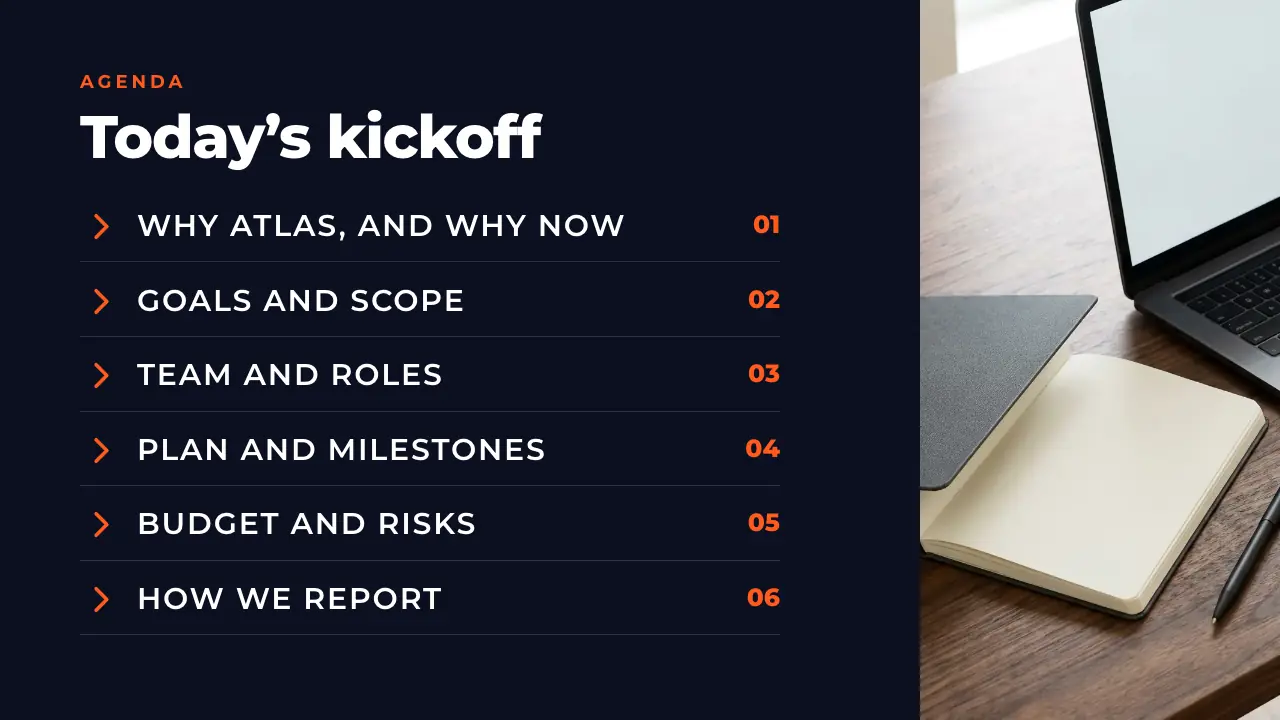
2 · Agenda 
3 · Overview 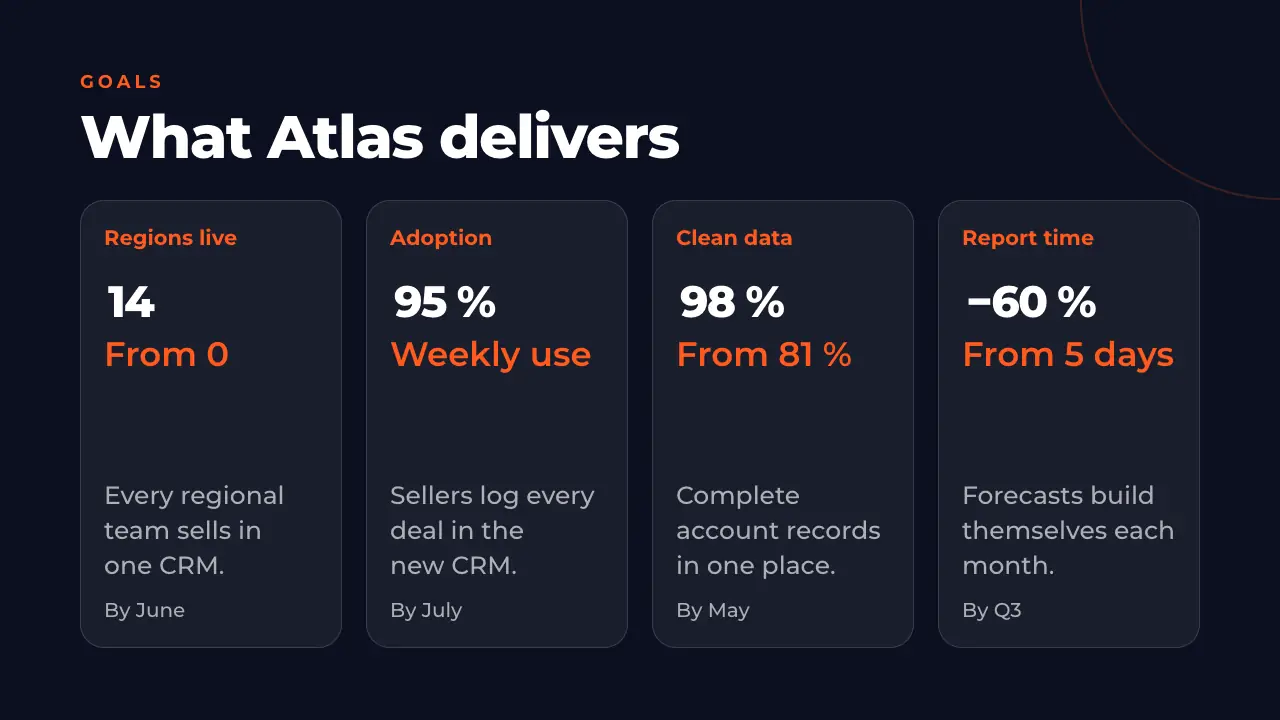
4 · Goals 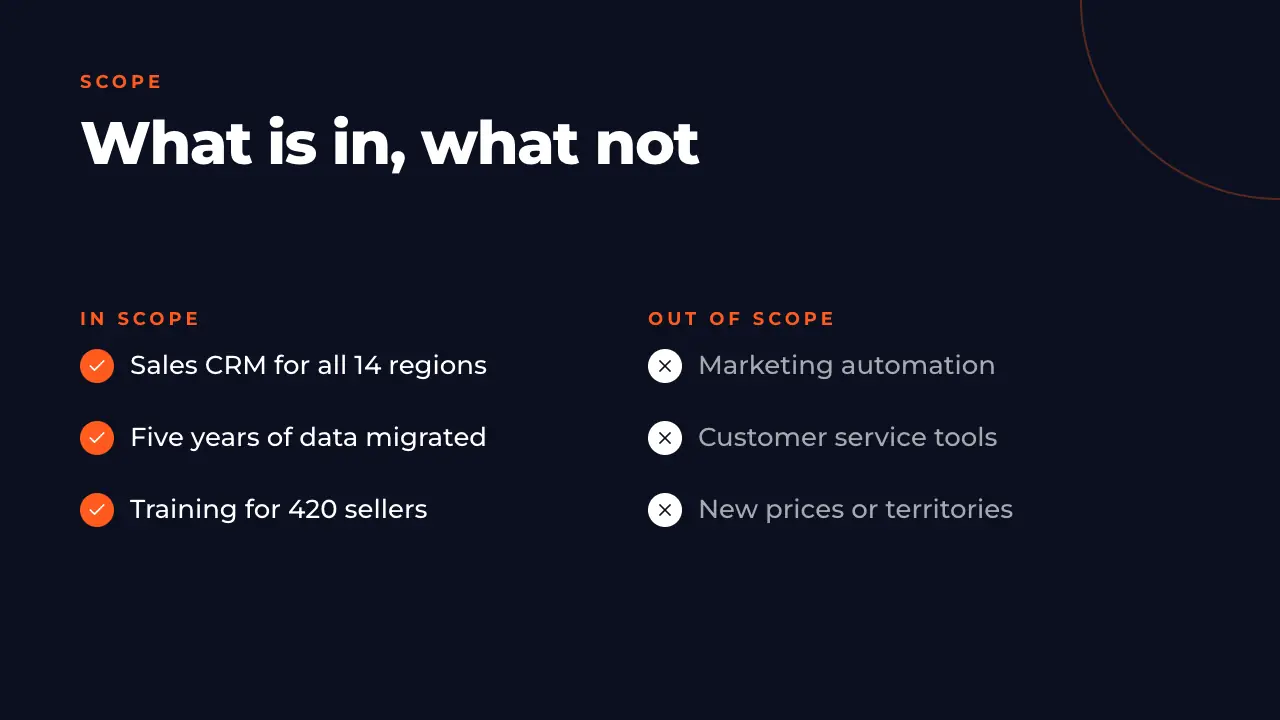
5 · Scope 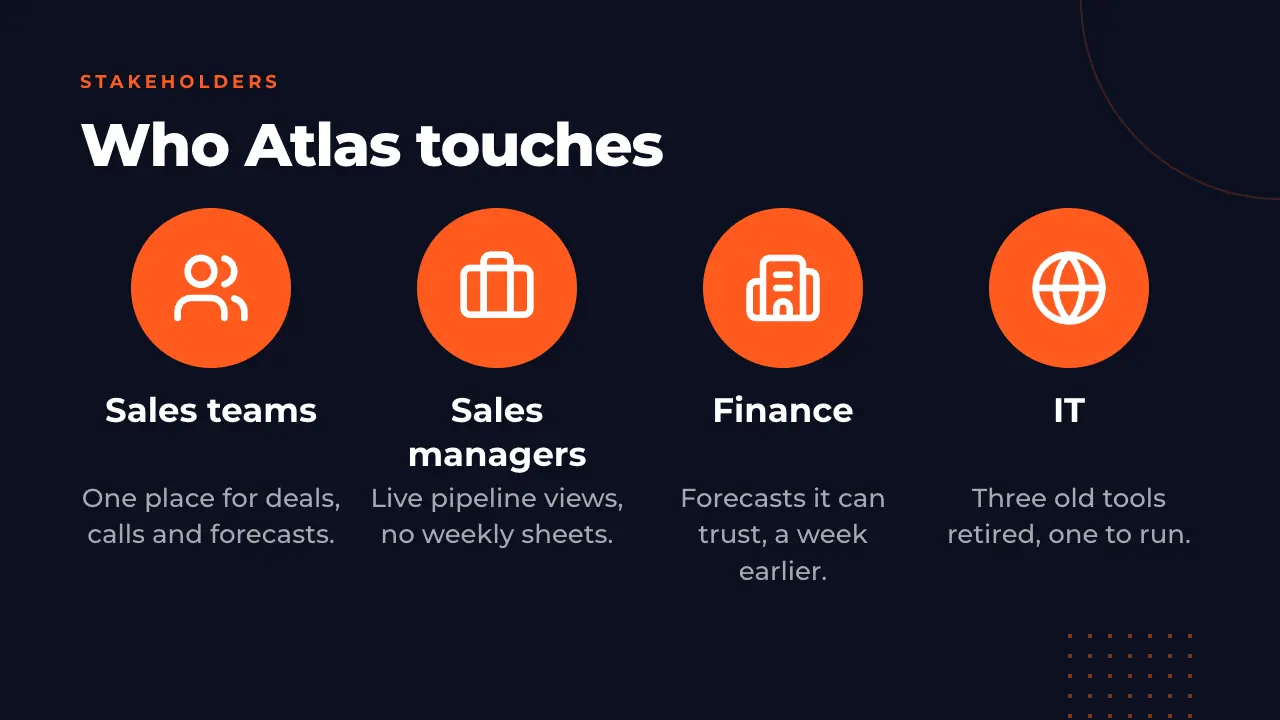
6 · Stakeholders 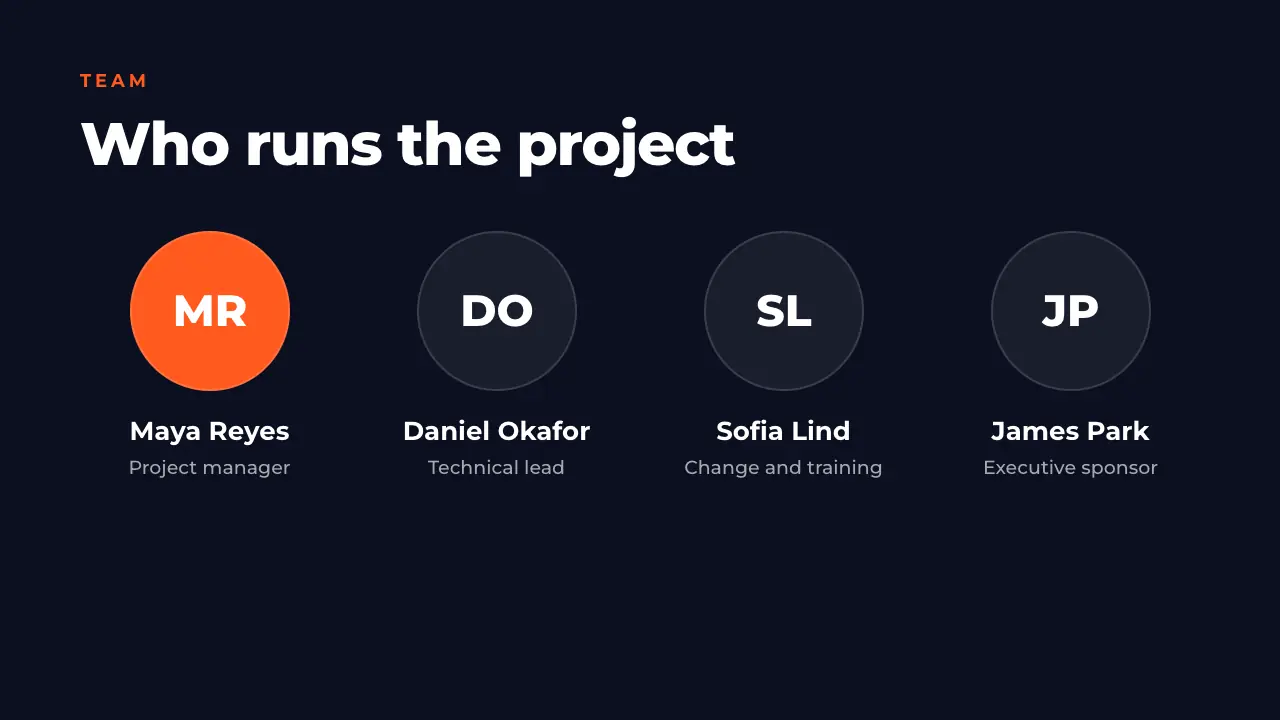
7 · Team and roles 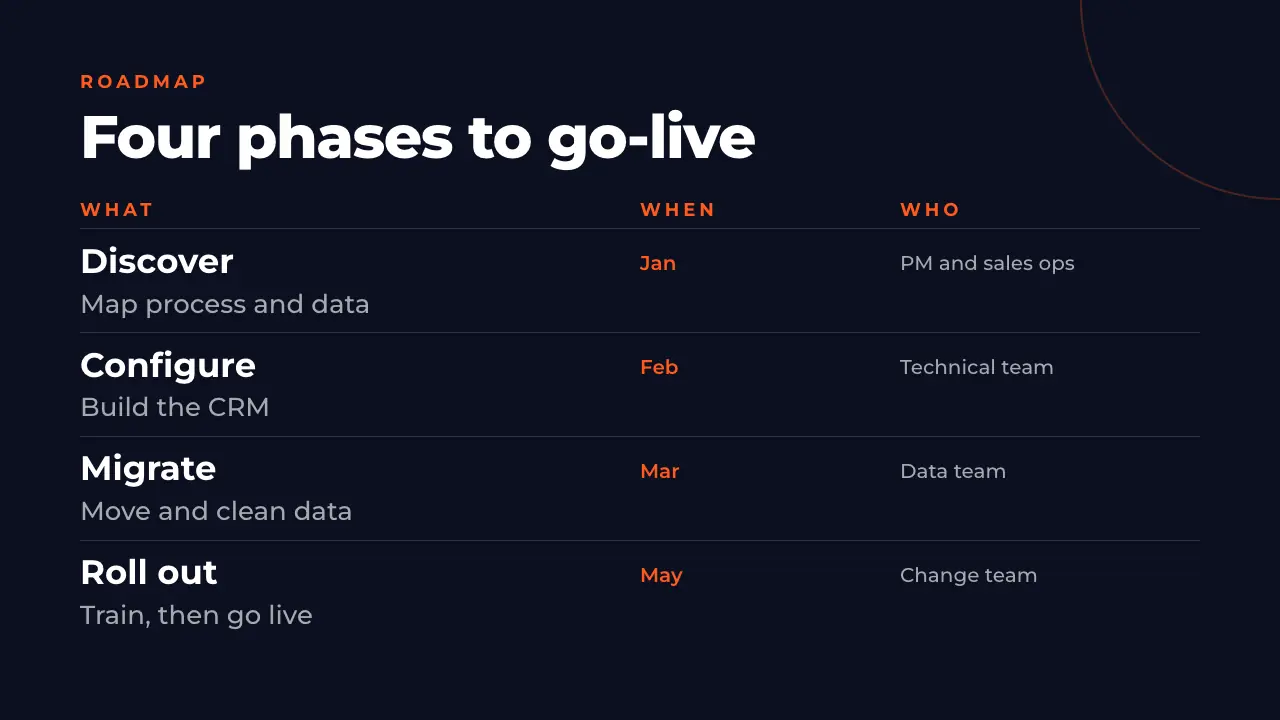
8 · Roadmap 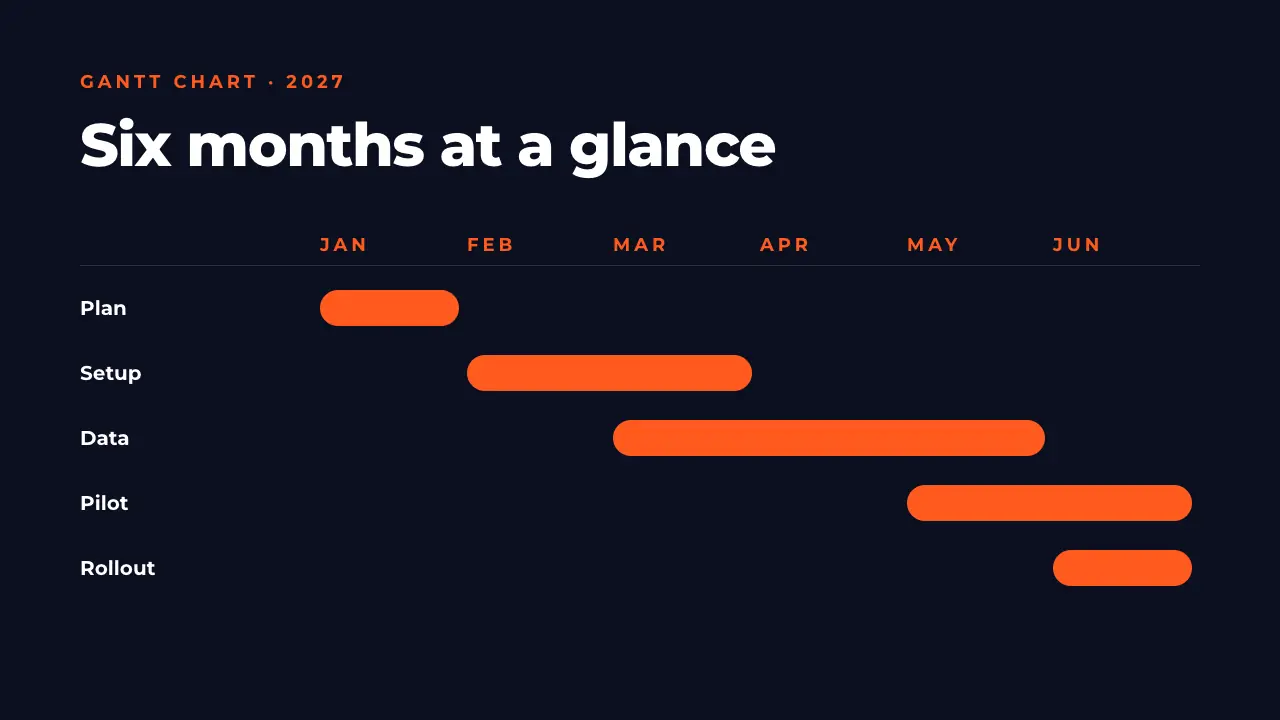
9 · Gantt chart 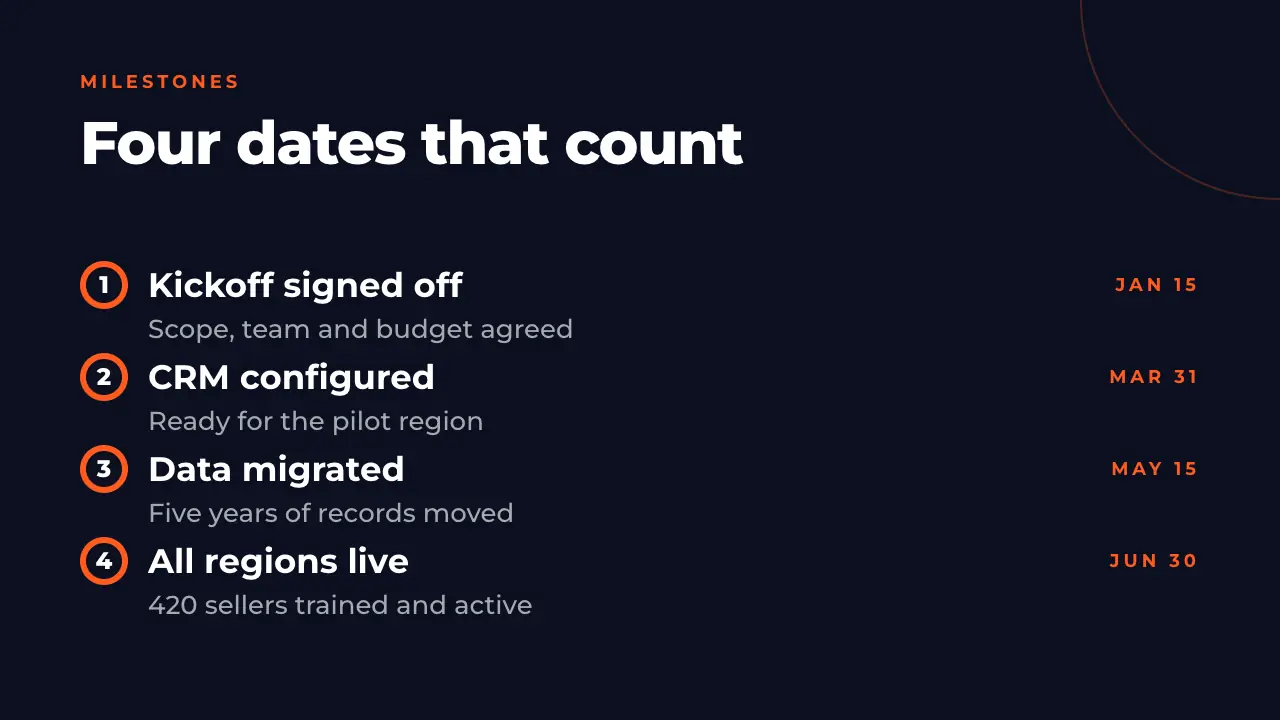
10 · Milestones 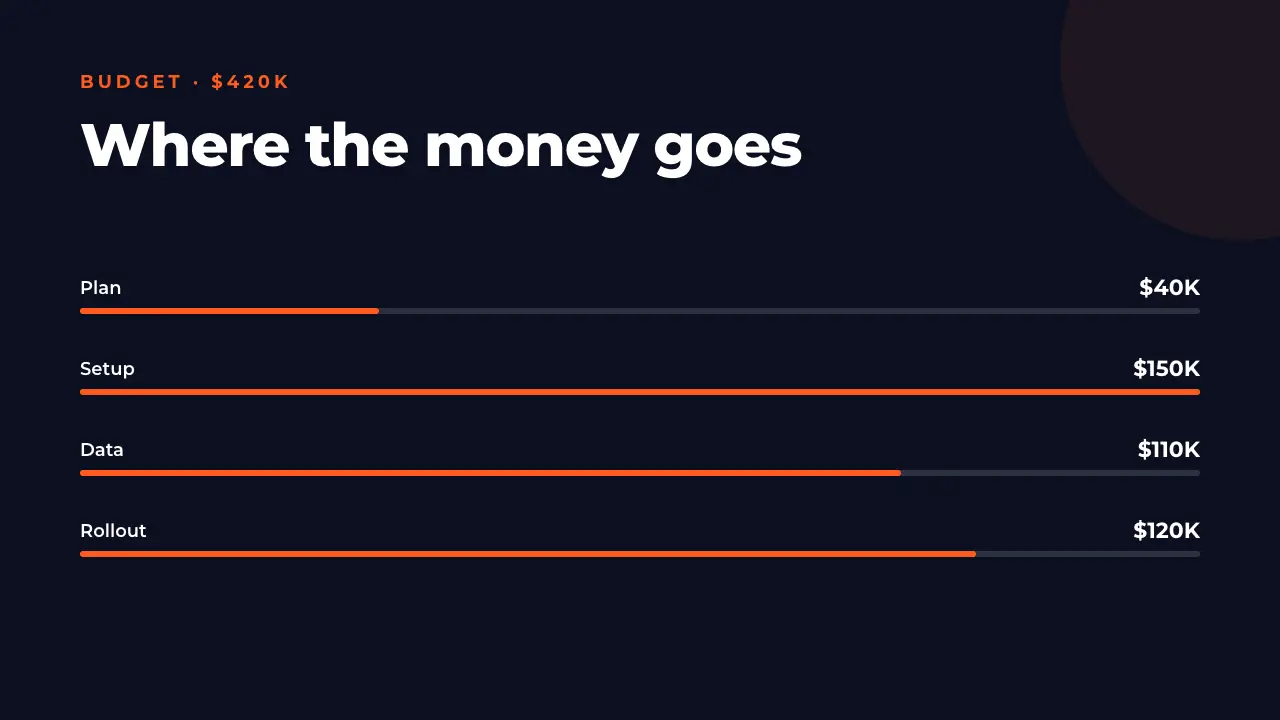
11 · Budget 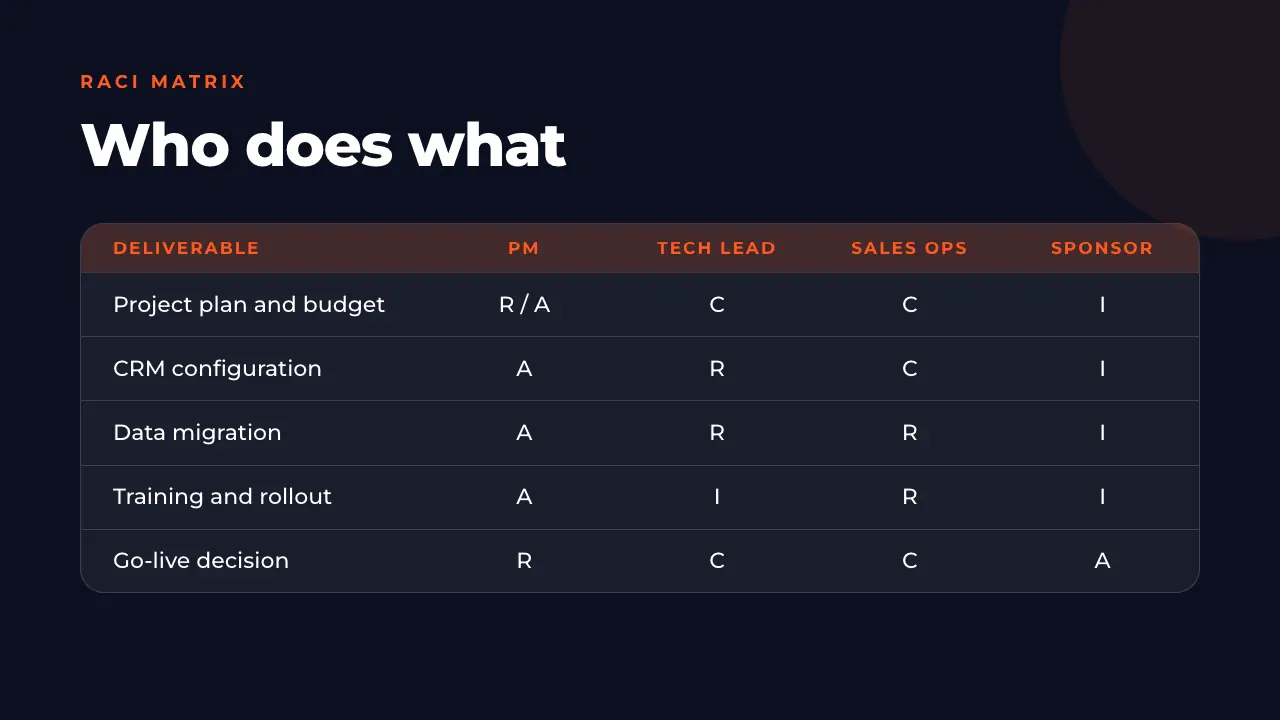
12 · RACI matrix 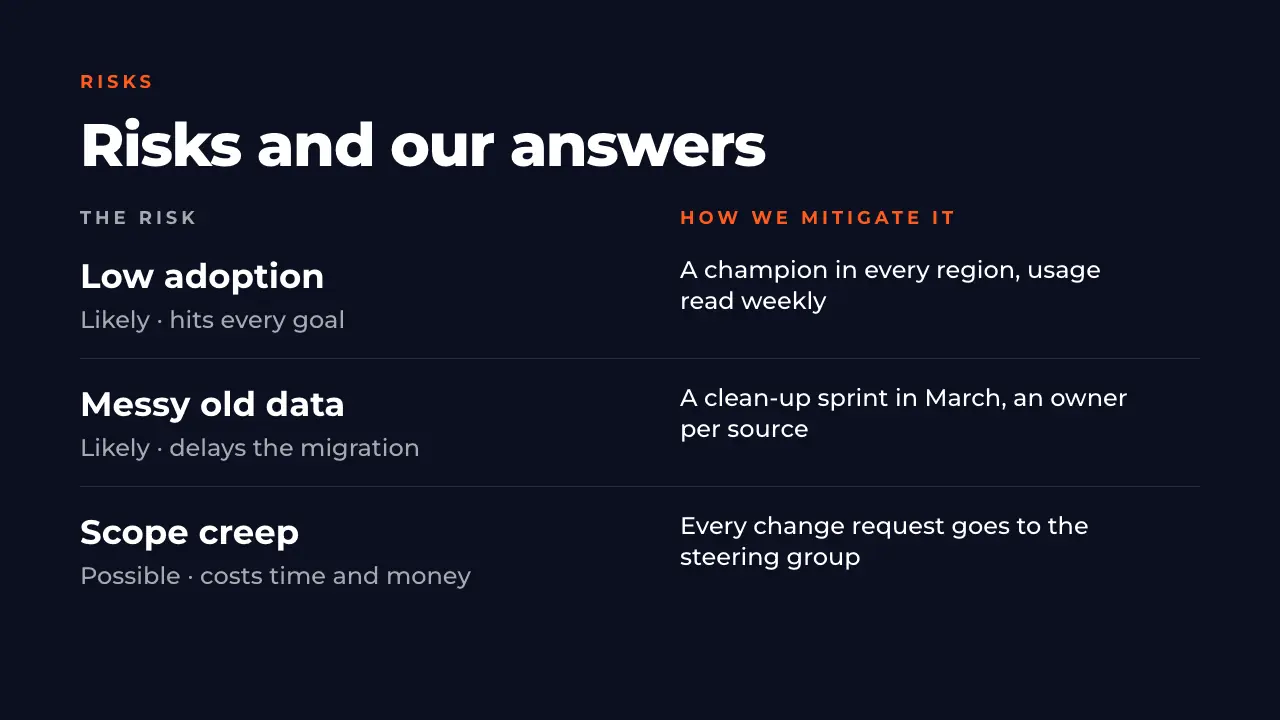
13 · Risks 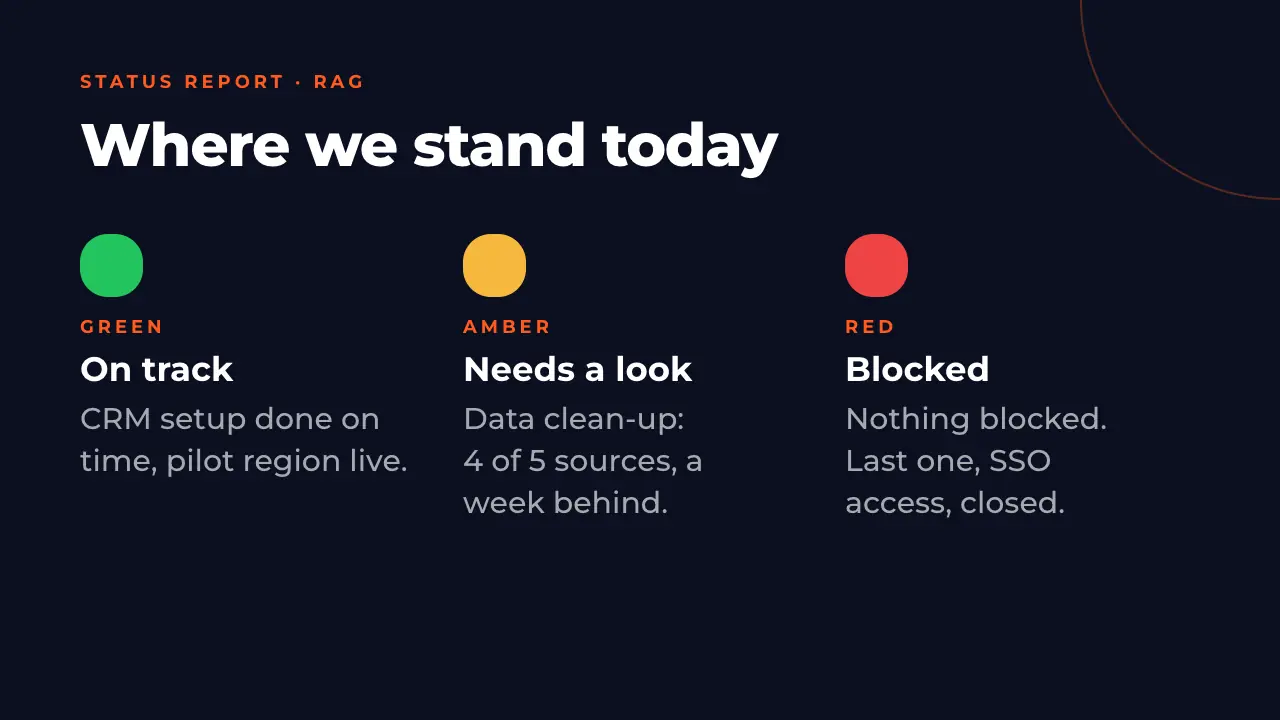
14 · Status report 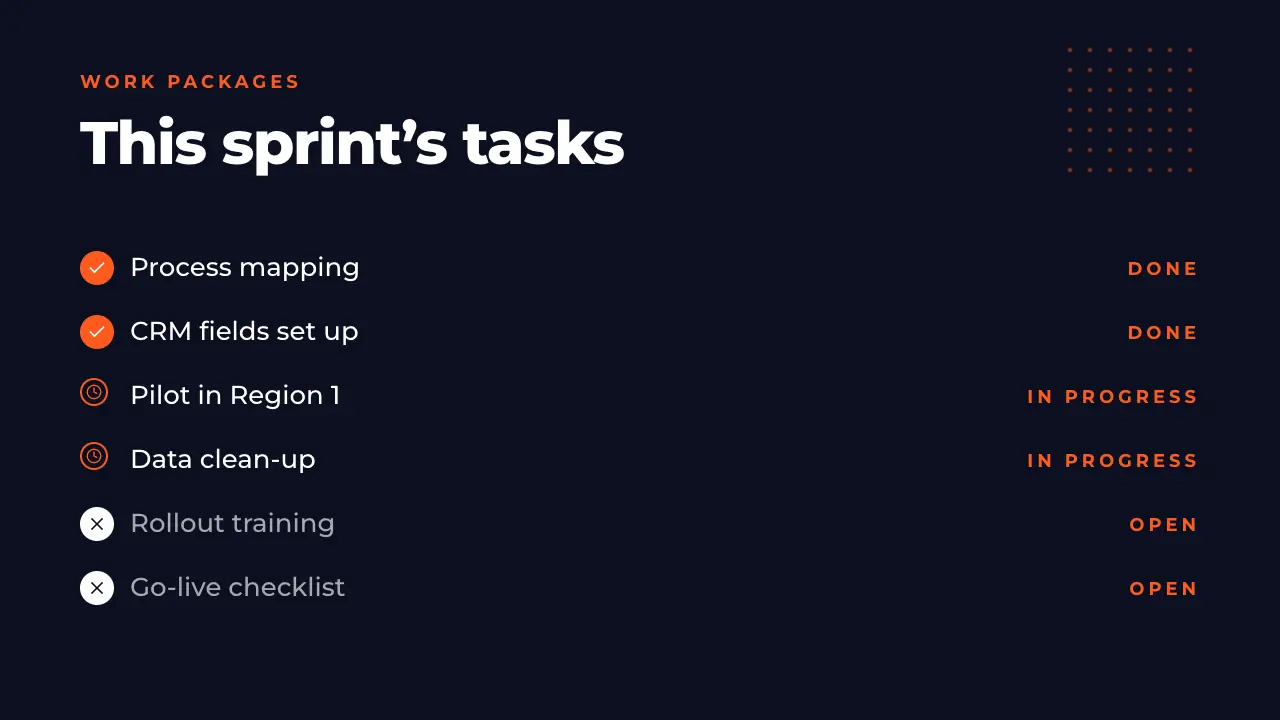
15 · Work packages 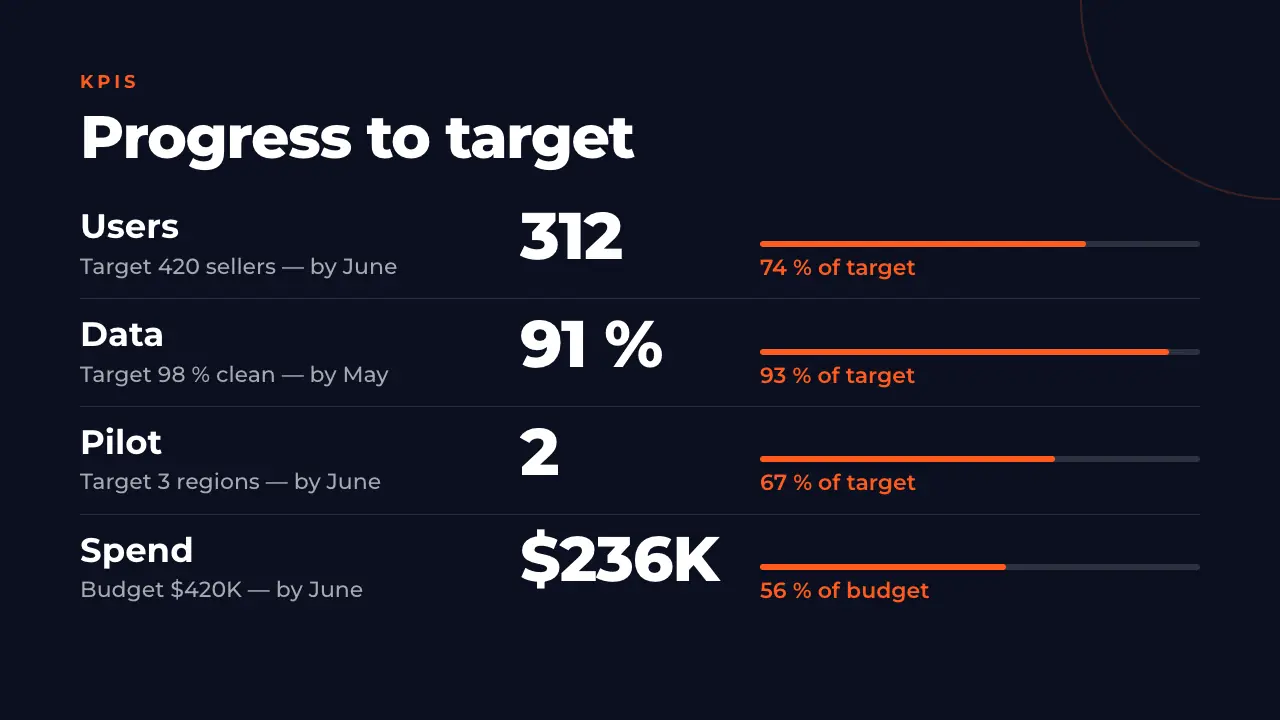
16 · KPIs 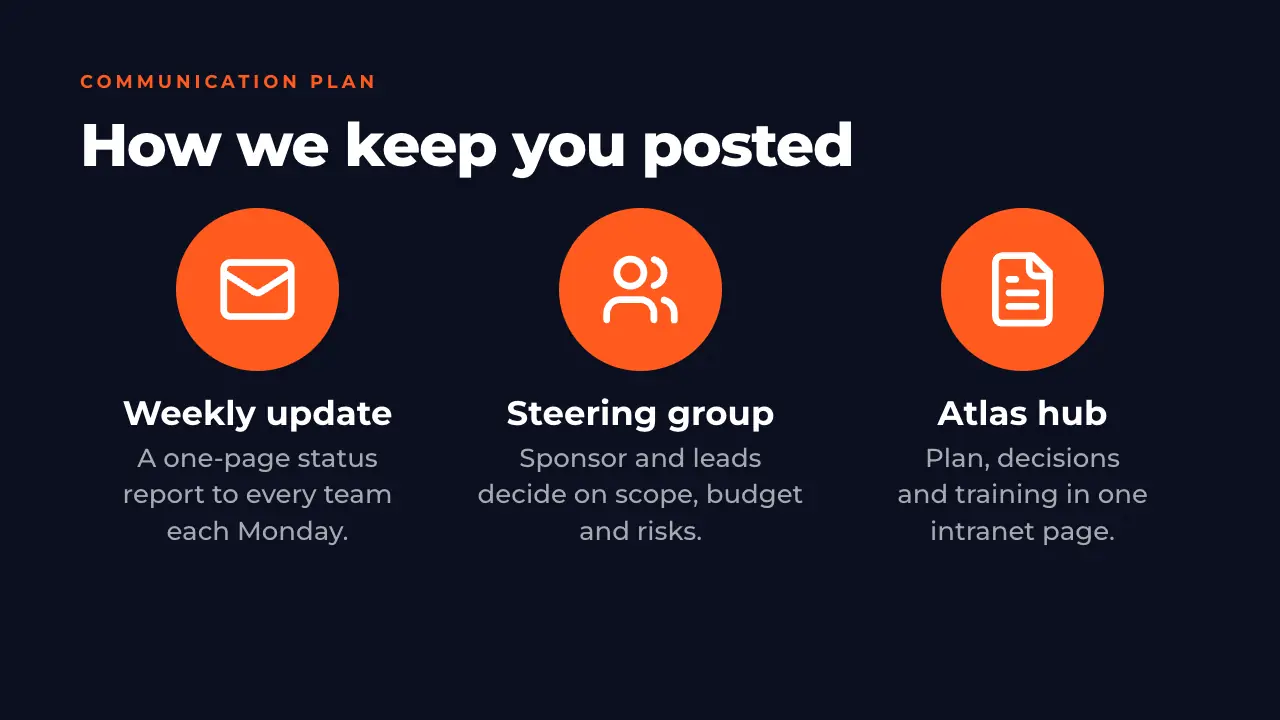
17 · Communication plan 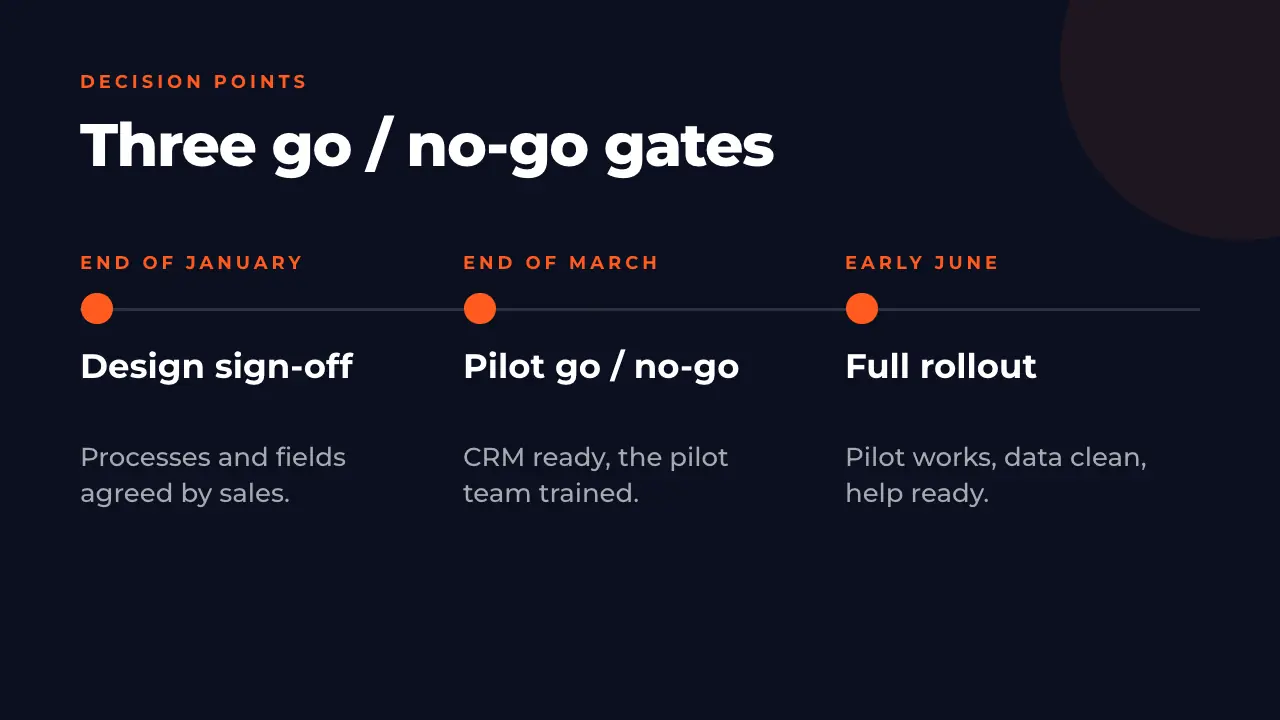
18 · Decision points 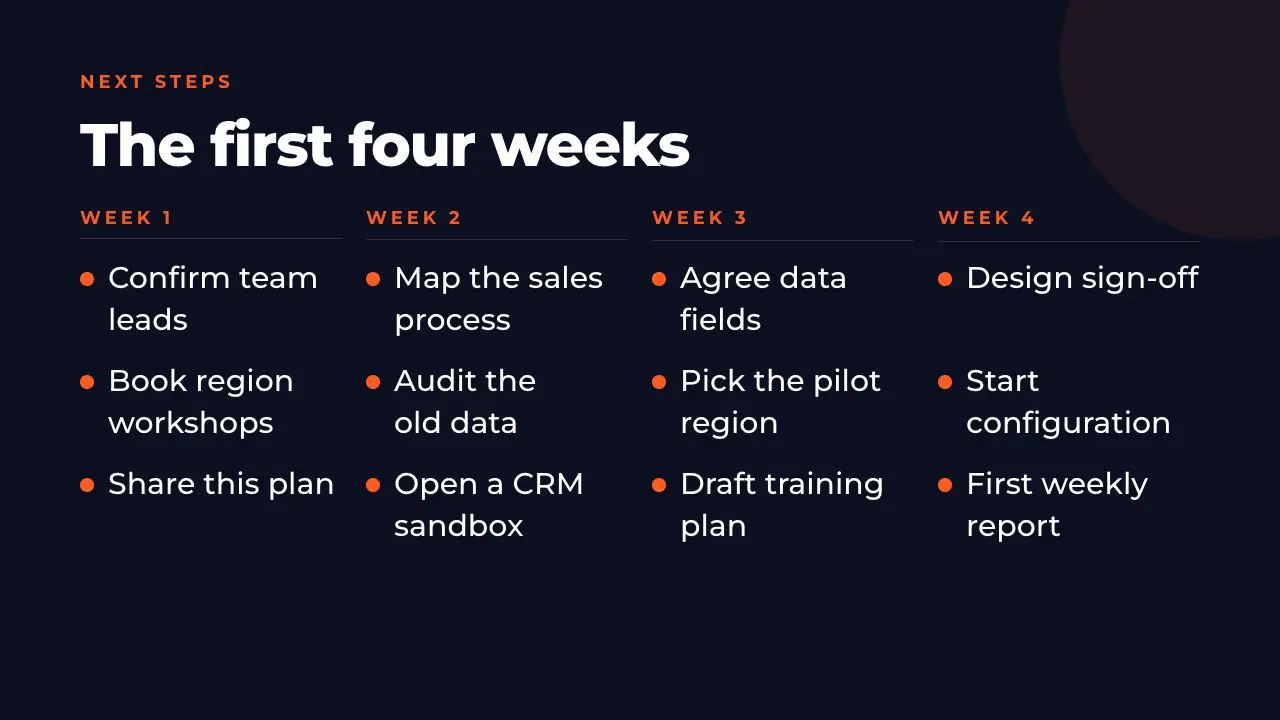
19 · Next steps 
20 · Closing
A project plan template for PowerPoint, with timeline and status report
Title and agenda, an overview, goals with targets, scope in and out, stakeholders, team and roles, a roadmap, a six-month Gantt chart, milestones, the budget by phase, a RACI matrix, risks with their mitigation, a red-amber-green status report, work packages, KPIs, a communication plan, go / no-go gates, the next four weeks and a closing slide.
How to use this project management template
Open it
Press Use this template. The deck is copied into your account — free, no credit card — and opens in the editor.
Make it your project
Click any text to put in your project: names, dates, budget, the letters of the RACI. Or ask the AI to rewrite a slide for your project.
Shape the plan
Add a milestone, a risk or a row of the RACI matrix, move a bar of the Gantt chart, or ask the AI for another point on a slide.
Present or export
Present it from the browser or export it. On Pro and Business you download an editable PowerPoint file. Every plan exports PDF; on Free a PDF carries the ExpertSlides mark.
Questions about the template
Is this project management template free?
Yes. Opening it costs no credits and needs no credit card, and it stays in your account like any of your presentations. Unlike most free project management templates, it comes filled in, so you change a working deck instead of starting from empty boxes. Every plan exports PDF; on Free a PDF carries the ExpertSlides mark.
Can I download it as a PowerPoint file?
On Pro and Business you download it as an editable PowerPoint (PPTX) file: its texts and its table stay editable in PowerPoint. On every plan you can present it from the browser.
Does it include a Gantt chart template for PPT?
Yes. Slide 9 is a six-month Gantt chart with five phases, slide 8 a project timeline of four phases with what, when and who. Both are ordinary slides: change the months, the phases and the length of the bars as you like.
Can I use it as a project status report template?
Slides 14 to 16 are a status report: a red, amber and green summary, the tasks of the current sprint and four KPIs against their targets. Duplicate them for each weekly report, so the plan and the reports stay in one deck.
What does a project kickoff presentation template include?
Why the project exists, its goals and scope, who is involved and who decides, the plan with its milestones, the budget, the risks, how the team will communicate and the first steps. This template has a slide for each, in that order.
Can the AI make a deck like this for my own project?
Yes. Describe your project in the prompt on the home page, or upload your project charter, and the AI writes a deck like this one with your content, in the design you choose.
Use the project management template
A free account, no credit card. The deck opens in the editor, every slide editable.
Use this template