Branding Presentation Template: 50 Editable Brand Slides For PowerPoint
Fifty brand slides in one calm blue look, from the brand pyramid and the positioning map to logo rules, colour roles and a brand audit. Change the colours and fonts above, open any slide in the editor or download the pack as PowerPoint.
This branding presentation template gives you 50 finished slides for defining, explaining and running a brand. It follows the order most brand work takes: why the brand exists, whom it speaks to, how it sounds and looks, where people meet it and how well it is doing.
It also works as a branding PowerPoint template for brand guidelines, a rebrand kick-off, an internal launch or a yearly brand review. The sample content speaks of Our Brand and uses a plain sample mark, general roles and round figures, so you can put your own logo, words and results in their place.
Your Brand In This Blue Look
Describe your brand, its audience and what it promises, or attach your brand notes, a strategy paper or a survey. ExpertSlides builds your own brand deck in this look in a few minutes, with your words and your figures.
The 50 Slides Of The Branding Presentation Template
Every slide is a complete piece of brand work with neutral sample content: Our Brand, a plain sample mark, general roles and round figures that fit any organisation. Replace them with your own.
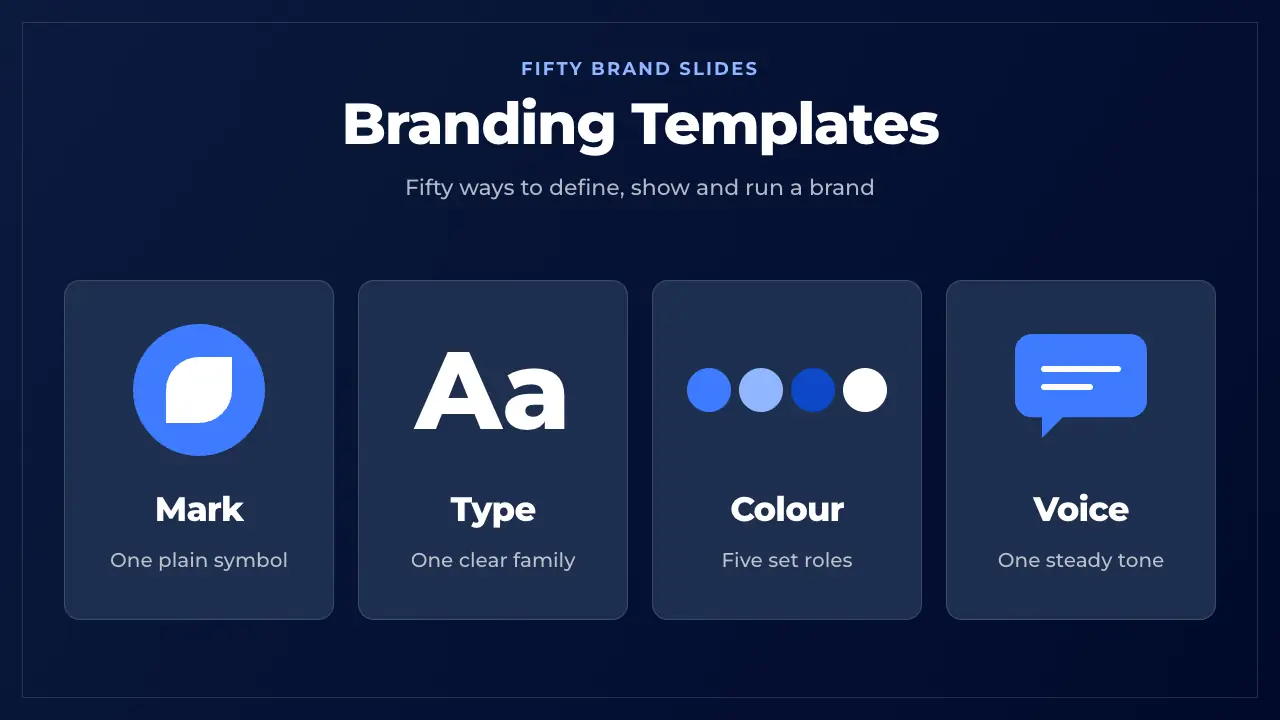
1 · Brand Board CoverA title slide that shows what a brand is made of: a plain sample mark, a type specimen, the colour roles and the voice. Use it to open a brand presentation or a set of guidelines. Replace the mark with your own logo and keep the four blocks.
2 · Stepped Brand PyramidA stepped pyramid that builds a brand from its visible attributes up to its single essence. Use it to explain how the parts of a brand depend on each other. Write one short line for each level.
3 · Purpose Statement With PhotoOne sentence of purpose beside a tall photo, with three lines on who it serves, what it changes and why it matters. Use it early in a brand presentation. Replace the sentence with your own purpose in plain words.
4 · Concentric Why How WhatThree concentric rings place the belief at the centre, the way of working around it and the offer on the outside. Use it to show that the brand starts from a reason. Write one sentence for each ring.
5 · Three Photo CardsThree equal cards with a photo, a title and a short text for mission, vision and values. Use it to state the core of the brand on one slide. Keep each text to one sentence.
6 · Perceptual Positioning MapA positioning map with two crossed axes, four neutral rivals and the open space the brand claims. Use it to show why the chosen position is different. Change the axes to the two qualities that matter most in your market.
7 · Four-Band Positioning StatementA positioning statement split into audience, category, benefit and proof, read from top to bottom as a single sentence. Use it to align a team on what the brand stands for. Rewrite each band and read the whole aloud.
8 · Audience Around A Round PhotoA round photo of the core audience with three traits on each side: needs, habits, values, channels, goals and doubts. Use it to make the audience feel real to a team. Fill each trait with one short finding.
9 · Personality SlidersFive horizontal scales place the brand between pairs of opposite traits, with the stronger side in bold. Use it to agree on the character of the brand before any design work. Move each marker to where your brand belongs.
10 · Six Hexagon TraitsSix cards with hexagon icons name the traits of the brand and how each one shows in behaviour. Use it to brief writers, designers and service teams. Keep a trait to one word and one sentence.
11 · This, Not That Voice ColumnsTwo columns set what the brand voice is against what it never is, in four matching pairs. Use it to brief anyone who writes for the brand. Replace the pairs with the qualities that matter to you.
12 · Tone By Moment ColumnsFour columns show how the tone of the brand changes between a welcome, news, support and an apology, each with a warmth level and a sample line. Use it to teach writers how one voice adapts. Write your own sample sentence for each moment.
13 · Promise On A Full PhotoOne large brand promise on a full photo under a navy overlay, held up by three pledges along the foot. Use it as a strong moment in a brand presentation. Keep the promise to one sentence that a customer could check.
14 · Four Numbered Value CardsFour cards name the values of the brand, each with a numeral, an icon and one sentence on how it shows in daily work. Use it in onboarding or in a brand book. Keep to the few values you really act on.
15 · Logo Anatomy CalloutsA large plain sample logo with thin callouts to its symbol, wordmark, tagline and lock-up. Use it at the start of the logo chapter in brand guidelines. Replace the mark with your own logo and keep the callouts.
16 · Logo Clear Space DiagramA measured frame shows the free space that surrounds the logo, with one unit x on every side, and three minimum sizes beside it. Use it in the logo chapter of brand guidelines. Set x to a part of your own mark.
17 · Logo Dos And Donts GridSix small tiles show three correct uses of the logo and three common mistakes, each named under its example. Use it wherever people make their own materials. Swap in your own mark and keep the two rows.
18 · Logo On Four GroundsFour large panels show the right version of the logo on each ground colour of the brand. Use it to end any doubt about which file to take. Replace the mark and keep one panel for each of your ground colours.
19 · Tall Colour SwatchesFive tall swatches show the brand palette by role rather than by code: ground, ink, highlight, soft tone and deep tone. The colours follow the theme, so the slide always shows your own palette. Add the colour values if your team needs them.
20 · Colour Proportion PieAn editable pie chart shows how much of each brand colour a layout should carry, with the three roles explained beside it. Use it to teach the balance that keeps work looking calm. Edit the chart data if your split differs.
21 · Typeface SpecimenA giant specimen beside the four weights of the brand typeface, each with its use, and the full character set. Use it in the typography chapter of brand guidelines. The slide takes on the font of your theme.
22 · Type Scale On A RulerFive sample lines step down from display to caption along a ruler, each with its role and size. Use it to show the hierarchy of the brand at a glance. Change the sizes to those of your own scale.
23 · Three Photo Style RulesThree photos in a row, each with one rule for how the brand takes pictures. Use it to brief photographers and to choose stock images. Replace the examples with pictures from your own library.
24 · Icon Grid With RulesEight sample icons in equal tiles beside the four rules they are all drawn by. Use it to keep icons consistent across a brand. Replace the icons with those of your own set.
25 · Brand Architecture TreeA tree joined by thin connectors shows how one master brand holds three sub-brands and their six offers. Use it to explain a portfolio or to plan a new line. Rename the boxes and add or remove branches as needed.
26 · Three Architecture DiagramsThree cards compare the classic models of brand architecture, each with a small diagram of parent and offers. Use it when deciding how a new product should carry the name. Mark the model you have chosen.
27 · Rising Story In Three ActsA brand story in three acts climbs along a rising line beside a tall photo: the challenge, the turning point and the future. Use it to tell why the brand exists in a way people remember. Write one sentence for each act.
28 · Touchpoints On One PathSix icon discs on one straight axis follow a customer past every touchpoint, grouped into before, during and after. Use it to see where the brand is met and who looks after each moment. Replace the touchpoints with your own.
29 · Hub Of Eight TouchpointsThe brand mark stands in the centre with eight touchpoints around it, four on each side. Use it to show that every channel speaks with one voice and one look. Rename the tiles to fit your own channels.
30 · Workplace List With Half PhotoA vertical list of offices, uniforms, signage and documents stands beside a photo that fills the left of the slide. Use it to show how the brand lives inside the organisation. Replace the list with the places that matter for you.
31 · Audit Scorecard Bar ChartAn editable horizontal bar chart rates six areas of the brand beside a large overall score. Use it to report the result of a brand audit and to show where to act first. Replace the scores with your own findings.
32 · Five Audit ChevronsFive chevrons lead through a brand audit from collecting material to acting on the result, with one task under each. Use it to agree on how an audit will run. Add owners or dates under the steps if you need them.
33 · Centred Brand FunnelFive centred bars narrow from awareness to advocacy, each sized to its share of the audience. Use it to find the stage where the brand loses the most people. Resize the bars to your own figures.
34 · Key Figures On A Full PhotoFour large figures for awareness, loyalty, Net Promoter Score and share of voice stand on a full photo under a navy overlay. Use it as a strong opening to a brand review. Replace the sample figures with your own.
35 · Brand Health Line ChartAn editable smooth line chart follows the brand health index from 2027 to 2032, with two key figures beside it. Use it in a yearly brand review. Replace the values with your own tracking data.
36 · Share Of Voice DonutAn editable donut chart shows how the conversation in a category is shared between the brand and three rivals. Use it in a competitive review or a brand report. Replace the rivals and the shares with your own data.
37 · Rising Equity StairsFour rising blocks show how brand equity is built, from awareness through associations and quality up to loyalty. Use it to explain why a brand is an asset that grows over time. Add a measure to each level if you track one.
38 · Quotes With Round PortraitsThree short customer quotes in speech bubbles stand above round portraits, each signed with a role. Use it to let customers speak for the brand. Replace the sample lines with real quotes you have permission to use.
39 · Rebrand Roadmap With CardsFive dated pills on one line lead through a rebrand, from the audit in 2027 to the review in 2029, with a card under each. Use it to plan a rebrand or to report on one. Change the dates and the tasks to your own plan.
40 · Dumbbell ComparisonFive tracks compare the brand with the category average, a bar joining the two points on each. Use it to show strengths and gaps at a glance. Move the points to your own survey results.
41 · Guidelines Book And ChaptersA plain book cover stands beside the eight chapters of the brand guidelines in two columns. Use it as the contents page of a brand book. Rename the chapters to match your own document.
42 · Photo Band With Three ColumnsA photo band runs across the top, with three columns below on how people inside the organisation live the brand. Use it for internal brand launches and onboarding. Replace the three actions with your own.
43 · Messaging HouseA house built of messages: the core promise is the roof, three supporting messages are the pillars and the values are the foundation. Use it to keep everyone saying the same thing. Write one line for each part.
44 · Tagline Band With Four TestsOne sample tagline stands in a large band above the four tests a good line has to pass. Use it when choosing between candidate lines. Replace the sample with your own and check it against each test.
45 · Brand Governance ChartA chart joined by thin connectors shows the Head of Brand as the owner and three teams with their duties. Use it to settle who decides what about the brand. Replace the teams with those of your organisation.
46 · Launch Countdown On A PhotoFour large week numbers count down to the launch of a new brand on one axis, over a photo under a navy overlay. Use it to give every team the same plan. Change the weeks and tasks to your own schedule.
47 · Three Social Post FramesThree post frames show the formats the brand uses on social media, each with a photo, a title and a line of text. Use it to brief a social team. Replace the pictures with your own and keep the frame.
48 · Two-Column Brand ChecklistEight questions in two columns with check tiles and one progress bar below. Use it as the last check before anything is published under the brand. Mark what is done and move the bar to match.
49 · Brand KPI DashboardFour key figures stand over two editable charts for awareness and loyalty from 2027 to 2030. Use it for a regular brand review. Replace the figures and the chart data with your own tracking.
50 · Closing Statement With PhotoA closing statement and three next steps stand beside a large photo. Use it to end a brand presentation with a clear call to action. Replace the steps with what you want your audience to do next.
Fifty Forms Of Brand Work In One Blue Look
A cover that is a brand board of mark, type, colour and voice; the foundations in a brand pyramid, a purpose statement beside a photo, concentric rings of why, how and what, and photo cards for mission, vision and values; positioning on a map with four rivals and as a statement in four bands; the audience around a round portrait; personality on five sliders and in six hexagon traits; voice as this and not that, tone by moment and a promise on a full photo; the logo in its anatomy, its clear space, its dos and don'ts and on four grounds; the colour palette by role and the colour split as a real pie chart; a type specimen, a type scale, photography rules and one icon language; brand architecture as a tree and in three models; the brand story on a rising line; touchpoints on one path, around a hub and at work; the audit as a scorecard chart and in five chevrons; a brand funnel, key figures on a photo, a health line chart, a share of voice donut, equity stairs, customer quotes and a comparison with the category; and the running of the brand: a rebrand roadmap, the guidelines' contents, the brand from within, a messaging house, tagline tests, governance, a launch countdown, social formats, a checklist, a KPI dashboard and a closing slide. Seventeen slides stand on navy, seventeen on light blue and sixteen on white, thirteen of them with a photo.
How To Use This Branding Presentation Template
01
Pick The Slides You Need
Open the branding presentation template and choose your slides: the pyramid on slide 2 for the foundations, the logo rules on slides 15 to 18 for guidelines, or the scorecard on slide 31 for an audit.
02
Set Your Colours And Fonts
Choose a palette and a font in the bar above the slides. Every swatch, chart and shape follows, so the colour palette on slide 19 always shows your own colours.
03
Put In Your Brand
Replace the sample mark with your logo and write your purpose, promise and values over the samples. Charts stay real charts, so you change their figures in their data.
04
Present Or Download
Present from the browser, share a web link or download the deck as a PowerPoint file. Texts, shapes and charts stay editable there too.
What A Strong Brand Presentation Covers
A good brand presentation answers four questions in order: why the brand exists, who it is for, how it shows up and how it is doing. Start with purpose and positioning, because every later choice about words and design depends on them.
Then make the rules easy to follow. Show the logo with its clear space, name each colour by its job and give the type one scale. People apply a brand correctly when they can see the right way and the wrong way side by side.
A Branding PowerPoint Template For Every Brand Moment
For a rebrand, use the audit steps on slide 32, the roadmap on slide 39 and the launch countdown on slide 46. For onboarding, the values on slide 14, the voice on slide 11 and the brand from within on slide 42 tell new colleagues what the brand expects of them.
For a board or marketing review, the funnel on slide 33, brand health on slide 35, share of voice on slide 36 and the KPI dashboard on slide 49 put the results on a few clear pages. Swap the sample figures for your own tracking data.
Branding Template Questions
What Is A Branding Presentation Template?
A branding presentation template is a ready-made set of slides for explaining a brand: its purpose, positioning, personality, voice, visual identity and results. You replace the sample content with your own instead of designing each slide.
Is This Branding PowerPoint Template Free?
Yes. With a free account you can open all 50 slides in the editor and download them as a PowerPoint file. No credit card is needed.
Can I Use It To Create Brand Guidelines?
Yes. This branding presentation template has slides for logo anatomy, clear space, correct and wrong use, colour roles, type, photography and icons, plus a contents page for your guidelines on slide 41.
How Do I Add My Own Logo?
Select the two simple shapes of the sample mark, delete them and insert your logo in their place. Do this once on each slide that shows the mark.
Will The Colours Change To My Brand Colours?
Yes. The slides use the theme's colour roles, so a palette you pick in the colour bar or a Design Kit recolours shapes, icons and charts together.
Are The Charts Editable?
Yes. The charts on slides 20, 31, 35, 36 and 49 are real charts. You edit their data in ExpertSlides, and they stay PowerPoint charts in the download.
Can AI Make A Brand Deck In This Look?
Yes. Choose Fill With AI, describe your brand or attach your notes, and ExpertSlides builds your own deck in this blue look with your content.
Try ExpertSlides AI For Free — The Ultimate AI Presentation Maker
Describe any topic or upload a document, and ExpertSlides designs and writes the whole deck — editable in the browser and as a PowerPoint file.

 Profit And Loss Presentation Templates50 slides
 Finance Presentation Templates50 slides
 Budget Forecast Presentation Templates50 slides
 Sales Presentation Templates50 slides
 Marketing Presentation Templates50 slides
 SEO Presentation Templates50 slides
 Social Media Presentation Templates50 slides
 Budget Presentation Templates50 slides