Bubble Map Template: 50 Editable Bubble Map Slides For PowerPoint
Fifty bubble map slides in one blue look, each a different form of the map: the classic map with words around one topic, double bubble maps that compare two topics, clusters of bubbles sized by their weight, icon bubbles, round photos and key figures. Change the colours and fonts of all of them at once, let the AI build your own bubble map deck in this look, download them as PowerPoint or edit each slide in the editor.
This bubble map template pack holds 50 slides, and each one shows a topic in the centre with the bubbles that describe it in a different form: the classic map with six words around one filled bubble, a half bubble cut by the edge of the slide, an orbit with six skills, petals that touch the centre, a map around a round photo and clusters whose bubbles grow with their share, their votes or their impact. All of them share one blue look on light, white and navy grounds, so any five of them sit in one deck without looking borrowed.
Nine of the slides are a double bubble map template: two topic bubbles side by side, the qualities both share in the bubbles between them and each topic's own qualities on its outer side. They compare office and remote work, two plans by their figures, phone and email support, a manager and a leader, two years, buying and building, online and in-person training, a process before and after a change, and short and long term goals.
Every slide is written out with neutral sample content on a theme anyone has — a team, a customer, a product, a market, a project, a workshop, a budget — with roles instead of names and round sample figures. A free account downloads the slides as a PPTX file whose texts and shapes stay editable; you can also pick your colours and fonts in the bar above the slides, let the AI build your own deck in this look, or open the slides one to one in the editor.
Your Topic In This Bubble Map Look
Describe your topic, the qualities that describe it or the two options you want to compare, or attach your notes or a document. ExpertSlides builds your own bubble map deck in this look in a few minutes, with your topic in the centre and your words in the bubbles.
Every slide is a complete bubble map with neutral sample content — one general topic in the centre, the bubbles that describe or compare it and round figures — that fits anyone. Replace the topic and the words in the bubbles with yours.
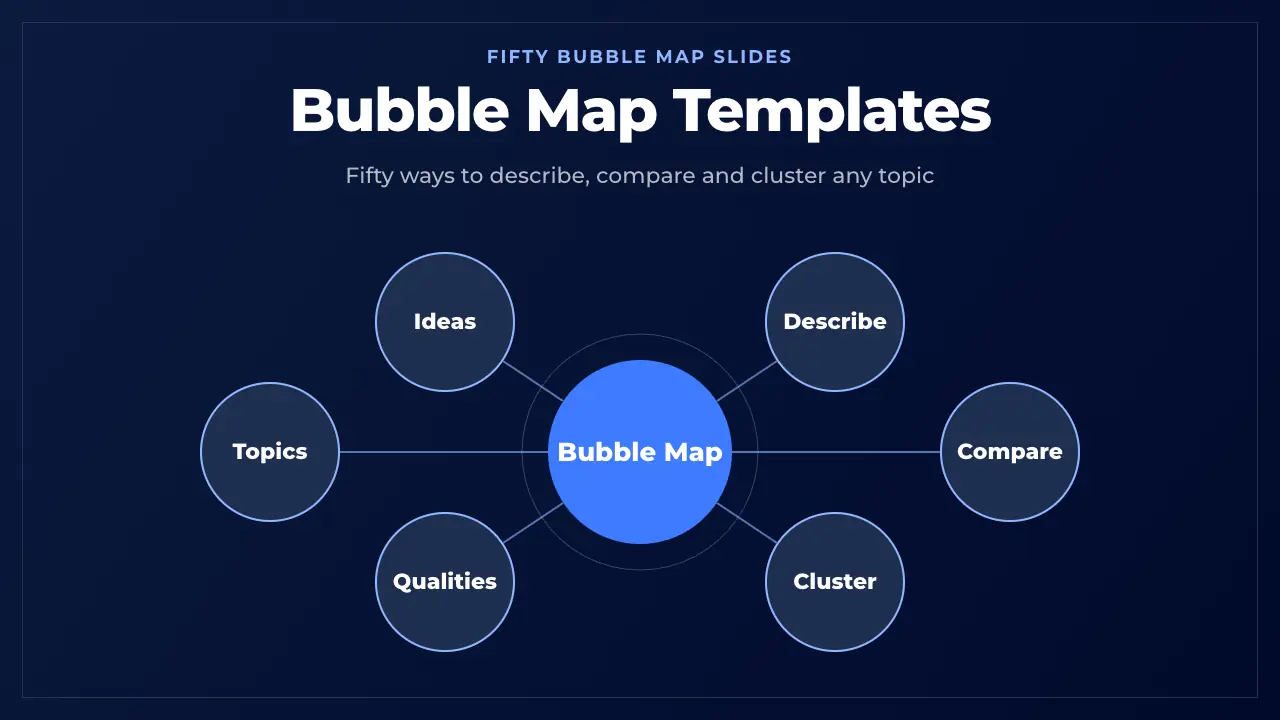
1 · Bubble Map Title SlideThe title slide of the pack: a centred headline over one bubble map, a filled centre bubble joined by short straight lines to six bubbles around it. Use it to open a deck of bubble maps or a workshop on describing and comparing ideas. Change the six words to the parts of your own topic.
2 · Classic Bubble Map With Six BubblesThe classic bubble map: one topic in a filled centre bubble and six describing words in white bubbles around it, each joined to the centre by a straight line. Use it to collect the qualities of a team, a product or an idea. Put your topic in the middle and one adjective or short phrase in each bubble.
3 · Classic Double Bubble MapA classic double bubble map: two topic bubbles side by side, the qualities both share in the bubbles between them and each topic's own qualities on its outer side. Use it to compare two options, two ways of working or two products. Put the two topics in the large bubbles and sort your points into shared and own.
4 · Bubble Map Around A Round PhotoA bubble map whose centre is a round photo with its name in a label under it, six describing bubbles around it and a short caption beside each. Use it to describe a place, a product or a team in pictures and words. Swap the photo and write one word in each bubble with a line beside it.
5 · Bubble Cluster Sized By ShareA cluster of bubbles sized by weight: each bubble holds a share and its name, the larger the share the larger the bubble. Use it to show where customers, leads or sales come from at a glance. Replace the six shares with your own figures and size the bubbles to match.
6 · Bubble Map With Eight BubblesA bubble map with eight describing bubbles on a wide oval, four on each side of the centre. Use it when a topic has many qualities, such as a role, a culture or a service. Write one verb or adjective in each bubble and keep them short.
7 · Half Bubble Map At The EdgeA half bubble map: the topic in a large bubble cut by the slide's left edge, five icon bubbles on an arc around it and a title with one line of text beside each. Use it when each quality needs a short explanation. Put your topic in the half bubble and one need per bubble.
8 · Bubble Map With Icon BubblesA bubble map whose describing bubbles carry an icon each, with the word under the bubble. Use it to show what customers, users or a team value most. Pick one icon per quality and keep the words to one or two.
9 · Bubble Map Beside A PhotoA photo filling the left of the slide and a bubble map beside it: the topic in the centre and four describing bubbles with a short line under each. Use it for values, culture or principles that a picture brings to life. Swap the photo for one of your own team.
10 · Double Bubble Map With FiguresA double bubble map that compares two plans by their figures: what both plans share sits between the two topics, each plan's budget, start and return in its own bubbles outside. Use it to set two options side by side before a decision. Replace the figures with the numbers of your own options.
11 · Bubble Cluster Of VotesA cluster of seven bubbles sized by votes: the more votes an idea won, the larger its bubble, with the count inside and the idea under it. Use it to show the result of a vote, a survey or a dot-voting session. Enter your own ideas and counts and scale the bubbles to match.
12 · Bubble Map Around A Key FigureA bubble map built around one key figure: the total in a large bubble, its parts in smaller bubbles on an arc, each named with its share beside it. Use it for revenue, costs or headcount split by source. Put the total in the large bubble and the parts in the small ones.
13 · Bubble Map On A Full PhotoA bubble map laid over a full photo under a navy overlay: a blue centre bubble and six see-through bubbles around it. Use it as a striking opener for a workshop, a meeting or a project. Change the photo to your own setting and keep one word per bubble.
14 · Bubble Map With Satellite BubblesA two-level bubble map: four main bubbles around the centre and two small satellite bubbles beside each, naming its parts. Use it for market segments, departments or product lines with their sub-groups. Keep the main bubbles to one or two words and the satellites to one.
15 · Orbit Bubble MapAn orbit bubble map: the topic in the centre, six bubbles sitting on a thin oval orbit around it, joined to the centre by short lines, with a caption beside each. Use it to show the skills of a team, the parts of a service or the areas of a role. Write one word per bubble and a short note beside it.
16 · Double Bubble Map With IconsA double bubble map whose two topics are icon bubbles with their names under them: what both share sits between, what each has of its own outside. Use it to compare two channels, two tools or two ways of working. Change the icons and sort your points into shared and own.
17 · Numbered Bubble MapA numbered bubble map: five bubbles from 01 to 05 around the centre, each with a title and a short caption beside it. Use it when the parts of a topic have an order to talk through, such as the parts of an offer or a pitch. Keep each title to one or two words.
18 · Bubble Map Beside A Photo CardA bubble map on the left, a tall photo card on the right: the topic in a large bubble and four icon bubbles on an arc, each with a title and two lines beside it. Use it to explain why customers stay, buy or come back. Replace the photo with one of your own customers or shop.
19 · Bubble Chart With Key Figure CardA bubble chart of market size: five bubbles sized by the value of each segment, the figure inside and the name under it, and a card with the total beside them. Use it in a market analysis or a business plan. Enter the size of your own segments and the total.
20 · Three-Bubble Map With TextsA calm bubble map with only three bubbles: the topic at the top, three strengths fanned out under it and two lines of text under each. Use it when a few points need room to be explained. Put one word in each bubble and one sentence under it.
21 · Brainstorming Bubble MapA brainstorming bubble map: a question in the centre and the ideas around it in bubbles of different sizes, the strongest ones larger and filled. Use it to collect and weigh ideas in a workshop. Write your own question in the centre and add one idea per bubble.
22 · Double Bubble Map Of Two RolesA double bubble map of two roles: three shared tasks stand between the two topic bubbles, each role's own tasks above and below it on the outer side. Use it to compare two roles, two teams or two approaches. Keep the shared points in the middle and the differences outside.
23 · Bubble Map Beside A Key FigureA bubble map with a key figure beside it: five reasons for the result around the centre and a white card with the score and its comparison. Use it to report a survey result, a rating or a score with what drives it. Replace the score and the five drivers with your own.
24 · Bubble Map Of Round PhotosA bubble map whose describing bubbles are round photos: the topic in a filled centre bubble, four photos around it, each named with a short line beside it. Use it to show places, people or products in pictures. Replace the four photos and keep the words short.
25 · Risk Bubble Map Sized By ImpactA risk bubble map: the project's risks around the centre, each bubble sized by its impact, with a small key of the three sizes beside the map. Use it in a project kick-off or a risk review. Sort your risks into high, medium and low and size the bubbles to match.
26 · Two-Tone Bubble MapA two-tone bubble map: the factors on the left are filled, those on the right outlined, so the two groups read apart at a glance. Use it to separate what a team controls from what it does not, such as internal and external factors. Add a small heading over each side.
27 · Corner Bubble Map With TextsA bubble map with four icon bubbles set diagonally around a large centre, each with a title and two lines of text towards the corners of the slide. Use it to describe a product, a service or an offer from four sides. Keep the bodies to one short sentence.
28 · Bubble Map Rising From The EdgeA bubble map that rises from the slide's bottom edge: the topic in a large half bubble, five bubbles on an arc above it and a short target beside each. Use it for goals, priorities or the pillars of a plan. Put one goal in each bubble and its target beside it.
29 · Bubble Cluster Beside A PhotoA cluster of bubbles sized by weight beside a tall photo: each skill's share of the open roles inside its bubble. Use it for hiring needs, training plans or a skills gap. Change the shares and size the bubbles to match.
30 · Double Bubble Map Of Two YearsA double bubble map of two years: what stays the same sits between them, what was special to each year on its outer side. Use it in an annual review or a plan for the next year. Put your two years in the large bubbles and sort the points.
31 · Petal Bubble MapA petal bubble map: five bubbles touch the centre bubble all round, so no lines are needed, with a short line beside each. Use it for a few strong words that describe a service, a brand voice or a team. Keep each petal to one word.
32 · Budget Bubble MapA budget as a bubble map: the total in the centre, the items around it, each bubble sized by its share. Use it to show where a budget, a grant or a year's spending goes. Replace the shares and keep the largest item in the filled bubble.
33 · Bubble Map Around A PortraitA bubble map around a round portrait: the person in the centre with a label under the photo and six words around that describe them. Use it for a customer profile, a persona or a role. Swap the portrait and write the six traits that matter most.
34 · Bubble Map In Two SizesA describing bubble map in two sizes: large bubbles for the main qualities, small ones for the facts that back them, in turns around the centre. Use it to pitch a new idea, a product or a proposal. Put adjectives in the large bubbles and short facts in the small ones.
35 · Double Bubble Map With CaptionsA double bubble map with captions: two shared points between the topics and three own points on each side, each with a short line beside it. Use it for a make-or-buy decision or any choice between two paths. Keep one word in each bubble and the detail in the caption.
36 · Bubble Map With Icon RingA bubble map of icon bubbles around an outlined centre, each named beside its bubble. Use it for the essentials of onboarding, a checklist of a new role or the parts of a service. Choose one icon per point and keep the names short.
37 · Bubble Map Beside A Photo HalfA bubble map on the navy half of the slide and a photo on the other, running to the edge of the slide. Use it to sum up the results of a workshop, a retreat or a survey. Swap the photo and put one result in each bubble.
38 · Three Small Bubble MapsThree small bubble maps side by side, each with its own centre and three bubbles around it, under a title. Use it to compare the focus of three teams, products or regions at a glance. Keep each group to three short words.
39 · Survey Bubble MapA survey as a bubble map: the number of answers in the centre and five results around it, each bubble sized by its share and named beside it. Use it to present survey results, ratings or poll answers. Replace the five results and size the bubbles to match.
40 · Double Bubble Map With Round PhotosA double bubble map whose two topics are round photos with a label under each: shared points between them, each topic's own points outside. Use it to compare two formats, two places or two groups of people. Swap the photos and sort your points.
41 · Touching Bubble MapA compact bubble map whose six bubbles touch the centre all round, with a short caption beside each. Use it for the parts of a pitch, a plan or a story that belong tightly together. Put one word in each bubble and its meaning beside it.
42 · Bubble Map With Seven BubblesA bubble map with seven bubbles on an oval around the centre, large and small in turns. Use it for signs, symptoms or indicators of one topic. Put the strongest signs in the large bubbles and the others in the small ones.
43 · Bubble Cluster Beside A PhotoA photo beside a cluster of bubbles sized by weight: each reason's share inside its bubble, the largest one filled. Use it for the results of an employee survey, reasons to buy or reasons to stay. Replace the shares and the photo with your own.
44 · Numbered Bubble Map With A KeyA bubble map with a key: five small numbered bubbles around the centre and a list beside the map that names and explains each number. Use it when the points need more words than a bubble can hold. Keep the numbers in the map and the words in the key.
45 · Bubble Map Under A Photo BandA wide photo band under the headline and a bubble map below it, its four bubbles sized by their share. Use it for the interests of readers, users or customers. Change the band's photo and the four shares.
46 · Before And After Double Bubble MapA double bubble map of a change: what stays the same between the two topics, the old state on the left in quiet outlines and the new state on the right in the highlight. Use it to explain a new process, a new tool or a reorganisation. Sort your points into before, after and unchanged.
47 · Bubble Map Of Roles Around A PhotoA bubble map of roles: a round team photo in the centre and six icon bubbles around it, each named with its role and its task. Use it to introduce a project team, a committee or a department. Swap the photo and write each role with one short line.
48 · Bubble Map With A Takeaway BarA bubble map of lessons with one takeaway under it: four bubbles around the centre and a wide bar that names the one thing to remember. Use it at the end of a project, a quarter or a workshop. Write the lessons in the bubbles and the takeaway in the bar.
49 · Minimal Double Bubble MapA minimal double bubble map with lots of air: two large topics, one shared bubble between them and two own bubbles outside each. Use it when a comparison should stay simple, such as short and long term goals. Keep to one shared point and two of each side's own.
50 · How To Draw A Bubble MapThe pack's closing slide: a small bubble map whose bubbles are the four steps of drawing one, each named beside it, next to a photo of a whiteboard session. Use it to teach the method in a workshop or a class. Keep the four steps or replace them with your own process.
Fifty Forms Of A Bubble Map In One Blue Look
A title slide that is a bubble map itself; the describing maps: six words around one topic, eight qualities of a leader on a wide oval, a half bubble at the edge of the slide, icon bubbles, numbered bubbles, satellites beside four segments, an orbit of skills, petals and touching bubbles, a map that rises from the bottom edge, three small maps side by side and a map with a key; the double bubble maps: office or remote work, two plans by their figures, two channels with icons, two roles, two years, buy or build, online or in person with round photos, before and after a change and a minimal one for short and long term goals; the weighted clusters: customer sources, votes, market size beside a key figure, risks by impact, skills, a budget, a survey and reasons to join; and maps with photos — around a round photo or a portrait, beside a photo, on a full photo, under a photo band and around a team photo — up to the four steps of drawing a bubble map of your own.
How To Use This Bubble Map Template
01
Pick The Form
Choose a single map to describe one topic, a double bubble map to compare two, or a cluster when your words carry figures. Each bubble map template slide shows how many bubbles its form holds.
02
Set Your Colours
Choose the colours and fonts in the bar above the slides. Every slide of the pack follows at once, the navy, light and white grounds included.
03
Write Your Words
Put your topic in the centre bubble and one word or a short phrase in each bubble around it. Keep the shared points of a comparison in the middle and the differences outside.
04
Fill, Download Or Edit
Let the AI build your own deck in this look, download the slides as an editable PPTX with a free account, or open them one to one in the editor.
When A Bubble Map Works Best
A bubble map describes. It puts one topic in the middle and the words that say what it is around it: the qualities of a good team, what customers value, the parts of an offer. It helps when you collect ideas in a workshop, when you prepare a profile of a customer or a role, and when you want an audience to remember a few words rather than a page of text.
When your words carry numbers, a cluster says more: bubbles sized by share, votes or impact show at a glance what weighs most, as on slide 5 with the sources of new customers or slide 25 with the risks of a project.
Double Bubble Map Or Venn Diagram
A double bubble map and a Venn diagram both compare two things, but they read differently. The double bubble map lists each point in its own bubble: the shared ones between the two topics, each topic's own on its outer side, all joined by short lines, as on slide 3 with office and remote work.
That makes it the better choice when the points are many and short, when you want to name every difference, or when the audience should follow each line from a topic to its quality. A Venn diagram suits a few broad sets whose overlap matters more than its parts.
Questions About The Bubble Map Template
Is the bubble map template free?
Yes. You can look at all 50 slides, change their colours and fonts and fill them with AI for free. A free account downloads the bubble map template as an editable PowerPoint file.
What is the difference between a bubble map and a mind map?
A bubble map describes one topic with the words around it, each in its own bubble joined to the centre by a short line. A mind map grows branches and sub-branches from a central idea. This pack keeps to bubbles: one level of words around the centre, or a comparison of two topics, or bubbles sized by weight.
Does the pack include a double bubble map template?
Yes, nine of the 50 slides are double bubble maps: two topic bubbles with the shared qualities between them and each topic's own qualities outside, with words, figures, icons or round photos.
Can I open the slides in PowerPoint?
Yes. The download is a PPTX file in which every bubble, line and text stays editable, so you can move a bubble, change its size or retype its word in PowerPoint.
Can the AI make a bubble map about my own topic?
Yes. Describe your topic or the two options you want to compare, or attach a document, and the AI builds your own deck in the look of this bubble map template, with your words in the bubbles.
Can bubbles show figures as well as words?
Yes. Several slides size their bubbles by a share, a vote count or an impact and show the figure inside each bubble. Enter your own figures and size the bubbles to match.
Do the slides name any company or person?
No. The sample content is neutral: general topics such as a team, a customer, a market or a budget, roles instead of names and round figures that you replace with your own.
Try ExpertSlides AI For Free — The Ultimate AI Presentation Maker
Describe any topic or upload a document, and ExpertSlides designs and writes the whole deck — editable in the browser and as a PowerPoint file.