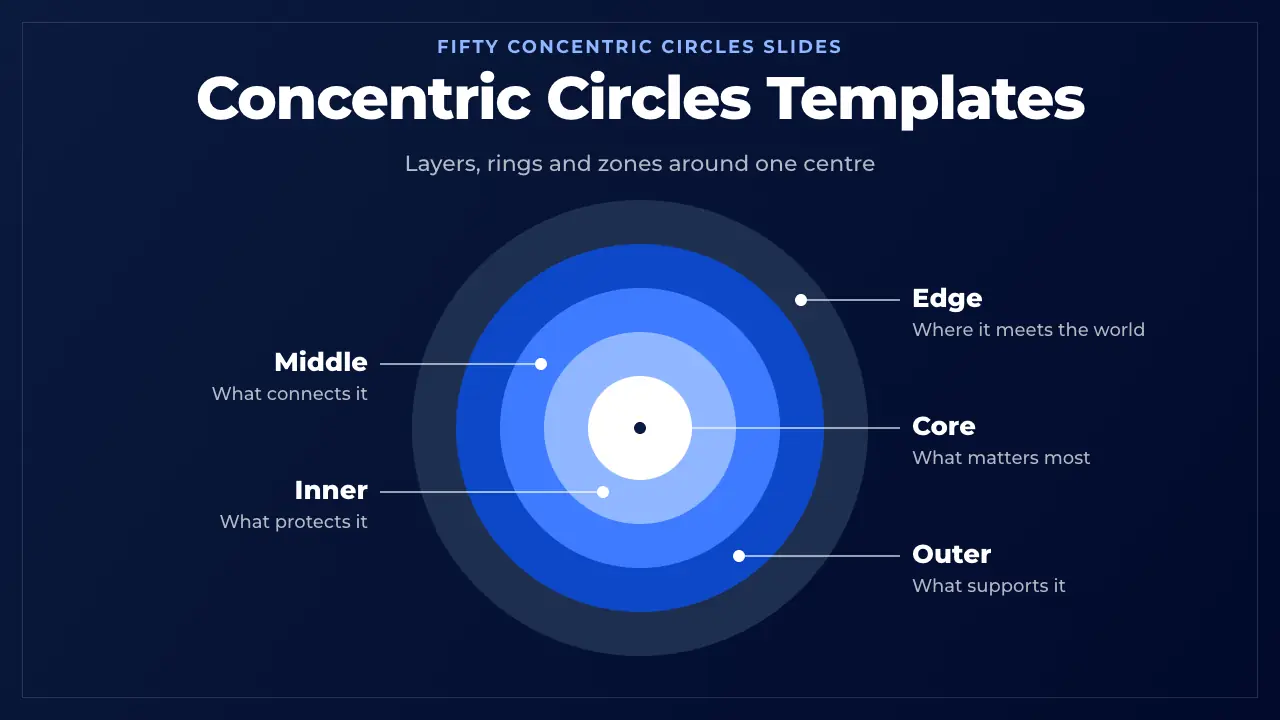
Fifty concentric circles slides in one calm blue look, from a classic onion diagram and stacked rings to spheres of control, ripple effects and markets drawn to scale. Change the colours and fonts, enter your own layers and download the slides as PowerPoint.
This concentric circles template pack shows anything built in layers around one centre: onion diagrams, stacked rings, half and quarter rings, discs in perspective, stakeholder maps and ripples. As a concentric circles PowerPoint template it downloads with native shapes and charts, so you can move, resize and retype the rings and their labels.
The slides are neutral, with general sections and round sample figures that fit any team. Use them to explain a layered model, size a market, place stakeholders by influence, sort priorities or show how far one decision travels.
Your Own Layered Deck In This Look
Describe your model, your market or the layers of your organisation, and the AI builds a deck of your own in this blue style, with your words and your numbers.
Every slide with its words. Open one in the editor to change it 1:1.
1 · Concentric Circles CoverThe opening slide of the pack: five rings around one core, each layer named on a leader line. Use it to open a talk about layers, zones or spheres of influence. Rename the five layers to fit your subject.
2 · Classic Onion DiagramA classic onion diagram: five rings from the core to the edge, each tied to its own line of text. Use it to explain anything built in layers. Replace the five names and sentences with your own.
3 · Stacked Venn With PhotoFour rings share one base point, so that every layer visibly rests on the one inside it. Use it for foundations that carry what comes after them. Change the four layers and the photo.
4 · Dome Of Five Half RingsFive half rings form a wide dome on one base line, the nearest layer in the middle. Use it to show how far influence reaches, from oneself to society. Rename the five bands.
5 · Quarter Rings From A CornerFour quarter rings grow out of one corner of the slide, each tied to a label on the right. Use it when a layered model needs the room of a full text column. Replace the four layers and their lines.
6 · Tower Of Stacked DiscsFive discs seen in perspective stand on one another, widest at the base. Use it for a model in which every level carries the one above it. Rename the levels and their lines.
7 · Spheres Of ControlThree rings hang from one top point: what we control, what we influence and what we can only watch. Use it to steer a discussion to what a team can really change. Fill the three cards with your own examples.
8 · Stakeholder Rings With PhotoThree rings around a round photo, with six stakeholder roles placed on them. Use it to show who stands closest to a project and who further out. Move a label to another ring as a relationship changes.
9 · Ripple Of One DecisionThin rings widen from one point at the foot of the slide, and each wave carries how many people a decision reaches. Use it to show the knock-on effect of one choice. Replace the four figures with your own.
10 · Market Size In Scaled RingsThree rings sized by area to the total, serviceable and obtainable market. Use it in a business plan or a pitch to show the real opening. Change the three figures and resize the rings.
11 · Ring With One Segment Picked OutFour quiet rings with one quarter of one band in a strong colour, tied to a card that explains it. Use it to zoom in on one part of a layered model. Move the highlighted quarter to the band you want to discuss.
12 · Rings Offset To One SideFive rings share one point on their left side and open towards the list. Use it for the levels of a product, from its core benefit to its potential. Replace the five levels and the photo.
13 · Two Ring Sets ComparedThe same four rings drawn twice, each set sized to its revenue. Use it to compare today with a goal at a glance. Change the two years and figures, and resize the larger set.
14 · Seven Centred RingsSeven rings around a single core, labelled on leader lines to the left and to the right. Use it for a model with many layers, such as the circles of an organisation. Rename the seven layers.
15 · Half Rings Opening To The RightFive half rings grow from a straight edge on the left, each tied to a row with its name and meaning. Use it to trace how a vision turns into daily work. Replace the five rows.
16 · Quarter Rings Over A PhotoThree quarter rings grow from the bottom-right corner of a full photo under a navy veil. Use it for three horizons of growth, or any three steps away from today. Change the photo and the three horizons.
17 · Exploded View Of LayersFour discs lifted apart on one axis, so every layer of a system can be seen on its own. Use it to explain an architecture, from the interface down to the infrastructure. Rename the four layers.
18 · Four Zones Around A CoreFour rings as zones of rising risk around a safe core, each marked with an icon on its band. Use it for risk levels, access rights or service areas. Replace the names and the rules.
19 · Nested Progress RingsThree rings stand one inside the other, each filled to a score out of one hundred. Use it to show several percentages around one idea. Change the three figures on the cards.
20 · Stacked Rings With FiguresFour rings stand on one base point, each tied to a large figure. Use it to show how a wide audience narrows to a small group of advocates. Replace the four figures and names.
21 · Rings Widening From A PhotoA round photo stands at the heart of three thin rings, and each ring carries one idea. Use it when a people topic should stay personal. Change the photo and the three lines.
22 · Rings To Scale With Bar ChartThree rings drawn to scale show how a budget of $2M splits into core, adjacent and new work, and a real bar chart beside them gives the exact amounts. Edit the chart data and resize the rings to match.
23 · Half Rings Hanging From A LineFive half rings hang from one line, with the essence of a brand at the top and what people see at the edge. Use it for a brand onion or any model read from the inside out. Replace the five layers.
24 · Flat Rings In PerspectiveFour rings lie flat in perspective, like the ripple of a stone on water, each named on its front edge. Use it to show how a message spreads through an organisation. Rename the rings and their lines.
25 · Stakeholder Influence MapEight stakeholders stand on three rings by how close they are to the project. Use it in a kick-off to agree who needs what contact. Move a label to another ring as influence shifts.
26 · Quarter Rings With A PhotoFour quarter rings open from one corner, the most urgent priority closest to it, with a large photo beside them. Use it to sort a long list into must, should, could and later. Rename the bands and change the photo.
27 · Row Of Ring Sets, One LitThe same four rings appear four times, each time with the next layer lit from the inside out. Use it to walk through a programme step by step. Rename the four steps and their lines.
28 · Rings With One Half LitThree rings are split down the middle: the lit half is in scope this year, the quiet half is not. Use it to draw a clear line under a plan. Rename the layers and the two sides.
29 · Rings Offset To The RightFour rings touch at one point on the right, and each is tied to a line of text on the left. Use it for a model that deepens step by step, such as the levels of trust. Replace the four levels.
30 · Inverted Disc Tower With PhotoFour discs narrow towards the one thing they protect, with a photo beside them. Use it for defence in depth or any set of protective layers. Rename the layers and change the photo.
31 · Wide Ripple Across The SlideThree wide rings spread from the left edge of the slide like a wave, one reach in each. Use it to show how a launch moves from a first market to the whole world. Rename the three stops.
32 · Growth Rings By YearOne set of rings per year, each drawn to scale and holding the years before it, like the rings of a tree. Use it to show steady growth from $12M to $48M. Change the five figures and resize the rings.
33 · Eccentric Rings Pulled To One SideFour rings are drawn towards one point, each closer to it than the last, so that the picture leans towards the goal. Use it to show what brings a team nearer to an aim. Replace the four rings and their lines.
34 · Photo Core With Numbered RingsA customer photo sits in the core of four rings, each ring numbered and explained on its card. Use it for customer-centred thinking. Change the photo and rewrite the four cards.
35 · Split Rings, Two SidesThree rings are split down the middle: what a company owns on the left, what it can only watch on the right. Use it for an internal and external analysis. Rename both lists.
36 · Quarter Rings As Time HorizonsThree quarter rings open from one corner, the nearest band for now and the furthest for later. Use it for a roadmap that should not look like a timeline. Rename the three horizons.
37 · Row Of Onion SlicesFive slices of one onion are laid side by side, each one a size larger, so every layer can be read alone. Use it to walk through a layered model in order. Rename the five slices.
38 · Stacked Rings With Bar ChartFive rings on one base show how groups sit inside each other, and a real bar chart gives their exact sizes. Use it for customer segments or a sales pipeline. Edit the chart and rename the rings.
39 · Dome Of Rings With A PhotoThree wide half rings stand beside a photo, with the rhythm of work in each band. Use it to show what happens daily, weekly and over a year. Change the words and the photo.
40 · Half-Ring Gauge With Key FigureThree half rings form a gauge whose radius is the scale, with the score large in the centre and a marker in its band. Use it for one headline score against thresholds. Change the figure and move the marker.
41 · Rings Between Four CardsFour centred rings stand between four cards, each card tied to its own ring by a thin line. Use it for a plan that runs from one goal to daily tasks. Rewrite the four cards.
42 · Comfort Zone RingsFour rings pushed to one side, so the zones open up towards the right. Use it to talk about change and how people move out of their comfort zone. Adapt the four zones to your team.
43 · Thin Rings Over A PhotoThree thin rings lie over a full photo under a navy veil, sized around one team of 240. Use it for a strong opening on people or reach. Replace the photo and the three figures.
44 · Rings Cut Along One RadiusFive rings are cut along one radius, and the cut is laid flat beside them with an icon and a name for each layer. Use it to build up skills from knowledge to teaching. Rename the five layers.
45 · Three Ring Cards With PhotoThree cards each carry a small set of rings: what a team holds as its core and what it shares with others. Use it to compare teams side by side. Rewrite the cards and change the photo.
46 · Two Half Sets Back To BackTwo sets of half rings stand back to back on one axis, one for each way of thinking. Use it to contrast two approaches layer by layer. Rename the two sides and their three rows.
47 · Three Stacked Rings With PhotoThree rings share one base point beside a large photo: community, region and world. Use it for social impact or the reach of an initiative. Rename the rings and change the photo.
48 · Rings Hanging From One PointFive rings hang from one point at the top, and each band leads to a numbered priority. Use it to rank what matters, most urgent first. Replace the five priorities.
49 · Team Rings Drawn To ScaleThree rings share one point and are drawn to scale, so the area of each is the size of its group. Use it to show how few people carry the core of a large team. Change the three figures and resize the rings.
50 · Closing With A Round PhotoA round photo stands inside two thin rings beside three next steps. Use it to end a talk with a clear call to action. Change the photo and the three steps.
What Is Inside The Pack
Classic onion diagrams, stacked Venn rings on one base, domes of half rings, quarter rings from a corner, towers and exploded views of discs in perspective, rings offset to one side, spheres of control, stakeholder and influence maps, ripples, rings drawn to scale, rings with one segment picked out, comfort zones, bar charts beside rings and layouts with photos.
How To Use This Concentric Circles Template
01
Pick Your Slides
Open the concentric circles template and choose the forms that suit your message, from one onion diagram to a full stakeholder map.
02
Set Your Colours
Use the colour and font bar to bring the rings, charts and headings into your own look.
03
Name Your Layers
Type your own layers and figures into the labels and chart data, then resize any ring to match.
04
Present Or Download
Present in the browser, share a link, or download the deck as a PPTX file for PowerPoint.
When Concentric Circles Work Best
Concentric circles make one idea clear: some things sit closer to the centre than others. They suit strategy talks, brand work, risk reviews, stakeholder planning and any moment when a team needs to agree on what is core and what surrounds it.
Start with the slide that names the layers, so everyone reads the picture the same way. Then show who or what stands on each ring, pick out the part that needs a decision, and end with the steps that follow from it.
Markets, Stakeholders And Ripple Effects
Slide 10 sizes a total, serviceable and obtainable market in rings drawn to scale, slide 20 narrows an audience to its advocates, and slide 32 grows revenue ring by ring from 2027 to 2031. Slides 22 and 38 set rings beside a real bar chart.
For people topics, slide 7 shows the spheres of control, and slides 8 and 25 place stakeholders on rings by how close they stand. Slides 9 and 31 follow a ripple outwards, and slide 42 walks through the zones beyond comfort.
Frequently Asked Questions
Is this concentric circles PowerPoint template free?
Yes. You can view all 50 slides here, and a free ExpertSlides account lets you edit the concentric circles template and download it as a PPTX file.
Can I edit the rings and charts in PowerPoint?
Yes. The rings, labels and connectors are native shapes, and the charts on slides 22 and 38 are real PowerPoint charts that you change through their data. The score arcs on slide 19 are drawn into its background, so change its figures on the cards.
What is a concentric circles diagram used for?
A concentric circles template shows layers around one centre. It is used for onion models, brand essence, spheres of control, stakeholder maps, market sizing, risk zones and the reach of a decision.
Which slides show an onion diagram?
Slide 2 is the classic onion diagram with five layers, slide 14 has seven rings, slide 23 is a brand onion in half rings, and slide 37 lays the slices of an onion side by side.
Which slides show stacked Venn rings?
Slides 3, 10, 20, 38 and 47 stand their rings on one shared base point, so each layer visibly rests inside the next.
Are there other forms than full circles?
Yes. Slides 4, 15, 23, 39 and 40 use half rings, slides 5, 16, 26 and 36 quarter rings, and slides 6, 17, 24, 30 and 37 show rings in perspective as discs.
Can I change the colours and fonts?
Yes. The colour and font bar recolours all 50 slides at once, and you can also change any single ring, chart or text in the editor.
Can the AI build a deck for my topic?
Yes. Press Fill With AI, describe your topic and its layers, and the AI builds a deck of your own in this look, with your words and figures.
Try ExpertSlides AI For Free — The Ultimate AI Presentation Maker
Describe any topic or upload a document, and ExpertSlides designs and writes the whole deck — editable in the browser and as a PowerPoint file.