Fifty slides in one blue look, each built on a different bold shape: honeycombs, overlapping circles, pyramids, diamonds, chevrons, stripes and shape mosaics. Change the colours and fonts of all of them at once, let the AI build your own deck in this look, download them as PowerPoint or edit each slide in the editor.
This geometric template gives any presentation a clear visual system: every idea sits inside a hexagon, a circle, a triangle, a diamond or a square. It works for strategy, sales, teams, finance and project updates, because the sample content is general and the shapes carry the structure.
As a geometric PowerPoint template it stays editable after the download. Texts and shapes can be retyped, moved and recoloured, and the budget donut on slide 24, the progress rings on slide 40 and the funnel on slide 44 are real charts you change through their data.
Your Topic In This Geometric Look
Describe your topic, the main points and the figures you have, or attach your notes or a report. ExpertSlides builds your own deck in this bold geometric look in a few minutes.
All 50 slides with their words. Open any of them in the editor or use the whole pack.
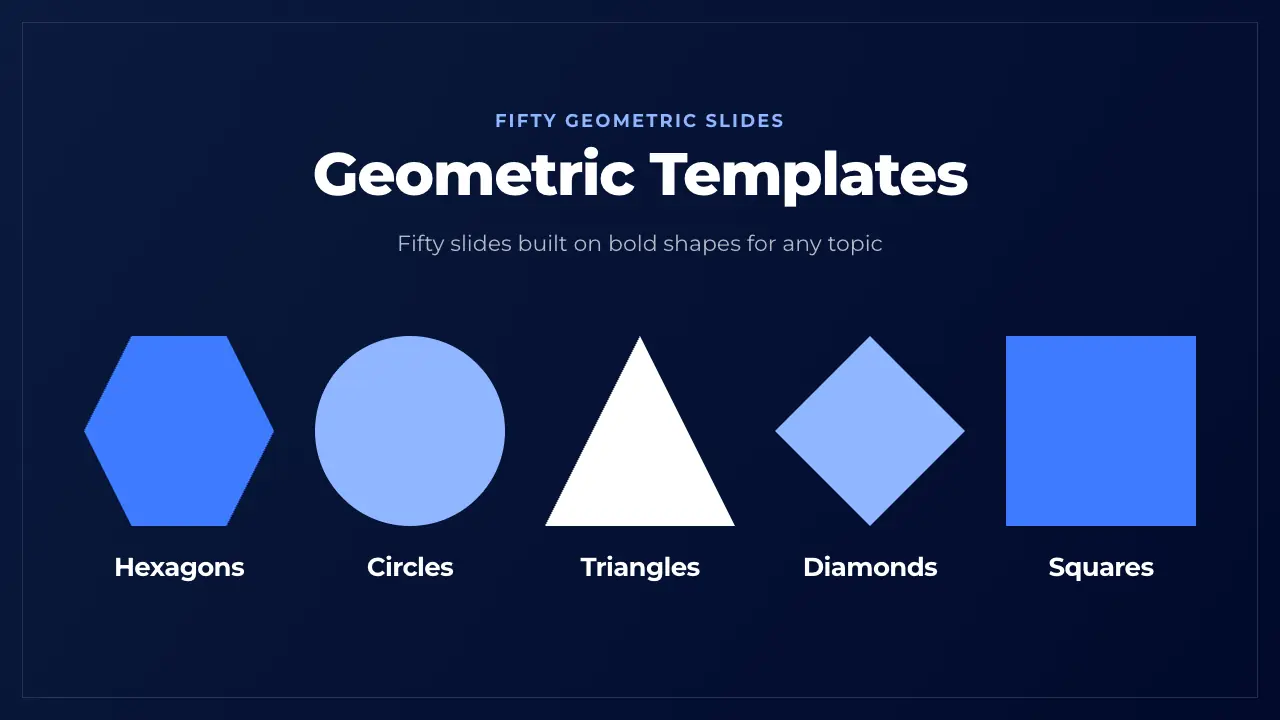
1 · Five Bold Shapes CoverThe opening slide of the pack: a centred title over five bold shapes, each named. Use it to open any presentation that speaks in clear geometric forms.
2 · Honeycomb Of Seven HexagonsA honeycomb of seven hexagons with the vision at its centre and six parts of a strategy around it. Use it to show how the parts of a plan connect to one aim.
3 · Three Overlapping CirclesThree large circles overlap in one shared centre, with a short explanation of each beside them. Use it when three strengths only create an advantage together.
4 · Four Diamonds In A RowFour large diamonds on one line carry the steps from research to launch. Use it for any short process with four clear stages.
5 · Photo In A Large HexagonA photo cut to a large hexagon stands beside three points, each with a hexagon icon. Use it to give reasons or benefits a human face.
6 · Pyramid Of Four BandsOne large triangle is cut into four bands from foundation to vision, each named beside it. Use it to rank priorities or to show what rests on what.
7 · Quarter Circle MosaicFour quarter circles form one square, and each corner names a market segment with its share. Use it to split any whole into four parts.
8 · Five Slanted StripesFive slanted stripes run from light to dark and carry the stages of a delivery. Use it for any process that gains weight as it moves ahead.
9 · Photo Circle With FiguresA large round photo carries three figure circles on its edge, each explained beside it. Use it to put customers or people at the centre of your key figures.
10 · Mosaic Of Squares And CirclesA chequered mosaic of squares and circles holds six areas of focus, each icon beside its name. Use it to show the fields a plan or a team concentrates on.
11 · Cascade Of Overlapping SquaresFour squares overlap in a cascade from pale to deep blue, each one a layer of value explained beside it. Use it to show how one thing builds on another.
12 · Triangles Up And DownFive triangles point up and down in one band, each a driver of demand with a short line under it. Use it for any set of equal factors.
13 · Key Figures In Hexagons On PhotoThree large hexagons carry the key figures on a full photo under a navy overlay. Use it to open or close a results section with impact.
14 · Octagon With Four MeasuresA central octagon holds the one goal, and four square markers around it show the measures that track it. Use it for targets and scorecards.
15 · Band Of Four ChevronsFour chevrons interlock in one wide band and lead from preparation to review, with a short text under each phase. Use it for any change that moves in stages.
16 · Diamond Of Four DiamondsFour diamonds form one large diamond, and the four parts of a framework are named left and right of it. Use it to present any model with four equal parts.
17 · Photo In A Large TriangleA photo cut to a large triangle stands beside three short points on how good service is built. Use it for any three-part message that needs a human touch.
18 · Four Nested SquaresFour squares sit inside one another from the core offer out to the wider market, each named beside it. Use it to show scope, reach or layers of an offer.
19 · Semicircles Sized To Their FiguresFour semicircles stand on one baseline, each with an area true to its share of sales. Use it to compare a few channels, products or regions at a glance.
20 · Pentagon With Five ValuesA central pentagon stands for the shared values, and one value sits at each of its five points. Use it for principles, values or five equal factors.
21 · Checkerboard Of Photos And TextPhotos and coloured text tiles alternate in a checkerboard, one pair for each team. Use it to introduce teams, departments or offers with a face.
22 · Pictogram Of Stacked SquaresFive columns of squares grow from 2027 to 2031, each square standing for twenty customers. Use it when a count should be seen, not only read.
23 · Photo In A ParallelogramA photo in a slanted parallelogram stands beside three stripe steps from plan to go-live. Use it for a short launch or project route.
24 · Donut Chart In A CircleA real donut chart stands on a quiet circle with its five budget areas, and a hexagon holds the largest share. Edit the chart data to fit your own budget.
25 · Staggered Hexagons With PhotoA tall photo stands beside three staggered hexagons, each with an icon and one thing customers value. Use it to sum up feedback or a promise.
26 · Triangle Of Four TrianglesOne large triangle is tiled by four smaller ones, each a numbered part of an offer explained beside it. Use it to show that several parts make one whole.
27 · Stripes Sized To Their ShareFive slanted stripes fall in length with their share of the votes, so the ranking reads at a glance. Use it for priorities, survey results or any ranked list.
28 · Chain Of Five RingsFive overlapping rings form one chain from supply to service, with an icon in each. Use it for any value chain where each link depends on the last.
29 · Photo In A DiamondA photo cut to a large diamond stands in the middle, and four small diamonds name the markets in their order of entry. Use it for expansion plans or four-part overviews.
30 · Five Rising SquaresFive blocks rise like a staircase from the first proof of an idea to full scale. Use it for maturity models or any path that climbs step by step.
31 · Six Hexagons High And LowSix hexagons interlock high and low along one line, each a milestone with its quarter. Use it for a roadmap that should look bolder than a plain timeline.
32 · Four Tall ArchesFour tall arches stand side by side like the pillars of a building, each with an icon and a short line. Use it for the principles that hold something up.
33 · Hexagon Mosaic With PortraitsThree portraits and three numbered hexagons form one honeycomb beside the three roles of a team. Use it to introduce people or functions.
34 · Circles Sized To Their MarketFour circles stand on one baseline, each with an area true to the size of its market. Use it for market sizing, segments or any comparison of volumes.
35 · Two Mirrored TrianglesTwo mirrored triangles frame three figures that show the state before and after a change. Use it for improvements, turnarounds or project results.
36 · Photo Over Diagonal StripesA photo in a wide parallelogram rests on two diagonal stripes beside three short points. Use it to explain how a new idea becomes everyday practice.
37 · Risk Diamonds On A PhotoThree diamonds name the main risks on a full photo under a navy overlay, each with its response below. Use it for risk reviews and board updates.
38 · Four Plus ShapesFour bold plus shapes stand in a row, each with one way a project adds value. Use it for benefits, gains or the return of an investment.
39 · Flower Of Six LeavesSix leaf shapes form a flower around a central circle, with three skills named on either side. Use it for competencies or anything that grows around one core.
40 · Three Progress RingsThree real donut charts show how far each goal has come, with the figures under them. Edit each chart to update the progress.
41 · Photo In A Tall ArchA photo cut to a tall arch stands beside three numbered moves for the coming year. Use it for priorities, plans or a short strategy.
42 · Lattice Of Seven DiamondsSeven diamonds interlock in two rows, so each capability touches its neighbours. Use it to show how skills or departments depend on one another.
43 · Triangle Of Three ConstraintsOne large triangle holds the scope, with time, cost and quality at its corners. Use it to explain the trade-offs of any project.
44 · Funnel With Key FigureA real funnel chart narrows from leads to customers, and a hexagon holds the conversion rate. Edit the chart data to show your own pipeline.
45 · Round Photo On Bold StripesA round photo sits on a band of bold stripes beside three points about the workplace. Use it for culture, employer branding or team topics.
46 · Five Hexagons On One LineFive hexagons stand on one thin line, one for each year up to 2031, with the last in white as the goal. Use it for a long-term roadmap.
47 · Two Overlapping SquaresTwo large squares overlap on a diagonal, and the shared area names what both teams have in common. Use it to show common ground between any two groups.
48 · Triangle Peaks Sized To FiguresFive triangle peaks grow from left to right, each as tall as its revenue. Use it for growth stories where a plain bar chart feels too dry.
49 · Large Hexagon On A PhotoOne large hexagon holds three takeaways on a full photo under a navy overlay. Use it as the summary slide before the close.
50 · Four Next Steps In Four ShapesFour next steps close the presentation, each in its own bold shape with an icon. Use it to end a meeting with clear actions.
Fifty Geometric Forms In One Blue Look
A cover of five bold shapes and a honeycomb of seven hexagons; three overlapping circles, a chain of five rings and a flower of six leaves around one core; pyramids, a triangle tiled by four triangles, mirrored triangles and triangle peaks; rows of diamonds, a diamond of four diamonds and a lattice of seven; nested squares, a cascade of squares, rising blocks and a mosaic of squares and circles; slanted stripes, chevrons, arches, plus shapes, an octagon and a pentagon; figures as a donut, progress rings, a funnel, stacked squares, semicircles and circles scaled to their value; and photos cut to a hexagon, a circle, a triangle, a diamond, an arch and a parallelogram. Seventeen slides stand on navy, seventeen on light blue and sixteen on white, fourteen of them with a photo.
How To Use This Geometric Template
01
Pick Your Slides
Browse the geometric template below and choose the shapes that suit your message: a pyramid for priorities, a honeycomb for connected parts.
02
Set Colours And Fonts
Use the colour and font bar to restyle all 50 slides at once, so that the pack matches your own look.
03
Add Your Content
Retype the sample words and figures in the editor, or use Fill With AI to build your own deck in this look.
04
Present Or Download
Present straight from the browser, or download a PowerPoint file with a free account and keep editing there.
When Geometric Slides Work Best
Shapes make relationships visible before anyone reads a word. A pyramid (slide 6) says that one thing rests on another, overlapping circles (slide 3) show common ground, chevrons (slide 15) show direction, and a honeycomb (slide 2) shows parts that belong together.
Choose the shape for what it says about your content, and keep each slide to one idea. A few strong forms across a deck read calmer than a different effect on every page.
Figures And Photos In Bold Shapes
Slides 24, 40 and 44 hold real charts that update when you change their data. The semicircles on slide 19, the stacked squares on slide 22, the circles on slide 34 and the peaks on slide 48 are shapes drawn to their sample figures, so resize them when your numbers change.
Fourteen slides carry a photo, and many cut it to a form of their own: a hexagon on slide 5, a triangle on slide 17, a diamond on slide 29 and an arch on slide 41. Swap in your own picture and it keeps the shape.
Geometric Template FAQ
Is This Geometric Template Free?
Yes. You can view this geometric template here, and a free account lets you open it in the editor and download it as a PowerPoint file. No credit card is needed.
Is This A Geometric PowerPoint Template?
Yes. The download is a PPTX file that opens in PowerPoint. Texts and shapes stay editable there, and the charts on slides 24, 40 and 44 are PowerPoint charts with their own data.
Which Shapes Are In The Pack?
Hexagons, circles, rings, triangles, diamonds, squares, stripes, chevrons, arches, plus shapes, leaves, an octagon and a pentagon, alone and combined into mosaics.
Which Slide Suits A List Of Priorities?
The pyramid on slide 6 ranks four levels from base to peak, and the slanted stripes on slide 27 rank five priorities by their share of votes.
Can The AI Build My Own Deck In This Look?
Yes. Describe your topic or attach a document, and Fill With AI builds your own deck in the look of this geometric template, with your points and your figures.
Can I Change The Colours And Fonts?
Yes. The colour and font bar on this page restyles all 50 slides at once, and every slide keeps its two-tone look in the palette you choose.
Can I Replace The Photos?
Yes. Open a slide in the editor and replace the picture with your own. A photo cut to a hexagon, a circle or a triangle keeps that shape.
Try ExpertSlides AI For Free — The Ultimate AI Presentation Maker
Describe any topic or upload a document, and ExpertSlides designs and writes the whole deck — editable in the browser and as a PowerPoint file.