Iceberg Template: 50 Editable Iceberg Model Slides For PowerPoint
Fifty iceberg slides in one blue look, each a different form of the iceberg model: the classic four levels of systems thinking, layered bands, depth gauges, key figures, photos above and below the waterline and two icebergs side by side. Change the colours and fonts of all of them at once, let the AI build your own iceberg deck in this look, download them as PowerPoint or edit each slide in the editor.
This iceberg template pack holds 50 slides, and each one draws the iceberg model in a different form: a small tip above the waterline and a far larger hidden mass below it, with labels at every depth. You get the classic four levels of systems thinking, an iceberg built of layered bands, one beside a depth gauge of shares, a key-figure iceberg of ten to ninety per cent, three icebergs on one waterline, two tips on one shared base and an iceberg whose waterline is lowered from today to a goal. All of them share one blue look on light, white and navy grounds, so any five of them sit in one deck without looking borrowed.
Every slide is a finished infographic with neutral sample content that fits any team or organisation: visible results and hidden effort, symptoms and root causes, culture, success, the total cost of ownership, the cost of poor quality, change, conflict, knowledge, competencies, data work, risks, wellbeing and emissions. The texts use roles instead of names and round sample figures, so you see how many points each form carries before you choose it.
If you are looking for an iceberg PowerPoint template, a free account downloads the slides as a PPTX file whose texts and shapes stay editable. You can also stay in the browser: pick your colours and fonts in the bar above the slides, describe your topic and let the AI build your own iceberg deck in this look, or open the slides one to one in the editor.
Your Topic In This Iceberg Look
Describe what people see and what lies beneath it, or attach your notes, a survey or a report. ExpertSlides builds your own iceberg deck in this look in a few minutes, with your tip, your hidden layers and your figures.
Every slide is a complete iceberg with neutral sample content — a short tip above the waterline, hidden layers below it, round figures — that fits any organisation. Replace the labels and figures with your own.
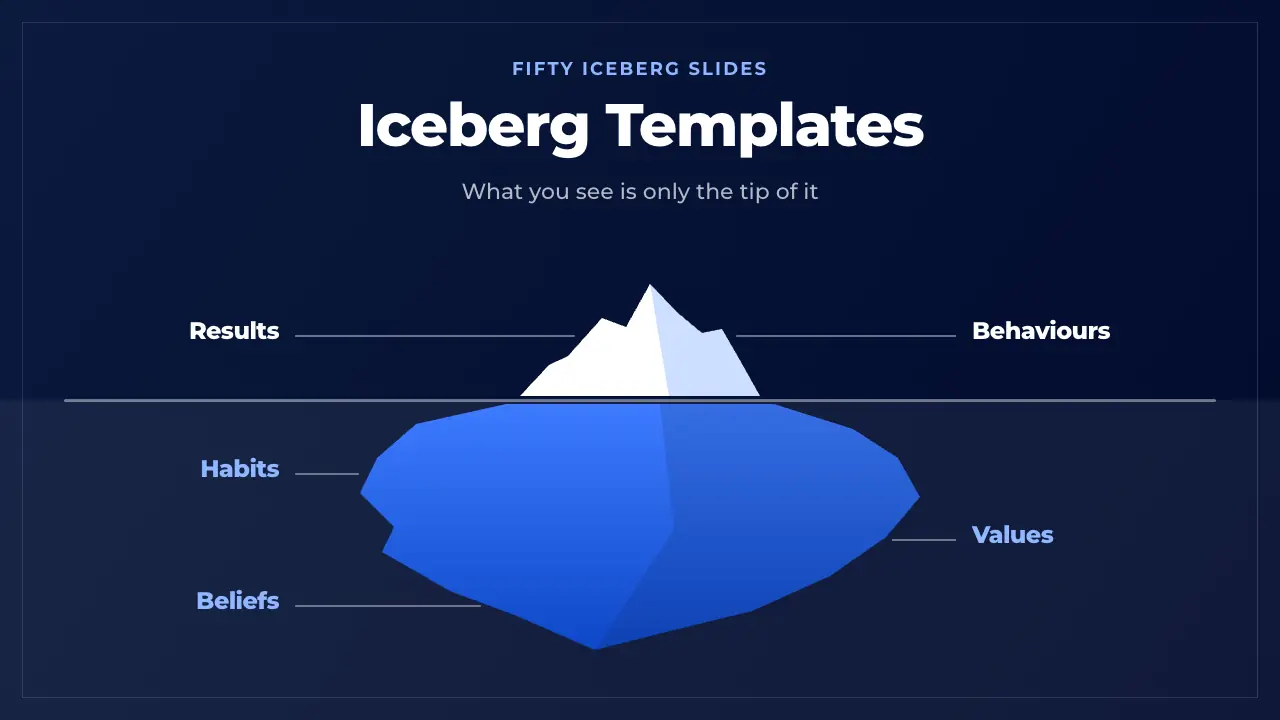
1 · Iceberg Title SlideThe title slide of the pack: one clean iceberg with what is seen above the waterline and what lies below it. Use it to open any talk about visible results and the hidden forces behind them. Replace the five labels with the points of your own model.
2 · Classic Four-Level IcebergThe classic systems-thinking iceberg in four levels: events above the surface, then patterns, structures and mental models at growing depth. Use it when a team keeps reacting to events and needs to see what drives them. Name a recent event at the tip and trace it down level by level.
3 · Culture Iceberg Beside A PhotoAn organisational culture iceberg beside a team photo: behaviours and symbols show above the surface, while norms, values and shared assumptions shape them from below. Use it in onboarding, change programmes or culture workshops. Swap the photo for one of your own team.
4 · Success Iceberg Split By The WaterlineThe success iceberg: what people see above the waterline and the six efforts that make it possible below. Use it in team talks, coaching sessions or a kick-off to show that results take work no one sees. Keep the captions to one short line.
5 · Iceberg With A Depth GaugeAn iceberg beside a depth gauge: each tick gives the share of the work that sits at that depth, from delivered features at the surface to planning at the bottom. Use it to explain where the effort of a project really goes. Change the shares so that they add up to 100 %.
6 · Layered Iceberg In Five BandsA layered iceberg built of shapes: a tip above the waterline and four bands below it that widen and then narrow like the hidden mass, each one deeper in tone. The numbered rows at the right name each layer of a problem from the symptom down to the root belief. Use it to walk a team from what they notice to what causes it.
7 · Iceberg Photo With Four LabelsAn iceberg template on a full photo under a navy overlay: one white waterline crosses the slide and a drawn iceberg in the centre, with two labels above the line and two below. Use it as a strong opener or section slide when you want the real image of an iceberg to carry the message. Keep each caption to two short lines.
8 · Symptoms And Root Causes CardsAn iceberg with cards: the symptoms everyone notices sit above the waterline, the root causes behind them below it. Use it after a review or a workshop to show why fixing symptoms is not enough. Write one short title on each card.
9 · Iceberg With Icon Tile RowsA performance iceberg with five icon rows: results above the waterline, then skills, habits, motivation and purpose at growing depth. Use it in leadership or coaching talks to show what results rest on. Swap the icons and labels for the drivers of your own team.
10 · Key-Figure Iceberg 10 To 90A key-figure iceberg: ten per cent shows above the waterline, ninety per cent lies beneath it. Use it to make one clear point about hidden work, cost or risk. Change the two figures and the closing statement to fit your case.
11 · Total Cost Of Ownership IcebergA total cost of ownership iceberg: the purchase price sits above the waterline, five hidden costs below it, each with its sum, and the true cost over five years closes the list. Use it to compare offers or to justify a budget. Replace the sample sums with your own and keep the total right.
12 · Three Icebergs Side By SideThree icebergs of the same size share one waterline: product, service and team, each with what customers see above and what lies below. Use it to compare areas, offers or teams on one slide. Name each iceberg over its tip and the hidden work under it.
13 · Iceberg With Cards And A PhotoA customer experience iceberg with a photo and a stack of cards: the moment of use shows above the waterline, onboarding, support, billing and product quality carry it from below. Use it in service design or customer reviews. Swap the photo for one of your own customers.
14 · Round Photo Over The TipA success iceberg with a round photo above the tip: success shows above the waterline, six qualities that carry it lie below. Use it in a keynote, a coaching session or an award talk. Keep every label to one or two words.
15 · Iceberg In Half WaterThe waterline splits the slide in two: above it the deliverables and the status reports, below it in the water the requirements, coordination, rework and testing a project takes. Use it in a project kick-off or a review with sponsors. Keep the captions to one line.
16 · Iceberg With A Depth LadderA knowledge iceberg with a numbered ladder: explicit knowledge such as documents shows above the waterline, tacit knowledge sits below it in four steps. Use it in knowledge management, handovers or onboarding. Keep each caption to one line.
17 · Two Icebergs Facing Each OtherTwo icebergs on one waterline compare two points of view: the leader's targets, budgets and pressure on the left, the team's tasks, workload and ideas on the right. Use it to open a conversation between two groups that see different parts of the same work. Change the kickers to any two roles or teams.
18 · Photo Above Four Hidden LayersThe photo above the waterline shows the launch everyone sees; four layers below it name the work that made it possible, from research to testing. Use it to thank a team after a launch or to plan the next one. Swap the photo for one of your own event.
19 · Iceberg With Bars Of Hidden EffortAn iceberg beside five bars: the visible output sits above the waterline, and the bars below show where the hidden hours of a team go, from meetings to waiting. Use it in a review of how a team spends its time. Replace the shares with your own and keep them adding up to 100 %.
20 · Change Iceberg With PillsA change iceberg in pills: cost, time and scope are discussed above the waterline, while fears, habits, trust, resistance and identity decide below it whether a change lasts. Use it when planning a change programme or a new way of working. Keep each pill to one or two words.
21 · Iceberg Of Ignorance With SharesThe iceberg of ignorance: each depth line marks a level of the organisation and the share of its problems that level sees, from four per cent at the top to all of them at the front line. Use it to argue for listening closer to the work. Replace the shares with the results of your own survey.
22 · Five Whys Down The IcebergThe five whys on an iceberg: the problem shows above the waterline, and each why takes one step deeper until the root cause at the bottom. Use it in a retrospective or a problem-solving session. Write your problem at the top and one short answer per why.
23 · Iceberg Beside A Photo At The RightA teamwork iceberg beside a photo: results show above the waterline, trust, communication, shared goals and respect carry them from below. Use it in a team day, a retrospective or a leadership talk. Swap the photo for one of your own team at work.
24 · Iceberg With A Wave WaterlineA behaviour iceberg with a gentle wave as its waterline: what we say and do shows above, while thoughts, feelings, values and needs lie below. Use it in coaching, feedback training or conflict talks. Keep each caption to two short lines.
25 · Data Iceberg With Icon RowsA data iceberg in seven rows: dashboards and reports show above the waterline, while pipelines, cleaning, storage, governance and security do the hidden work below. Use it to explain why data projects take longer than the charts suggest. Change the rows to the layers of your own data stack.
26 · Iceberg With A Key-Figure CardAn iceberg beside a key-figure card: the features show above the waterline, testing, fixes and coordination lie below, and the card states how much of the effort stays unseen. Use it when stakeholders underestimate the work behind a result. Replace the figure and the bar with your own share.
27 · Needs Iceberg With Icon TilesA customer needs iceberg with six icon tiles: the needs customers state, price and features, sit above the waterline; the needs they rarely say, trust, ease, status and security, sit below. Use it in sales training, product work or customer research. Swap the icons for the needs of your own customers.
28 · Iceberg In Three Depth ZonesAn iceberg in three depth zones: the conscious above the waterline, the subconscious and the unconscious in two ever darker bands of water below it. Use it in coaching, psychology or change talks to show how much of behaviour runs out of sight. Keep each caption to one short line.
29 · Photo Above The WaterlineA photo window above the waterline holds the visible brand, logo and name; below the waterline a large hidden mass carries purpose, values, promise and culture. Use it in brand workshops or when a team wants to look beyond the visual identity. Swap the photo for a landscape of your own.
30 · Minimal Two-Part IcebergA minimal iceberg with maximum air: one large navy iceberg, one line, and three short texts for what is visible, what is hidden and what to do about it. Use it as a calm opener or a closing thought in any talk. Keep the words few.
31 · Launch Iceberg On Five StepsA launch iceberg that rests on five numbered steps: launch day shows above the waterline, and research, design, build, test and preparation carry it from below. Use it to plan a product or service launch with a team. Change the date and the five steps to your own plan.
32 · Risk Iceberg With Rating TagsA risk iceberg with rated cards: the known risks sit above the waterline, the hidden risks below it, each with a tag for how serious it is. Use it in a project review or a risk workshop to make the hidden risks part of the plan. Rate each risk as high, medium or low.
33 · Overnight Success Over Five YearsThe overnight success iceberg: the success of 2031 shows above the waterline, and the four years of work before it lie below, the earliest at the bottom. Use it to tell the story of a team, a product or a career that took years to look easy. Replace the years and captions with your own story.
34 · Iceberg With Question CardsAn iceberg with one question for each level: what happened at the event level, then what keeps happening, what causes it and what we believe. Use it to guide a team discussion or a retrospective level by level. Keep each question to one short line.
35 · Formal And Informal OrganisationThe organisation iceberg: goals, structure, policies and technology form the formal side above the waterline; norms, attitudes, relationships and power form the informal side below it. Use it in change projects, mergers or leadership programmes. Keep each point to one or two words.
36 · Competency Iceberg With BracketsThe competency iceberg with two brackets: skills and knowledge sit above the waterline and are easy to teach; self-image, values, traits and motives sit below it and are hard to change. Use it in hiring, talent reviews or training plans. Keep the points to one or two words.
37 · Wellbeing Iceberg With A LeadA wellbeing iceberg: performance shows above the waterline, while workload, stress, sleep, family and health lie below it and shape it. Use it in a leadership talk, a team check-in or a wellbeing programme. Keep the labels to one word each.
38 · Sales Iceberg With FiguresA sales iceberg in figures: three closed deals show above the waterline, and the 200 calls, 40 meetings, 12 proposals and 6 negotiations it took sit below. Use it in a sales review to show the activity behind the results. Replace the figures with those of your own quarter.
39 · Three-Layer Iceberg With NumeralsA three-layer iceberg built of shapes, with a large numeral for each layer: the symptom above the waterline, the cause just below it and the root cause at the bottom. Use it to present the result of a root cause analysis in one calm slide. Write one short example sentence for each layer.
40 · Website Iceberg With A ChecklistA website iceberg with a checklist: the homepage is what visitors see above the waterline; hosting, security, accessibility, content, analytics and search ranking keep it running below. Use it to plan a relaunch or to explain the cost of a website. Tick off the points you have covered.
41 · Two Icebergs, Two WaterlinesTwo icebergs of the same size with two waterlines: today only a fifth of the work shows, and the goal is to make almost half of it visible. Use it to argue for more transparency, better reporting or open progress updates. Change the shares, the years and the labels under each iceberg.
42 · Iceberg Over A Sea PhotoThe upper part of the slide stays white with the idea at the tip; below the waterline a photo of the sea under a navy overlay holds the hidden mass and the work behind every idea. Use it in an innovation talk or a pitch about how new products come about. Swap the photo for any calm water scene.
43 · Two Tips On One Shared BaseA conflict iceberg with two tips and one shared base: each side states its position above the waterline, while their interests, needs, fears and values meet below it. Use it in negotiation training, mediation or any talk between two parties. Write each position in two or three words.
44 · Iceberg Of Stacked SlabsA learning iceberg built of five slabs that narrow towards the bottom: the certificate shows above the waterline, and practice, mistakes, feedback, reflection and curiosity build it from below. Use it in training, education or personal development talks. Keep each caption to one line.
45 · Cost Of Poor Quality In Two FiguresThe cost of poor quality as an iceberg with two figures: scrap, rework and returns are the visible four per cent of revenue; lost sales, overtime, delays, reputation and turnover are the hidden sixteen. Use it in a quality review or a case for investment. Replace the shares with your own estimates.
46 · Employee Iceberg Beside A PhotoAn employee experience iceberg beside an office photo: pay is what an offer shows above the waterline, while growth, belonging, purpose and flexibility decide below it whether people stay. Use it in employer branding, retention talks or people strategy. Swap the photo for one of your own workplace.
47 · Labels In A Column On The IcebergA strategy iceberg with its labels set on the iceberg itself: goals and KPIs on the tip, mission, vision, values, capabilities and culture down the hidden mass. Use it in a strategy offsite or a planning kick-off to show what the targets rest on. Keep each label to one word.
48 · Mastery Iceberg Beside A PhotoA mastery iceberg beside a photo of skilled work: the result people admire shows above the waterline, and practice, patience, mistakes and craft lie below it. Use it in talks about expertise, quality or personal growth. Swap the photo for someone at work in your own field.
49 · Emissions Iceberg On A PhotoAn emissions iceberg on a full photo under a navy overlay: the emissions of our own operations show above the waterline, while the supply chain, transport, product use and end of life hold most of them below. Use it in a sustainability report or a climate strategy talk. Put the share of each source beside its label where it is known.
50 · Closing Slide With Three StepsThe closing slide of the pack: one clean iceberg beside three cards that turn the model into action, see what is visible, ask what lies below and change the hidden causes. Use it to end any talk built on an iceberg model. Keep each card to one word and one short line.
Fifty Forms Of The Iceberg Model In One Blue Look
A title slide that is an iceberg itself; the classic four levels of systems thinking with events, patterns, structures and mental models, and a slide of one question for each level; layered icebergs built of bands, of stacked slabs and of three layers with large numerals; icebergs beside a depth gauge, a numbered ladder, bars of hidden hours and a key-figure card; icebergs with icon tiles, rating tags, pills, cards and a checklist; photos beside the iceberg, above the waterline, behind it and in a circle over its tip; two icebergs facing each other, three side by side, two tips on one shared base and two waterlines that show how much more of the work could be visible; the five whys down the depth, the iceberg of ignorance with the share of problems each level sees, the total cost of ownership, the cost of poor quality, the overnight success over five years and a closing slide with three steps.
How To Use This Iceberg Template
01
Pick Your Forms
Scroll through the 50 slides of this iceberg template and choose the forms that fit your story: one level, a comparison, a key figure or a photo.
02
Set Your Look
Choose colours and fonts in the bar above the slides; every slide of the pack follows at once, or use your own Design Kit.
03
Write Your Layers
Put what people see on the tip and what lies beneath on the hidden mass, from the nearest cause at the top to the deepest at the bottom.
04
Present Or Download
Edit the slides in the browser and present them there, or download the PPTX with a free account and open it in PowerPoint.
When An Iceberg Slide Helps
An iceberg slide makes one point clear in seconds: what people notice is only a small part of what is there. It works when a team keeps reacting to events, when a budget counts only the purchase price, when a launch looks easy from the outside or when a culture is judged by its symbols alone.
Put the visible part on the tip and keep it short. Below the waterline, order the points by depth, with the causes nearest the surface at the top and the beliefs or structures that are hardest to change at the bottom, as the systems-thinking slide 2 and the five whys on slide 22 do.
Choosing The Right Form
For a single message, the key-figure iceberg on slide 10 or the minimal iceberg on slide 30 says it with almost no words. For many points, the forms with icon rows, cards or a checklist hold six or seven layers without crowding, such as slides 9, 25 and 40.
To compare, use three icebergs on one waterline (slide 12), two views of a team (slide 17) or two waterlines for today and a goal (slide 41). Where figures matter, the depth gauge on slide 5, the bars of hidden hours on slide 19 and the total cost of ownership on slide 11 put numbers on the hidden mass.
Frequently Asked Questions
What Is An Iceberg Template?
An iceberg template is a ready-made slide that shows the iceberg model: a small tip above a waterline for what people see and a much larger mass below it for what lies hidden, with room for labels at each depth.
Is This Iceberg PowerPoint Template Free?
Yes. You can view all 50 slides, change their colours and fonts and edit them in the browser for free. A free account downloads the iceberg template as a PPTX file for PowerPoint.
Can I Edit The Slides In PowerPoint?
Yes. The downloaded file keeps its texts, shapes and photos editable, so you can change every label, move the waterline or swap a photo in PowerPoint.
What Topics Do The Slides Cover?
The sample content is neutral and general: systems thinking, symptoms and root causes, culture, success, hidden costs, change, conflict, knowledge, competencies, data, risks, wellbeing and emissions. Replace it with your own topic.
How Does Fill With AI Work?
Describe your topic or attach your notes, and ExpertSlides builds your own deck in the look of this pack, with your tip, your hidden layers and your figures. You can then edit every slide.
Can I Change The Colours And Fonts?
Yes. The bar above the slides changes the colours and fonts of all 50 slides at once, and you can apply your own Design Kit instead.
How Many Layers Can One Iceberg Slide Hold?
Most slides of this iceberg template hold three to six layers below the waterline; the forms with rows, cards or a checklist hold up to seven points in all without crowding.
Try ExpertSlides AI For Free — The Ultimate AI Presentation Maker
Describe any topic or upload a document, and ExpertSlides designs and writes the whole deck — editable in the browser and as a PowerPoint file.