Leadership PPT Template: 50 Slides From the Case for Leaders to the Plan
A 50-slide leadership deck built around one worked case: a 2,400-person company that trained 120 new managers and cut regretted attrition in their teams from 14.2 % to 9.6 %. It covers the case, leadership models, core skills, the programme, results and the plan.
This leadership PPT template is a finished 50-slide deck, not a set of empty boxes. It reviews one year of Lead Forward, the programme a fictional instruments maker runs for its new managers: why first-year leaders struggle, what good leadership means, the six skills that matter, how the training works and what it changed. As a leader and leadership PPT, it shows every slide filled in with figures that agree.
Use it to study how a complete leadership deck reads, or make it yours. Open it in the editor with a free account, change any text, chart or table, or use Fill with AI to write your own programme or team into the same slides. Present in the browser, export a PDF on any plan, or download PowerPoint on Pro and Business.
Your leadership deck in these slides
Type your company, team or programme, or attach a survey or a training plan. The AI writes your figures and wording into these 50 slides and keeps the layout and design.
The 50 slides of this leadership PPT
Each slide is filled in for Meridel Instruments, a fictional company reviewing the first year of its training programme for 120 new managers.
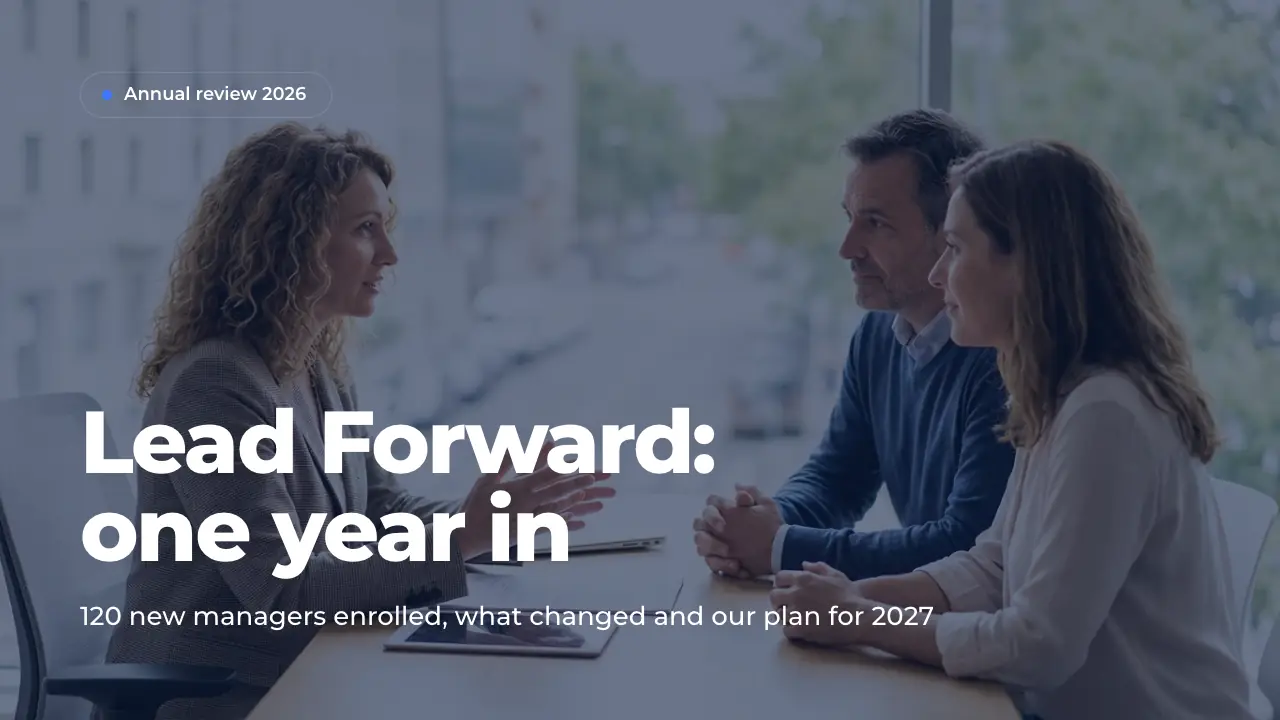
1 · TitleOpening slide of the leadership programme review. Use it to name the programme, the occasion and the year, and put the presenters in the speaker notes. Replace the picture with a calm photo of your own managers at work.
2 · AgendaAgenda slide with six numbered chapters and a line on each. Use it right after the title to set the order and the time of the session. Keep each chapter name short and match it to the section dividers.
3 · IntroductionIntroduction slide with a short context paragraph and three points on what the deck covers. Use it to explain why the topic is on the agenda now. Put in the one figure that makes the urgency clear and the questions the deck answers.
4 · Chapter: The caseSection divider that opens the first chapter. Use it to mark the change of topic and to state the chapter in one line. Keep the body to one sentence that frames the evidence that follows.
5 · Baseline figuresA four-figure baseline slide that shows the state before the programme. Use it at the start of the case so later results have a reference. Put in engagement, attrition, a leadership score and a training gap from your own survey and HR data.
6 · Attrition by tenureA ranking chart that ties a people outcome to the manager's experience. Use it to show where the problem sits before you propose a fix. Put in one rate by tenure band from your HR system, with the period stated.
7 · Manager studyA research slide with four survey answers shown as bars. Use it to back the problem with your people's own voice. Put in the sample and period in the notes, and four shares that tell one story.
8 · Root causesA fishbone diagram with six causes behind one problem. Use it after the evidence to explain why the problem exists. Name each cause in a word and add one concrete fact from your interviews.
9 · Leadership trendsA trends slide with four drivers, each with an icon and one line. Use it to show that the need grows, not only the gap. Put in shifts you can see in your own company, with a figure where you have one.
10 · A new manager's voiceA statement slide with one quote and a portrait. Use it to give the numbers a human face before a new chapter. Pick one sentence from an interview that names the problem better than any chart.
11 · Chapter: MeaningSection divider with a tall side picture that opens the second chapter. Use it to move from the evidence to the model of leadership. Keep the body to one line that says what the chapter defines.
12 · Managing vs leadingA comparison slide with five criteria and two answers each. Use it to define a term by its contrast, here managing and leading. Keep the two answers of a row parallel so the difference is easy to read.
13 · Leadership pipelineA five-level pyramid of leadership roles with the headcount at each level. Use it to show which transition a programme serves. Put in your own levels, what each one leads and how many people sit there.
14 · Situational leadershipA four-field matrix of leadership styles matched to the person's skill and commitment. Use it to show that good managers switch styles by person and task. Name each field by the style and say who it fits.
15 · Leadership principlesA values slide with five principles, one line each. Use it to state what leaders are measured by before you show the skills. Write each principle as an action a team member could observe.
16 · Competency modelA mind map with one central role and six competencies around it. Use it to show the model your reviews and training are built on. Keep each branch to two or three words a manager can recognize.
17 · First 90 daysA dos-and-don'ts slide in two columns of four. Use it to give new managers rules they can follow from day one. Write every item as a short action, and keep the two columns parallel.
18 · Chapter: Core skillsSection divider that opens the chapter on skills. Use it to move from the model to the practical tools. Keep the body to one line on what the skills have in common.
19 · ConversationsA full-bleed picture slide with a short headline and body. Use it as a pause that sets the tone for a chapter. Choose a calm photo of the situation the chapter is about.
20 · One-on-one rulesA bullet-point slide with four numbered rules and a line on each. Use it to turn a habit into a standard. Write each rule as a short title and a concrete detail.
21 · Feedback modelA process slide with four steps in a row. Use it to teach a method people can repeat in any conversation. Give each step a short verb-led title and one line on how to do it.
22 · GROW coachingA cycle slide with four steps around a ring. Use it to show a routine that repeats, here a coaching conversation. Name each step in one or two words and explain the questions in the notes.
23 · Delegation levelsA table with five levels of delegation, who decides at each and when it fits. Use it to make delegation a conscious choice rather than all or nothing. Add an example from your own teams in the notes.
24 · Performance decisionA flowchart with one question and a yes and a no path. Use it to give managers a clear rule for a situation they find hard. Put the question in a few words and say what follows on each side.
25 · Trust modelA Venn diagram of three sets and their shared center. Use it to show that an outcome needs several conditions at once. Name each set in one word and the overlap in two.
26 · One-on-one prepA checklist of six items, each with a short note. Use it to turn a skill into a routine people can tick off. Keep each item to two words and its note to one concrete action.
27 · Chapter: ProgrammeSection divider that opens the chapter on the programme itself. Use it to move from what leaders need to how you build it. Keep the body to the format in one line.
28 · Learning pathA training slide with the learning path in four stages. Use it to show what participants can do after each part. Name each stage by its skill and say which modules it covers.
29 · Module day agendaA workshop agenda with four parts and their start times. Use it to show what participants actually do in a session. Name each part, what happens in it and when it starts.
30 · Programme teamA team slide with four portraits, names and roles. Use it to show who stands behind a programme and who to contact. Add each person's background in a sentence in the notes.
31 · Programme timelineA timeline with six milestones in order of their dates. Use it to show how a programme grew from an idea to its current size. Give each milestone a date, a short name and one line with its figure.
32 · Programme budgetA resources slide with the budget split as a donut. Use it to show what a programme costs and where the money goes. Put in four to five cost lines that add up to the total, and the cost per participant.
33 · Participant quotesA testimonials slide with three short quotes, names and roles. Use it to let participants speak for the programme. Pick quotes that each name one concrete change.
34 · Chapter: ResultsSection divider that opens the chapter on results. Use it to move from what the programme is to what it achieved. Keep the title to the claim the chapter proves.
35 · Results dashboardA dashboard of eight tiles, each with a figure and its change. Use it at the start of a results chapter to show the whole picture at once. Put in inputs, outcomes and money, each against its baseline.
36 · Engagement trendA trend chart with one series over six survey dates. Use it to show that an outcome moved steadily, not once. Put in the same measure at every point, with its source and sample under the chart.
37 · Racine case studyA case study with three result figures, a quote and a portrait. Use it to prove the effect in one place people know. Put in the before and after of three measures and one sentence from the site's leader.
38 · 360 gainsA bar chart with one gain per competency and the average as a big number. Use it to show where a training works best and where it does not yet. Sort the bars from the largest gain to the smallest.
39 · Cohort resultsA table with one row per cohort and the same measures in each column. Use it to show that results hold across groups, not only on average. Mark the groups still in progress instead of leaving cells empty.
40 · Cost and returnA financials slide with four figures and a line that explains them. Use it to show what a programme costs against what it saves. State how the saving is calculated so the figure holds up to questions.
41 · Lessons learnedA lessons-learned slide with what went well and what did not, three points each. Use it to show an honest review before you present the plan. Say in the notes what you change for each point that did not work.
42 · Chapter: Road aheadSection divider that opens the last chapter. Use it to move from results to the plan and the decision. Keep the body to the one goal the chapter works toward.
43 · Goals 2027A goals slide with one main goal and four measurable sub-goals. Use it to state what is to be reached and by when. Give every sub-goal a figure and a date, and keep the main goal to one sentence.
44 · Roadmap 2027A roadmap with four workstreams as bars over four quarters. Use it to show what runs in parallel and when. Name each workstream and add the one figure or output that matters most.
45 · Programme risksA risk slide with four cards, each naming a risk and the answer to it. Use it before the ask to show that the plan has been stress-tested. Rank the risks by likelihood and impact in the notes.
46 · ObjectionsAn objections slide with four doubts and a short answer to each. Use it before the ask to take the most common questions off the table. Name each objection in the words people use and answer it with a fact.
47 · The askAn ask slide with three needs, each with what exactly and why. Use it near the end to turn the review into a decision. Make every need specific enough to approve or reject in the meeting.
48 · Next stepsAn action plan with four actions, each with what it changes, an owner and a date. Use it after the ask so the decision turns into work at once. Give every action one named owner and a date within weeks.
49 · Key takeawaysA takeaways slide with four numbered points and a line of proof each. Use it at the end so the audience leaves with the argument in four sentences. Repeat the strongest figure of each chapter.
50 · ClosingClosing slide with thanks, the next dates and contact icons. Use it to end on the decision and the date people should remember. Put the contact for questions and nominations in the speaker notes.
What's inside this leadership presentation
Six chapters behind a cover, agenda and introduction. The case: baseline figures, attrition by tenure, a manager study, root causes, trends and a quote. Meaning: managing versus leading, the pipeline, situational leadership, principles, a competency model and the first 90 days. Core skills: one-on-ones, feedback, GROW coaching, delegation, performance issues, trust and a checklist. The programme: modules, a module day, team, timeline, budget and quotes. Results: dashboard, engagement trend, a case, 360 gains, cohorts, cost and lessons. The road ahead: goals, roadmap, risks, objections, the ask and next steps.
How to use this leadership template
01
Open it
Click Use this template to open the leadership PPT in the editor. A free account is enough, and no credit card is asked for.
02
Add your content
Use Fill with AI: type your topic or attach a document, and the AI writes your programme or team into these 50 slides. Or edit each text, chart and table yourself.
03
Check the numbers
Make sure the baseline, the results and the budget agree, and remove any chapters your audience does not need.
04
Present or export
Present in the browser, export a PDF on any plan (with the ExpertSlides mark on Free), or download PowerPoint on Pro and Business.
What a leadership presentation has to cover
A leadership deck has to connect people skills to results, or it reads as a list of good intentions. This one starts with evidence. Meridel Instruments, a fictional maker of laboratory balances with 2,400 employees, promoted 118 first-time managers in two years. In their teams engagement stood at 54 % against 61 % company-wide, regretted attrition at 14.2 %, and the average 360 leadership score at 3.2 of 5. A chart by manager tenure shows that the first year in the role is where people leave.
The second and third chapters define what good looks like. Managing and leading are compared on five criteria, a pipeline shows five levels from specialist to executive, and situational leadership matches the style to the person. Then come the skills a new manager uses every week: the one-on-one, feedback with the situation-behavior-impact model, coaching with GROW, five levels of delegation, a decision flow for performance issues and a model of trust. Each skill sits on its own slide with rules people can follow.
The last chapters show the programme and what it changed. Lead Forward runs six modules over six months for cohorts of 24, at $9,600 per participant. For its 69 graduates, team engagement rose to 66 %, regretted attrition fell to 9.6 % and 360 scores rose to 3.9, which saved an estimated $1.41M against $1.15M spent. A plant case, lessons learned, goals, a roadmap, risks and the ask for 2027 close the deck.
Why a worked example beats a blank template
Blank layouts tell you where a model goes but not how to explain it. A filled deck shows the detail that holds up in front of executives: a baseline before the programme, a cost per participant, gains by competency and a saving that is calculated, not claimed. When you replace Meridel's figures with yours, the structure keeps you honest, because a missing number leaves a visible gap on the slide.
The case is a manufacturer, but the chapters fit any organisation: HR teams reviewing a programme, trainers running a workshop, or a manager presenting their own leadership approach. Drop the slides you do not need, such as the budget, the cohort table or the plant case, and the story still holds from the first slide to the ask.
Questions about the template
What slides does a leadership PPT need?
It needs a reason why leadership matters now, a shared definition of good leadership, the skills or behaviours you expect, and how you will build and measure them. This deck adds a baseline, a competency model, a budget and a results chapter, which are the slides executives most often ask for. For a short talk, keep the case, the skills and the takeaways.
Can I use it as training for leadership PPT slides?
Yes. The core skills chapter works on its own as a training module: one-on-ones, feedback, GROW coaching, delegation, performance issues and trust, each with rules people can apply. Add the module day and the checklist slides, and you have a session for new managers.
How long should a leadership presentation be?
For an executive review, 15 to 25 slides in the main deck is usual, with detail in an appendix. A training session can run longer, because each skill needs time for practice. This template has 50 slides, so you can pick the chapters that fit your audience.
What do executives look for in a leadership programme review?
They want to see that the programme changed outcomes, not only that people liked it. A baseline, a change in engagement or attrition, a cost per participant and a calculated saving build more trust than ratings alone. Named risks and a clear ask make the decision easy.
Is this leadership PPT template free?
Yes. Opening it, editing every slide, using Fill with AI and presenting in the browser need only a free account, with no credit card. PDF export works on every plan; on Free the PDF carries the ExpertSlides mark. PowerPoint download comes with Pro and Business.
Can the AI make this deck fit my own organisation?
Yes. Choose Fill with AI, type your company, team or programme and its figures, or attach a document such as a survey or a training plan, and the AI writes your content into these slides. You can then ask for more slides or edit any of them by hand.
Try ExpertSlides AI for free — the ultimate AI presentation maker
Describe any topic or upload a document, and ExpertSlides designs and writes the whole deck — editable in the browser and as a PowerPoint file.