
Expert Slides
AI Presentation MakerDesign TemplatesPricingSolutionsDesign Kits
Log inGet started freeMy ProjectsGet free credits
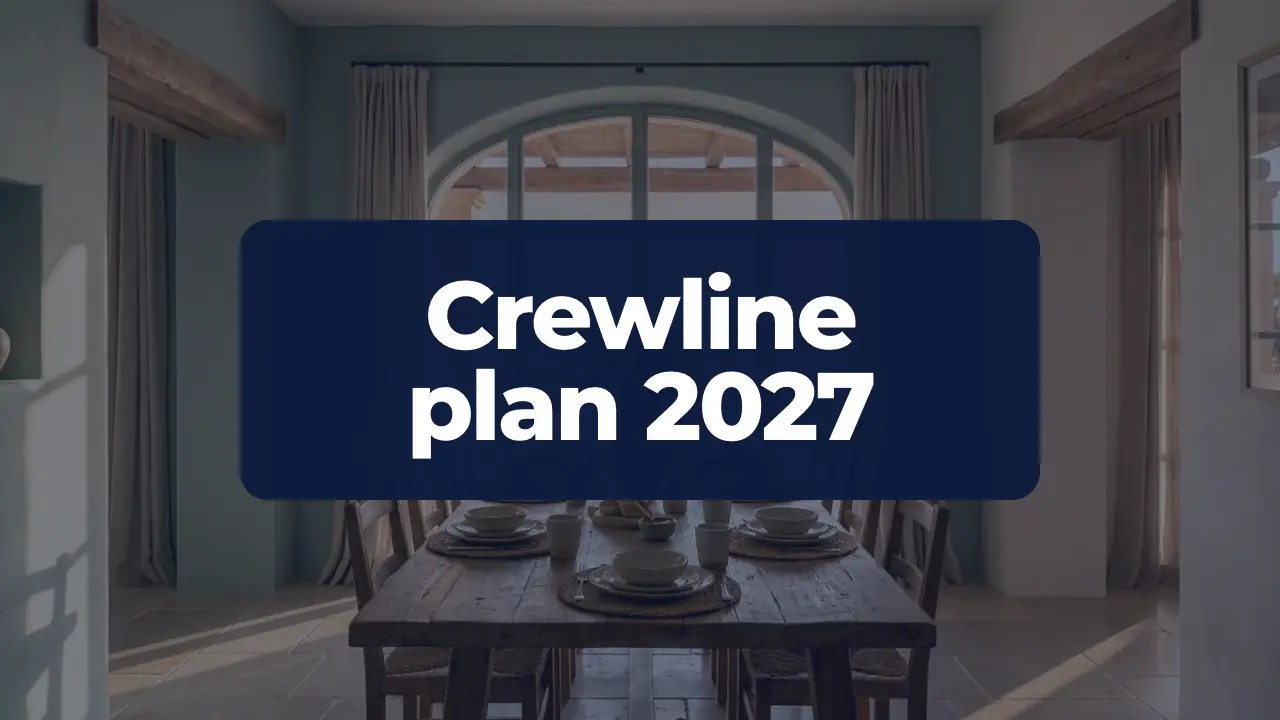
Title slide of the Crewline marketing plan 2027 over a photo of a technician walking toward a service van.
1 / 50

Template · Marketing Plan

Marketing Plan PPT Template: 50 Slides From Audit to Board Ask

A 50-slide marketing plan deck built around one worked case: an $18.4M ARR software company asking for $4.6M to reach $27.0M. It covers results, market, strategy, channels, budget, risks and the board ask, and every slide is editable.

  • 50 slides
  • 16:9
  • PowerPoint
Edit slides 1:1 in editor

This marketing plan PPT template is a finished 50-slide deck, not a set of empty boxes. It walks through a full year of marketing for Crewline, a fictional field-service software company: where the team stands, the market, strategy, channels, budget and the ask to the board. Every slide carries real-looking numbers, so you can see how a marketing plan PPT presentation reads when it is complete.

Use it as a sample marketing plan template to study, or make it yours. Open it in the editor with a free account, change any text, chart or table, or use Fill with AI to write your own plan into the same slides. Present in the browser, export a PDF on any plan, or download PowerPoint on Pro and Business.

Write your own plan into these slides

Type your company and goals, or attach a brief or last year's plan. The AI writes your numbers and wording into these 50 slides, keeping the layout and design.

The 50 slides of this digital marketing plan template

Each slide is filled in for Crewline, a fictional Columbus software company asking its board for $4.6M to grow from $18.4M to $27.0M ARR in 2027.

  1. 1 · Title coverOpening slide with the deck title over a full-bleed photo. Use it to start the annual planning review. Replace the photo with one that shows your customers at work, and keep the title short.
  2. 2 · Agenda listAgenda slide with five numbered items, one per chapter. Use it to show the order of the deck right after the title. Keep each item to a few words and match them to the section dividers.
  3. 3 · Plan summaryExecutive summary in three parts: situation, plan and result. Use it for the reader who sees only one slide. Put one number in each part and keep the logic from problem to action to outcome.
  4. 4 · Chapter: Where we standSection divider that opens the first chapter. Use it to mark the move from the summary to the 2026 results. Give the chapter name and one line on what it covers.
  5. 5 · KPI dashboardA six-tile dashboard that summarizes the year in one view. Use it early in a planning or review deck to show what grew and what got more expensive. Put in each tile a label, the headline figure and one comparison, such as the prior year or a share of total.
  6. 6 · MQL trend chartA column chart with one insight line and an icon. Use it to show a quarterly trend over two years and to name a seasonal pattern. Put one metric per quarter in the chart and state the single takeaway in the insight.
  7. 7 · Sales funnelA five-stage funnel with a label, a value and a proportional bar per stage. Use it to show where volume is lost between first contact and a won customer. Show each stage as a share of the first stage and name the weakest step in the headline.
  8. 8 · Unit economicsFour large figures with short labels and one line of reading below. Use it to show what one customer costs to win and what it returns. Put CAC, lifetime value, their ratio and payback here, and state the target in the body line.
  9. 9 · Keep stop startThree columns with three short items each, grouped as keep, stop and start. Use it to turn last year's results into decisions. Back every item with one figure from the past year and keep the wording parallel.
  10. 10 · Chapter: MarketA section divider with a kicker, a two-line title, a short description and a tall side photo. Use it to open a chapter. Name the chapter in the title, say in one line what it covers, and choose a calm photo of the customer's world.
  11. 11 · Market sizingShows the market funnel from TAM through SAM to SOM with one figure and one line of logic each. Use it to show how much room is left and what share the plan claims. Replace firm counts, ARPA and share figures with your own, and keep the arithmetic traceable.
  12. 12 · Buying trendsPlots four external trends on an impact-versus-timing map. Use it to explain why the plan looks the way it does before the strategy section. Put one trend per marker and keep each to a short noun phrase, with the evidence in the speaker notes.
  13. 13 · Segment matrixSorts customer segments by attractiveness (ARPA, win rate) against our ability to win (product fit, references). Use it to justify where budget goes and where it does not. Keep three tags per field and put the supporting numbers in the notes.
  14. 14 · Ideal customerIntroduces the ideal customer profile as one named persona with a portrait and four traits. Use it to align the team on who the campaigns speak to. Swap in your own ICP firmographics, buyer, needs and channels, one short line each.
  15. 15 · Survey findingsPresents the three main findings of primary research, each with a short title and the share of respondents behind it. Use it to ground the strategy in customer evidence. State the method and sample in the notes and keep each finding to one number.
  16. 16 · Buyer journeyA five-stage journey of an HVAC, plumbing or electrical owner, with a touchpoint and a feeling per stage. Use it to show where marketing meets the buyer and where it should invest. Replace the stages with your own buying path and keep each line short.
  17. 17 · Competitor contrastA side-by-side view of three competitors and the three points where we win. Use it when the board asks who else is after our contractors. Name your real alternatives on the left and answer each one on the right, row by row.
  18. 18 · Chapter: StrategyA section divider that opens the third chapter. Use it to move from market and customers to the direction for 2027, the goals and the story. Put the chapter number in the kicker and the chapter name in the headline.
  19. 19 · SWOTA four-field SWOT with one short line of evidence per field. Use it to ground the strategy in facts the board already knows. Keep each field to two or three facts with numbers, not adjectives.
  20. 20 · Three pillarsThree pillars that carry the strategy, each with one measurable commitment. Use it to show the few choices that drive the plan. Name each move in one word and give it a number or a date.
  21. 21 · Plan comparisonSide-by-side comparison of last year's marketing approach and the new one. Use it to show the board what changes in 2027 and why. Keep each point to one line and pair the points row by row.
  22. 22 · 2027 objectivesFour measurable goals with target, starting point, how we get there and deadline. Use it to fix the numbers the board will hold marketing to. Replace the goals with your own, each with one number and one date.
  23. 23 · Pain and promiseTwo columns that match what the owner struggles with to what the product does about it. Use it to state the value proposition in the owner's terms. List three pains and three answers in the same order.
  24. 24 · Maintenance PlansProduct slide with one photo and three callouts. Use it to introduce a new product or add-on and its first proof. Put the price and launch date in the notes or headline, and the strongest result in the last callout.
  25. 25 · Creative conceptSlide that turns one campaign claim into four touchpoints. Use it to show how the idea runs across media. Put the claim in the headline and give each touchpoint one concrete execution.
  26. 26 · Chapter: ChannelsSection divider that opens the channels and campaigns chapter. Use it to signal the shift from strategy to execution. Put the chapter name in the headline and one line on what the chapter covers in the body. Choose a calm background photo of tradespeople at work.
  27. 27 · Channel mixOverview of the planned channel budget for the coming year, one card per channel with its dollar amount and job. Use it to show where the program money goes and why. Put the channel name, the budget and the single outcome that channel must deliver in each card.
  28. 28 · Cost per SQLRanked bar chart comparing cost per sales-qualified lead across channels for the year just closed. Use it to justify moving budget toward the cheapest sources. Put the channels in order of cost, one value each, and state the share of SQLs and spend of the best performers in the body.
  29. 29 · Owned audienceFour large figures showing the audience the company owns at the start of the plan year. Use it to show reach that costs no media spend. Put one metric per figure with a short label, such as list size, traffic, followers and the customer base.
  30. 30 · Launch planPhased go-to-market plan for a product launch, with a label, a short description and a timing for each phase. Use it to show sequence and ownership. Put the pilot, the launch, the scale-up and the sales motion in order, each with its date.
  31. 31 · Campaign channelsCampaign slide with four channel cards under one idea. Use it to show where a seasonal campaign runs and what each channel does. Put the idea in the headline, one line per channel, and keep dates, budget and targets for the speaker.
  32. 32 · Editorial planThree-milestone content plan for one quarter. Use it to show what goes out when, in which channel and who owns it. Fill each block with the piece, the channels and the owner, and state the audience split once.
  33. 33 · Lead handoffFive-step process slide for a lead handoff. Use it to agree who does what and how fast between marketing and sales. Name the owner, the rule and the time limit in each step.
  34. 34 · Partner tablePartner table with one row per partner. Use it to show who brings reach to your customers and why. Give each partner a type, the year it started and one concrete number or offer.
  35. 35 · Customer caseCase study slide with four blocks and a tall photo. Use it to prove the offer with one customer: who they are, the problem, what you did and the measured result. Keep every block to one or two short sentences with real numbers.
  36. 36 · Customer quotesThree short customer quotes side by side, each with name and company. Use it to give the plan a customer voice before the budget chapter. Pick quotes that match the plan's themes: time saved, fast adoption and partner advocacy.
  37. 37 · Customer loopA five-step cycle from onboarding to referral that shows how existing customers feed new ones. Use it to explain lifecycle marketing and where each program sits. Add one concrete action or metric per step.
  38. 38 · Chapter: BudgetDivider that opens the final chapter on money, measurement and risk. Use it to signal the shift from the plan to the ask. Keep the one-line description to what the audience will decide.
  39. 39 · Budget by channelA table that compares last year's program budget with next year's by channel, with the change in percent and a total row. Use it for the budget ask. Group small lines so the table stays readable and keep sums exact.
  40. 40 · ARR bridgeA waterfall chart that bridges opening ARR to the closing target through churn, expansion and new logos. Use it to show where growth comes from and what marketing owns. Keep every step in $M and make the steps sum to the target.
  41. 41 · Quarterly targetsA compact table that breaks the annual plan into four quarters. Use it to show the board how volume, spend and CAC phase through the year. Put the four metrics the audience tracks most in the rows and the full-year totals in the note.
  42. 42 · Metrics pyramidA four-level pyramid that ranks measures from the single outcome marketing answers for down to the operating metrics each team owns. Use it to show who reviews which number and how often. Keep the top level to one figure and the base to metrics owned by named leads.
  43. 43 · Team structureAn org chart with the CMO on top and four team leads below. Use it to show who leads what and where new roles land. Add headcount now and after hiring in each team line.
  44. 44 · Quarterly roadmapA four-quarter roadmap with a theme and three milestones per quarter. Use it to show sequence and ownership of the year's big moves. Keep each item to a few words and put detail in the notes.
  45. 45 · Risk registerA four-item risk slide that pairs each threat with its likelihood and our response. Use it to show the board that the main exposures have owners and actions. List the risks in order of impact and keep each answer to one concrete step.
  46. 46 · ObjectionsObjection-handling slide with three questions and three short answers. Use it before the ask to meet the board's likely doubts on cost, channel cuts and partner risk. Put one number in every answer.
  47. 47 · First 90 daysAction plan with four dated steps, each with a short effect and a named owner. Use it to show what happens right after approval. Keep dates firm and give every step one owner.
  48. 48 · The askAsk slide with one large figure and three supporting points. Use it to state exactly what the board approves and what it gets back. Lead with the money, then name the return.
  49. 49 · Key takeawaysClosing summary with three takeaways, each with a short reason, and one next step. Use it to repeat the plan's logic in a minute. Keep each takeaway to one claim and one number.
  50. 50 · Closing contactClosing slide with a named contact, a round portrait and a one-line next step. Use it to end the session and say who answers questions. Name the date that starts the next phase.

What's inside this marketing plan PPT example

Five chapters behind a cover, agenda and one-page summary. Where we stand: KPI dashboard, MQL trend, funnel, unit economics and lessons. Market and customers: market sizing, buying trends, a segment matrix, ideal customer, survey findings, buyer journey and competitors. Strategy: SWOT, three pillars, objectives, positioning and the Maintenance Plans add-on. Channels: channel mix, cost per SQL, launch and campaign plans, editorial calendar, lead handoff, partners and customer stories. Budget: budget by channel, ARR bridge, quarterly targets, metrics, team, roadmap, risks, objections, the first 90 days and the board ask.

How to use this marketing plan PPT template

  1. 01

    Open it

    Click Use this template to open the marketing plan PPT template in the editor. A free account is enough, and no credit card is asked for.

  2. 02

    Add your content

    Use Fill with AI: type your topic or attach a document, and the AI writes your plan into these 50 slides. Or edit each text, chart and table yourself.

  3. 03

    Check the numbers

    Make sure the budget, quarterly targets and revenue bridge add up, and remove any chapters your audience does not need.

  4. 04

    Present or export

    Present in the browser, export a PDF on any plan (with the ExpertSlides mark on Free), or download PowerPoint on Pro and Business.

What a marketing plan deck has to prove

A marketing plan is a request for money and trust, so the deck has to show that last year's spend worked and that next year's will work better. This one starts with the facts: Crewline closed 2026 at $18.4M ARR with 2,350 customers, won 820 new customers from 9,600 MQLs on $3.1M of marketing spend, and paid a blended CAC of $6,100. Annual revenue churn of 15.8% sits on the same dashboard, because a board will ask about it whether you show it or not.

From there the plan builds the case for 2027. The team of 14, led by CMO Dana Okafor, asks for $4.6M and four hires to reach 14,200 MQLs, 1,250 new customers and a CAC of $5,600. The ARR bridge makes the target checkable: $18.4M, minus $2.9M of churn, plus $3.5M of expansion, plus $8.0M of new ARR from 1,250 customers at a $6,400 first-year ACV, lands at $27.0M. Each number has a slide that explains where it comes from.

The middle of the deck turns targets into work. A segment matrix shows where the next dollar goes, survey findings from 412 contractor owners shape the message, and a channel mix with cost per SQL by channel justifies the spend. The March 2027 launch of the Maintenance Plans add-on, priced at $149 a month with a target of 600 attached accounts, gets its own launch plan. A risk register, an objections slide and a first-90-days plan close the gaps a reviewer would look for.

Why a worked example beats a blank template

Blank layouts tell you where a chart goes but not what it should say. A filled deck shows the level of detail that holds up in a meeting: a funnel with real conversion steps, unit economics that tie CAC to first-year ACV, a budget table that adds up, and quarterly targets that sum to the annual ones. When you replace Crewline's figures with yours, the structure keeps you honest, because a missing number leaves a visible gap on the slide.

The case is a B2B software company, but the chapters fit most businesses: results, market, strategy, channels, budget and the ask. Agencies can use it for a client plan, in-house teams for an annual review, founders for a board meeting. Drop the slides you do not need, such as the partner table or the add-on launch, and the story still holds together.

Questions about the template

What slides does a marketing plan PPT need?

At minimum it needs a summary, last year's results, the market and target customer, strategy and objectives, channels and campaigns, budget, targets and the ask. This deck adds a funnel, unit economics, a risk register and a 90-day plan, which are the slides reviewers most often find missing. For a digital marketing plan PPT, lean on the channel mix, cost per SQL and editorial plan slides.

How long should a marketing plan presentation be?

For a board or leadership review, 15 to 25 slides in the main deck is usual, with detail in an appendix. This template has 50 so you can choose: present the summary, ARR bridge, budget and ask, and keep the rest as backup for questions.

What do managers and boards look for in a marketing plan?

They want to see that targets connect to money: how spend becomes leads, leads become customers and customers become revenue. Clear CAC and churn figures, a bridge from this year's revenue to next year's, and named risks build more trust than ambitious goals alone.

Is this a free marketing plan template?

Yes. Opening it, editing every slide, using Fill with AI and presenting in the browser need only a free account, with no credit card. PDF export works on every plan; on Free the PDF carries the ExpertSlides mark.

Is there a PowerPoint version of this marketing plan presentation template?

Yes. On the Pro and Business plans you can download the deck as a PowerPoint file and keep editing it there. On Free you can present it in the browser or export a PDF.

Can the AI make this marketing plan PPT template fit my own company?

Yes. Choose Fill with AI, type your company, goals and figures or attach a document such as last year's plan or a budget sheet, and the AI writes your content into these slides. You can then ask for more slides or edit any of them by hand.

Try ExpertSlides AI for free — the ultimate AI presentation maker

Describe any topic or upload a document, and ExpertSlides designs and writes the whole deck — editable in the browser and as a PowerPoint file.

Try it for free

Use the marketing plan template

A free account, no credit card. The deck opens in the editor, every slide editable.

Use this templateMore presentation designs
Expert Slides
AI presentation maker: type a topic, pick a style, get a finished deck in 60 seconds.
Product
AI Presentation MakerDesign TemplatesPricingSolutionsPowerPoint & Google Slides Add-insPowerPoint TemplatesPresentation TemplatesProject Management TemplateFree PowerPoint Templates
Company
Help CenterGuidesContact
Legal
PrivacyTermsLicensingImprint
© 2026 ExpertSlides · ES Solutions GmbH