Matrix Template: 50 Editable Matrix Slides For PowerPoint
Fifty matrix slides in one blue look, each a different form: 2×2 quadrants, 3×3 grids, value and effort, impact and urgency, matrices with placed items and comparison matrices of a few rows. Change the colours and fonts of all of them at once, let the AI build your own matrix deck in this look, download them as PowerPoint or edit each slide in the editor.
This matrix template pack holds 50 slides, and each one lays out a decision on two axes in a different form: four floating cards around a cross, a nine-box grid, a risk heat map, a bubble chart of value and complexity, a positioning map, a comparison of three options with check marks and a matrix that zooms into one of its own fields. All of them share one blue look on light, white and navy grounds, so any five of them sit in one deck without looking borrowed.
Most files offer one empty grid and leave the rest to you. Here every slide is a finished matrix, written out with neutral sample content that any organisation knows: tasks sorted by impact and effort, risks by likelihood and impact, stakeholders by power and interest, products by market growth and share, people by skill and will. Roles stand in place of names and the figures are round samples, and no slide is packed: a few fields, short words and plenty of air, so the room reads the matrix at a glance.
If you are looking for a matrix PowerPoint template, a free account downloads the slides as a PPTX file whose texts and shapes stay editable. You can also stay in the browser: pick your colours and fonts in the bar above the slides, describe your topic and let the AI build your own matrix deck in this look, or open the slides one to one in the editor.
Your Decision In This Matrix Look
Describe what you need to sort, the two axes that matter and the items on your list, or attach your notes or a spreadsheet. ExpertSlides builds your own matrix deck in this look in a few minutes, with your fields, your axes and your items.
Every slide is a complete matrix with neutral sample content — two clear axes, a few named fields, short lines and round figures — that fits any organisation. Replace its axes, fields and items with yours.
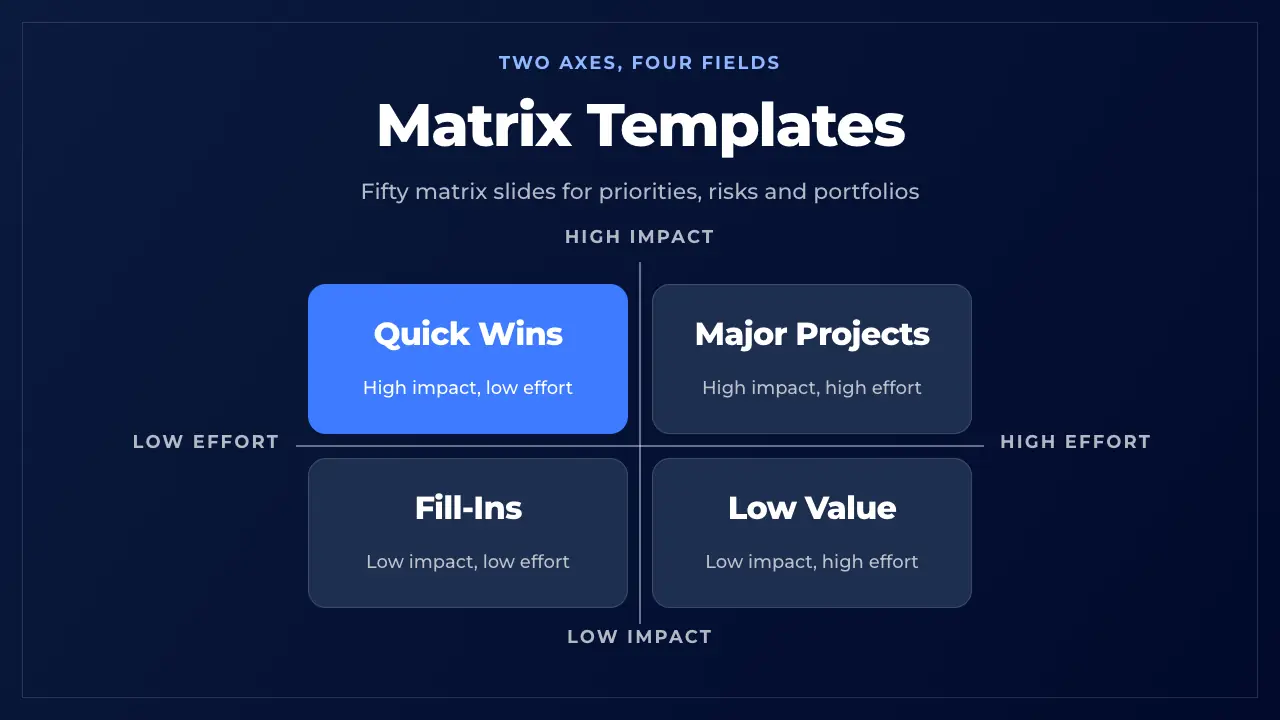
1 · Matrix Cover With Four QuadrantsThe title slide of the pack: a centred headline over a 2×2 matrix of impact and effort, with the Quick Wins field in the highlight. Use it to open any deck that sorts items on two axes; retitle the axes and the four fields to fit your own matrix.
2 · Impact Effort Matrix With Floating CardsA classic priority matrix: impact on the vertical axis, effort on the horizontal one, four floating cards around the cross. Quick Wins carry a highlight edge and a Do First badge. Use it to sort tasks or ideas before planning; write one rule for each field.
3 · Urgent Important Matrix Beside A PhotoThe urgent and important matrix in four soft fields, each with an icon, an action and a one-line rule. A photo on the left gives the slide a calm, personal start. Use it for time management, weekly planning or a team's intake of requests.
4 · Value Complexity Bubble MatrixA plotting field split into four quadrants, with six initiatives placed by value and complexity and sized by budget. The highlighted bubble is the clearest choice. Use it to compare a portfolio of ideas at a glance; move the bubbles and resize them to your own figures.
5 · Nine-Box Grid With Team SharesThe nine-box grid of a talent review: performance from left to right, potential from bottom to top, a name and a share of the team in every box. The Future Leader box is in the highlight. Use it in talent and succession reviews; replace the shares with your own counts.
6 · Five By Five Risk Heat MapA 5×5 risk heat map: likelihood rises from bottom to top, impact from left to right, and the tone of each field deepens with the score. A legend bar on the right reads from low to critical. Use it in risk reviews; place each risk in its field or recolour fields to your own scale.
7 · Skill Will Matrix Beside A PhotoThe skill and will matrix in four translucent fields on the navy ground, with one coaching approach for each. A tall rounded photo on the right shows a coaching talk. Use it in leadership training or team planning to choose how to lead each person on each task.
8 · Growth Share Portfolio MatrixA portfolio matrix of market growth and relative market share: four white cards with an icon, a name and a strategy for each field. Use it to review business units, product lines or services and to decide where to invest, where to harvest and what to review.
9 · Option Comparison Matrix With ChecksThree options in columns, three criteria in rows, and in every cell a check or a minus drawn as an icon. The recommended column is softly highlighted. Use it to show a decision at a glance; keep it to a few criteria so the pattern stays clear.
10 · Diagonal Matrix With A Growth ArrowA 2×2 of capability and ambition in which the diagonal is the path: from Starting Point at the bottom left to Scale Up at the top right, with an arrow over the cross. The off-diagonal fields warn of over-reach and standing still. Use it for growth plans and maturity steps.
11 · Risk Matrix Beside A PhotoA two by two risk matrix of likelihood and impact on the right, a photo of a team at work on the left. Each field carries a level pill from Low to Critical and the response the team agrees on. Use it to show how risks are handled once they are scored.
12 · Goals Matrix By Horizon And AreaA two by three matrix: the rows are the short and the long term, the columns the areas customers, team and finance, each led by an icon. Every cell holds one goal with a short line. Use it to show what a plan aims at in each area over time.
13 · Numbered Three By Three Priority GridA three by three grid of impact and urgency in which every field carries its priority number from 1 to 9 and a two-word action. Field 1, high impact and high urgency, is in the highlight and the tones fade toward field 9. Use it to give every incoming request a clear rank.
14 · Stakeholder Matrix Around A Round PhotoFour quadrant cards sorted by power and interest around a round photo at the crossing of the axes. Each card names how a group is handled and who belongs in it. Use it to agree early on how much attention each group of stakeholders gets.
15 · Growth Options Matrix With NumeralsA two by two matrix of existing and new products against existing and new markets. Four tiles numbered 01 to 04 name the ways to grow, and their tones deepen as the risk rises toward diversification. Use it to compare growth options before choosing where to invest.
16 · Four By Four Maturity MatrixA four by four matrix of capabilities (process, data, tools, skills) against maturity levels from basic to leading. In every row the pill of today's level is filled and the pill of the target level is outlined. Use it to show the gap between where a team stands and where it wants to be.
17 · Effort Value Bubble Chart With LegendA white plotting card split by a thin cross into four quadrants of effort and value, with eight numbered dots whose size shows the cost. The legend on the right names each numbered initiative. Use it to compare a portfolio of initiatives at a glance.
18 · Two By Three Matrix With A Photo CellA two by three matrix of product and service rows against the columns now, next and later. The first cell holds a photo, the other five name a piece of work with a short line. Use it to show a roadmap sorted by theme and horizon.
19 · Four By Four Diagonal Heat MatrixSixteen square cells set demand against capacity in four levels each. The cells on the diagonal are pale and stand for balance, the tones deepen toward the corners where there is too much work or too little. Use it to show where a team is over or under loaded.
20 · Make Or Buy Matrix With Arrow AxesFour cards around two crossing arrows: strategic importance rises upward, own capability to the right. Each card names a sourcing choice with an icon and one line. Use it to decide what to build, partner on, buy or outsource.
21 · Three By Three Action Matrix With PhotoA 3×3 action matrix: impact in three rows from high to low, effort in three columns from low to high. The tone of each field deepens toward the quick win in the top-left corner. Use it to triage requests; rename the fields to your own actions.
22 · Weighted Scoring Matrix With DiscsA scoring matrix of four options by three criteria. Each disc carries its score from 1 to 5; the total ends each row and the best row is highlighted. Use it to compare options before a decision; change the criteria and scores to your own.
23 · Customer Value Matrix With IconsA customer value matrix: benefit rises on the vertical axis, price on the horizontal one. Each of the four fields carries an icon and the name of the position, with Best Value highlighted. Use it to place your own offer and those of others in the market.
24 · Responsibility Matrix With Letter TilesA responsibility matrix of three tasks by three roles. Each tile holds one letter, and the accountable tile of every row stands out in the highlight. Use it at a project start; put in the tasks and roles of the project and keep one A per row.
25 · Glass Matrix On A PhotoA 2×2 strategy matrix on a full photo under a navy overlay: reach runs from wide to narrow, readiness from not ready to ready now. Each glass card names a move — prepare, scale, park, test — with Scale highlighted. Use it to sort the priorities of the year.
26 · Positioning Map With Crossing AxesA positioning map of a market: price runs to the right, quality upward, and the quadrant names sit quietly in the corners. Five offers are marked as dots, and the own offer stands out as a larger ring. Use it to show where you compete and where you aim to stand.
27 · Now Next Later MatrixA now, next and later matrix: three time columns under navy pills and two rows for what gets built and what gets improved. Each cell names one item with a two-line line of purpose. Use it as a light roadmap that a team can read in a minute.
28 · Four Photo Cards Around A CrossA 2×2 matrix of four cards, each with a photo beside its words: focus against exchange from top to bottom, working alone against together from left to right. Each field names a mode of work in one line. Use it to plan how a team spends its week.
29 · Team Skills Matrix With DotsA skills matrix of four roles by four skills on one white panel. Every field holds a dot whose tone shows the depth, from basic to solid to expert, explained by the legend below. Use it to find gaps in a team and plan training; set the dots to your own levels.
30 · Three By Three Balance MatrixA 3×3 matrix of speed against quality. The three blue fields on the rising diagonal form the Balance Zone, while the fields above favour quality and those below favour speed. Use it to discuss trade-offs in a team or a project.
31 · Circular Matrix In Four QuartersA matrix drawn as one circle: two crossing axes split it into four quarters, team or company reach by short or long term. Each quarter has a number and a titled note outside the circle. Use it to sort goals or initiatives when a round form suits the deck better than a square grid.
32 · Market Matrix With Figures And PhotoA 2×2 market matrix of size and growth in four white stat cards: each segment shows its revenue, its name and its growth rate. A rounded photo on the right gives the slide a human touch. Use it in a market review or a strategy deck; replace the figures with your own segments.
33 · Channel By Audience Heat MatrixA heat matrix of channels and audiences: twelve square cells whose tone shows how well each channel reaches each group, with the reach figure in the strong cells. A legend bar reads from low to high. Use it to plan a marketing mix or to show where each message should go.
34 · Nine-Field Matrix With Focus CalloutA 3×3 matrix of client size and offer with nine quiet fields, one of them raised in the highlight. A white callout card beside the grid explains the focus field and its share of the budget. Use it to show where a team will play and why one field comes first.
35 · Task Board Matrix With PillsA value and effort matrix drawn like a task board: a white card with two crossing axes, the four quadrant names in its corners and eight task pills placed like notes. The two quick wins are filled in the highlight. Use it in sprint planning to sort a backlog before the team commits.
36 · Today And Target Matrix Under A PhotoA 2×4 matrix under a full-width photo band: four areas as columns, today and target as rows, one short line in each cell. The target row stands in the highlight. Use it for a change plan or a current and future state review.
37 · Movement Matrix With Curved ArrowsA 2×2 portfolio matrix of growth and share that shows movement: each product starts as a ring in its field today and a curved arrow leads it to its target field. A legend on the right names the moves. Use it to show how a portfolio should shift over the next years.
38 · Sourcing Matrix With Edge AxesA sourcing matrix of supply risk and profit impact: four white cards with an icon, a field name and a two-line buying approach. The axes run as thin lines along the grid's left and bottom edges from low to high. Use it to set a purchasing strategy for each group of items.
39 · Icon Matrix Beside A Photo StripA 2×3 icon matrix: the columns plan, act and learn, the rows inside the team and outside toward clients, each cell a white icon in a blue tile and a short title. A tall photo strip on the right runs to the slide's edge. Use it to show what changes in each phase of a change programme.
40 · Gradient Quadrants From Low To HighA 2×2 value matrix whose cards deepen in tone from the pale low and low field to the deep high and high field. Arrows along the outer edges run from low to high frequency and spend. Use it to show how the value of a customer group, a product or a lead rises with two drivers.
41 · Coverage Matrix Of Markets And ProductsA coverage matrix: markets in the rows, products in the columns, and one circle in every cell. A filled circle means covered today, an outlined one planned for 2028, a faint one an open gap. Use it to show where an offer reaches its markets and where the next moves should go.
42 · Priority Matrix With Row IconsFour areas in the rows, each led by an icon, and three priority levels in the columns. Every row has one filled cell with a short action; the other cells stay empty, so the pattern of priorities reads at a glance. Use it to sort work streams, requests or budget areas.
43 · Nine-Box Matrix On A Night PhotoA 3×3 nine-box of readiness and commitment in glass cells over a full photo under a navy overlay. The top-right field, Ready To Lead, stands out in the highlight. Use it to place teams, sites or units before a rollout and to pick the ones that go first.
44 · Quadrant Matrix Around A Central GoalFour white cards in a 2×2, sorted by people and systems, external and internal, with one highlight circle in the middle that names the shared goal. Each card holds a title and a two-line body. Use it to show how four areas add to one aim.
45 · Numbered Scatter Matrix With LegendA plotting field split into four quiet quadrants with ten numbered markers placed by feasibility and impact. The legend on the right names each number; the top three ideas carry the highlight. Use it when there are too many items to label inside the field.
46 · Leadership Style Matrix With PortraitA 2×2 of leadership styles, task focus across and people focus up, beside a large round portrait in a thin ring. Coach, high on both, carries the highlight. Use it in leadership training or to agree how a lead works with each person.
47 · Readiness Matrix With Level DotsThree areas in the rows and three readiness levels in the columns, every cell a pale field. A blue dot and a short note mark where each area stands today. Use it before a rollout or a launch to show what is ready and what still needs work.
48 · Zoom Matrix Of The Quick Wins FieldA small 2×2 of impact and ease on the left; its Quick Wins field is opened on the right into a second 2×2 of cost and time, joined by two guide lines. Use it when one field holds many items and needs its own order.
49 · Matrix With A Photo In The Invest FieldA 2×2 of market appeal and business strength: three glass cells for hold, harvest and exit, and a solid blue invest field with a photo beside its words. Use it for a portfolio review or to decide where budget goes next year.
50 · Summary Matrix With Key FiguresThe closing slide of a matrix review: four cards around a thin cross, each with one large figure and the field's name, and a navy band with the takeaway. Use it to sum up how many items landed in each field and what happens next.
Fifty Forms Of A Matrix In One Blue Look
A title slide that is a 2×2 itself; the priority matrices of impact and effort, urgent and important, value and complexity, as floating cards, numbered fields, a board of task pills and bubbles on two axes; the risk matrices, as a five by five heat map, beside a photo and in four levels; the people matrices of performance and potential, skill and will, team skills in dots, leadership styles beside a portrait and responsibilities in letter tiles; the portfolio matrices of market growth and share, growth options with large numerals, market figures, a choice of where to invest and products moving between fields on curved arrows; the 3×3 grids, with numbers, actions, a focus callout, a balance diagonal and glass fields on a night photo; the comparison matrices of a few rows, with check marks, weighted scores, coverage dots and readiness levels; the maps with placed items, from market positions to ten numbered ideas; and the forms of their own: a matrix in a circle, four fields around one goal, a diagonal growth arrow, a zoom into the quick wins and a summary with four key figures. Seventeen slides stand on navy, seventeen on light blue and sixteen on white, fourteen of them with a photo.
How To Use This Matrix Template
01
Pick Your Matrix Slides
Look through the 50 slides and note the forms that fit your decision: a 2×2 for a quick choice, a 3×3 grid for finer steps, a map with placed items for a long list. Most decks need three to five of them.
02
Set Colours And Fonts
Choose your colours and your font in the bar above the slides. The whole matrix template changes at once, so you see your brand on every form before you download anything.
03
Put In Your Axes And Items
Press Fill With AI and describe what you are sorting, or press Edit Slides and replace the sample axes, fields and items by hand, slide by slide, in the editor.
04
Download Or Present
Download the slides as a PPTX file with a free account and copy them into your own PowerPoint deck, or present them straight from the browser.
Which Matrix Fits Which Decision
A list of tasks wants a priority matrix. Impact and effort on four floating cards (slide 2) or urgent and important beside a photo (3) sort a week's work in a minute. For finer steps, take the numbered three by three grid (13); for a backlog with real items, the task board of pills (35) or the ten numbered ideas on a scatter (45).
A question of risk wants likelihood against impact. The five by five heat map (6) shows the whole picture in tones, and the risk matrix beside a photo (11) says what to do in each of its four fields. To decide between named options rather than place risks, use the comparison with check marks (9) or the weighted scoring matrix (22), which adds up a total for every row.
A portfolio wants two market axes. The growth and share matrix (8), the growth options with numerals (15), the market matrix with figures (32) and the matrix of where to invest (49) each sort products or units into a clear move. When the point is the change over time, the movement matrix (37) draws each product's path to a better field on curved arrows.
A team wants roles and skills on the slide. The nine-box talent grid (5), the skill and will matrix (7), the team skills matrix (29) and the leadership styles (46) describe people by role only, and the responsibility matrix (24) settles who does what. For the people around a project, the stakeholder map (14) sorts them by power and interest.
How To Make A Matrix In PowerPoint With This Pack
Download the pack as a PPTX file and open it in PowerPoint. Every text is a text box, and the cards, cells, axes and dots are shapes, so you rename a field by typing over it and recolour a cell by clicking it. Copy the slides you need into your own presentation and delete the rest.
Keep the matrix small. Two axes with two or three steps each are read in seconds; a grid of thirty cells is a spreadsheet, and nobody at the back of the room can read it. If you have more to show, place the items as dots with a numbered legend (17 and 45) or split one field into its own small matrix, as the zoom on the quick wins does (48).
Write the matrix the way the pack does. Name each axis in one or two words with a clear low and high, give every field a short title that says what to do there, and keep the line under it to a few words. Mark the one field that matters most in the highlight colour, as the impact and effort matrix (2) and the nine-field focus callout (34) do.
Set colours and fonts before you download. The bar above the slides recolours all 50 at once, which is quicker than changing shape after shape in PowerPoint. If your organisation has a Design Kit in ExpertSlides, the slides take its colours, fonts and logo instead.
Questions About The Matrix Template
Is This Matrix Template Free?
Yes. All 50 slides of the matrix template are free. You can look at every slide and try colours and fonts on this page without an account; a free account, with no credit card, downloads the PPTX file or opens the slides in the editor.
Can I Use It As A Matrix PowerPoint Template?
Yes. Press Download PPTX and open the file in PowerPoint. Texts stay text boxes and cards, cells, axes and dots stay shapes, so you edit this matrix template there like any slide of your own, and you can copy single slides into an existing presentation.
Which Slide Is Best For Sorting Priorities?
Start with impact and effort on four floating cards (slide 2) or urgent and important (3). The numbered three by three grid (13) gives finer steps, the task board (35) holds real items as pills, and the closer look at the quick wins (48) splits the most important field again by cost and time.
Does The Pack Include A Risk Matrix?
Yes. Slide 6 is a five by five risk heat map of likelihood and impact, and slide 11 is a risk matrix of four fields with a level on each, beside a photo. Change the fields, the levels and the tones to the scale your organisation uses.
Can The AI Build My Own Matrix?
Yes. Press Fill With AI and describe your decision, or attach a report, notes or a spreadsheet. The AI builds your own matrix deck in this look, with your axes, your fields and your items, and you can ask for changes slide by slide afterwards.
Can I Change The Colours And Fonts?
Yes. The bar above the slides sets the colours and the font of all 50 slides at once, and the download and the editor take over what you chose. In the editor you can also change a single slide, or put your own Design Kit on the whole deck.
Are There Matrix Slides With Photos?
Yes. Fourteen slides carry a photo, among them the urgent and important matrix beside a photo (slide 3), the stakeholder map around a round photo (14), the glass matrix on a full photo (25), the four photo cards around a cross (28), the nine-box matrix on a night photo (43) and the invest field with its own picture (49). Replace each picture with your own in the editor or in PowerPoint.
Try ExpertSlides AI For Free — The Ultimate AI Presentation Maker
Describe any topic or upload a document, and ExpertSlides designs and writes the whole deck — editable in the browser and as a PowerPoint file.