
Expert Slides
AI Presentation MakerDesign TemplatesPricingSolutionsDesign KitsFree Tools
Log inGet started freeMy ProjectsGet free credits
HomePresentation TemplatesMission Statement Presentation Templates
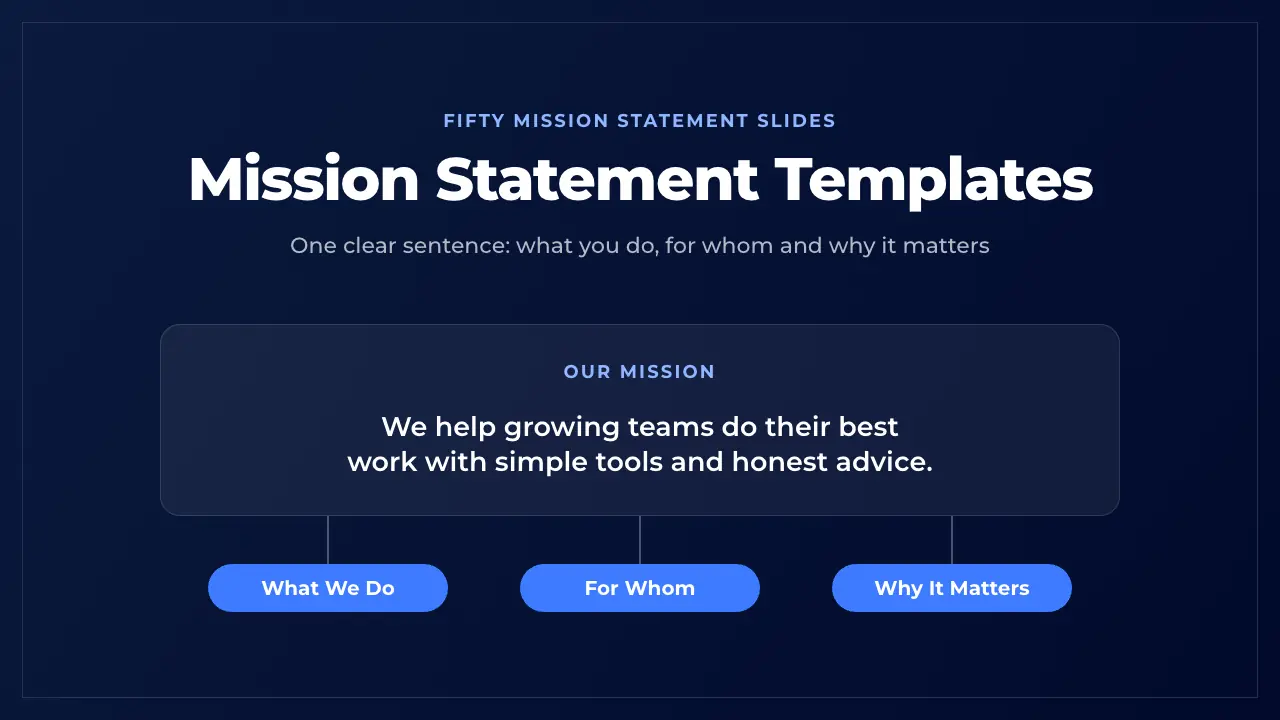
Title slide of a mission statement template pack with a framed sample mission sentence and three labels for what, for whom and why on a navy background
1 / 50

Template Pack · Mission Statement

Mission Statement Template: 50 Editable Mission Statement Slides For PowerPoint

Fifty mission statement slides in one blue look, each a different way to show one clear sentence and what stands behind it: the sentence set large, mission, vision and values side by side, a mission house, pillars and promises, a decision funnel, a writing process, measures and habits that keep the mission alive. Change the colours and fonts of all of them at once, let the AI build your own mission deck in this look, download them as PowerPoint or edit each slide in the editor.

  • 50 slides
  • 16:9
  • PowerPoint
Edit slides 1:1 in editor

This mission statement template pack holds 50 slides, and each one shows the same idea in a different form: one clear sentence that says what an organisation does, for whom and why it matters. You find the sentence set large on navy, its three parts added up like a formula, a mission house with four pillars on its values, three circles from why to what, a funnel of three questions that every new idea passes, five chevrons for writing a mission in five weeks, a checklist of a good mission and a poster for the office wall. All of them share one blue look on light, white and navy grounds, so any five of them sit in one deck without looking borrowed.

Most files offer one empty box with the word Mission above it. Here every slide is finished, written out with one neutral sample mission that fits any team or organisation: we help growing teams do their best work with simple tools and honest advice. The slides speak of vision and values, pillars and promises, goals and measures, with roles instead of names and round sample figures such as 95% customer satisfaction or 2,500 customers served, so you see how much each form carries before you choose it.

A free account downloads the slides as a PPTX file whose texts and shapes stay editable in PowerPoint. You can also stay in the browser: pick your colours and fonts in the bar above the slides, describe your organisation and let the AI build your own mission statement deck in this look, or open the slides one to one in the editor.

Your Mission In This Look

Describe what your organisation does, for whom and why, or attach a strategy paper or a handbook. ExpertSlides builds your own mission deck in this look in a few minutes, with your sentence, your values and your goals.

Similar Template Packs

  • SWOT Analysis Presentation Templates50 slides
  • Flowchart Templates50 slides
  • Venn Diagram Templates50 slides
  • Checklist Templates50 slides
  • Fishbone Diagram Templates50 slides
  • Mind Map Templates50 slides
  • RACI Matrix Presentation Templates50 slides
  • Root Cause Analysis Presentation Templates50 slides

The 50 Slides Of The Mission Statement Template

Every slide is a complete mission statement slide with neutral sample content — one sentence, its parts, the values, goals and measures behind it — that fits any organisation. Replace the sentence, the values and the figures with yours.

  1. 1 · Title Slide With A Framed MissionA title slide that is a mission statement itself: one sample sentence in a calm frame, its three parts named under it. Use it to open a strategy day, an onboarding deck or a brand workshop. Replace the sentence with your own mission.
  2. 2 · One Sentence With Three PartsThe mission set large as one sentence, the way it should be said aloud. Three labels under it split the sentence into what you do, for whom and why. Use it as the first slide of any strategy or culture deck.
  3. 3 · Mission Beside A PhotoA calm declaration: the mission sentence beside a photo of the people who live it, signed by the team that agreed it. Use it at the start of an all-hands meeting or on the first page of a company profile.
  4. 4 · Three Columns: Mission, Vision, ValuesMission, vision and values side by side, each with the question it answers and one sample sentence. Use it whenever people mix the three up, or as the summary slide of a strategy deck.
  5. 5 · Mission Formula With Three CardsA formula that shows how a mission statement is built: three cards for what you do, for whom and why, added up into one sentence on a blue band. Use it in a workshop before the team writes its own mission.
  6. 6 · Quoted Mission Beside A PhotoThe mission set as a quote, the way people repeat it to each other, beside a photo of the team. The line under it says when and by whom it was agreed. Use it in onboarding decks and at the start of team meetings.
  7. 7 · Mission House With Four PillarsA classic mission house: the mission is the roof, four pillars hold it up and the values form the foundation. Use it to show how the mission rests on concrete commitments. Rename the pillars after your own priorities.
  8. 8 · Three Numbered PillarsThree pillars of the mission as large numerals over a thin line, each with a title and one sentence. Use it to break a mission into the commitments that carry it. Keep each body to one clear promise.
  9. 9 · Three Circles From Why To WhatThree circles read from the centre outwards: why the organisation exists, how it works and what it offers. The rows on the right fill each circle with one sentence. Use it when the mission has to start with purpose.
  10. 10 · Mission Sentence Taken ApartThe mission sentence taken apart into its three parts, each underlined and labelled with the job it does. Use it in a workshop to check whether your own mission names the people, the difference and the way. Swap the parts for the words of your own sentence.
  11. 11 · Mission And Vision Side By SideMission and vision set side by side on four points: what each focuses on, its timeframe, the question it answers and an example. Use it whenever a team needs to agree on the difference before writing either. Replace the examples with your own sentences.
  12. 12 · Four Cards Of Mission In ActionFour cards turn the mission into concrete actions, one for each group it touches: customers, the team, the community and partners. Each card names the group, the action and the promise behind it. Use it to show that the mission is more than words.
  13. 13 · Mission With Three Key FiguresThe mission sentence over three key figures that show it at work, with a photo of the team beside them. Use it in an annual review or an investor update to prove that the mission is lived. Swap the figures for the three numbers that matter most to you.
  14. 14 · Mission Funnel For DecisionsA funnel of three questions taken from the mission: does the idea serve our people, does it fit what we do best, will it matter in five years. Only an idea that passes all three gets a yes. Use it to show how the mission guides decisions.
  15. 15 · Yes And No ColumnsTwo columns show how the mission guides choices: three things the organisation pursues and three it declines. A mission that says no is easier to follow than one that says yes to everything. Use it in planning rounds and when priorities clash.
  16. 16 · Five Chevrons To Write A MissionFive chevrons lead from the first interviews to a mission everyone uses: gather, draft, test, refine, share. Each step has a week and one sentence on what happens. Use it to plan a mission project or to explain how the current mission came about.
  17. 17 · Six-Point Mission ChecklistSix marks of a good mission statement, each on its own card with a check. Hold your draft against them one by one before you share it. Use it in a workshop or as the last slide before a mission is agreed.
  18. 18 · Before And After RewriteA wordy mission of 26 words beside the same idea in 14 clear words. The arrow shows the edit: fewer buzzwords, more meaning. Use it to show a team why a mission should be short and plain.
  19. 19 · Three Large Key WordsThe mission reduced to three large words over a thin line, each explained in one sentence, with the full mission sentence beneath. Use it when people need something short to remember. Choose words that already appear in your mission.
  20. 20 · Round Portrait With QuoteA round portrait beside a quote in which a team member puts the mission in their own words. Use it to show that the mission is lived, not just written. Replace the quote and the role with a voice from your own team.
  21. 21 · Mission With Four Promises Around ItThe mission sits at the centre, with one promise to each group around it: customers, the team, partners and society. Use it to show what the mission means to everyone it touches. Replace the promises with the commitments you can keep.
  22. 22 · Mission Cascading Into GoalsThe mission at the top cascades into three goals for 2028, and each goal into two measures a team can track. Use it in strategy and planning decks to show that every goal can be traced back to the mission. Keep the measures concrete and countable.
  23. 23 · Four Progress Bars With TargetsFour measures show whether the mission is lived: each bar is filled to today's value, the dark marker shows the target. Use it in quarterly reviews to keep the mission concrete. Choose measures that follow straight from your mission sentence.
  24. 24 · Mission Stages On One LineFive stages show how a mission grows from a sentence into a habit: agreed, shared, measured, renewed and lived. Each stage has its year on the line, an icon above and a short caption below. Use it to plan how the mission is rolled out over the years.
  25. 25 · Three Round Portraits With QuotesThree round portraits with a role and a short quote each show what the mission means in daily work. Use it in onboarding or culture decks to let the team speak for the mission. Replace the quotes with real words from your own colleagues.
  26. 26 · Mission On A Full PhotoThe mission alone, centred and large, over a full photo of the team under a calm navy overlay. Use it as the opening of an all-hands meeting or the first slide of a company profile. Choose a photo of your own people at work.
  27. 27 · Mission At Three LengthsThe same mission at three lengths: one word for the wall, one line for the website and one paragraph for the handbook. Use it to keep every version of the mission consistent. Start from the paragraph and cut until one word is left.
  28. 28 · Five Value HexagonsThe mission sentence above five hexagons, one for each value that carries it, with a short line on what the value means in practice. Use it in onboarding and culture decks. Keep each value to one word and one plain line.
  29. 29 · Rising Stairs From Mission To WorkFour rising steps lead from the mission through strategy and goals to the work of the week. Each step names what it holds in one line. Use it to show that every task on Monday can be traced back to the mission.
  30. 30 · Target With Three Labelled RingsA target with the mission at its centre: purpose at the bullseye, customers around it, impact on the outside. Leader lines connect each ring to a short explanation. Use it to show what the mission aims at.
  31. 31 · Four Sample Mission StatementsFour sample mission statements, one for each kind of organisation: a service business, a product business, a non-profit and an internal team. Use them as a starting point in a workshop, then replace them with your own sentence. Each one names what is done, for whom and why.
  32. 32 · Photo With Three Icon RowsA photo of the team beside three ways the mission shows in daily work, each with an icon, a title and one sentence. Use it to turn a mission into behaviour people recognise. Name habits that anyone on the team could point to.
  33. 33 · Stepped Pyramid From Purpose To GoalsA stepped pyramid places the mission between purpose above and strategy and goals below, each layer explained in one line. Use it to show where the mission fits among the other statements of a strategy. The mission layer is highlighted.
  34. 34 · Mission As A Formal DeclarationThe mission statement set as a formal declaration on one white card, with who agreed it, when it is reviewed and which version is current. Use it in annual reports, handbooks and board decks. Update the badge every time the mission is reviewed.
  35. 35 · Three Photos Of Mission MomentsThree photos show the moments where the mission becomes visible: serving customers, growing people and giving back. Each photo carries a title and one line. Use it in culture decks and annual reviews with photos of your own team.
  36. 36 · Survey Bars Of Mission AgreementFive bars show how well the mission is lived, from knowing it to seeing leaders live it, as the share of the team that agrees. Use it after a yearly team survey to see where the mission is strong and where it fades. Run the same survey each year and compare.
  37. 37 · Promise With Three Proofs And PhotoThe mission turned into one promise customers can hold you to, with three proofs under it and a photo of the people who keep it. Use it in sales decks and on service pages. Promise only what you measure.
  38. 38 · Four Stacked Strategy LayersMission, vision, values and strategy as four stacked layers, each with the question it answers and one sample line. Use it to show how the statements of a strategy fit together, with the mission on top. Fill in each layer with your own answers.
  39. 39 · Questions And Answers In RowsFour questions in rows, what, for whom, how and why, each answered in one plain sentence. Read top to bottom, the answers are the mission. Use it in a workshop to collect the parts of a new mission statement.
  40. 40 · Mission Band With Key WordsThe mission on a band at the left, and three of its key words explained at the right: why help, why growing teams, why best work. Use it to show that every word of the mission was chosen on purpose. Pick the words people ask about most.
  41. 41 · Workshop Agenda Beside A PhotoA half-day workshop to write a mission in four steps, listen, draft, test and agree, each with its time on a vertical line. The photo shows the kind of room it needs. Use it to plan your own mission workshop.
  42. 42 · Three Figures On A Full PhotoThe mission sentence with three large figures that show its impact, set over a photo of the team under a navy overlay. Use it in annual reviews, investor updates and recruiting decks. Choose figures that follow straight from your mission.
  43. 43 · Mission Band Over Five TeamsThe mission runs across the top, and five teams under it each name their part in it: sales, product, service, operations and people. Use it to show that every team serves the same mission in its own way. Rename the teams after your own structure.
  44. 44 · Four Habits On One LineFour habits keep a mission alive after it is written: share it on day one, repeat it every week, measure it every quarter and review it every year. Each habit sits on one line with its rhythm above. Use it to plan how a mission stays in daily use.
  45. 45 · Mission Poster Between Quote MarksThe mission as a calm poster: one large sentence between two quote marks, nothing else to distract. Print it for the office wall or use it as the closing slide of any team meeting. Keep the sentence short enough to read from across the room.
  46. 46 · Do And Don’t Columns Beside A PhotoThree things to do and three to avoid when writing a mission, set in two calm columns beside a photo. Use it at the start of a mission workshop so that every draft follows the same rules. Extend the list wherever your team tends to slip.
  47. 47 · Three Scales With MarkersThree scales place the mission between two poles each: how far it reaches, what it offers and how wide its focus is. The markers show where the mission stands today. Use it to agree on the scope of a mission before the words are written.
  48. 48 · Mission And Value Pills With PhotoThe mission sentence and the values on one slide, the values as five pills under it, with a photo of the team beside them. Use it in onboarding decks, on a careers page or as a summary slide. Keep the values to single words.
  49. 49 · Now, Next, Later CardsThree tall cards show what the mission asks of the team now, next and later, with a year on each: agree and share in 2027, measure and grow by 2030, live it fully by 2035. The current stage is highlighted. Use it to plan how a mission is brought to life over time.
  50. 50 · Closing Slide With Three ActionsA closing slide that repeats the mission and asks for three small actions anyone can take this week, over a photo of the team. Use it to end an all-hands meeting, a workshop or an onboarding day. Replace the actions with the ones that fit your team.

Fifty Forms Of A Mission Statement In One Blue Look

A title slide that is a mission statement itself, with the sentence in a calm frame and its three parts named under it; the sentence on its own: set large after a blue rule, beside a photo with a signature line, as a quote beside a photo, centred on a full photo, on a white card as a formal declaration, as a poster between two quote marks and at three lengths, one word, one line and one page; the sentence taken apart: a formula of what, for whom and why, three underlined parts with labels, four questions and their answers, three large key words and every key word explained beside the sentence; how it relates to the rest: mission, vision and values in three columns, mission versus vision side by side, three circles from why to what, a stepped pyramid from purpose to goals and four stacked strategy layers; what carries it: a mission house with four pillars, three numbered pillars, five value hexagons, value pills beside a photo, three ways to live it beside a photo and four promises around the sentence; how it guides decisions: a funnel of three questions, yes and no columns and three scales of its scope; how it is written: five chevrons in five weeks, a workshop agenda beside a photo, a six-point checklist, do's and don'ts and a wordy mission rewritten in 14 words, with four sample missions for four kinds of organisation; and how it is lived and measured: four cards of the mission in action, three key figures, three figures on a full photo, a cascade into goals and measures, four progress bars with targets, survey bars, a customer promise with three proofs, three photos of mission moments, three voices from the team, five teams under one mission, rising stairs to the work of the week, five stages through 2035, four habits on one line, now, next and later, and a closing slide with three actions. Seventeen slides stand on navy, seventeen on light blue and sixteen on white, fourteen of them with a photo.

How To Use This Mission Statement Template

  1. 01

    Pick Your Mission Slides

    Look through the 50 slides and note the forms that fit your deck: the sentence set large to open, mission, vision and values to explain, a house or pillars to show what carries it. Most decks need four to six of them.

  2. 02

    Set Colours And Fonts

    Choose your colours and your font in the bar above the slides. The whole mission statement template changes at once, so you see your brand on every form before you download anything.

  3. 03

    Put In Your Mission

    Press Fill With AI and describe what you do, for whom and why, or press Edit Slides and replace the sample sentence, values and figures by hand, slide by slide, in the editor.

  4. 04

    Download Or Present

    Download the slides as a PPTX file with a free account and copy them into your own PowerPoint deck, or present them straight from the browser.

Which Mission Slide Fits Which Moment

An opening wants the sentence alone and large. The sentence after a blue rule (slide 2), the sentence beside a photo with its signature line (3), the sentence centred on a full photo (26) and the poster between two quote marks (45) give the mission the whole room. For a formal document such as an annual report, take the white declaration card with its version badge (34).

A workshop wants the mission taken apart. The formula of what, for whom and why (5), the three underlined parts (10), the four questions and their answers (39) and the wordy mission rewritten in 14 words (18) help a team write or sharpen its own sentence. Plan the work with the five chevrons (16) or the workshop agenda (41), and test each draft against the checklist (17) and the do's and don'ts (46).

A strategy deck wants the mission in its place. Mission, vision and values in three columns (4), mission versus vision (11), the stepped pyramid from purpose to goals (33) and the four stacked layers (38) show how the statements fit together. The cascade into goals and measures (22) and the rising stairs to the work of the week (29) show how the mission becomes a plan.

A review wants proof that the mission is lived. The three key figures (13), the progress bars with targets (23), the survey bars (36) and the figures on a full photo (42) measure it; the funnel of three questions (14) and the yes and no columns (15) show how it guides decisions; the four habits (44) and the closing slide with three actions (50) end the meeting with what happens next.

How To Write A Mission Statement For Your Slides

Say three things in one sentence: what you do, for whom and why it matters. A mission of twenty words or fewer can be read from the back of a room and repeated from memory; a paragraph of buzzwords cannot. The sample mission of this pack has 14 words and names all three parts.

Keep mission and vision apart. The mission is about today and the reason you exist; the vision is the picture of the future you work towards, for example the year 2035. Values say how you behave on the way. Put each on its own slide or set them side by side, but never mix them in one sentence.

Show what stands behind the sentence. A mission on its own is a promise; the slides around it make it believable: the pillars that carry it, the goals and measures that follow from it, and the habits that keep it in daily use. Choose two or three of those forms, not all of them.

Set colours and fonts before you download. The bar above the slides recolours all 50 at once, which is quicker than changing shape after shape in PowerPoint. If your organisation has a Design Kit in ExpertSlides, the slides take its colours, fonts and logo instead.

Questions About The Mission Statement Template

Is This Mission Statement Template Free?

Yes. All 50 slides of the mission statement template are free. You can look at every slide and try colours and fonts on this page without an account; a free account, with no credit card, downloads the PPTX file or opens the slides in the editor.

Can I Use It In PowerPoint?

Yes. Press Download PPTX and open the file in PowerPoint. Texts stay text boxes and cards, pills and markers stay shapes, so you edit the mission statement template there like any slide of your own, and you can copy single slides into an existing presentation.

What Makes A Good Mission Statement?

It fits in one sentence, uses plain words and says what you do, for whom and why it matters. It is true today and still right in ten years. The checklist slide (17) lists six marks of a good mission, and the before and after slide (18) shows a wordy mission rewritten in 14 words.

What Is The Difference Between Mission And Vision?

The mission says why you exist and what you do today; the vision describes the future you work towards. The pack sets them side by side on two cards (slide 11), shows them with the values in three columns (4) and places them in four stacked layers with the strategy (38).

Can The AI Build My Own Mission Deck?

Yes. Press Fill With AI and describe what your organisation does, for whom and why, or attach a strategy paper or a handbook. The AI builds your own mission deck in this look, with your sentence, your values and your goals, and you can ask for changes slide by slide afterwards.

Can I Change The Colours And Fonts?

Yes. The bar above the slides sets the colours and the font of all 50 slides at once, and the download and the editor take over what you chose. In the editor you can also change a single slide, or put your own Design Kit on the whole deck.

Are There Mission Slides With Photos?

Yes. Fourteen slides carry a photo, among them the sentence beside a photo (slide 3), the quote beside a photo (6), the round portrait with a quote (20), the three voices from the team (25), the sentence on a full photo (26), the three mission moments (35) and the closing slide (50). Replace each picture with your own in the editor or in PowerPoint.

Try ExpertSlides AI For Free — The Ultimate AI Presentation Maker

Describe any topic or upload a document, and ExpertSlides designs and writes the whole deck — editable in the browser and as a PowerPoint file.

Try it for free

Use This Mission Statement Template

A free account, no credit card. The 50 slides open in the editor, every text and shape editable, and download as PowerPoint.

Use This TemplateMore presentation designs
Expert Slides
AI presentation maker: type a topic, pick a style, get a finished deck in 60 seconds.
Product
AI Presentation MakerDesign TemplatesPricingSolutionsPowerPoint & Google Slides Add-insPowerPoint TemplatesPresentation TemplatesProject Management TemplateFree PowerPoint TemplatesFree Presentation Tools
Company
Help CenterGuidesContact
Legal
PrivacySecuritySubprocessorsTermsLicensingImprint
© 2026 ExpertSlides · ES Solutions GmbH







