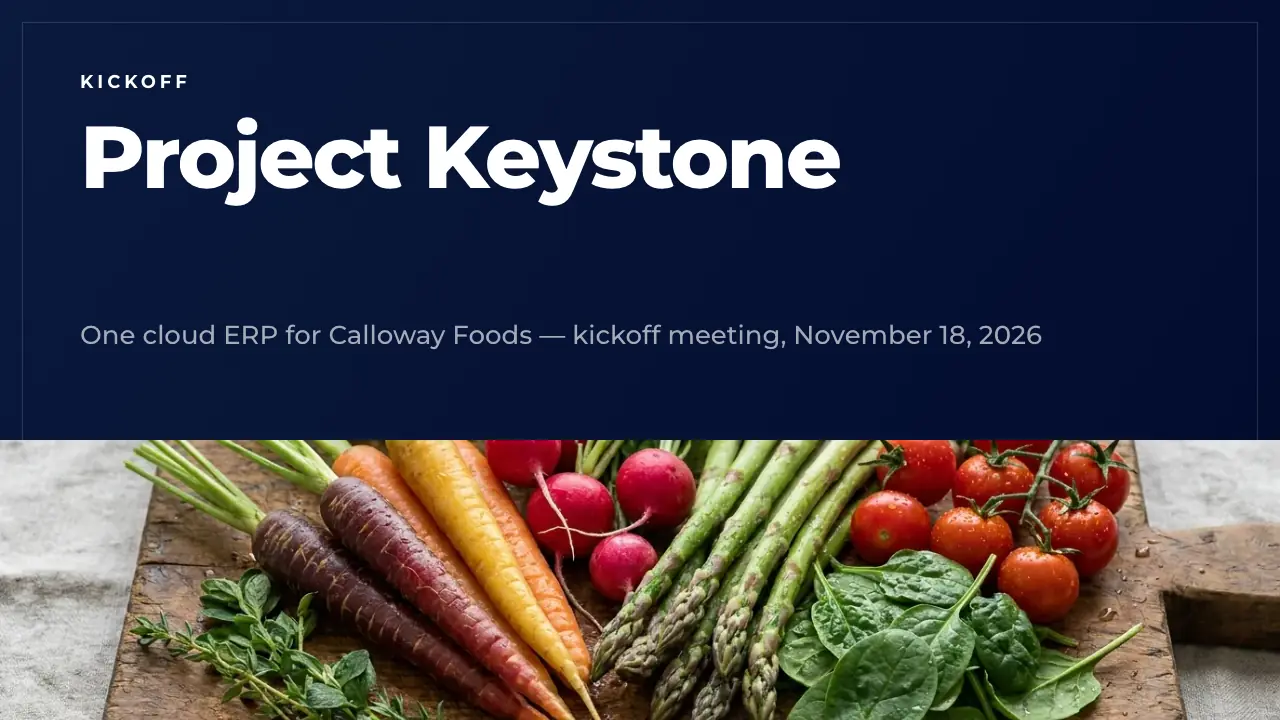
Project kickoff presentation: a 50-slide kickoff deck, written out and ready to edit
A full 50-slide project kickoff: why the project exists, goals with targets, scope, the solution, team and governance, RACI, meeting rhythm, plan, milestones, budget, risks, readiness and the first 30 days. Fill it by AI, download it as PowerPoint, or edit it slide by slide.
Most kickoff decks are ten slides of headings. This project kickoff presentation template is a complete 50-slide kickoff, written for one realistic project: Calloway Foods, a food distributor with three distribution centers, replacing its 14-year-old ERP with one cloud system for $3.8M in two go-live waves. Goals, scope, governance, RACI, plan, budget, risks, training and the first 30 days are all filled in the way a project manager would present them.
Use it as the project kickoff presentation for your own project: replace the dates, names and figures, drop the chapters you do not need, or let the AI write your project into all 50 slides at once. Every slide stays editable, in the colours and fonts you choose.
Your project, in these 50 slides
Describe your project or attach the charter or business case. ExpertSlides writes your goals, scope, team and plan into this kickoff deck in minutes — the layouts stay, nothing is made up.
The 50 slides of the project kickoff deck
Calloway Foods kicks off Project Keystone: one cloud ERP for three distribution centers, $3.8M, two go-live waves. Replace it with your project.
1 · TitleThe opening slide with the project name, one line on what it delivers and the date of the kickoff. Put your project's code name in the headline and keep the subtitle to one sentence.
2 · AgendaThe agenda of the kickoff in six chapters, each with one line on what it covers. Name your chapters as they appear on the section dividers so people can follow along.
3 · Purpose of todaySets the purpose of the kickoff and names three things every participant should leave with. Use it to frame expectations before the detail starts.
4 · Chapter: Why KeystoneOpens the first chapter on the reasons for the project. Keep the line short and name what the chapter proves.
5 · Problem and solutionNames the problem the project exists to solve and the solution in one line each, with two concrete gains. Use your own pain points in the words your teams use.
6 · Cost of standing stillFour big figures that show what the current system costs. Pick measures your audience feels every week and keep each label to two or three words.
7 · Order error trendA chart of one figure over six years with four short points that read it. Use it for the trend that makes the case for change.
8 · Project goalsFour objectives, each with its target, today's value and the date it is due. Use measurable targets only and name a date for each.
9 · Customer quoteA customer's own words on why the project matters, with name, company and portrait. Use a real quote from your customer interviews, with permission.
10 · Chapter: ScopeOpens the chapter on what the project covers and how the new system looks. Keep the chapter title as it stands in the agenda.
11 · ScopeLists what the project delivers and what it deliberately leaves out. Be as explicit about the out-of-scope items as about the deliverables.
12 · Before and afterCompares the way of working today with the way after the project, point by point. Write each pair so the two lines answer each other.
13 · System landscapeShows the target system landscape as a flow from inbound channels to reporting. Keep each stage to a name and one line on what it holds.
14 · A day by roleShows what the new system changes for three roles, with two concrete uses each. Pick the roles with the most users and write what they do, not what the software has.
15 · Wave 1 siteIntroduces the first site to go live, with the facts that made it the choice. Use a photo of the real place and say why it goes first.
16 · Data migrationShows the planned path of data quality before the first go-live, with four points on what is migrated. Use it to make data cleansing a visible, measured workstream.
17 · Chapter: TeamOpens the chapter on people and decision rights. Name the chapter as in the agenda and keep the line to one sentence.
18 · Leadership teamThe four people who lead the project, with initials, names and roles. Show the sponsor, the project manager, the partner's lead and the business owner.
19 · GovernanceShows the governance bodies from the steering committee down to the workstreams, each with its rhythm or remit. Keep one line per body.
20 · RACIA RACI matrix for the decisions that matter most, with exactly one accountable role per row. Add rows for your own decisions, never two A's in one row.
21 · Meeting rhythmThe weekly rhythm of the project's meetings, day by day. Keep the same slots for the whole project so people can plan around them.
22 · Working agreementsFour working agreements as do this, not that. Agree them in the kickoff and hang them in the project room.
23 · Stakeholder mapPlaces the stakeholders in four fields by influence and interest, each with a way to engage them. Review the map at every phase gate.
24 · Team capacityShows the capacity of the team by workstream as bars. Use full-time equivalents, not head counts, so the load is honest.
25 · Chapter: PlanOpens the chapter on the schedule and the money. State the headline figures in the line under the title.
26 · Five phasesThe delivery method in five phases, each with its months and its main output. Every phase ends with a gate, so name what the gate checks.
27 · Project planThe plan as bars over six quarters, one bar per phase. Show the overlaps honestly, for instance where testing starts before the build is done.
28 · MilestonesThe milestones the team commits to, in date order, each with what must be true on that day. Use dates, not months, so slippage is visible.
29 · Budget splitSplits the project budget into its five largest blocks as bars. Keep the contingency as its own line so everyone sees it.
30 · Spend by quarterThe budget as planned spend per quarter, with the peak called out. Use it to show finance when the cash goes out and what a delay costs.
31 · Success baselineThe success measures with today's baseline and the target beside each. Measure the baseline before the project starts, or nobody can prove the gain.
32 · Wave 1 pilotThe pilot's success criteria, each with an icon and one line on how it is measured. Wave 2 starts only when all of them are met.
33 · Chapter: RisksOpens the chapter on risks and on getting people ready. Keep the line plain: what could go wrong and what is done about it.
34 · Risk matrixPlaces the top risks by likelihood and impact. Name an owner and a countermeasure for each one in the notes or the risk log.
35 · ConcernsThe concerns people raised before the kickoff, each with a short, factual answer. Use the words people actually used.
36 · Lessons from 2019A past project of your own as a lesson, with three facts and a photo. Use it to show the team that the plan answers what went wrong before.
37 · Training pathThe learning path in four modules, from super users to a proficiency check. Train the people who will answer questions on the floor first.
38 · HypercareThe support promises for the weeks after go-live, each in one line. State response and fix times so people know what to expect.
39 · Go-live checklistThe criteria every go-live must meet, ticked off one by one. Agree them now, so the go-live decision is a check, not a debate.
40 · Starting pointA SWOT of the project's starting point in four fields. Use it to show what the plan builds on and what it must fix first.
41 · Chapter: Next stepsOpens the last chapter on what happens right after the kickoff. Keep it short and practical.
42 · First 30 daysThe first actions after the kickoff, each with an owner and a date. Put names on every line; an action without an owner does not happen.
43 · Discovery workshopThe agenda of one discovery workshop, with times and what happens in each part. Use the same agenda for every workshop so the outputs compare.
44 · Roadmap 2028What follows go-live, quarter by quarter, each with a theme word. Show it so people see the project does not end on the go-live date.
45 · Team onboardingThe first two weeks of a new team member, step by step. Give each step a day or week so people can plan their own time.
46 · FAQThe questions people ask at every kickoff, with short and honest answers. Collect the real questions in advance and answer them before they are asked.
47 · TakeawaysThe four things everyone should remember from the kickoff, each with an icon. Keep them to what people repeat to their teams tomorrow.
48 · Built by our peopleA full-picture pause that brings the room back to the people the project serves. Use a photo of your own site, not a stock image.
49 · Team promiseOne sentence the team commits to, set alone on the slide. Write it with the team, not for it.
50 · ClosingEnds the kickoff with the next date and one clear call to action. Name the person people go to with questions.
A project kickoff presentation PPT with scope, RACI, plan and risks
Title, agenda and the purpose of the meeting; the problem, the cost of standing still, a trend chart, goals with targets and a customer quote; scope, before and after, the system landscape, use cases by role, the first site and data migration; the leadership team, governance, a RACI, the meeting rhythm, working agreements, a stakeholder map and team capacity; phases, the plan, milestones, budget and spend; success baselines, the pilot, risks, concerns, lessons learned, training, hypercare, a go-live checklist, SWOT, the first 30 days, workshops, roadmap, onboarding, FAQ and closing.
How to use this project kickoff template
01
Open it
Press Use this template. The project kickoff presentation is copied into your account — free, no credit card — and opens in the editor.
02
Put in your project
Replace Calloway's dates, budget, team and targets with yours, slide by slide. Or ask the AI to rewrite a slide or the whole deck for your project.
03
Cut to your meeting
Keep the slides your kickoff needs, move the RACI and onboarding to an appendix, and agree the dates with your sponsor before the meeting.
04
Present or export
Present it from the browser or export it. On Pro and Business you download an editable PowerPoint file. Every plan exports PDF; on Free a PDF carries the ExpertSlides mark.
What each part of a project kickoff deck is for
The opening chapters answer why the project exists. The title and agenda set the meeting, the purpose slide says what everyone leaves with, and the why-chapter makes the case with facts the room already feels: the cost of standing still, a trend chart, the goals with targets and dates, and the voice of a customer who suffers from the problem today. A kickoff that skips the why loses its first argument about scope in week three.
The scope and team chapters answer what is in, who decides and how the team works. In scope and out of scope are stated plainly, the before-and-after comparison shows what changes for people, and the system landscape and use cases make the solution concrete. Then the leadership team, the governance bodies, a RACI for the key decisions, the weekly meeting rhythm, the working agreements, the stakeholder map and the capacity per workstream make decision rights visible before anybody needs them.
The plan and risk chapters turn intent into commitments. The delivery phases, the plan by quarter, six dated milestones, the budget split and the spend by quarter show what is promised and what it costs. The success baseline, the pilot criteria, a risk matrix, concerns with answers, lessons from a past rollout, the training path, hypercare and a go-live checklist show that the team has thought about what could go wrong — and the last chapter names owners and dates for the first 30 days.
How to adapt it to your project
Start with the facts that will be checked: dates, budget, scope and names. Put your milestones, budget lines, workstreams and the people in the RACI in first, then make the why and the goals agree with them. A software rollout keeps the system landscape and data migration slides; a construction, marketing or change project swaps them for its own deliverables and keeps the governance, plan and risk chapters as they are.
Present the short version and keep the rest as an appendix. Twenty slides carry a 60-minute kickoff; the RACI, onboarding, workshop agenda and FAQ go to the team afterwards as their reference.
Questions about the template
Is this project kickoff presentation free?
Yes. Opening it costs no credits and needs no credit card, and it stays in your account like any of your presentations. It comes written out, so you change a working kickoff instead of filling empty boxes. Every plan exports PDF; on Free a PDF carries the ExpertSlides mark.
What slides does a project kickoff need?
The core is about fifteen slides: purpose, background, goals, scope, deliverables, team, roles and responsibilities, governance, timeline, milestones, budget, risks, communication and next steps. This deck adds what experienced project managers bring: a RACI, a stakeholder map, success baselines, go-live criteria, lessons learned and the first 30 days with owners.
Are there project kickoff presentation examples I can follow?
This template is one: a complete kickoff for an ERP rollout at a food distributor, with consistent dates, budget and names across all 50 slides. Read it as a worked example, then replace the case with your own project or let the AI do it.
How long should a kickoff meeting be?
Plan 60 to 90 minutes for the core team and stakeholders: about 20 slides presented and time for questions. Keep the detailed slides as an appendix the team reads afterwards.
Can I download it as PowerPoint?
Yes, on Pro and Business you download an editable PowerPoint file with every slide, chart and table intact. On every plan you can present from the browser and export a PDF.
Can the AI make a kickoff deck for my own project?
Yes. Press Fill with AI, describe your project or attach the charter or statement of work, and the AI writes your goals, scope, team, plan and risks into these slides. It uses only what you give it and leaves a gap where a fact is missing.
Try ExpertSlides AI for free — the ultimate AI presentation maker
Describe any topic or upload a document, and ExpertSlides designs and writes the whole deck — editable in the browser and as a PowerPoint file.