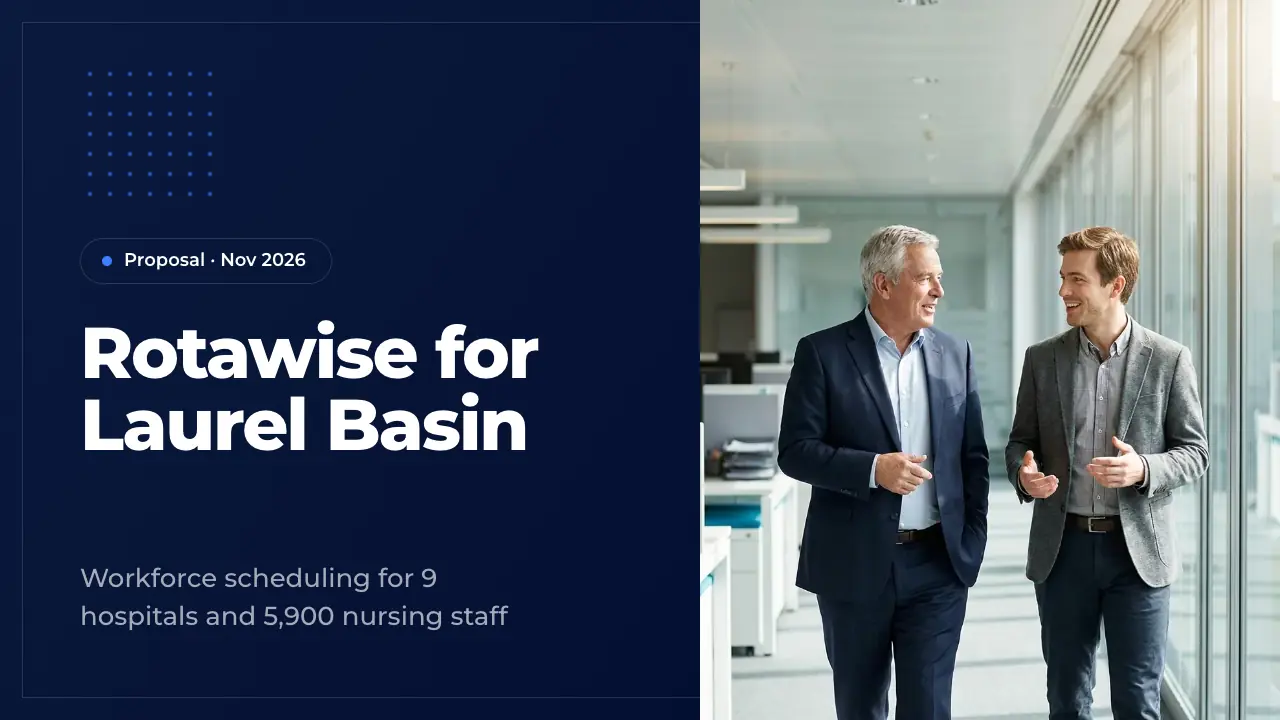
Sales presentation template: a 50-slide B2B proposal, ready to edit
A complete 50-slide sales proposal: discovery, the cost of the status quo, product and integrations, case study, references, ROI table and payback chart, rollout, security, pricing, the offer, objections, risks and a mutual action plan. Fill it with your deal by AI or edit it slide by slide.
Most sales presentation template files stop at a logo slide and five bullet points. This one is a complete sales deck of 50 slides, written for a made-up enterprise deal: Rotawise, nurse scheduling software, proposing a three-year contract to a nine-hospital health system. Discovery findings, the cost of the status quo, the product, proof, the business case, rollout, pricing, the offer, objections and next steps — each slide filled in the way a seller would present it.
Use it for your own pitch to a buying committee: replace Rotawise and its numbers with your product and your prospect, drop the slides you do not need, or let the AI write your deal into all 50 slides at once. Every slide comes from the ExpertSlides library, so it stays editable and on brand.
Your next deal, in these 50 slides
Describe your product and your prospect, or attach your discovery notes and pricing. ExpertSlides writes your case into this deck in minutes — the layouts stay, nothing is made up.
The 50 slides: sales deck examples for every step
Rotawise, a nurse scheduling platform, proposes a three-year contract to Laurel Basin Health, a nine-hospital system. Replace it with your deal.
1 · TitleOpening slide of the sales presentation. It names the vendor, the prospect and the date, and the subtitle states the scope of the deal in one line. Put the presenters in the speaker notes and use a calm photo of the prospect's world, not of your product.
2 · AgendaAgenda slide with the five chapters of the sales presentation. Keep the order of a good sales conversation: the buyer's situation first, the product second, the price last. Match each item to a section divider.
3 · Why nowIntroduction that sets the scene for the buyer: what the seller did to prepare and why the decision cannot wait. Name the discovery work in one line and give three concrete triggers with a date or a figure each.
4 · Executive summaryThe whole proposal on one slide for the executive who reads only this one. Situation with its cost, the plan with its date, the result with its return. Keep each part to one figure and one line.
5 · Chapter: SituationDivider that opens the discovery chapter. A strong sales deck starts with the buyer, not the seller: use this chapter to play back what you heard before you show any product.
6 · Prospect at a glanceThe prospect's organization in four figures, shown back to them early in the deck. It proves you did your homework and sets the scale for every later number. Use the size measures that drive the price and the savings.
7 · Discovery findingsWhat the discovery phase found, in three findings with their evidence. Say first how you learned it, interviews, site visits, data, so the buyer trusts the figures. Each finding should point to a cost or a cause shown later.
8 · Agency spend trendOne series that shows the size and the direction of the buyer's problem. Use the prospect's own figures by year and say in the text what makes the trend worse than it looks. Keep the chart to one measure.
9 · Root causesThe causes behind the buyer's problem, named plainly. A good sales deck shows the causes before the solution, so each later feature answers one of them. Keep to four causes the buyer recognizes from their own floors.
10 · Voice of the CNOThe buyer's own words from discovery, played back as a statement. Nothing persuades a committee more than its own executive naming the problem. Ask for permission before you quote someone and keep the quote to one sentence.
11 · Status quo costThe cost of doing nothing, line by line, in the buyer's own fiscal year. This slide turns a pain into a budget figure the CFO can check. Show how each figure was calculated in the notes and keep the avoidable part for the business case.
12 · The human costA pause after the figures that brings the problem back to people. Use one calm photo and one short sentence; the committee should feel the cost before it hears the solution.
13 · Chapter: SolutionDivider that opens the solution chapter. Only now, after the buyer's situation, does the product come in. Promise in one line what the chapter will show.
14 · Value propositionThe value proposition as pains and gains: each need the buyer named, answered by one capability. Keep the pairs in the same order so the eye reads across. Three pairs are enough.
15 · Problem and solutionThe problem and the solution in two sentences. Name the problem as the buyer would, then state what changes. Two short points under the solution say what gets better.
16 · The productThe product in one picture and four parts, each named for the people who use it. Show the product in its setting rather than a screenshot full of small text. Keep each part to a title and one line.
17 · Four modulesThe modules of the offer as four equal cards. Each card answers one root cause from the discovery chapter. Name the module, then say what it does for the buyer in one sentence.
18 · Scheduling processHow the product works as a sequence of steps, from input to result. A process slide makes software concrete for buyers who will never log in themselves. Keep each step to a short title and one line.
19 · IntegrationsHow the product connects to the buyer's systems, for the CIO and the IT team. Name each system, what flows and how often. State plainly what data the product does not need.
20 · Users and rolesThe use cases by role: who in the buyer's organization uses the product and what each person gets. Every member of the committee should find their own people on this slide.
21 · Before and afterBefore and after on the same three points, so the change can be read line by line. Use the buyer's current figures on the left and the figures your customers reach on the right.
22 · Chapter: ProofDivider that opens the proof chapter. Claims made in the solution chapter are only as good as the evidence that follows here: results, references and customers' own words.
23 · About RotawiseWho the seller is, in three figures and two sentences. In a sales deck this belongs in the proof chapter, not at the start: the buyer cares about the vendor once they care about the solution.
24 · Case studyOne customer much like the buyer, with three results and a quote. Choose the reference closest in size and region to the prospect. Give the starting point in the notes so the result can be checked.
25 · Results curveThe result across many customers, quarter by quarter, so the buyer sees both the size and the speed of the effect. Index the figures to a baseline when customers differ in size, and name the source and the sample.
26 · TestimonialsThree customers in their own words, one for each kind of buyer on the committee: clinical, financial and the manager on the floor. Keep each quote short and give the name and role so it can be checked.
27 · ReferencesClient references the buyer can call, each with its size and one measured result. Choose references that match the committee's concerns and confirm in advance that they will take the call.
28 · Year-one resultsThe state of customers after year one, at a glance. Use averages across all customers rather than the best case, and say which period and how many customers they cover.
29 · Why RotawiseWhat sets the seller apart, in three reasons the buyer can verify. Avoid claims every vendor makes; give a figure or a commitment for each reason.
30 · Chapter: Business caseDivider that opens the business case chapter. Put the return before the rollout and the rollout before the price, so the committee sees value and feasibility before cost.
31 · Annual benefitsThe benefits in money, each with the assumption behind it. Separate the hard savings the business case counts from the upside it leaves out; a CFO trusts a case that is conservative on purpose.
32 · Three-year ROIThe return on investment year by year, with savings, cost and net benefit in one table. Show the rollout year separately, since savings start only after go-live, and close with the total and the payback.
33 · Cumulative net benefitThe return over time as a cumulative series, so the committee sees when the investment pays back and how fast the benefit grows. Add three findings that a CFO would quote.
34 · Implementation planThe rollout from contract to full go-live, phase by phase, with dates and owners. A buyer needs to see that the plan is concrete before they sign; name the pilot sites and the staff in each wave.
35 · Account teamThe people the buyer will work with, with names, roles and faces. In a sales deck this answers the unspoken question of who stays after the contract is signed.
36 · Staff onboardingHow every group of users learns the new system, in the order they need it before go-live. Show who is trained, how long it takes and what support follows, so nursing directors can plan the time off the floor.
37 · Security and complianceThe security and compliance answers a CIO and a privacy officer ask for before any contract. Name certifications with their dates, what data is shared and what is not, where it is stored and how access is controlled.
38 · Support promiseThe service levels a customer gets after go-live, written as promises that go into the contract. Use measurable terms: hours, response times, uptime, and who the customer's named contact is.
39 · Chapter: OfferOpens the final chapter on price, terms and next steps. Use it to signal the move from the business case to the decision, and name the date the decision is due.
40 · Pricing plansThe list prices of every plan side by side, with what each adds over the one before. Show list prices here and the customer's own discount on the next slide, so the offer reads as a concession.
41 · Our offerThe commercial offer in four terms: price, annual fee and term, the one-time fee with its deadline, and the guarantee. Keep each term to one checkable fact so finance and legal can lift it straight into the contract.
42 · Options comparedThe decision as the committee will frame it: doing nothing, the incumbent's upgrade and the proposal, on the same rows. Include the status quo honestly, with its hidden cost, and mark the recommended option.
43 · Objections answeredThe objections heard in discovery, each with a short, factual answer. Name them before the buyer does; an answer backed by a number or a reference does more than a reassurance.
44 · Rollout risksThe real risks of the rollout, each rated by likelihood and impact with the response already planned. Buyers trust a vendor who names its own risks; keep the ratings honest and the answers concrete.
45 · Kickoff checklistWhat the customer has to have ready before kickoff, as a short checklist. Keep each item to one owner's task so the project lead can tick it off in the first week.
46 · Deal timelineThe path of the sale from first contact to kickoff, with what is done and what is still ahead. It shows the buyer how much work is behind the proposal and fixes the decision date in everyone's calendar.
47 · Next stepsThe mutual action plan to the decision: each step with an owner on either side and a date. Close a sales presentation with it so both teams leave the room with the same tasks.
48 · Key takeawaysThe three points the committee should repeat after the meeting: the problem in money, the proof and the return. Write each as one full sentence with its number, and back it with one line of evidence.
49 · Closing statementOne sentence that turns the decision into a date the audience can picture. Use it just before the close, with a calm, wide photo and the decision date beneath.
50 · Thank youThe last slide: thanks, the very next step and how to reach the presenters. Keep it short and leave it on screen during questions.
A sales pitch deck with discovery, ROI, the offer and next steps
Title, agenda, why now and an executive summary; the prospect at a glance, discovery findings, a spend chart, root causes, a buyer quote and the cost of the status quo; value proposition, problem and solution, product, modules, process, integrations, user roles and a before and after; company profile, case study, results curve, testimonials, references, KPIs and why us; benefits, ROI table, payback chart, rollout, team, onboarding, security and support; pricing, the offer, options, objections, risks, checklist, timeline, action plan, takeaways and a close.
How to use this sales presentation template
01
Open it
Press Use this template. The sales presentation template is copied into your account — free, no credit card — and opens in the editor.
02
Put in your deal
Replace Rotawise's product, prices and customer proof with yours, and Laurel Basin's figures with your prospect's. Or ask the AI to rewrite a slide for your deal.
03
Shape the story
Drop the slides your sale does not need, lead with the buyer's problem and its cost, and keep a short version to send and a long one to present.
04
Present or export
Present it from the browser or export it. On Pro and Business you download an editable PowerPoint file. Every plan exports PDF; on Free a PDF carries the ExpertSlides mark.
What each part of the sales presentation is for
The first chapter is about the buyer, not you. Discovery findings, a chart of the problem, its root causes and a quote from their own leader show that you listened. The slide that matters most is the cost of the status quo: Laurel Basin spends $69.9M a year on agency nurses and overtime. Once a committee agrees on that number, every price you show later is measured against it, not against a competitor's quote.
The second and third chapters answer two questions: what does it do, and has it worked elsewhere. The product slides move from the value proposition to the modules, the scheduling process and the integrations, because IT will ask how data flows. The proof chapter carries a case study with before and after figures, a results curve across customers, testimonials and references the buyer can call themselves. Named peers of a similar size persuade more than any claim.
The last two chapters turn interest into a decision. The business case sets savings against cost year by year, with a payback month and a cumulative chart a CFO can repeat. Then come the rollout plan, the team, onboarding, security and support, followed by pricing, the offer with its deadline, the options side by side, objections, risks and a dated action plan. The buyer leaves knowing what to do next and by when.
How to adapt it to your own deal
Start with the first chapter: replace Laurel Basin's figures with what you learned in your own discovery calls, and keep the cost of the status quo slide even if the numbers are rough. Then swap Rotawise's modules, customers and prices for yours. For a smaller deal, shorten the business case and the rollout to a few slides; for a committee sale, keep the options table, the objections and the action plan, because those are the slides that get forwarded.
Keep one version to present and a shorter one to send after the meeting. The executive summary, the business case and the offer often go to people who were not in the room, so make sure each of those slides can stand on its own without your voice. Replace the photos with pictures of your own team and customers before you send it.
Questions about the template
Is this sales presentation template free?
Yes. You open and edit it with a free ExpertSlides account, no credit card needed. You can present it from the browser and export a PDF on every plan; on Free the PDF carries the ExpertSlides mark.
What slides does a sales presentation need?
A strong sales presentation covers the buyer's situation and what it costs them, your solution, proof from similar customers, the business case, how the rollout works, the price and the offer, and the next steps. This deck holds all of them, plus objections, risks and security.
Is this a sales deck example I can learn from?
Yes. Every slide is written out for one consistent deal, so you see how a seller moves from discovery to the cost of the status quo, the ROI and a dated action plan. The numbers agree from the first slide to the last, which is what a buyer checks.
How long should a sales presentation be?
For a first meeting, 10 to 15 slides are enough. A final proposal to a buying committee, like this one, often runs 40 minutes with 30 to 50 slides. Use the full deck as a library and present the slides your buyers care about.
Can I use it as a sales presentation template for PowerPoint?
Yes. On Pro and Business you download the deck as an editable PowerPoint file, with native charts and tables. On Free you can edit it in the browser, present it there and export a PDF.
Can the AI make a deck like this for my own sale?
Yes. Press Fill with AI and type what you sell and to whom, or attach your discovery notes, price list or a case study. The AI writes your content into these 50 slides and leaves out what you did not give it.
Try ExpertSlides AI for free — the ultimate AI presentation maker
Describe any topic or upload a document, and ExpertSlides designs and writes the whole deck — editable in the browser and as a PowerPoint file.