Sports Template: 50 Editable Slides For Clubs, Teams And Events
Fifty sports slides in one blue look, each a different form: a season record bar, a formation on a pitch, a fixture list, a training week, fitness cards, sponsorship packages, a scouting funnel, a race profile and slides beside sports photos. Change the colours and fonts of all of them at once, let the AI build your own deck in this look, download them as PowerPoint or edit each slide in the editor.
This sports template holds 50 slides, and each one shows a part of club and team life in a different form: the season's results, points and goals, the fixtures and the season calendar, the training week and pre-season, player roles and the formation, fitness figures, the coaching staff, the academy, fans and members, sponsorship, the budget and events such as a tournament or a charity run. All of them share one blue look on light, white and navy grounds, so any eight of them sit in one season review without looking borrowed.
Every slide is finished, with neutral sample content that fits any club or team: one sample season of 38 matches, 22 wins and 75 points, round figures such as 18,000 fans a game and a $12M budget, and roles such as Head Coach or Team Captain instead of names. If you searched for a sports PowerPoint template, a free account downloads the slides as a PPTX file whose texts and shapes stay editable; you can also pick your colours and fonts above the slides, let the AI build your own deck in this look or open the slides one to one in the editor.
Your Season In This Sports Look
Describe your sports topic — a season review, a sponsorship proposal, a training plan or an event — or attach your results and notes. ExpertSlides builds your own deck in this look in a few minutes, with your figures, your teams and your plans.
Every slide is a complete sports slide with neutral sample content — one sample season, round figures and roles instead of names — that fits any club, team or event. Replace its texts and figures with yours.
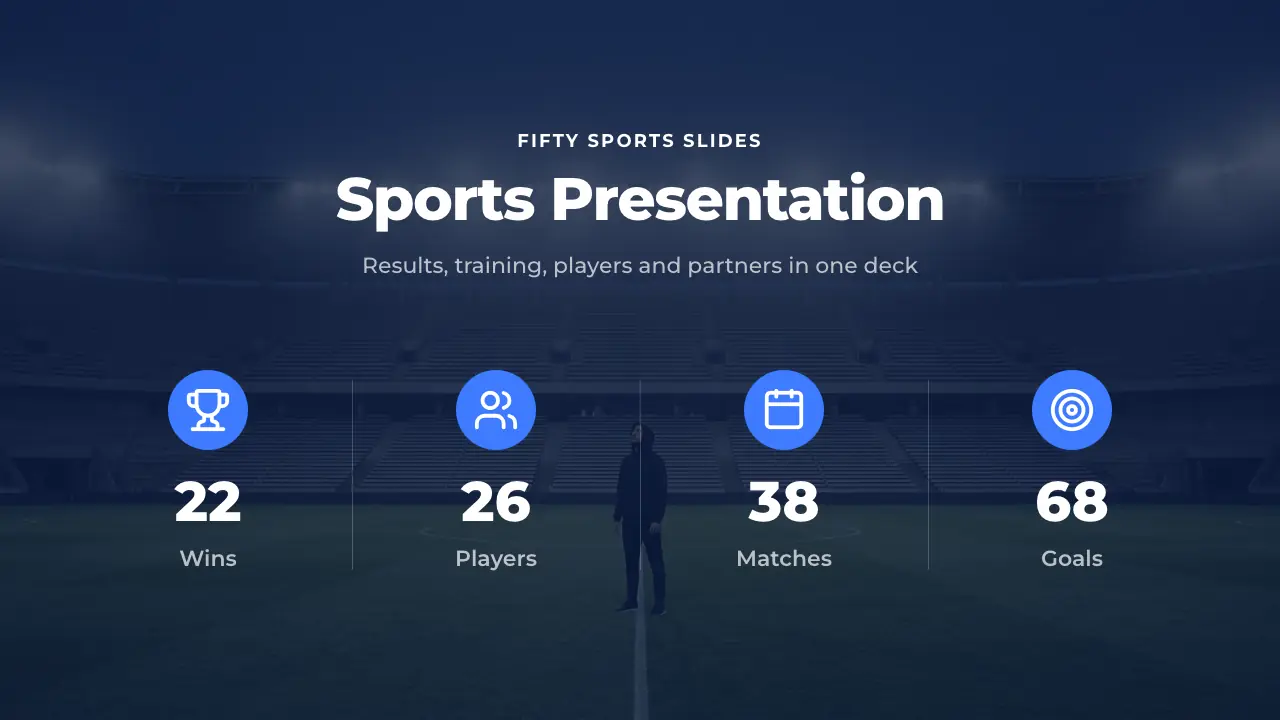
1 · Stadium Cover With Season FiguresThe opening slide of the pack: the title and a short lead centred over a stadium photo under a navy overlay. Four key figures of a season stand under them, each with an icon, so the deck opens with the sport itself. Replace the figures with your own team's wins, players, matches and goals.
2 · Season Record As One BarA whole season in one bar: 38 matches split into wins, draws and losses, each share as long as its count. Three cards under the bar give the points, the goals and the final position. Use it for a season review or an annual report of a club.
3 · Club Teams Beside A PhotoA club at a glance: a tall photo at the left and the club's four parts at the right, each with an icon, a title and its size. Use it to introduce a club, a federation or a sports school to partners, members or new staff.
4 · Points Line Through A SeasonThe points table of a season told as one rising line: the cumulative points at five matchdays, a quiet target line and the final total in a card at the right. Use it to show whether a team is on course for its season goal.
5 · Training Week In Seven Day CardsA week of training from Monday to Sunday: a pill for each day on one line and a card under it with an icon, the session and a short caption. The match day stands out in the highlight colour. Use it for a team's weekly plan or a training camp.
6 · Formation On A PitchThe player roles of a team as they stand on the pitch: one goalkeeper, four defenders, three midfielders and three forwards, each group in its own tone. A legend at the right names each group and its job. Use it for a tactics talk, a team meeting or a new player's first day.
7 · Fixture List With Home And AwayThe next five matches of a team, one row each: the date in a highlight block, the match, the competition with its kick-off time and whether it is played at home or away. Use it for a club's match calendar, a team meeting or a fan newsletter.
8 · Four Fitness Figure CardsFour fitness figures of a team, each on its own card with an icon, a large figure, a label and a short caption. Use it for a performance report, a fitness review after pre-season or a talk to coaches and players.
9 · Three Sponsorship PackagesThree ways to sponsor a club side by side: the price of each package and three things a partner gets for it. The main package stands out in the middle. Use it in a sponsorship proposal, a partner meeting or a commercial plan.
10 · Attendance Columns Beside A PhotoThe average crowd at home games over five seasons as rising columns, the last one drawn as an outline because it is the plan. A stadium photo fills the right side. Use it for a club's growth story, a sponsor pitch or an annual report.
11 · Goals By Month Column ChartTen columns for the ten months of a season, from August to May, each with the goals scored that month over it. The best month stands out in the highlight colour. Use it to show the rhythm of a season, form over the winter or the effect of a change.
12 · Squad Donut By PositionA squad split into its four position groups as a donut, the number of players in its hole and a legend at the right with each group's count and its place in the starting line-up. Use it to present a squad, plan transfers or show where depth is missing.
13 · Season Calendar As Month BandsA whole season on one page: twelve months from July to June and five bands for pre-season, the two halves of the league, the winter break and the cup. A line marks today. Use it for season planning, a board meeting or a sponsor briefing.
14 · Pre-Season In Six ChevronsSix weeks of pre-season as six chevrons in a row, each week with its focus and a short line on what happens. A photo of a runner sets the tone. Use it for a training plan, a coaching meeting or a player handbook.
15 · Revenue Bars With A TotalWhere a club's money comes from, as four bars on pale tracks: sponsorship, media rights, matchday and merchandise, each with its amount. The total stands at the top right. Use it for a budget meeting, an annual report or a sponsor pitch.
16 · Club Values On A Full PhotoThe values of a club or a team in four columns, each with an icon, a title and a short line, set over a full photo under a navy overlay. Use it to open a season, welcome new players or show partners what the club stands for.
17 · Match Report With Mirrored StatsA match at a glance: the final score on a scoreboard card and four statistics under it, the home team's bar growing to the left and the opponent's to the right. Use it for a match review, a coaching debrief or a fan update.
18 · Player Profile With Skill BarsOne player on one slide: a round photo with the role and key facts under it, and five skills as bars scored out of a hundred. Use it for scouting reports, squad presentations or a player's development talk.
19 · League Position As Rising StairsA club's climb up the league as four rising steps, each with the final position and the season. The last step is the goal and stands out in the highlight colour. Use it for a strategy talk, a board meeting or a sponsor pitch.
20 · Coaching Staff Organisation ChartThe coaching staff of a team as a simple chart: the head coach at the top and four specialists under one line, each with an icon and their main task. Use it to introduce the staff to players, parents or the board.
21 · Key Figure And Measures With PhotoOne key result in a large figure, the three measures behind it with icons and short lines, and a tall photo at the right. Use it for a medical or performance report, a board update or a talk on injury prevention.
22 · Academy Pathway Of Growing CirclesThe road from the youngest academy team to the first team as five circles on one line, each larger than the last, with the number of players under it. The first team is the largest circle in the highlight colour. Use it for an academy plan, a talk to parents or a board report.
23 · Members Area Chart With Key FigureThe growth of a club's members over five seasons as a soft area under a rising line, each season's figure over its marker. A card at the right says what the growth means. Use it for an annual meeting, a members' report or a sponsor pitch.
24 · Vertical Tournament TimelineSix steps of planning a tournament on a vertical line, from booking the venue to the final report, each with its month, a title and a short line. A card at the right gives the size of the event. Use it for event planning, a club committee or a partner briefing.
25 · Game Plan In Three Phase CardsA team's game plan in three cards, one for each phase of play, joined by arrows: an icon, the phase, its name and the principles of play in two lines. Use it for a tactics meeting, a coaching course or a new player's first week.
26 · Season Goals With Progress BarsFour goals for a season, one card each: an icon, the goal, a progress bar and where the team stands today. Use it at the start of a season, for a mid-season review or a board meeting.
27 · Half-Donut Plate Of Four PartsWhat an athlete eats on a training day, as a half donut of four food groups and a legend with each share and a line of examples. Use it for a nutrition talk, a player handbook or a youth academy session.
28 · Sponsor Reach Beside A Stadium PhotoWhat a sponsor reaches through a club, as three large figures with a highlight bar and a caption each, beside a stadium photo that runs to the slide's edge. Use it in a sponsorship proposal or a partner presentation.
29 · Heart Rate Zones As One BandFive training zones as one band from light to dark: the share of the maximum heart rate over each zone, its name and what it is used for under it. Use it for a fitness plan, a coaching course or an athlete's handbook.
30 · Head To Head With Result BadgesTwo teams face to face: the record of the last ten meetings as a large tally of wins, draws and losses, and the last five results as badges on one line with the score and the year. Use it for a match preview, a fan magazine or a coaching talk.
31 · Budget Donut With Five ItemsWhere a club's budget goes, as a donut of five items with the total in its hole and a legend of shares at the left. Use it for an annual meeting, a budget plan or a board presentation.
32 · Scouting Funnel In Five StagesHow a club finds new players, as a funnel of five bands that narrow from the players watched to the two who sign, each stage named at the right with a short line. Use it for a recruitment plan, a board meeting or a scouting report.
33 · Facilities In Four Figures With PhotoA club's training centre in four facts, each with an icon, a large figure and a label, beside a photo that runs from the top of the slide to the bottom. Use it for a club presentation, a sponsor tour or a recruitment pitch.
34 · Twelve-Week Training Load ColumnsTwelve weeks of training as twelve columns of load, a quiet band for the target zone behind them and the easier weeks in a lighter tone. Use it for a fitness plan, a coaching review or a talk on injury prevention.
35 · Youth Teams As Zigzag HexagonsEight youth teams from the youngest to the oldest as hexagons in a zigzag row, the age group inside each and the number of players beside it. Use it for an academy overview, a parents' evening or a club report.
36 · Followers As Four Filled CapsulesA club's followers on four kinds of channels, each a tall capsule filled to its number with an icon on top and the figure under it. The total stands at the top right. Use it for a media report, a sponsor pitch or a marketing plan.
37 · Four Duties Around A Round PhotoOne role on one slide: a round photo in the middle and four duties around it, two on each side, each with an icon, a title and a line. Use it for a captain, a coach, a volunteer or any role in a club.
38 · Match Day Hours On One AxisA match day from the team meal to the time with the media, as six times on one horizontal axis with a marker each, a title and a short line under it. Kick-off is the filled marker. Use it for a team briefing, a volunteers' plan or a guide for new players.
39 · Skills Radar With Key ScoresThe six skills of a complete player as a hexagonal radar, each scored out of a hundred, and three key scores at the right: the strongest skill, the one to work on and the average. Use it for scouting, player reviews or a development plan.
40 · Season Ticket GaugeSeason tickets sold against the goal as a large half gauge, the number sold in its middle and three figures under it: the price, the share of renewals and the waiting list. Use it for a commercial update, a fan meeting or a board report.
41 · Charity Run Facts Beside A PhotoA sports event in four facts — the runners, the routes, the money raised and the volunteers — each with an icon and a large figure, beside a photo of a runner. Use it to announce an event, report on it or thank partners and helpers.
42 · Before And After BarsFour fitness tests before and after pre-season, each as a pair of bars — the first in grey, the second in the highlight colour — with the values at their ends and the change in a pill at the right. Use it for a fitness report, a coaching review or a player's progress talk.
43 · Six Season Figures In Two RowsA season told in six numbers — matches, wins, goals, clean sheets, points and the final place — each a large figure with a short highlight line over it, a label and a caption. Use it for a season review, an annual report or the last slide before the summer break.
44 · Strategy Along A Winding RoadA club's plan for five years as one winding road with a marker for each year, the year and the milestone above or below it. Use it for a strategy day, a members' meeting or a sponsor pitch.
45 · Community Programmes With PhotoWhat a club does for its community, as three programmes on cards with an icon, a name, a short line and a figure each, beside a tall photo. Use it for a community report, a funding application or a partner meeting.
46 · Contract Bubbles On A Year AxisWhen the squad's contracts end, as four bubbles on one axis of years, each as large as the number of contracts ending, with a key figure card at the right. Use it for squad planning, a sporting director's report or a board meeting.
47 · Two-Column Match Bag ChecklistEight things every player packs for a match, as a checklist of two white columns with a tick in a blue disc before each item. Use it for a youth team, a player handbook or a reminder before an away trip.
48 · Race Route Elevation ProfileA race told along its route: the elevation profile of the course as a soft area, five checkpoints on it with the distance over each and the split time under the course. Use it for a race plan, an athlete's review or an event guide.
49 · Three Priorities On A Full PhotoThe start of a new season in three priorities, each with a large number, a title and a short line, set over a full photo under a navy overlay. Use it to open a season, close a review or brief the team.
50 · Numbered Priorities Beside A PhotoThe four priorities of a club for the coming season, numbered on a vertical line with a title and one line each, beside a tall photo. Use it as the closing slide of a season plan, a strategy talk or a board meeting.
Fifty Forms Of Sports Slides In One Blue Look
A title slide on a stadium photo with four season figures; results as one segmented bar of wins, draws and losses, a points line through the season, goals by month, a match report with mirrored statistics, a head-to-head record with result badges, league positions as rising stairs and the season in six numbers; the calendar as month bands, a fixture list, match day hour by hour and a training week of seven day cards; training as pre-season chevrons, heart rate zones, weekly load columns and before-and-after bars; players as a formation on a pitch, a squad donut, a player profile with skill bars, a skills radar, the captain's role and contracts as bubbles on a year axis; the club as four teams beside a photo, its values on a full photo, the coaching staff as a chart, the academy pathway, youth teams as hexagons and its facilities; business as sponsorship packages, sponsor reach, revenue and budget, season tickets as a gauge, members and followers; events as a tournament timeline, a charity run and a race profile; and strategy as a winding road, season goals with progress bars and priorities.
How To Use This Sports Template
01
Pick Your Sports Slides
Look through the 50 slides of the sports template and note the forms that fit your topic: results and a points line for a season review, packages and reach for a sponsor, a training week and zones for a coaching meeting. Most decks need six to ten of them.
02
Set Colours And Fonts
Choose your club colours and your font in the bar above the slides. All 50 slides change at once, so you see your colours on every slide before you download anything.
03
Put In Your Own Figures
Press Fill With AI and describe your topic, or press Edit Slides and replace the sample results, dates, roles and figures by hand, slide by slide, in the editor.
04
Download Or Present
Download the slides as a PPTX file with a free account and copy them into your own PowerPoint deck, or present them to your team, your board or your sponsors straight from the browser.
Which Slide Fits Which Sports Topic
For a season review, start with the record of wins, draws and losses (slide 2), the points line through the season (4) and the season in six numbers (43). Goals by month (11), the match report (17) and the head-to-head record (30) add detail, and the rising stairs of league positions (19) show the climb over several seasons.
Training and fitness have their own run of slides. The training week (5), pre-season in six chevrons (14), the heart rate zones (29), the weekly load (34) and the before-and-after bars (42) plan and explain the work; the fitness cards (8) and the injury figure beside a photo (21) report on it. For players, take the formation on a pitch (6), the squad donut (12), the player profile (18), the skills radar (39) and the contract bubbles (46).
For sponsors and the board, the sponsorship packages (9), sponsor reach beside a stadium photo (28), revenue by source (15), the budget donut (31), home crowds (10) and season tickets (40) make the commercial case. Events read best on the tournament timeline (24), the charity run (41) and the race profile (48); strategy on the winding road (44), the season goals (26) and the priorities (49 and 50).
Built For Any Club, Team Or Sport
The sample content speaks of a team ball sport in general — matches, goals, points, a league and a cup — so the slides fit football, hockey, handball or rugby alike, and the fitness, race and event slides fit any athletes. No club, league, sponsor or athlete is named: the players are The Club and The Opponent, and people appear as roles such as Head Coach, Fitness Coach or Team Captain.
Every figure is a round sample that agrees across the pack, so a deck built from several slides still tells one story. Replace them with your own and the charts keep their form: bars, rings and markers are shapes you can resize in the editor or in PowerPoint.
Questions About The Sports Template
Is This Sports Template Free?
Yes. All 50 slides of the sports template are free. You can look at every slide and try colours and fonts on this page without an account; a free account, with no credit card, downloads the PPTX file or opens the slides in the editor.
Is There A Sports PowerPoint Template Free To Download?
Yes. Press Download PPTX with a free account and open the file in PowerPoint. Texts stay text boxes and bars, rings and cards stay shapes, so you edit the sports template there like any slide of your own, and you can copy single slides into an existing presentation.
Which Sports Topics Do The Slides Cover?
Season results and league positions, fixtures and the season calendar, match reports, training plans and fitness tests, player roles, the squad and contracts, the coaching staff, the academy and youth teams, facilities, fans, members and followers, sponsorship, revenue and the budget, events such as tournaments and races, and the club's values, goals and strategy.
Which Slides Suit A Sponsorship Proposal?
Start with the stadium cover (slide 1) and the club at a glance (3), show the reach in home crowds (10), sponsor reach (28) and followers by channel (36), then present the three sponsorship packages (9) and close with the club's priorities (50).
Does It Work For Sports Other Than Football?
Yes. The slides speak of matches, goals, points and a league in general, so they fit hockey, handball, rugby or basketball too, and the fitness, race and event slides fit any sport. Change a word such as goals or pitch and the slide is yours.
Can The AI Build A Sports Deck With My Own Results?
Yes. Press Fill With AI and describe your topic, or attach your results, a season report or your notes. The AI builds your own deck in this look, with your figures, teams and plans, and you can ask for changes slide by slide afterwards.
Can I Change The Colours And Fonts?
Yes. The bar above the slides sets the colours and the font of all 50 slides at once, so your club colours run through the whole sports template, and the download and the editor take over what you chose. In the editor you can also change a single slide or put your own Design Kit on the deck.
Try ExpertSlides AI For Free — The Ultimate AI Presentation Maker
Describe any topic or upload a document, and ExpertSlides designs and writes the whole deck — editable in the browser and as a PowerPoint file.

 Pharmacy Presentation Templates50 slides
 Technology Presentation Templates50 slides
 Real Estate Presentation Templates50 slides
 World Map Templates50 slides
 USA Map Templates50 slides
 Architecture Presentation Templates50 slides
 Science Presentation Templates50 slides
 Education Presentation Templates50 slides