Strategy Template: 50 Editable Strategy Slides For PowerPoint
Fifty strategy slides in one blue look, each a different form: strategy houses, pillars, where to play and how to win, priorities, initiatives, trade-offs, targets and execution. Change the colours and fonts of all of them at once, let the AI build your own strategy deck in this look, download them as PowerPoint or edit each slide in the editor.
This strategy template pack holds 50 slides, and each one shows a part of a strategy in a different form: a house of vision and pillars, a cascade from vision to plan, two panels for where to play and how to win, three horizons of growth, a waterfall that closes the gap to the target, a strategy canvas and a road to the ambition. All of them share one blue look on light, white and navy grounds, so any ten of them sit in one deck without looking borrowed.
Many strategy files stop at one pyramid and a list of goals. Here every slide is finished and written out with neutral sample content that any organisation knows: a vision, three goals, five priorities, six initiatives with their owners, a yearly budget and the decisions the leadership has to take. Roles stand in place of names and the figures are round samples, and no slide is packed: a few parts, short words and plenty of air, so the room can follow the argument.
If you are looking for a PowerPoint strategy template, a free account downloads the slides as a PPTX file whose texts and shapes stay editable. You can also stay in the browser: pick your colours and fonts in the bar above the slides, describe your organisation and let the AI build your own strategy deck in this look, or open the slides one to one in the editor.
Your Strategy In This Blue Look
Describe your organisation, your ambition and the choices you have made, or attach your notes or a planning document. ExpertSlides builds your own strategy deck in this look in a few minutes, with your priorities, your targets and your roadmap.
Every slide is a complete part of a strategy with neutral sample content — a clear message, a few named parts, short lines and round figures — that fits any organisation. Replace its goals, roles and figures with yours.
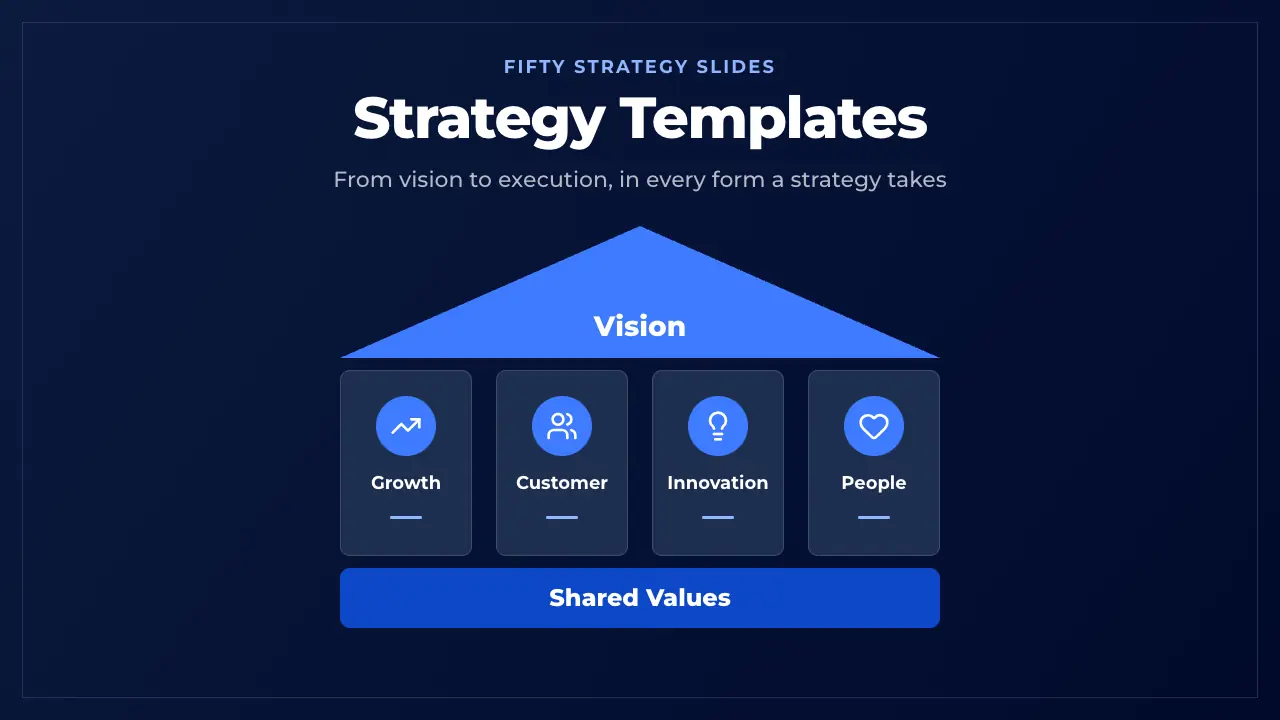
1 · Strategy House CoverThe opening slide of a strategy presentation. A house shows the whole idea at a glance: a vision as the roof, four strategic pillars and shared values as the foundation. Rename the pillars to your own and use it as the title of your strategy.
2 · One-Page StrategyThe whole strategy on a single page, read from top to bottom: one vision, three goals and the values underneath. Use it as the summary slide everyone can remember. Replace the goals with your own three.
3 · Descending Vision CascadeA descending cascade of five levels that takes the audience from the big picture to the concrete plan. Every level answers one question and leads to the next. Write one short answer beside each step.
4 · Full Strategy HouseThe classic strategy house at full size: the ambition as the roof, the mission beneath it, three strategic pillars and a foundation of capabilities. Use it to show how every part of the strategy supports the same ambition.
5 · Vision Statement With PhotoA vision statement in one sentence next to a large photo, with three short points on what the vision means. Use it early in a strategy presentation to set the ambition. Write the statement so anyone can repeat it.
6 · Where To Play And How To WinThe two central choices of any strategy, side by side. The left panel names the markets, segments and channels; the right panel names the value, the advantage and the operating model. Use it to state the core of a strategy in one view.
7 · Five Linked Strategic ChoicesFive chevrons lead through the choices every strategy has to make, each answering one question. Read from left to right, each choice narrows the next one. Use it to structure a strategy workshop or to explain the logic of a plan.
8 · Four Pillars On One BaseFour pillars carry one shared ambition, each with an icon, a name and a short sentence on what it delivers. It is the clearest way to show the main areas of a strategy. Keep the wording of each pillar equally short.
9 · Five Ranked Priority BarsFive priorities in strict order, each with a bar for its share of the effort. The falling bars show at a glance what comes first and what can wait. Use it when a strategy has to say no to some things.
10 · Three Moves On A Full PhotoThree numbered moves stand on a full photo under a navy overlay. It suits the moment in a presentation when the strategy turns into what the organisation will actually do. Keep each move to a short title and one sentence.
11 · Target With Three LevelsA target of three rings shows how everything in a strategy aims at one point: the ambition in the centre, the goals around it and the initiatives on the outer ring. Each level is named beside the target. Use it to show focus.
12 · Three Horizons CurvesThree rising curves show how a business defends its core while it builds what comes next. Each horizon is named at the left and marked at the end of its curve. Use it for long-term portfolio and growth discussions.
13 · From And To Strategic ShiftsFour rows set the way the organisation works today against the way it will work tomorrow. The muted pills show the starting point and the bright ones the destination. Use it to explain what the strategy changes in practice.
14 · Six Initiative Cards With OwnersSix strategic initiatives on equal cards, each with an icon, a name and the role that owns it. A clear owner on every card makes the strategy accountable. Use it after the priorities to show who does what.
15 · Investment Split In One BarOne wide bar shows how the yearly investment is split across four purposes, with a short explanation under each share. It makes the priorities of a strategy visible in money. Replace the shares with your own budget.
16 · Three Bets On A Full PhotoThree strategic bets with the money behind each, on floating cards over a calm photo. Naming the stake makes the commitment real. Use it to show where the organisation is willing to take a risk.
17 · Strategy Pyramid Of Four LayersA pyramid of four layers shows how strategy narrows from the whole organisation down to a single team. Each layer is explained beside it. Use it to clarify who decides what at which level.
18 · Strategy CompassA compass in the middle of the slide with four questions around it: customers, markets, capabilities and culture. Together the answers set the direction of the organisation. Use it to open a strategy discussion.
19 · Strategy Gap WaterfallA waterfall bridge shows how four moves close the gap between today and the target. Each block adds its share until the target column is reached. Use it to prove that the plan adds up.
20 · Three Themes Beside A Tall PhotoThree strategic themes stacked with large numerals next to a tall photo. The themes give every team a shared language for the plan. Use it after the vision, before the detail of the initiatives.
21 · Three Circles Of AdvantageThree overlapping circles show where a lasting advantage comes from: what customers value, what the organisation does best and what rivals cannot match. The shared centre is the place to compete. Use it to explain a positioning.
22 · Curved Road To The AmbitionOne curved road climbs from the first focus to the final ambition in five stages. The form gives a strategy a sense of movement and shows that each stage builds on the last. Use it to present the journey of a multi-year plan.
23 · Start, Stop, Continue ColumnsThree columns state what the strategy adds, what it ends and what it keeps. Stopping things is often the hardest and most valuable part of a strategy. Use it to turn broad choices into concrete changes for the team.
24 · Four Targets Beside A PhotoFour large figures state what the strategy will have achieved by 2030, next to a calm photo. Clear numbers make an ambition measurable and easy to remember. Replace the sample figures with the targets of the plan.
25 · Arch Bridge To 2030An arch bridge spans from today to 2030, carried by four initiatives that stand as its supports. The picture makes clear that the destination is only reached if every support holds. Use it to link initiatives to the end goal.
26 · Nested Arcs Of Core And NewThree nested arcs rise from one base line: the core, the adjacent business and the new. Their shares show how much effort each deserves. Use it to discuss the balance between protecting today and building tomorrow.
27 · Growth Ladder Beside A PhotoA ladder of five rungs shows the stages of growth, each building on the one below. The top rung is the destination of the strategy. Use it to show where the organisation stands today and what has to come next.
28 · Strategy Canvas Value CurvesA strategy canvas compares two value curves across six competing factors: the industry and the own strategy. Where the curves part, the strategy differs on purpose. Use it to show what to raise, reduce or leave out.
29 · Capability Gap TracksFive tracks compare the level of each capability today with the level the strategy needs. The figure at the end names the gap. Use it to decide where training, hiring or partnerships are needed first.
30 · Five Strategic Trade-Off SlidersFive sliders stand between pairs of opposite poles, and the handle shows where the strategy has decided to stand. Making trade-offs visible prevents later arguments. Use it in a leadership workshop or to explain the character of a plan.
31 · Five Principles With Round PhotoFive guiding principles in a numbered list, next to a round photo inside a thin ring. Principles help people make daily decisions without asking for permission. Use it to show how the strategy should feel in practice.
32 · Diagnose, Decide, Act ArrowsThree large arrows show the kernel of a good strategy: an honest diagnosis, a guiding policy and coherent actions. Each arrow has a short explanation under it. Use it to test whether a plan is really a strategy.
33 · Strategy Cascade In Four BandsFour centred bands widen from the board to the teams and show how a strategy travels through an organisation. Each level turns the one above into its own commitments. Use it to explain the rollout of a new strategy.
34 · Three Waves On A Year ScaleThree swim lanes place the waves of execution on a scale of years. Each wave starts when the one before has laid its ground. Use it to show the sequence of a strategy without the detail of a project plan.
35 · Milestones Under A Photo BandA wide photo opens the slide and five cards name the milestones of the strategy from 2027 to 2035. It works well as a summary of the long-term plan. Replace the years and the short texts with those of the plan.
36 · Governance In Four TiersFour rows show who steers the strategy, what each body decides and how often it meets. A clear rhythm keeps a strategy alive after the launch. Use it to agree on governance before execution starts.
37 · Threats And Safeguards ShieldA shield stands between four threats on the left and the matching safeguards on the right. It shows that the strategy has thought about what could go wrong. Use it to answer the question of risk before it is asked.
38 · Four Diverging Growth PathsFour paths fan out from one starting point, each leading to a way of growing: more of the same, new markets, new products or diversification. Use it to compare growth options before choosing one or two.
39 · Initiative Progress ColumnsFive vertical gauges show how far each initiative has come, with a status under each. It gives leaders a quick review of the strategy in one view. Update the percentages every quarter.
40 · Statement On A Full PhotoA single statement on a full photo gives the presentation a moment of calm. Three words below sum up what the statement means. Use it as a section opener or as the slide everyone should remember.
41 · Customer Segments As BubblesThree bubbles of different size show which customer segments the strategy serves first. Their size matches the share of the focus. Use it to make the choice of customers visible at a glance.
42 · Four Phases In One Large ArrowOne large arrow carries four phases of change, from mobilising the organisation to embedding the new way of working. A photo beside it keeps the slide human. Use it to present a strategic transformation.
43 · Funnel From Ideas To BetsA horizontal funnel shows how many ideas are screened, assessed and finally chosen as strategic bets. It proves that the few chosen initiatives went through a real selection. Replace the sample numbers with those of the process.
44 · Budget Donut With LegendA donut shows how the budget behind the strategy is divided, with the total in its middle and four shares beside it. It connects the strategy to real money. Replace the shares with the figures of the plan.
45 · Six Value Levers As HexagonsSix hexagons in two offset rows name the levers a strategy can pull to create value. Each has an icon, a title and a short line. Use it to discuss where the biggest effect on results can come from.
46 · First 100 Days Beside A PhotoThree stacked phases show what happens in the first hundred days of a new strategy. The early days decide whether a plan gains momentum. Use it to present the launch and the first visible results.
47 · Nested Hexagons Of Why And HowThree nested hexagons tell the strategy from the inside out: why it matters, how it will be done and what changes. People follow a strategy they understand from its reason. Use it when presenting to the whole organisation.
48 · Team Arrows Into One GoalFour arrows, one for each team, all point to the same goal. Each arrow names what that team contributes. Use it to show that a strategy only works when every function pulls in the same direction.
49 · Three Decisions Beside A PhotoThree numbered cards name the decisions the leadership has to take today, each with the role that decides. It ends a strategy presentation with a clear request. Use it as the slide before the discussion.
50 · Closing Sentence With PhotoThe closing slide sums up the whole strategy in one sentence and names three next steps, beside a calm landscape photo. Leave it on the screen during the discussion. Everyone should be able to repeat this sentence.
Fifty Forms Of A Strategy In One Blue Look
A title slide that is a strategy house itself; the direction, as one page, a cascade from vision to plan, a large house, a vision beside a photo, a target and a compass; the choices, as where to play and how to win, five linked chevrons, trade-off sliders, a strategy canvas and four ways to grow; the priorities, as pillars, ranked bars, three moves, big bets, themes and start, stop, continue; the numbers, as an investment bar, a gap waterfall, four targets, a budget donut and a funnel from ideas to bets; and the execution, as three waves on a scale of years, milestones, a cascade from board to teams, governance, progress gauges, the first 100 days and the decisions needed today. Seventeen slides stand on navy, seventeen on light blue and sixteen on white, thirteen of them with a photo.
How To Use This Strategy Template
01
Pick Your Strategy Slides
Go through the gallery of this strategy template and choose the forms your story needs. A short leadership update may need five slides: the one-page strategy (slide 2), the priorities (slide 9), the targets (slide 24), the roadmap in waves (slide 34) and the decisions (slide 49).
02
Set Colours And Fonts
Choose a palette and a font in the bar above the slides. Every slide follows at once, so the whole deck stays in one look and matches your organisation.
03
Replace The Sample Content
Open a slide in the editor and write in your own vision, goals, owners and figures. Every text, shape and icon can be moved or changed, and the photos can be swapped for your own.
04
Present Or Download
Present straight from the browser, share a web link or download a PPTX file with a free account and go on working in PowerPoint.
What A Strong Strategy Presentation Contains
A strategy presentation answers a few plain questions: where are we going, where will we compete, how will we win, what comes first and who is responsible. Open with the ambition (slides 3 and 5), state the core choices (slides 6 and 7), then show the pillars or themes that carry them (slides 8 and 20).
After that, make the plan concrete. Name the priorities and initiatives (slides 9 and 14), show the money behind them (slides 15 and 44), set the targets (slide 24) and end with the way the strategy will be run (slides 34 and 36). A deck that follows this order lets the audience test the logic step by step.
Choosing The Right Strategy Slide
Use a house or pillars when you want people to remember the structure, a waterfall (slide 19) when you must prove that the plan reaches its target, and a strategy canvas (slide 28) when you want to show how you differ from the industry. Trade-off sliders (slide 30) work well in a leadership workshop, because they make a choice visible before it is argued about.
For a board, keep to a few slides with figures and end on the decisions needed (slide 49). For the whole organisation, explain the reason first (slide 47) and show what each team contributes (slide 48). This pack stays with strategy itself: a SWOT analysis, a business plan and OKRs each have a template pack of their own.
Frequently Asked Questions
What Is A Strategy Template?
A strategy template is a ready-made set of slides for presenting where an organisation is going and how it will get there. This one covers the vision, the core choices, pillars, priorities, initiatives, targets, budget and execution in 50 different forms.
Is This A PowerPoint Strategy Template?
Yes. With a free account you can download the slides as a PPTX file and open them in PowerPoint, where the texts, shapes and icons stay editable. You can also edit and present them in the browser.
Is The Strategy Template Free?
Yes. You can view all 50 slides, change their colours and fonts and download this strategy template as a PPTX file with a free account.
Can The AI Build My Own Strategy Deck?
Yes. Press Fill With AI, describe your organisation and your ambition or attach your notes, and ExpertSlides builds your own strategy deck in this look. You can then change any slide by hand or by asking the AI.
Which Slides Should I Use For A Board Meeting?
A short set works best: the one-page strategy (slide 2), the gap waterfall (slide 19), the targets (slide 24), the progress gauges (slide 39) and the decisions needed (slide 49). Add the risks and safeguards (slide 37) if the board expects them.
How Is This Different From A SWOT Or Business Plan Template?
A SWOT analysis looks at the starting point and a business plan describes a whole business and its finances. These slides show the strategy itself: the choices made, the priorities that follow and how they will be carried out.
Can I Change The Colours And Fonts?
Yes. Pick a palette and a font in the bar above the slides and all 50 follow at once. In the editor you can also apply your own Design Kit with your logo, colours and fonts.
Try ExpertSlides AI For Free — The Ultimate AI Presentation Maker
Describe any topic or upload a document, and ExpertSlides designs and writes the whole deck — editable in the browser and as a PowerPoint file.