Triangle Template: 50 Editable Triangle Diagram Slides For PowerPoint
Fifty triangle diagram slides in one blue look, each a different form of three things held in balance: the classic project triangle, segmented and nested triangles, score charts, a ternary plot, a bowtie, an hourglass and triangles with photos and key figures. Change the colours and fonts of all of them at once, let the AI build your own deck in this look, download them as PowerPoint or edit each slide in the editor.
This triangle template pack holds 50 slides, and each one shows three factors, options or roles in a different triangle: the classic project triangle with scope, time and cost on its corners, a triangle cut into four parts, three sectors whose areas show a budget split, a score chart drawn inside the full scale, a ternary plot that places four projects between three criteria, nested triangles from the core to the organisation, a bowtie of causes and consequences and a band of seven triangles for an onboarding plan. All of them share one blue look on light, white and navy grounds, so any five of them sit in one deck without looking borrowed.
Most triangle files give you one shape and three empty labels. Here every slide is a finished triangle diagram with its corners, edges or parts named, written with neutral sample content on a part of a business that any organisation has — strategy, teams, customers, risk, decisions, growth and budgets — with roles instead of names and round sample figures such as a budget of $1.2M or a score of 92 %. You see how many words each corner carries before you choose a form.
If you need a triangle diagram that PowerPoint can open and edit, a free account downloads the slides as a PPTX file whose texts and shapes stay editable. You can also stay in the browser: pick your colours and fonts in the bar above the slides, describe your topic and let the AI build your own deck in this look, or open the slides one to one in the editor.
Your Topic In This Triangle Look
Describe the three things you want to show: the factors that must stay in balance, the options you weigh or the roles that work together. Or attach the notes or the document you already have. ExpertSlides builds your own deck in this look in a few minutes, with your corners, your words and your figures.
Every slide is a complete triangle diagram with neutral sample content — one general part of a business, its corners named in a few words, roles instead of names and round figures — that fits any organisation. Replace its names, texts and figures with yours.
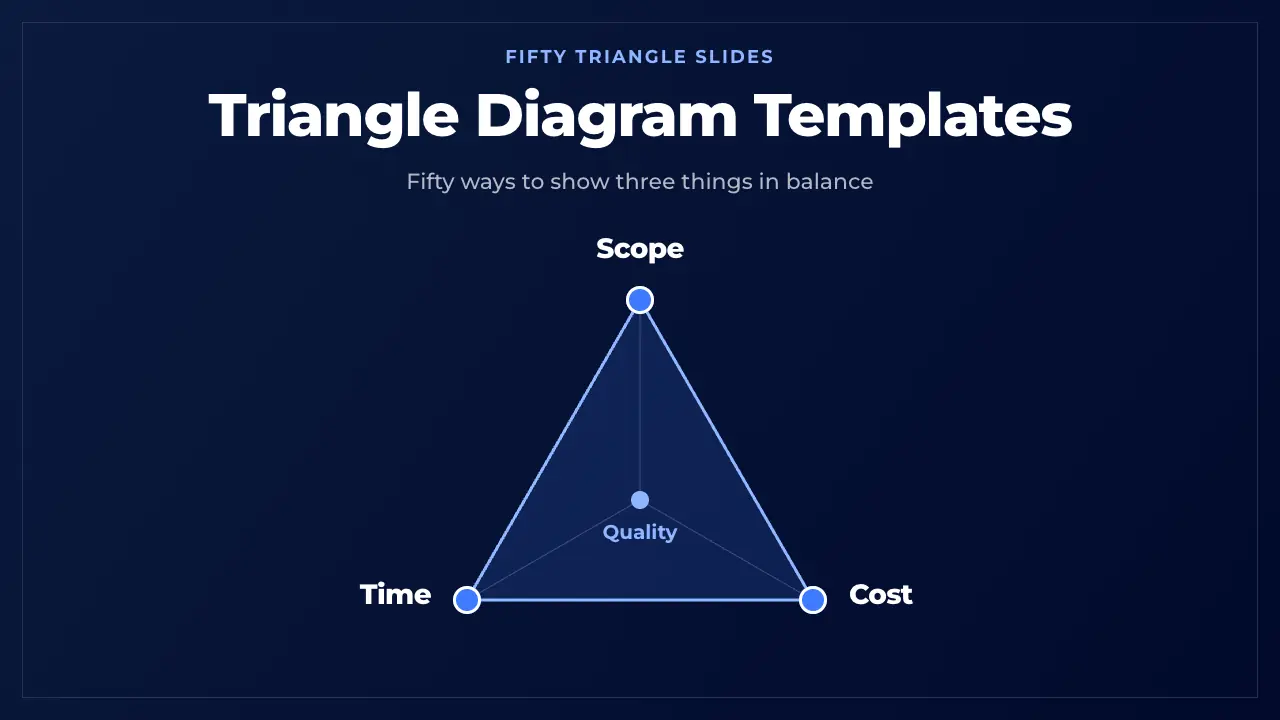
1 · Title Slide With A Large TriangleA title slide that is a triangle diagram itself: kicker, headline and lead stand centred over one large triangle with a soft blue fill. Its three corners are named scope, time and cost, and quality sits on the dot in its centre. Use it to open any deck about three things that must stay in balance.
2 · Classic Three-Corner TriangleThe classic project triangle: a white triangle floats on a light ground with an icon tile on each corner. Scope, time and cost stand beside their corners with one line each, and quality sits in the middle. Use it to explain why a change to one corner always moves the other two.
3 · Four-Part Segmented TriangleA large triangle cut into four: three corner triangles for people, process and technology frame an inverted triangle in the middle for the results. Each part carries a number that leads to its line in the list beside it. Use it for any model of three parts that produce one outcome together.
4 · Three-Sector TriangleOne triangle split from its centre into three sectors in three blues: customers, company and competitors. Each sector carries a number, and its title and line stand outside the side it faces. Use it for the strategic triangle or any three forces that together decide a plan.
5 · Triangle Of Three With PhotoA triangle with an icon tile on each corner: the mission at the top, the vision and the values at the base, each with a short line. A tall photo of a team at work stands beside it. Use it to present the purpose of an organisation, a team or a project in one view.
6 · Service Triangle With Edge LabelsThe service triangle: company, employees and customers stand at the three corners, and each edge between two of them is one kind of marketing. Internal, external and interactive marketing are named beside their edge with one short line. Use it whenever three parties are linked by three different relations.
7 · Pick Two Of Three TriangleA trade-off triangle: fast, good and affordable sit on the three corners with an icon disc each, and every edge names what happens when you pick its two corners. Fast and good is costly, good and affordable is slow, fast and affordable is basic. Use it to agree on priorities before a project starts.
8 · Triangle Score ChartA radar chart with three axes: the outer triangle is the full scale of ten, and the filled inner triangle is drawn by three scores. Each corner names its measure and its score, and a card beside it gives the average. Use it for any three ratings of a team, a product or a supplier.
9 · Three Option TrianglesThree options as three triangles in a row, each with its letter, a title, one line, its cost and its time. The middle option is highlighted on a soft panel and marked as the choice. Use it to present a make-or-buy decision or any choice between three paths.
10 · Alternating Band Of Five TrianglesFive triangles point up and down by turns and form one continuous band, read from left to right. Each triangle carries its step number, and a title and a short caption stand under it. Use it for any process of four to six steps that should read as one piece.
11 · Ternary Plot Of Four OptionsA ternary plot: the triangle's corners are quality, cost and speed, and four numbered dots stand inside it by how much each project leans to each corner. A list beside it names every project with one line. Use it to compare options against three criteria that pull against each other.
12 · Triangle Of Three Round PhotosA triangle of three people: a round portrait sits on each corner, linked by a thin blue triangle with the team's name in its middle. Each corner names a role and its one main duty. Use it to introduce the core roles of a team or a project.
13 · Nested Triangles With LegendThree triangles sit inside each other around one centre: the core in the middle, the team around it, the organisation around both. A legend beside them gives each layer its colour, a title and one line. Use it to show what sits at the heart of something and what surrounds it.
14 · Triangle With Key Figure In CentreA blue triangle holds one key figure in its centre, and a navy icon tile sits on each corner. Ease, effectiveness and emotion stand beside their corners with one line each. Use it whenever three factors add up to one score or result.
15 · Bowtie Of Two TrianglesA bowtie diagram made of two triangles that meet at one knot: the risk event. Three causes stand at the wide side of the left triangle, three consequences at the wide side of the right one. Use it for risk reviews, incident analysis or any event with several causes and several effects.
16 · Triangle On A Full PhotoA thin triangle with an icon tile on each corner stands over a full photo of a meeting under a navy overlay. Vision, trust and results are named beside their corners with one line each, and leadership sits in the middle. Use it for a strong section opener about any three-part model.
17 · Triangle Pointing To One ResultA triangle lies on its side and points to the right: three inputs sit as icon tiles on its wide edge, and lines run from each of them to the tip, where the result stands in a large disc. Use it whenever several inputs come together in one outcome.
18 · Inverted Triangle To One OutcomeAn inverted triangle: two inputs sit on its top corners and meet in one outcome at its bottom point. Facts and values carry a short line each, the decision is named under the point. Use it to show how two sides come together in one choice.
19 · Triangle Bar ChartA bar chart made of triangles: five peaks rise along one axis, each as high as its value, with the figure above its tip and the year under it. The last peak is lighter to mark the target. Use it for growth, sales or any series of four to six values.
20 · Three Linked TrianglesThree triangles touch at their corners and form one large triangle, with the learning goal in the open space between them. Each part has an icon tile, a title and one line. Use it for any model of three parts that only work together.
21 · Triangle Around A Round PhotoA thin triangle frames a round photo in its centre, and its three corners are named product, price and promise. A short lead under the headline says what the three add up to. Use it to put a picture at the heart of any three-part model.
22 · Risk Triangle With Warning TileA risk triangle with a warning tile in its centre and a numbered disc on each corner. The list beside it names the three conditions behind the risk with one line each. Use it for compliance, fraud or safety talks where a risk needs all three corners to happen.
23 · Triangle Between Two CardsA blue triangle in the middle names its corners speaker, message and audience, and says in its centre what the message must be. White cards on the left and the right say what the speaker and the audience each need. Use it for any talk, pitch or campaign.
24 · Triangle With Numbered EdgesA triangle whose edges matter more than its corners: supplier, company and customer stand on the corners, and a numbered disc on each edge marks the relation between two of them. The legend beside it names each relation with one line. Use it to explain flows between three parties.
25 · Overlapping Triangle PeaksFour see-through triangles overlap like a mountain range, each as tall as its share, with the share over its tip and the segment under its base. Use it to compare three to five shares where the biggest should stand out at once.
26 · Two Score Triangles Side By SideTwo radar triangles with the same three corners stand side by side: today on the left, the target on the right, with an arrow between them. Each corner shows its score, and each chart has its year and average under it. Use it to show where you stand and where you want to be.
27 · Three Triangles With Key FiguresThree triangles in a row, each holding one key figure in white, with a title and one line under it. The three blues set them apart while keeping one look. Use it for the three numbers a project, a quarter or a plan is judged by.
28 · Triangle Milestones On One AxisSix small triangles stand on one thin axis like flags, the year over each and a step with a short caption under it. The current step is marked in a lighter blue. Use it for a programme, a roadmap or any plan of five to seven stages.
29 · Triangle With Centre Hub And CardsA hub in the centre of an inverted triangle sends three spokes to its corners, and a white card waits beyond each corner. Leaders, teams and systems each get a title and two lines. Use it when three forces all pull on one common goal.
30 · Photo Beside A TriangleA large photo fills the left part of the slide to its edge, and a triangle with an icon tile on each corner stands beside it. Desirable, feasible and viable each get a title and a short line. Use it to judge a product idea or any plan by three tests.
31 · Triangle Split Into SharesOne triangle is cut from its tip into three sectors, each as wide as its share, so the areas tell the split at a glance. A legend beside it gives the total and the amount of each part. Use it for a budget, a time split or any whole made of three parts.
32 · Right Triangle As A Rising SlopeA right triangle lies along the bottom of the slide and its long side rises like a hill. Five markers climb that slope, each named above it, with a thin line down to its year on the base. Use it for growth, maturity or any path that keeps going up.
33 · Split Triangle With A Shared ApexA triangle cut down its middle: growth is one half, profit the other, and both meet in one shared goal at the apex. A short line under each half says what it asks for, and a photo stands beside it. Use it for any two aims that must stay in balance.
34 · Triangle With Points Beside Each SideA triangle whose three sides carry a name each, scope, budget and timing, with two check points beside every side. The ticks make it read as a checklist built on one shape. Use it to review a plan before it starts or before a gate.
35 · Four Triangle Arrows In A RowFour triangles point to the right like arrows, each a step in a deeper blue, with a title and two lines under it. The row reads from left to right at a glance. Use it for a short process, a launch plan or any sequence of three to five steps.
36 · Triangle With Key Figure And PhotoA triangle names price, quality and service on its corners and what customers weigh in its centre. On the right a photo and a navy key-figure card show the result. Use it to tie a three-part model to one number that proves it works.
37 · Route Along Two SidesA route runs up one side of a triangle and down the other: from the idea at the bottom left, over the build at the top, to the market at the bottom right. Arrows on the sides show the direction, and the faint base is the shortcut nobody can take. Use it for any three-stop journey.
38 · Triangle Of Weighted CornersThree discs sit on the corners of one triangle, each as large as its weight in the decision, with the share inside. Time is the largest at fifty per cent, cost and scope follow. Use it to show priorities that are not equal.
39 · Three Cards On A TriangleThree white cards stand at the corners of one thin triangle, each with an icon, a title and one line. The goal they protect together is named in the middle. Use it for any three principles that must all hold at once.
40 · Triangle Of Figures Beside A PhotoA framed photo on the left and a triangle on the right whose corners are figures: the data collected, the insights drawn from it and the actions taken. Each figure carries a short label. Use it to show how numbers turn into decisions.
41 · Triangle With Arrows Out Of Its CornersA small triangle stands for the core business, and an arrow leaves each of its corners: one to new markets, one to new products, one to new customers. A photo on the left gives it a human side. Use it for growth options or any three directions from one starting point.
42 · Band Of Seven Alternating TrianglesSeven triangles point up and down by turns and form one band across the slide. The steps are named above and below the band by turns, so every label has room. Use it for an onboarding plan or any process of six to eight steps.
43 · Eight Triangle Tiles In Two RowsEight triangles stand in two rows of four, each with a white icon in a navy disc and a quality named under it. The two blues alternate like a chessboard to keep the grid light. Use it for values, skills or any list of six to eight short items.
44 · Photo Band With Triangle MarkersA wide photo runs across the slide like a band, and three numbered triangles point up into it from below. Under each triangle a goal has a title and two lines. Use it for yearly goals, priorities or three promises to a team.
45 · Hourglass Of Two TrianglesTwo triangles meet point to point like an hourglass: many inputs narrow down into one focus in the middle, and that focus widens again into results. Inputs and results are named at the corners. Use it to show why focus comes before results.
46 · Triangle Of Three PhotosThree photos sit on the corners of one thin triangle, and each corner names one part of a good meeting with a short line. The goal they serve together stands in the middle. Use it to make a three-part model more human and easier to remember.
47 · Triangle Of Times With An AgendaA triangle whose corners are the three blocks of one day, each marked with its start time and a name. A white card beside it gives the agenda: the time span, the block and what happens in it. Use it for workshops, offsites or any day in three parts.
48 · Numbered Triangle With QuestionsA blue triangle carries why, what and how in its three corners, each with a number. The column beside it turns the numbers into full questions with a short answer. Use it for a project start, a business case or any brief that must answer three questions.
49 · Takeaways On A Photo TriangleA closing slide: a wide, thin triangle over a full photo under a navy overlay, with a numbered takeaway on each corner. The centred kicker and headline make it a calm end to a talk. Use it to sum up any deck in three points.
50 · Triangle Of Goals With Year CardA triangle with an icon tile on each corner holds three goals for one year, and a tall photo card beside it names that year in large figures. Use it for an annual plan, a strategy summary or the last slide of a planning deck.
Fifty Forms Of A Triangle In One Blue Look
A title slide that is a triangle itself; the classic project triangle with quality in its centre; a triangle cut into four parts and one split into three sectors; triangles beside a photo, around a round photo, on a full photo and with three photos on its corners; the service triangle with its edges named; a pick-two triangle of fast, good and affordable; score charts alone and side by side for today and the target; three option triangles with one marked as the choice; bands of five and seven alternating triangles; a ternary plot; nested triangles; a key figure in the centre; a bowtie; a triangle pointing to one result and an inverted one pointing to one decision; triangle bar charts and overlapping peaks; three linked triangles; a risk triangle with a warning tile; a communication triangle between two cards; numbered edges; triangle milestones on an axis; a hub with spokes and cards; shares as sectors; a right triangle as a rising slope; a split triangle; six check points beside three sides; triangle arrows in a row; a route along two sides; weighted corners; three cards on a triangle; figures on the corners; arrows out of the corners; eight triangle tiles; a photo band with triangle markers; an hourglass; times on the corners with an agenda; three questions; three takeaways; and a plan for one year.
How To Use This Triangle Template
01
Choose Your Form
Scroll the gallery and pick the triangle template slide that fits your message: corners for three factors, sectors for a split, a score chart for ratings, a bowtie for causes and effects or a band of triangles for steps.
02
Set Colours And Fonts
Pick a colour scheme and a font in the bar above the slides. Every slide follows at once, the navy, light and white grounds included.
03
Write Your Own Content
Open a slide in the editor and replace the sample corners, lines and figures with yours, or describe your topic and let Fill With AI build your own deck in this look.
04
Present Or Download
Present from the browser, share a web link or download the deck as a PPTX file with a free account and keep editing it in PowerPoint.
When A Triangle Diagram Works Best
A triangle is the natural shape for three things that depend on each other. The project triangle shows that scope, time and cost move together (slide 2), the strategy triangle puts customers, company and competitors side by side (slide 4), and the pick-two triangle makes a trade-off visible in one glance (slide 7). When one corner changes, the audience sees at once that the other two must change too.
Use a triangle when there are exactly three parts and their balance matters more than their order. For a sequence, take a band of triangles (slides 10 and 42) or triangle arrows (slide 35); for ratings, a score chart (slides 8 and 26); for shares of a whole, the sectors of slide 31.
Neutral Sample Content You Can Replace
Every slide speaks about a general topic rather than an invented company: mission, vision and values, the team triangle of product owner, team lead and project manager, the risk triangle, the security triangle of confidentiality, integrity and availability, or a plan for 2028 with three goals. Roles stand in for names, and the figures are round sample values.
Because the content is neutral, each slide works as a model for your own: keep the form, change the three corners and their lines, and the slide still reads at a glance. The texts are sized so that a short title and one line fit each corner without crowding.
Questions About The Triangle Template
Is the triangle template free?
Yes. You can view all 50 slides, change their colours and fonts and open them in the editor without paying. A free account downloads the triangle template as a PPTX file.
Can I edit the slides in PowerPoint?
Yes. The download is a regular PPTX file, and its texts, shapes and pictures stay editable in PowerPoint.
What can I show with a triangle diagram?
Any three things that belong together: three factors in balance such as scope, time and cost, three options such as build, buy or partner, three roles in a team, or three questions to answer before a project starts. Each triangle template slide shows one of these in its own form.
Does Fill With AI change these 50 slides?
No. Fill With AI builds your own new deck in this blue look from your topic, notes or documents. The 50 slides stay as they are, and you can still use any of them.
Can I change the colours to match my brand?
Yes. Pick a colour scheme and a font in the bar above the slides, or apply your own Design Kit. Every slide is painted with the scheme's roles, so all 50 change together.
Are there triangle slides with more than three parts?
Yes. Slide 3 splits a triangle into four parts, slide 15 is a bowtie of six causes and consequences, slide 34 places six check points beside the three sides, slide 42 is a band of seven triangles and slide 43 shows eight triangle tiles.
Is this the same as a pyramid?
No. A pyramid stacks levels from bottom to top, while a triangle diagram puts three things on its corners, edges or sectors on an equal footing. For levels, see a pyramid template; for balance between three things, use these slides.
Try ExpertSlides AI For Free — The Ultimate AI Presentation Maker
Describe any topic or upload a document, and ExpertSlides designs and writes the whole deck — editable in the browser and as a PowerPoint file.
Pick a slide, set your colours and fonts, and present three things in balance in minutes. Or describe your topic and let the AI build your own deck in this look.