Fifty fitness slides in one calm blue look, from the kinds of training and a studio floor plan to memberships, the team, the member journey and the yearly figures. Change the colours and fonts here, then open the slides in the editor or download them.
This fitness template gives you 50 slides for presenting fitness as a field and a business: the kinds of training in general terms, a studio's floor plan and class timetable, memberships, trainers by role, the opening of a studio, and the way from a first visit to a renewal. As a fitness PowerPoint template it downloads with real charts, shapes and text that you can edit one by one.
The content is neutral and made for studio owners, managers, team leads, students of the trade and anyone preparing a business plan. All prices and figures are plain samples of one unnamed studio, so you can replace them with your own. The slides give no training, health or nutrition advice; where they touch on training, they point to a qualified professional.
Your Own Fitness Deck In This Look
Describe your studio, your class offer or your business plan, and the AI builds a deck of your own in this blue style, with your words and your figures.
Every slide with its words. Open one in the editor to change it 1:1.
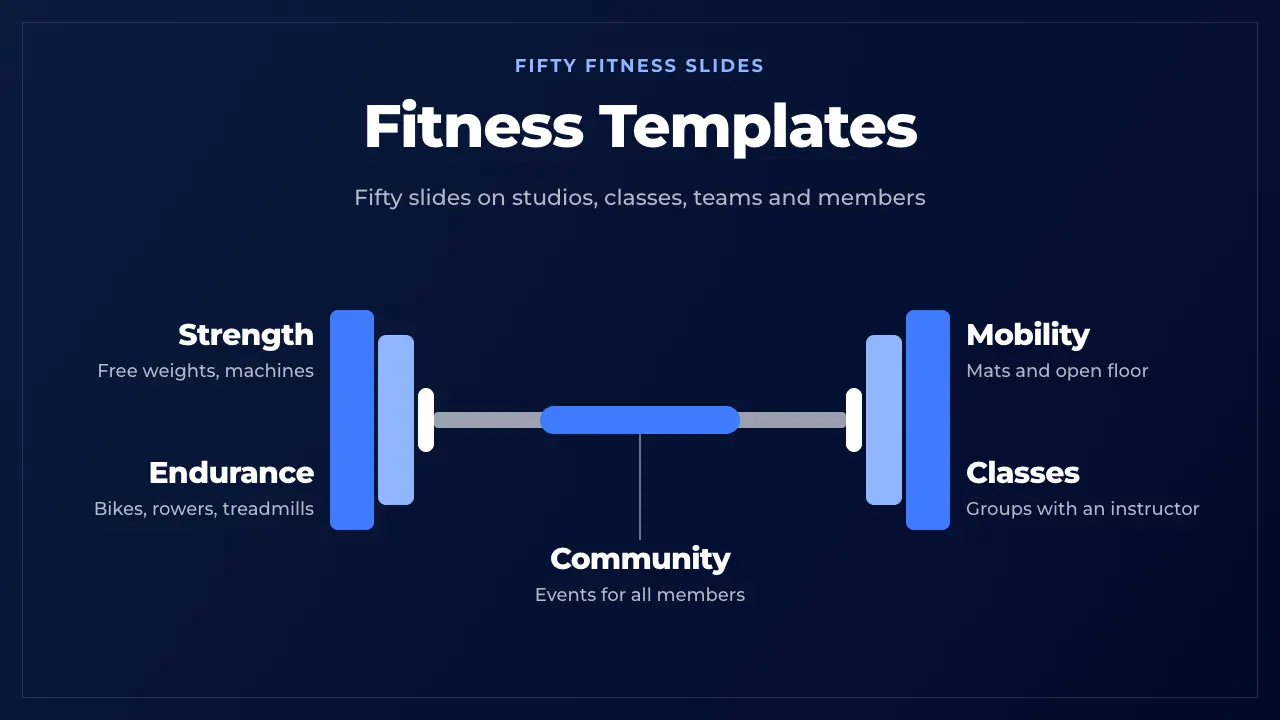
1 · Dumbbell Cover With Five AreasThe opening slide of the pack: a dumbbell built from editable shapes with the five areas of a studio around it. Use it as the title of any talk on a studio, a gym or the fitness trade. Change the five labels to the areas you present.
2 · Four Icon Cards Of TrainingFour equal cards name the main kinds of training in general terms. Use it to introduce the field before you talk about a studio. The line at the foot reminds the audience to ask a qualified professional.
3 · Tall Photo With Four OffersA tall photo stands beside the four things a studio offers. Use it to show a visitor what the membership covers. Replace the offers with your own and keep them to one line of explanation each.
4 · Four Big Figures In A RowFour large sample figures describe a studio at a glance: members, floor area, classes and team. Use it early in a business talk. Replace the figures with your own.
5 · Floor Plan From Room ShapesA floor plan drawn from rectangles, each room sized to its share of the 600 square metres. Use it to explain how a studio is laid out. Drag and retype the rooms to match your own premises.
6 · Donut Chart Of Floor SpaceA real donut chart shares out the floor area by zone, with the zones listed beside it. Use it when you explain how a studio uses its space. Edit the chart data to show your own premises.
7 · Weekly Class TimetableA timetable with the days across and four kinds of class down, each block marking a day on which that class runs. Use it to show the shape of a week. Move the blocks to match your own timetable.
8 · Area Chart Of A DayA real area chart shows when a studio is busy across the opening hours. Use it to plan staff and classes around the peak. Replace the sample visits with your own door counts.
9 · Full Photo With Three ColumnsA full photo of a studio sits behind a navy overlay with three short columns. Use it to set the mood before the figures. Swap the photo for one of your own premises.
10 · Three Price ColumnsThree membership plans side by side with sample monthly prices. The middle plan is raised as the one most members take. Change the prices and what each plan includes.
11 · Organisation Chart By RoleAn organisation chart shows the team of a studio by role, with the number of people in each. Use it to explain who answers to whom. Replace the roles and counts with your own team.
12 · Honeycomb Of Six AreasSix hexagons in a honeycomb name the equipment areas of a studio. Use it for a tour of the floor or a fit-out plan. The areas are named only, so retype them to suit your own studio.
13 · Rising Stairs Of Five StepsFive rising blocks take a studio from its concept to its first day. Use it for an opening plan or a business case. Each step has a short line above it that you can retype.
14 · Six Chevrons Of A JourneySix chevrons in one row follow a member from the first enquiry to the renewal. Use it to discuss where a studio can do better at each moment. Retype the steps and captions to fit your process.
15 · Funnel With Conversion NotesA real funnel chart shows how many people move from an enquiry to a membership in one month. Use it to find the step that loses the most people. Edit the chart data with your own counts.
16 · Bar Chart With Key FigureA real bar chart follows the members of a sample studio from 2027 to the forecast for 2031. Use it in a yearly review or a business plan. Edit the chart data with your own member counts.
17 · Smooth Line Of RetentionA real line chart shows the share of a joining group that is still a member after three, six, nine and twelve months. Use it to talk about retention. Replace the sample shares with your own.
18 · Vertical Line Beside A PhotoFour community events, one a quarter, stand on a vertical line beside a wide photo. Use it to plan the year of a studio beyond its classes. Replace the events with those you run.
19 · Proportional Band Of A WeekOne band drawn to scale shows how a coach spends a 40-hour working week. Use it for job descriptions or team planning. Resize the five segments and retype the hours to match a real week.
20 · Donut Chart Of RevenueA real donut chart splits the yearly revenue of a sample studio into memberships, coaching, events and day passes. Use it in a financial review. Edit the chart data with your own figures.
21 · Horizontal Bars Of CostsA real horizontal bar chart ranks the yearly costs of a sample studio, with the remaining profit beside it. Use it in a budget meeting. Edit the chart data with your own cost lines.
22 · Two Lines To Break-EvenA real line chart with two series shows sample revenue passing costs. Use it in a business plan to show when a studio pays for itself. Edit the chart data with your own forecast.
23 · Treemap Of The BudgetFour rectangles sized to their share show where an opening budget of $450k goes. Use it when you present a business plan or ask for funding. Resize the rectangles to your own budget.
24 · Two Formats Side By SideTwo cards compare the two common formats of a fitness business, each under a photo with three points. Use it to discuss which format suits a site. Replace the points with your own comparison.
25 · Vertical Timeline With PhotoFour quarters of the first year of a studio run down a vertical line beside a tall photo. Use it to report on an opening year. Replace the milestones and the member counts with your own.
26 · Gantt Bands Over Twelve MonthsSix workstreams run as bands across the twelve months before a studio opens. Use it to plan and report on an opening project. Drag the bands to match your own schedule.
27 · Two-Column ChecklistEight items in two columns, each with a check mark, list what must be ready before a studio opens. Use it for a launch review. Retype the items to fit your own opening.
28 · Hub With Six SpokesA central disc with six spokes names what keeps members coming back. Use it to discuss member experience with the team. Retype the six reasons to reflect your own studio.
29 · Round Portraits On One LineFour round portraits stand on one line with the role each person holds in a visit. Use it to introduce the people a new member meets. Replace the photos and roles with your own team.
30 · Two By Two MatrixA two by two matrix sorts what members look for by how much guidance and how much company they want. Use it to shape the offer of a studio. Retype the four fields to match your own members.
31 · Pyramid Of Four Service LevelsA pyramid of four levels shows the offer of a studio from the open floor up to one-to-one coaching. Use it to explain how the services build on each other. Retype the levels to fit your own offer.
32 · Rating Bars Out Of FiveFive bars show how members rate a studio on welcome, cleanliness, classes, trainers and value, beside an overall score. Use it to report a member survey. Replace the sample scores with your own.
33 · Photo Band Over Five StepsA wide photo runs over a line of five numbered steps that follow a visit from the door to the door. Use it to look at a visit as a service. Retype the steps to match your own studio.
34 · Snake Of Eight MilestonesEight milestones of a membership run along a snake path in two rows. Use it to plan the moments a studio marks for its members. Retype the milestones and move them along the path.
35 · Pictogram Of Class PlacesTwenty circles stand for the places in a class, and fifteen are filled to show the average take-up. Use it to report how full a timetable runs. Recolour the circles to match your own figure.
36 · Twelve Monthly ColumnsA real column chart shows how many people join in each of the twelve months, with the two peaks highlighted. Use it to plan campaigns around the year. Edit the chart data with your own joiners.
37 · Three Questions Beside A PhotoThree plain questions remind the audience to talk to a qualified professional before they start training. Use it wherever a talk touches on training itself. The slide gives no advice of its own.
38 · Do And Avoid ColumnsTwo cards list the courtesy rules of a shared floor: three things to do and three to avoid. Use it for a member welcome or a notice. Retype the rules to match your own house rules.
39 · Three Profile Cards With PhotosThree cards describe typical members with a photo and a short line on what each expects. Use it when you plan a welcome or a marketing message. Replace the profiles with your own member groups.
40 · Stacked Columns By PlanA real stacked column chart splits the members of each year into the three plans. Use it to show how the mix develops as a studio grows. Edit the chart data with your own numbers.
41 · Waterfall From Revenue To ProfitA waterfall of editable bars walks from the yearly revenue of a sample studio through five cost lines down to its profit. Use it in a financial review. Resize the bars and retype the figures for your own year.
42 · Centred Statement Of PromisesThree large promises stand one under the other in the middle of the slide. Use it to state what a studio stands for, at the start or the end of a talk. Retype the three lines as your own promises.
43 · Photo Beside Share BarsA photo stands beside four bars that show why members say they chose their studio. Use it to report a survey of new members. Resize the bars and retype the shares with your own answers.
44 · Full-Width Share BandOne full-width band drawn to scale shows how new members hear of a studio, with a short note under each share. Use it to decide where to spend a marketing budget. Resize the segments for your own figures.
45 · Career Ladder Beside A PhotoA ladder of five rungs shows how a trainer can grow within a studio, beside a photo. Use it for recruiting or for a team development talk. Retype the rungs to match your own career path.
46 · Feature Grid Of Three PlansA grid compares what the three membership plans include, with a filled mark for each feature in a plan. Use it on a pricing page or in a sales talk. Recolour the marks and retype the features for your own plans.
47 · Four Quarters With Tinted BarsFour columns show the year of a studio by quarter, with a tinted bar for the joiners of each quarter and the focus of the team under it. Use it for annual planning. Retype the focus and resize the bars.
48 · Five KPI Tiles With PhotoFive tiles give the figures a studio manager checks every month, beside a narrow photo. Use it as a one-page dashboard for a meeting. Replace the sample figures with your own.
49 · Now, Next And LaterThree arrow headers split the plans of a studio into now, next and later, each with its aims. Use it to close a strategy talk. Retype the aims and the years to fit your own roadmap.
50 · Closing On A Full PhotoThe closing slide puts three next steps on a full photo under a navy overlay, with a reminder to ask a qualified professional about training. Use it to end a talk with a clear call to action.
What Is Inside The Pack
A cover with a dumbbell drawn from editable shapes, four kinds of training, a floor plan drawn to scale, a weekly class timetable, three membership plans and a comparison of them, an organisation chart, a honeycomb of equipment areas, stairs to opening day, the member journey in chevrons, a funnel from enquiry to member, retention, a coach's working week, revenue and cost charts, a break-even line, an opening budget, a gantt plan, a checklist, house rules and a closing slide.
How To Use This Fitness Template
01
Pick Your Slides
Choose the slides of the fitness template that your talk needs: the floor plan on slide 5 for a tour, the timetable on slide 7 for a class review, the prices on slide 10 for a sales meeting.
02
Set Your Colours
Try a colour and a font in the bar above the slides. The whole pack follows, on its navy, light and white grounds.
03
Put In Your Figures
Open a slide in the editor and replace the sample members, prices and costs. Charts change with their data, and shapes and texts move like any others.
04
Present Or Download
Present in the browser, share a web link or download the slides as a PowerPoint file with a free account.
What A Good Studio Presentation Shows
A clear studio presentation starts with what the place offers and who it is for, and only then moves on to figures. Show the floor, the timetable and the people before the budget, so that the audience can picture the business behind the numbers.
Keep one idea on each slide and use one set of figures throughout. If the deck says 800 members on one slide, the charts on memberships, revenue and class visits should agree with it, as they do in this pack's sample studio.
Keeping A Fitness Deck General And Responsible
A business deck about fitness does not need promises about what training does for a person. This pack names the kinds of training in general terms and contains no exercise plans, no diet or supplement content and no claims about health or the body.
If your talk does touch on training itself, bring in a qualified professional and let them speak to it. Slide 37 is made for that moment: it lists three plain questions to take to a qualified professional before starting.
Questions About The Fitness Template
Is This Fitness Template Free?
Yes. You can view all 50 slides on this page and download this fitness template as a PPTX file with a free account.
Does It Work As A Fitness PowerPoint Template?
Yes. The download is a normal PowerPoint file. Its charts are native PowerPoint charts, and its texts and shapes stay editable.
Who Is This Fitness Template For?
This fitness template suits studio owners, gym managers, team leads, trainers preparing a business talk and students of sport management who need clear slides on how a studio works.
Are The Prices And Figures Real?
No. Every price, member count and cost is a plain sample of one unnamed studio. Replace them with your own figures before you present.
Does The Pack Give Training Or Health Advice?
No. It names kinds of training in general terms and gives no exercise plans, diet tips or health claims. For anything about training itself, ask a qualified professional.
Can I Change The Colours And Fonts?
Yes. Use the colour and font bar on this page, or open the slides in the editor and set your own colours, fonts and brand kit.
Can The AI Build A Deck For My Own Studio?
Yes. Press Fill With AI and describe your studio or topic. The AI builds a deck of your own in this look, with your words and figures.
Can I Use The Slides For A Business Plan?
Yes. The budget, break-even, revenue and cost slides are a good base for a studio's business plan once you have put in your own figures.
Try ExpertSlides AI For Free — The Ultimate AI Presentation Maker
Describe any topic or upload a document, and ExpertSlides designs and writes the whole deck — editable in the browser and as a PowerPoint file.

 Sports Presentation Templates50 slides
 Pharmacy Presentation Templates50 slides
 Technology Presentation Templates50 slides
 Real Estate Presentation Templates50 slides
 World Map Templates50 slides
 USA Map Templates50 slides
 Architecture Presentation Templates50 slides
 Science Presentation Templates50 slides