Fifty food slides in one calm blue look, from farm to table and the seasons of produce to menus, kitchen roles, stock rotation, catering and sales. Change the colours and fonts, put in your own figures, and download the deck as PowerPoint.
This food PowerPoint template follows food as a subject and a trade, from the field to the plate. Its 50 slides cover the seasons of produce, ways of cooking and serving, a menu and a recipe as sample formats, the roles and stations of a kitchen, a restaurant's day, sourcing, stock rotation, food waste, packaging, new products, catering and sales.
Use this food template for a menu review, a team briefing, a supplier meeting, a catering proposal, a cookery class or a business plan for a food venture. The sample figures describe one unnamed food business and agree from slide to slide, so you can replace them with your own and keep the story intact.
Your Own Food Deck In This Look
Describe your menu, your kitchen or your food business, and the AI builds a deck of your own in this blue style.
Every slide with its words. Open one in the editor to change it 1:1.
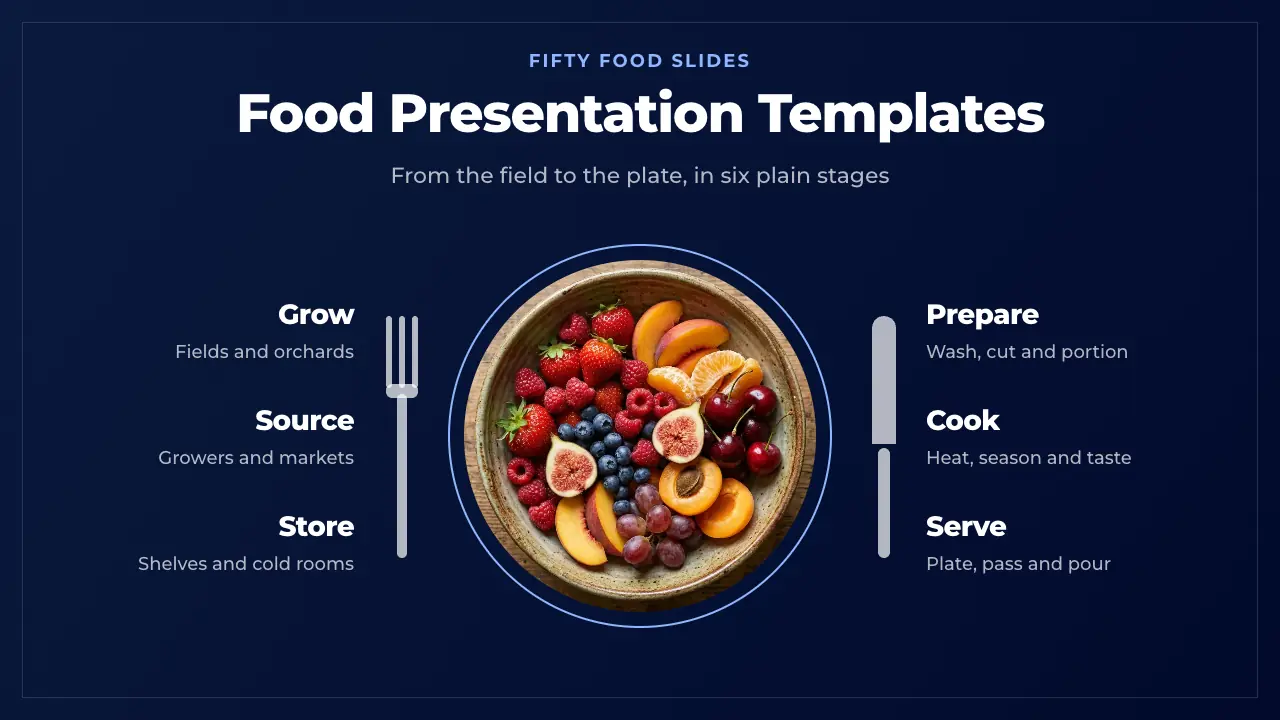
1 · Round Food Photo With Six StagesThe opening slide of the pack: a round photo of food in the middle with the six stages food passes through set around it. Use it to open any talk on food, a menu or a food business, and replace the stages with your own.
2 · Five Chevrons From Farm To TableFive chevrons carry food from the field to the guest, with an icon and a short caption under each stage. Use it to explain a supply chain in one view and put your own stages in the band.
3 · Four Season Arches With PhotoFour arches name what each season brings into the kitchen in general terms, with a photo of produce beside them. Use it for a seasonal menu or a buying plan.
4 · Six Key Figures On CardsSix cards hold the figures that describe a food business at a glance: sales, covers, seats, dishes, team and suppliers. Use it as the first content slide and replace the samples with your own.
5 · Menu Page With Layout NotesA sample menu page stands between a photo and four numbered notes on sections, order, prices and the one highlight. Use it to discuss a new menu, and retype the dishes and prices as your own.
6 · Bar Chart With Key FigureA real bar chart ranks five sales categories, with the year's total in a key-figure card beside it. Use it for a food business review and edit the chart's data with your own categories.
7 · Six Hexagons In A Staggered RowSix hexagons name the basic ways of cooking, each with a line on the heat it uses. Use it in training, in a cookery talk or to introduce a menu, and swap the methods for your own.
8 · Recipe Card With PhotoA sample recipe in the usual format: the servings and times on top, the ingredients in one column and four numbered steps in the other, with a photo beside it. Retype it with your own dish.
9 · Kitchen Organisation ChartAn organisation chart shows the twelve roles of a kitchen team, joined by thin editable lines from the head chef down. Use it to introduce a team and change the roles and numbers to fit yours.
10 · Covers By Hour Column ChartA real column chart shows how 200 covers spread over the day, with a band over the lunch hours and one over the dinner hours. Use it to plan staff and prep, and edit the data with your own hours.
11 · Kitchen Floor PlanA floor plan drawn from editable rectangles shows seven kitchen stations in the order food moves through them, ending at the pass. Use it to explain a kitchen layout and move the rooms to match yours.
12 · Segmented Supplier Bar With PhotoOne wide bar is split into five groups by their number of suppliers, with a line on each group and a photo beside it. Use it for a sourcing overview, and resize the segments to your own figures.
13 · Storage Rack First In First OutA storage rack drawn from shapes shows stock rotation: new crates go in at the back, the oldest move to the front and are used first. Use it in training for stores and kitchens.
14 · Pie Chart With Three ActionsA real pie chart splits food waste into three sources, with one action beside each. Use it for a waste review and edit the chart data with your own measurements.
15 · Falling Line Chart With TargetA real line chart follows the share of food that is wasted over five years, with the target in a card beside it. Use it to report progress and enter your own values in the chart.
16 · Countdown On A Kitchen PhotoFive large figures count down the last hour before the doors open, on a full photo of a kitchen under a navy overlay. Use it for a service routine or any fixed sequence before an event.
17 · Three Nested Packaging LayersThree nested squares show the layers of food packaging, from what holds the food to what carries it to the shelf, each labelled on a thin leader line. Use it to explain a pack or a packaging brief.
18 · Stacked Bars With Four NotesA real stacked chart shows the mix of packaging materials over three years, with a note on what each material is used for. Use it for a packaging review and enter your own shares.
19 · Funnel From Ideas To DishesA real funnel chart narrows a year of new product ideas down to the dishes that reach the menu, with a line on each stage beside it. Use it for product development and enter your own stage counts.
20 · Six Rising StairsSix stairs climb from a first idea to a launched product, with a short line under each step. Use it for a food product plan and rename the steps to fit your process.
21 · Vertical Timeline Beside A PhotoA vertical line runs through five stages of planning a catered event, from the brief eight weeks out to the day itself, with a tall photo beside it. Change the weeks and stages to fit your event.
22 · Equation Of Three FiguresThree large figures multiply into the year's catering sales, so the audience sees how the number is built. Replace events, guests and price with your own, and the sum on the right.
23 · Waterfall Of A Dish PriceA waterfall of editable shapes takes a sample $18 main apart: ingredients, staff and overheads come off, and the profit is left. Resize the columns to the costs of your own dish.
24 · Donut Chart With Key FigureA real donut chart splits the year's sales into ingredients, staff, overheads and profit, with the key amounts beside it. Enter your own shares in the chart and retype the figures.
25 · Area Chart With ForecastA real area chart shows sales over five years, with a card calling out the forecast for the last year. Use it in a business review and enter your own yearly sales.
26 · Five Weekdays On Icon DiscsFive large icon discs stand on one axis, each under its weekday and over the name of that day's delivery. Use it for a weekly routine and swap the days and goods for your own.
27 · Split Slide With Two ColumnsA photo runs off the slide on the left, and two columns set the front of house against the kitchen, with their headcounts and roles. Use it to explain how a food business is staffed.
28 · Eight Icon Cards In Two RowsEight cards name the common kinds of food service, from a street stall to fine dining, each with its own icon. Use it to place a business in its market and rename the cards as needed.
29 · Zigzag Of Six MarkersSix round markers zigzag from the moment a guest orders to the moment the plate arrives, joined by thin editable lines. Use it to walk through any service sequence.
30 · Arc Of Four Parts Over A FigureAn arc in four parts shows what makes up the average guest bill, with the total as a large figure under it. Use it for spend per guest, and change the figures to your own.
31 · Balance Of Two ColumnsA balance drawn from shapes holds two columns: what speaks for making an item in the kitchen and what speaks for buying it ready. Use it for any make-or-buy decision and retype the points.
32 · Two By Two Menu MatrixA two-by-two matrix sorts the 24 dishes of a menu by how well they sell and what they earn, with an action in each field. Use it for a menu review and enter your own counts.
33 · Calendar With Produce BandsA twelve-month calendar carries one band for each of five produce groups, showing a sample of when each is in season. Move the bands to match your region and your menu.
34 · Three Photo CardsThree photo cards compare the main ways of serving a meal, with what each asks of the kitchen and the room. Use it when choosing a service style for a restaurant or an event.
35 · Timeline Above And Below An AxisSix milestones of opening a further site alternate above and below one axis, from the concept to full service. Change the quarters and the milestones to fit your own opening.
36 · Plate With Five CalloutsA plate drawn from shapes is labelled on thin lines with the five parts of a composed dish. Use it to explain how a dish is built, and move the parts to match your own plating.
37 · Three Rising Price PillarsThree pillars sized to their prices show the entry, core and premium mains on a menu, with what sets each apart. Change the prices and resize the pillars to match your own menu.
38 · Column Chart Of Four QuartersA real column chart shows the four quarters of the year with the season under each and the peak quarter highlighted. Use it for seasonal planning and enter your own quarterly sales.
39 · Snake Of Eight StepsEight steps run along one line that turns at the right and comes back, from receiving a delivery to placing the next order. Use it for any routine with many steps.
40 · Round Photo With Six ItemsA round photo of a dish sits in the middle with three qualities on each side, one line each. Use it to discuss what makes a dish work and swap the items for your own criteria.
41 · Four Bubbles Sized To FiguresFour bubbles, their areas sized to their figures, show the year's 120 catering events by type. Resize the circles to your own numbers and rename the types.
42 · Checklist Beside A PhotoSix ticked rows name what is checked before the doors open, with a tall photo beside them. Use it for an opening routine and retype the rows for your own business.
43 · Lollipop Chart Of Four CoursesThin bars with round heads compare the preparation time of a portion by course. The shapes are sized to the figures, so resize them when you enter your own times.
44 · Branching Tree With PhotoA tree of thin connectors branches from one ingredient into what is made of it, with a photo of the result beside it. Use it to show how one raw material feeds a product range.
45 · Two Tracks Meeting At The KitchenTwo tracks of thin lines show how ingredients reach the kitchen, directly from the grower or through a wholesaler and depot, and meet at goods in. Rename the stops to fit your own supply chain.
46 · Three Large Numerals On An AxisThree very large numerals stand on one thin axis, each with a rule and a line of explanation under it. Use it for any short set of principles and retype the rules.
47 · Photo Band Over Five StepsA wide photo runs across the top of the slide, with the five steps of a guest's visit in columns under it. Use it for any service journey and change the steps to your own.
48 · Four Progress Bars To TargetsFour bars on their tracks show how far each target for 2031 has come, with today's figure and the target at the end. Resize the bars to your own progress and retype the figures.
49 · Three Speech BubblesThree speech bubbles carry sample feedback on service, the menu and an event, with the kind of guest under each. Replace them with real comments from your own guests.
50 · Closing Slide With Next StepsThe closing slide sets out three next steps beside a large photo, so the talk ends with what happens now. Change the steps and add dates and owners of your own.
What Is Inside The Pack
A cover with a round photo of food, five stages from farm to table, the four seasons, a menu page, a recipe card, six ways to cook, the kitchen brigade, a floor plan, a restaurant's day by the hour, suppliers, first in first out, food waste by source and year, packaging, a funnel of new products, catering figures, the cost of one dish, sales by category and quarter, a seasonal calendar and targets. Charts stay real charts, and every shape, text, photo and colour stays editable.
How To Use This Food Template
01
Pick Your Slides
Open the food PowerPoint template and keep the slides your meeting needs, such as the menu page on slide 5 or the recipe card on slide 8.
02
Put In Your Figures
Replace the sample sales, covers, prices and dishes. Charts open with their data, so the bars and lines follow your numbers.
03
Set Your Colours And Fonts
Use the colour and font bar to bring the whole deck into your own look in one step.
04
Present Or Download
Present in the browser, share a web link, or download the deck as a PowerPoint file with a free account.
Slides For Every Part Of A Food Business
The pack follows the daily work of a food business. The kitchen brigade on slide 9 and the floor plan on slide 11 show who does what and where, the covers by hour on slide 10 show when the rush comes, and the stock slides 13 and 39 turn rotation into a routine anyone can follow.
The commercial slides use one set of sample figures. Sales by category on slide 6, the cost of one dish on slide 23, where sales go on slide 24 and the targets on slide 48 all agree, so a review reads as one story once your own numbers are in.
From Seasonal Produce To A Full Event
For menu planning, the seasons on slide 3 and the calendar of produce on slide 33 show what comes in and when, and you can move the bands to suit your own region. The menu matrix on slide 32 sorts dishes by how well they sell and what they earn.
For catering, the event plan on slide 21, the sum of events, guests and price on slide 22 and the events by type on slide 41 make a short proposal of their own. The closing slide 50 ends the talk on three clear next steps.
Food Template Questions And Answers
Is This Food Template Free?
Yes. You can view all 50 slides and edit them here, and a free account lets you download the food PowerPoint template as a PPTX file.
Can I Edit The Charts And Shapes?
Yes. Charts are real charts with their own data, and the plates, racks, timelines and connectors are shapes you can move, resize and recolour. In PowerPoint the charts stay editable too.
Who Is This Pack For?
Restaurant and café teams, caterers, food producers, buyers, teachers of cookery and hospitality, and anyone who has to present on food as a subject or a trade.
Are The Figures In The Slides Real?
No. Sales, prices, covers and waste are plain samples for one unnamed food business, chosen so that they agree across the slides. Replace them with your own before you present.
Can I Use My Own Menu And Recipes?
Yes. The menu page on slide 5 and the recipe card on slide 8 are ordinary text and shapes, so you can retype the dishes, amounts, steps and prices and add your own photos.
Can The AI Build A Deck On My Topic?
Yes. Press Fill With AI and describe your topic, and it builds a deck of your own in the look of this food PowerPoint template, which you can then edit slide by slide.
Can I Change The Colours To Match My Brand?
Yes. The colour and font bar recolours the whole pack at once, and every slide keeps its contrast on its navy, light or white ground.
Try ExpertSlides AI For Free — The Ultimate AI Presentation Maker
Describe any topic or upload a document, and ExpertSlides designs and writes the whole deck — editable in the browser and as a PowerPoint file.

 Sports Presentation Templates50 slides
 Pharmacy Presentation Templates50 slides
 Technology Presentation Templates50 slides
 Real Estate Presentation Templates50 slides
 World Map Templates50 slides
 USA Map Templates50 slides
 Architecture Presentation Templates50 slides
 Science Presentation Templates50 slides