Fifty law slides in one calm blue look, from the main areas of law and the path of a legal matter to contracts, compliance, deadlines and sample fees. Change the colours and fonts, put in your own content, and download them as PowerPoint.
This law PowerPoint template gives you 50 slides for presenting law as a subject and as a working field: the main areas of law, how a matter moves from intake to close, the roles in a legal team, the parts of a contract in general terms and compliance as a routine. Its charts, diagrams and labels stay editable, and its short general texts and round sample figures fit any team or class.
Use this law presentation template for a lecture, a seminar, a team briefing, a practice review or staff training. The forms range from scales of justice and a classical temple to a decision flow, a contract page with callouts, a shield, swimlanes and real charts, on navy, light and white grounds. The slides are general information and not legal advice.
Your Own Law Deck In This Look
Describe your lecture, briefing or training, and the AI builds a deck of your own in this blue style, with your words and your figures.
Every slide with its words. Open one in the editor to change it 1:1.
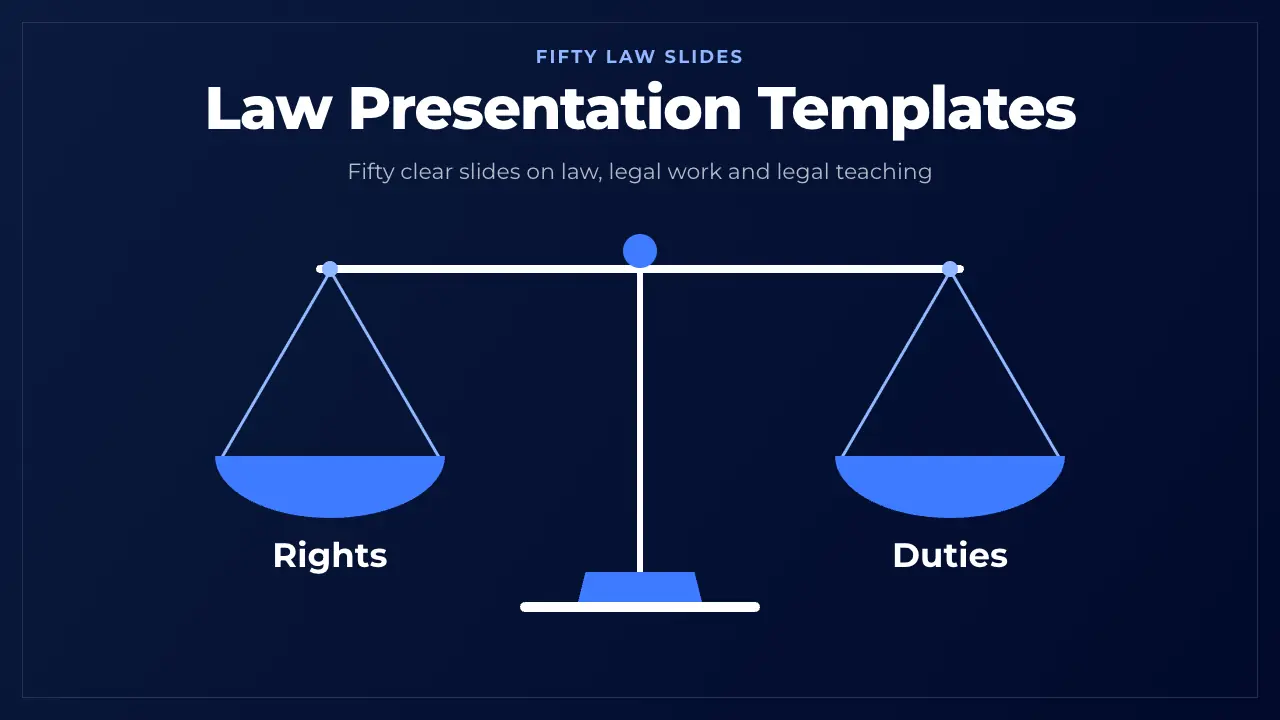
1 · Scales Of Justice CoverThe opening slide of the law pack: a pair of balanced scales drawn from editable shapes, its two pans reading Rights and Duties. Use it to open a lecture, a practice briefing or a training on any general legal subject.
2 · Icon Grid Of Eight AreasEight fields of law, each with its own icon, in two calm rows. Use it as the map at the start of an introduction to law, or to show the fields a team works in.
3 · Temple Of Four ColumnsA classical temple drawn from shapes, its four columns naming what law is for: order, fairness, protection and resolution. Use it to open a teaching unit or to frame a talk on why rules exist.
4 · Branching Tree Of LawA tree from one root to two branches and six leaves: public law on the left, private law on the right. Use it in a law class or an introduction to show how the fields relate.
5 · Stepped Pyramid Of SourcesFour centred layers rank the general sources of law, from founding rules down to agreements and custom. Use it in teaching to explain why one rule can give way to another. The exact order differs from one legal system to another.
6 · Photo Beside Four PointsA tall photo beside four short points on where law touches an ordinary week: work, home, shopping and travel. Use it to make the subject feel close before a class or a talk.
7 · Honeycomb Of Six HexagonsSix interlocking hexagons name the ideas behind the rule of law, from equality to independence. Use it in teaching or as a values slide for a legal team.
8 · Comparison With Versus DiscTwo cards compare civil and criminal matters by who brings them, their aim, the standard of proof and the usual outcome. It is a general teaching overview, and the details differ from one legal system to another.
9 · Four Giant LettersThe teaching method IRAC in four giant letters: Issue, Rule, Application and Conclusion. Use it in a law class when students start to read and brief cases.
10 · Three Columns On A Full PhotoA lecture hall under a navy overlay carries the three formats of a law class: lecture, seminar and moot. Use it to explain a course to new students.
11 · Vertical Steps Beside A PhotoFive numbered research steps run down one line beside a tall photo of students at work. Use it to teach a research routine to students or new team members.
12 · Concentric Rings To A CoreFour rings narrow from all the material a search returns to the few sources an answer rests on. Use it when teaching how to filter research.
13 · Twelve-Week Module RulerA ruler of twelve weeks with four module bands, from foundations to a final moot. Use it to show the outline of a law course or a training programme.
14 · Seven Chevrons In One RowSeven chevrons carry a legal matter from intake to close, each with its stage and a short caption. Use it as the master picture when explaining how a practice runs its work.
15 · Photo Band Over Four ColumnsA wide photo band sits over four columns on what a first client meeting usually covers: listen, clarify, explain and agree. It is general information and does not replace the advice of a qualified lawyer.
16 · Decision Flow With Yes And NoA decision flow from a new enquiry through a search of the records to one question: is there a conflict? Use it to explain the routine to a new team. Each practice follows its own professional rules.
17 · Folder With Five TabsA folder with five tabs names the usual parts of an engagement letter, each explained on the sheet under its tab. It is general information only, so ask a qualified lawyer about your own matter.
18 · Day Timeline With Six MarkersSix ring markers on one line follow a sample matter from day 1 to day 90. Use it to show a client or a new colleague what happens when. Real matters differ in length.
19 · Funnel Chart With FiguresA real funnel chart follows a sample year from 600 enquiries to 400 opened matters, with each step’s share of the enquiries beside it. Edit the chart data to show your own figures.
20 · Kanban Board Of Five ColumnsA board of five columns shows where 320 open matters of a sample practice stand, each column’s bar sized to its count, with drafting the fullest. Use it for a weekly team meeting and change the counts each week.
21 · Swimlanes Of Three RolesThree swimlanes show which role carries each task as a matter moves from intake to close. Use it to agree responsibilities inside a legal team.
22 · Staggered Messages On One LineFour messages alternate along one vertical line: confirmation, plan, progress and outcome. Use it to show how a team keeps its clients informed from first reply to final letter.
23 · Checklist Card Over A PhotoA white checklist card overlaps a photo of neat paperwork and names five things that close a matter properly. Use it as a routine for a team or as a teaching example.
24 · Organisation Chart In Three LevelsAn organisation chart in three levels shows how a sample practice of 24 people is set up, from the managing partner to the office team. Change the roles and numbers to fit your own team.
25 · Four Round PortraitsFour round portraits on one line introduce the roles a client usually meets. Replace the photos with your own team and keep the roles or change them.
26 · Unit Chart Of 24 SquaresTwenty-four squares, one for each person, show how a sample practice is made up: partners, associates, paralegals and support staff. Recolour or remove squares to match your own team.
27 · Hub And Spokes Around A PhotoSix skills sit on spokes around a round photo: analysis, writing, listening, negotiation, ethics and organisation. Use it in a careers talk or to frame the training of a legal team.
28 · Rising Stairs Of Five StepsFive rising steps follow a common career path in law, from student to partner. Use it in a careers talk, in recruitment or in a university presentation.
29 · One Proportional BarOne bar drawn to scale splits an eight-hour day into client work, admin, team time and learning. Resize the parts to show how your own team spends its time.
30 · Three Photo CardsThree photo cards introduce the contracts most people meet: sale, service and lease, each in one plain sentence. It is general teaching material and not advice on any contract.
31 · Contract Page With CalloutsA contract page drawn from shapes carries six numbered parts, named on both sides: parties, scope, price, term, liability and ending. It is general information and not advice on any contract.
32 · Zigzag Of Five NodesA zigzag line carries a contract through five stages, from the first draft to renewal or the end. Use it to explain contract work to a team or a class.
33 · Balance Beam On A FulcrumA beam on a fulcrum weighs what each side gives in a negotiation, three blocks on each side. Use it to explain how terms are traded against each other. It is a general picture, not advice on any deal.
34 · Check List On A Full PhotoFive general questions people usually read for in a contract, on a full photo under a navy overlay. It is general information only and says so on the slide: for your own contract, ask a qualified lawyer.
35 · Twelve-Month StripA strip of twelve months marks the four compliance reviews of a year, each with what it looks at. Use it to plan the compliance calendar of a team.
36 · Large Shield With CalloutsA large shield drawn in nested layers stands between five callouts: policy, training, monitoring, reporting and improvement. Use it to explain a compliance programme to staff.
37 · Donut Chart With Key FiguresA real donut chart on navy shows that 96 % of a sample practice completed its compliance training, with the rest in three cards beside it. Edit the chart data for your own figures.
38 · Horizontal Rating ScaleA scale from low to critical with a marker on the current rating and what each level triggers inside a team. It is a sample internal scale, not legal advice.
39 · Photo With Document CardsA photo of neat paperwork beside six cards naming what a team usually collects when a matter opens. It is a general checklist, so ask a qualified lawyer what your own matter needs.
40 · Four Countdown NumeralsFour large numerals count down the internal reminders before a sample deadline: 30, 14, 7 and 1 days. Use it to set a team’s routine. Actual deadlines depend on the matter and on the rules that apply to it.
41 · Line Chart With Key FigureA real line chart shows missed deadlines falling from 6 % in 2027 to 2 % in 2031, so that 98 % are met, beside one key figure. Edit the chart data to report your own team’s record.
42 · Photo Beside Speech BubblesTwo facing speech bubbles beside a photo show a clear exchange between a client and a team, with three habits under them. Use it in client-care training.
43 · Key Figures On A Full PhotoFour key figures of a sample practice stand on a full photo under a navy overlay: people, open matters, client satisfaction and deadlines met. Replace them with your own numbers.
44 · Pie Chart With Area LegendA real pie chart splits the 320 open matters of a sample practice by area of law, with each share and count beside it. Edit the chart data to show your own workload.
45 · Column Chart By YearA real column chart across the slide shows new matters growing from 400 in 2027 to 560 in 2031. Edit the chart data to show your own figures.
46 · Area Chart On NavyA real area chart on navy shows the sample revenue of a practice from $4.0M in 2027 to $5.6M in 2031, under a row of three key figures. All figures are samples, so replace them with your own.
47 · Horizontal Bars Of Three RatesA real bar chart compares three sample hourly rates: partner, associate and paralegal. The figures are invented samples to show the layout, so replace them with your own.
48 · Three Pricing CardsThree cards, the middle one raised, compare the common fee models with sample figures: hourly, fixed fee and retainer. All prices are invented samples.
49 · Stacked Columns By RoleA real stacked column chart splits the 170 monthly hours of a partner, an associate and a paralegal into billable and other hours, with an average of 140 and 30. Edit the chart data to compare your own team.
50 · Closing With Round PhotoThe closing slide: a round photo beside three key points, the last of which sends anyone with a matter of their own to a qualified lawyer. Use it to end a talk or a class.
What Is Inside The Pack
A cover with scales of justice, the main areas of law, the purposes of law as a temple, public and private law as a tree, the sources of law, the rule of law in six ideas, civil and criminal matters compared, the IRAC method, research steps, a twelve-week course, the stages of a matter from intake to close, the conflict check, the letter of engagement, a legal team and its roles, the parts and the life of a contract, a compliance year, risk ratings, document lists, deadlines, client communication, workload, sample fees and closing slides. Every label, chart, shape and colour stays editable.
How To Use This Law Template
01
Pick Your Slides
Choose the slides of the law PowerPoint template that your talk needs: the areas of law for an introduction, the stages of a matter for a team, a chart for a practice review.
02
Set Your Colours
Use the colour and font bar to match your brand or your faculty; every slide follows at once.
03
Enter Your Content
Replace the sample roles, figures, fees and years with your own, and the charts redraw from their data.
04
Present Or Download
Present straight from the browser or download the slides as a PPTX file for PowerPoint.
What A Good Law Presentation Shows
A clear talk about law starts with the map and then narrows down. Show the field and how its parts relate before you turn to one process, one document or one routine, so that listeners without legal training can follow.
After that, one idea per slide works best: one diagram for a process, one list for a routine, one chart for a trend. Say plainly what is general information, and point anyone with a question about their own situation to a qualified lawyer.
Which Slide Fits Your Message
For teaching, take the main areas of law on slide 2, the tree of public and private law on slide 4 or the IRAC method on slide 9. To explain legal work, use the seven stages on slide 14, the conflict check on slide 16 or the sample matter of 90 days on slide 18.
For contracts, the anatomy on slide 31 and the life of a contract on slide 32 give the general picture. For running a practice, the compliance year on slide 35, the workload on slide 44 and the sample fee models on slide 48 show where a team stands.
Questions About The Law Template
Is This Law PowerPoint Template Free?
Yes. You can view all 50 slides on this page and download this law PowerPoint template as a PPTX file with a free account.
Is This Law Presentation Template Legal Advice?
No. The slides are general information for teaching and presenting. They say nothing about any person's own matter, rights or chances, so please ask a qualified lawyer about your own situation.
What Does The Law Template Cover?
It covers law as a general subject and a working field: areas of law, the stages of a legal matter, team roles, contracts in general terms, compliance, documents, deadlines, client communication, workload, sample fees, research and teaching.
Who Is This Slide Pack For?
This law PowerPoint template suits lecturers, law students, legal teams, practice managers, compliance officers and anyone who presents on how legal work is organised.
Does It Name Real Cases Or Laws?
No. The slides name no real case, statute, court, country or law firm. They speak about law in general terms, so you can add the material that applies to your own course or team.
Are The Fees And Figures Real?
No. Every fee and figure is an invented round sample of a practice, marked as a sample where it could be read as a price. Replace them with your own.
Can I Edit The Charts And Diagrams?
Yes. The charts are real charts you edit by their data, also in PowerPoint, and the diagrams are built from shapes you can move, resize and recolour.
Try ExpertSlides AI For Free — The Ultimate AI Presentation Maker
Describe any topic or upload a document, and ExpertSlides designs and writes the whole deck — editable in the browser and as a PowerPoint file.

 Sports Presentation Templates50 slides
 Pharmacy Presentation Templates50 slides
 Technology Presentation Templates50 slides
 Real Estate Presentation Templates50 slides
 World Map Templates50 slides
 USA Map Templates50 slides
 Architecture Presentation Templates50 slides
 Science Presentation Templates50 slides