Space Presentation Template: 40 Magenta Orbs Slides
A complete space deck in one look: deep navy turning violet, magenta glows, a field of stars, glass cards and real space photography. Change the colours and fonts of every slide at once, let the AI build your own deck in this look, download it as PowerPoint or edit each slide in the editor.
This space presentation template is a whole talk about space exploration in 40 slides: a cover with the title in a glass box over the Earth's horizon, an agenda, six chapter breaks, and slides on the planets, the way to orbit, life on a space station, satellites, the Moon and Mars and deep space. Every slide wears the Magenta Orbs look — navy turning violet, soft magenta glows, a field of stars and glass cards — so the deck reads as one piece from the first slide to the last.
The pictures are real, not drawn spaceships: an astronaut on a spacewalk, a rocket lifting off at night, the Milky Way, a ringed planet, Europe at night seen from orbit, an aurora along the Earth's curve, and floating cut-outs of the Earth, Mars, the Moon, a helmet, a capsule and a telescope. The facts on the slides are the well-known ones, and every other figure is marked as a sample, so the space PowerPoint template works for a school talk, a lecture or a briefing.
A free account downloads the slides as a PPTX file whose texts, shapes, charts and pictures stay editable. You can also stay in the browser: pick your colours and fonts in the bar above the slides, describe your topic and let the AI build your own deck in this look, or open the slides one to one in the editor.
Your Space Talk In This Look
Describe your topic — a mission, a planet, a lecture on the night sky — or attach your notes. ExpertSlides builds your own deck in the Magenta Orbs look in a few minutes, with your words and your figures.
Each slide with its words: what it shows and when to use it.
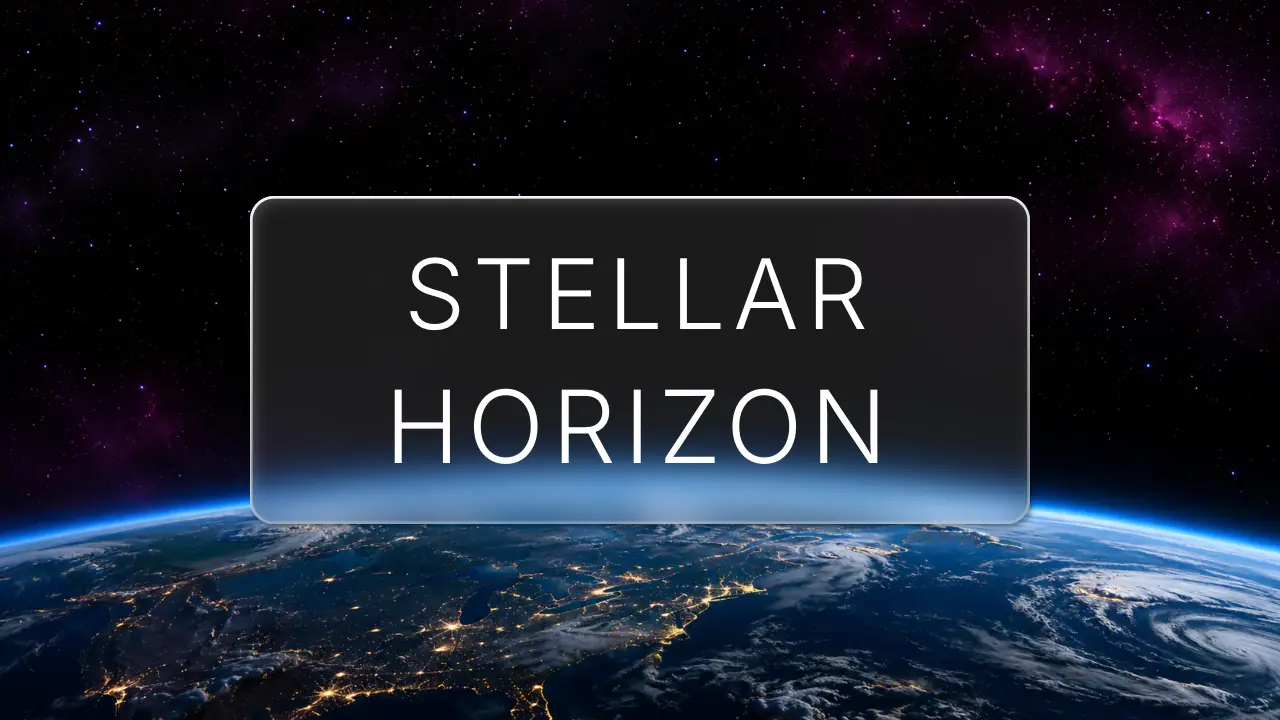
1 · Cover With The Words In A Glass BoxThe opening slide: the Earth's curved horizon seen from orbit fills the slide, and the deck's title stands in one large glass box in its middle. Replace the two words with your own title; the box and the photo stay as they are.
2 · Agenda With Six ChaptersAn agenda of six chapters in two columns of glass cards, each with a number pill, the chapter title and one line about it; an astronaut floats beside them. Use it right after the cover to show the path of the talk. Put one chapter in each card and keep every caption to a single short line.
3 · Introduction With A Large PhotoAn introduction: a large rounded photo of an astronaut on a spacewalk fills the left half, the right half holds a kicker, the headline, a short lead and three points with magenta markers. Use it to open the talk with the reasons behind the topic. Write one idea per point: a short title and one line under it.
4 · Four Key Figures In Glass CardsFour key figures in four equal glass cards in one row: a large light figure in magenta, its unit and a two-line label. Use it to sum up a topic in a few numbers the audience will remember. Put one figure in each card, name its unit and say in one short line what it means.
5 · Section Break With SaturnA chapter opener: the chapter number large in a magenta-to-violet gradient, the chapter's title and one line about it, with saturn floating on the right. Use one for every part of the talk.
6 · Two-Card Planet ComparisonTwo families side by side in two glass cards: a tag, a title, the members in one line and three short points each, with Jupiter floating over the second card. Use it to set two groups against each other. Put the group names in the titles and keep every point to one line.
7 · Distance Scale With Five MarkersOne long axis with five markers: a large figure and its unit above each marker, a name and a one-line caption under it, and a quiet note at the foot. Use it for distances, sizes or any scale that grows in big steps. Keep the figures short and say in the note how to read them.
8 · Full-Bleed Photo StatementA statement over a full-bleed photo: a kicker, two large light lines and a short lead on the dark left side, the picture free on the right. Use it for the one sentence a chapter stands on. Keep each line to two or three words.
9 · Section Break With A RocketA chapter opener: the chapter number large in a magenta-to-violet gradient, the chapter's title and one line about it, with a rocket floating on the right. Use one for every part of the talk.
10 · Five-Step Launch SequenceA sequence of five steps from left to right: an icon tile on one progress line, a time stamp in a pill above it, a title and a two-line caption under it. Use it for any process in a fixed order. The times here are approximate samples: put in your own.
11 · Anatomy Of A RocketA labelled diagram: a heavy rocket stands in the middle and five callouts name its parts from the payload fairing down to the engines, each with one line on what it does. Use it to explain how any object is built — swap the titles and captions for your own parts.
12 · Photo With Three Numbered PointsA tall photo of a rocket launch at night on the left, and on the right a headline, a short lead and three numbered points in glass rows. Use it for a decision or a rule with three conditions; each point takes a title and one line.
13 · Bar Chart With Two Key FiguresA bar chart of six years in a large glass card, and beside it two key figures in cards of their own: the growth over the period and the busiest year. Use it for any yearly count; the figures here are samples and are marked so.
14 · Section Break With An AstronautA chapter opener: the chapter number large in a magenta-to-violet gradient, the chapter's title and one line about it, with an astronaut floating on the right. Use one for every part of the talk.
15 · Daily Timeline In Six StepsA horizontal timeline of one day: six ring markers on one axis, the time large above each, a title and a short caption under it. Use it for a daily schedule, an agenda by the hour or any run of six moments; the times shown are a sample.
16 · Photo Band With Three CardsA wide photo band under the headline and three glass cards beneath it, each with an icon tile, a title and a two-line caption. Use it to show one place or object and name its three main parts. Put the picture of the whole on top and one part into each card.
17 · Portrait With Four Role CardsA portrait photo in a tall rounded frame on the left and four glass cards in a two-by-two grid on the right, each a role with an icon tile and a short caption of its duties. Use it for a team, a crew or any four roles. Put one role into each card and say what it is responsible for.
18 · Quote With A HelmetA quote slide: a large floating object on the left, a magenta quotation mark, the quote in large light type over three lines and the speaker’s role beneath it. Use it for one sentence the audience should remember. Keep the quote to three lines and name a role, not a person.
19 · Four Rising StepsFour glass steps rising from left to right, each with a number pill, a title and a two-line caption, and a figure standing at the top of the stairs. Use it for a path with four stages that build on each other. Put one stage on each step, the first at the bottom left and the goal at the top right.
20 · Section Break With The EarthA chapter opener: the chapter number large in a magenta-to-violet gradient, the chapter's title and one line about it, with the earth floating on the right. Use one for every part of the talk.
21 · Three Orbits DiagramA diagram of three orbits as concentric arcs around a small Earth, with a satellite on the outer arc and a legend of three rows. Use it to explain levels, layers or zones that lie around one centre. Give each row a short tag, a name, a range and what belongs there.
22 · Full Photo With Key FigureA full-bleed photo with the kicker, the headline and a one-line lead on its dark top band, and one key figure in a small glass card at the bottom left. Use it for a statement that a strong picture carries. Keep the lead to one line and the figure to one number with a short caption.
23 · Six Icon Cards In A GridSix glass cards in a grid of three by two, each with a magenta icon tile, a title and a two-line caption. Use it for six uses, services or benefits of equal weight. Keep every title to one or two words and every caption to two lines.
24 · Text Left, Photo RightA headline across the top, a lead and three short points with magenta markers on the left, and a large photo in a rounded frame on the right. Use it to explain one idea beside a strong picture. Give each point a short title and a caption of two lines.
25 · Photo And Donut ChartA photo in a rounded frame on the left and a donut chart with its legend in a glass card on the right. Use it to show how a whole splits into up to five parts. Replace the sample figures with your own and keep the caption that says what they are.
26 · Section Break With MarsA chapter opener: the chapter number large in a magenta-to-violet gradient, the chapter's title and one line about it, with mars floating on the right. Use one for every part of the talk.
27 · Four Key Figures With The MoonThe Moon floats large on the left; on the right four glass cards in a two-by-two grid each hold one key figure and its label. Use it for four numbers that describe one object or topic. Put the number large and name it in two or three words.
28 · Full Photo With Headline On The SkyA full-bleed photo of the lunar surface with the Earth rising. The kicker, the headline and a two-line lead stand on the dark sky at the top left, the surface and the Earth stay free. Use it for one strong statement that opens a topic.
29 · Roadmap With Five MilestonesA roadmap on one horizontal axis: five milestones stand by turns above and below it, each with its year large, a title and a two-line caption. Use it for a plan over several years or phases. A quiet note marks the years as a sample.
30 · Two-Column Comparison With Row LabelsA comparison of two subjects in four rows: the row labels stand in the middle, the values large in glass cards to their left and right, each column under its head with a small magenta marker. Use it to set two options, places or products side by side on the same measures.
31 · Four Challenges In Glass RowsFour points in a column of glass rows, each with an icon tile, a title and one short line, beside a floating landing capsule. Use it for risks, challenges or requirements. Keep each line short enough to stay on one line.
32 · Section Break With A TelescopeA chapter opener: the chapter number large in a magenta-to-violet gradient, the chapter's title and one line about it, with a telescope floating on the right. Use one for every part of the talk.
33 · Statement In A Glass Box On A PhotoA full-bleed nebula photo with one centred glass box that holds a kicker, the headline and a one-line lead. Use it for a single strong statement or to open a topic inside a chapter. Keep the lead to one line.
34 · Tall Photo With Four Key FiguresA tall photo in a rounded frame on the left and four key figures in a two-by-two grid of glass cards on the right: a large figure, its unit and a two-line caption. Use it for the numbers that define a subject. The figures here are rounded, established values.
35 · Three Steps On A Vertical LineA vertical process of three numbered steps on a thin line, each with a title and a two-line caption, beside a tall photo that fills the right side of the slide. Use it for a method, a workflow or any short sequence. Keep every caption to two lines.
36 · Light Travel Time BarsFive horizontal bars of growing length compare how long light needs from the Earth to five bodies, from the Moon to the nearest star. Each row names the body at the left and sets the time at the end of its bar. Use it for any ranking over a very wide range; a note says that the scale is not linear.
37 · Go / No-Go Checklist With PhotoA photo of a mission control room fills the left half; on the right a checklist of five go / no-go checks, each with a magenta check tile, its name and one line of what is checked. Use it for any readiness list, a set of conditions or a sign-off before a decision.
38 · Three Key TakeawaysThree tall glass cards in a row hold the talk's takeaways: a large magenta number, a title and a caption of three lines each. A space station floats above the cards at the top right. Use it to close a chapter or the whole talk with the three points the audience should keep.
39 · Three Goals With Tall PhotoOn the left the headline, a lead and three goals as glass rows, each with a number pill, a title and one line; on the right a tall photo of a sunrise over the Earth seen through a station window. Use it for an outlook, next steps or the goals of a plan.
40 · Closing With The Words In A Glass BoxThe end, built like the cover: one large glass box in the middle of the starfield with the closing words, and a quiet line under it for questions. Change the words to your own close.
What Is Inside The Pack
A cover and a closing slide with the words in a glass box, an agenda, six chapter breaks with floating cut-outs, key figures, comparisons, a launch sequence, the anatomy of a rocket, a day on a space station, the crew's roles, a quote, three orbits, a donut and a bar chart, a sample roadmap, light travel times, a go for launch checklist, key takeaways and the road ahead — 40 slides, 30 real space pictures, each used once.
How To Use This Space Presentation Template
01
Pick Your Slides
Open the space presentation template and keep the slides your talk needs: the cover, the agenda and the chapters you speak about. Each chapter break opens a part of the talk.
02
Put In Your Words
Retype the headlines and the short texts. The facts on the slides are the well-known ones; replace every figure marked as a sample with your own.
03
Change The Look If You Like
Pick other colours or fonts in the bar above the slides and every slide follows at once — the glows, the cards and the charts included.
04
Download Or Present
Download a PPTX file with a free account, or present straight from the browser. The pictures and charts stay editable in PowerPoint.
Which Slide For Which Part Of A Space Talk
Open with the cover (slide 1) and the agenda (2), then say why we explore with the spacewalk photo (3) and four key figures of life in low orbit (4). For the planets, compare the rocky worlds with the giants (6), show the distances on one scale (7) and let the ringed planet carry a statement (8).
For the way to orbit, the launch sequence (10), the anatomy of a rocket (11), the launch window (12) and a sample chart of launches a year (13) explain how a rocket climbs. Life on board follows with a day on a station (15), its modules (16), the crew's roles (17), a quote (18) and the path from selection to launch (19).
The Earth from above has three orbits (21), the lights of Europe at night (22), six uses of satellites (23), the magnetic shield (24) and a sample donut chart of satellites by purpose (25). The Moon and Mars bring the Moon in numbers (27), the lunar surface (28), a sample roadmap (29), Moon versus Mars (30) and the challenges of long missions (31).
Deep space closes the talk: where stars are born (33), the Milky Way in four figures (34), how we read the sky (35) and how long light travels (36). End with the go for launch checklist (37), the key takeaways (38), the road ahead (39) and the thank you slide (40).
A Space PowerPoint Template With Real Pictures
Many space templates show drawn rockets and glowing spaceships. This pack uses photographs: a launch at night, a station above the blue Earth, an astronaut on a spacewalk, an aurora, the Moon's craters and a nebula. Fifteen of them fill the picture frames, and fifteen cut-outs on a transparent ground float on the starfield, so the slides stay calm and real.
In PowerPoint every picture is a picture you can replace, every text a text box and the two charts real charts that you change through their data. The glass cards are shapes with a soft fill and a thin line, and the cover's glass box blurs the photo behind it, as PowerPoint's own glass does.
Questions About The Space Presentation Template
Is this space presentation template free?
Yes. You can look at every slide here, change its colours and fonts and edit it in the browser for free; a free account downloads the space presentation template as a PPTX file.
Can I use it as a space PowerPoint template?
Yes. The download is a PowerPoint file with 40 slides whose texts, shapes, pictures and charts stay editable, so it works as a space PowerPoint template for school, university or a briefing.
Are the pictures real photographs?
They are realistic space pictures made for this pack: an astronaut, a rocket launch, the Milky Way, planets and the Earth seen from orbit — no futuristic spaceships. You can replace any of them with your own.
Are the facts on the slides correct?
The facts are the well-known ones: the Moon's distance, the speed and height of a station in low orbit, the time light takes from the Sun, the size of the Milky Way. Every other number, like the launches a year or the satellites by purpose, is marked as a sample.
Can I change the colours?
Yes. Pick other colours or fonts in the bar above the slides and the whole space presentation template follows at once — the ground, the glows, the cards and the charts.
Can the AI make my own deck in this look?
Yes. Describe your topic or attach your notes, and Fill With AI builds your own deck in the Magenta Orbs look in a few minutes.
Which slides are inside?
A cover, an agenda, six chapter breaks, key figures, comparisons, a process, a timeline, a roadmap, two charts, a team slide, a quote, a checklist, key takeaways and a closing slide — 40 in all.
Try ExpertSlides AI For Free — The Ultimate AI Presentation Maker
Describe any topic or upload a document, and ExpertSlides designs and writes the whole deck — editable in the browser and as a PowerPoint file.

 Sports Presentation Templates50 slides
 Pharmacy Presentation Templates50 slides
 Technology Presentation Templates50 slides
 Real Estate Presentation Templates50 slides
 World Map Templates50 slides
 USA Map Templates50 slides
 Architecture Presentation Templates50 slides
 Science Presentation Templates50 slides