
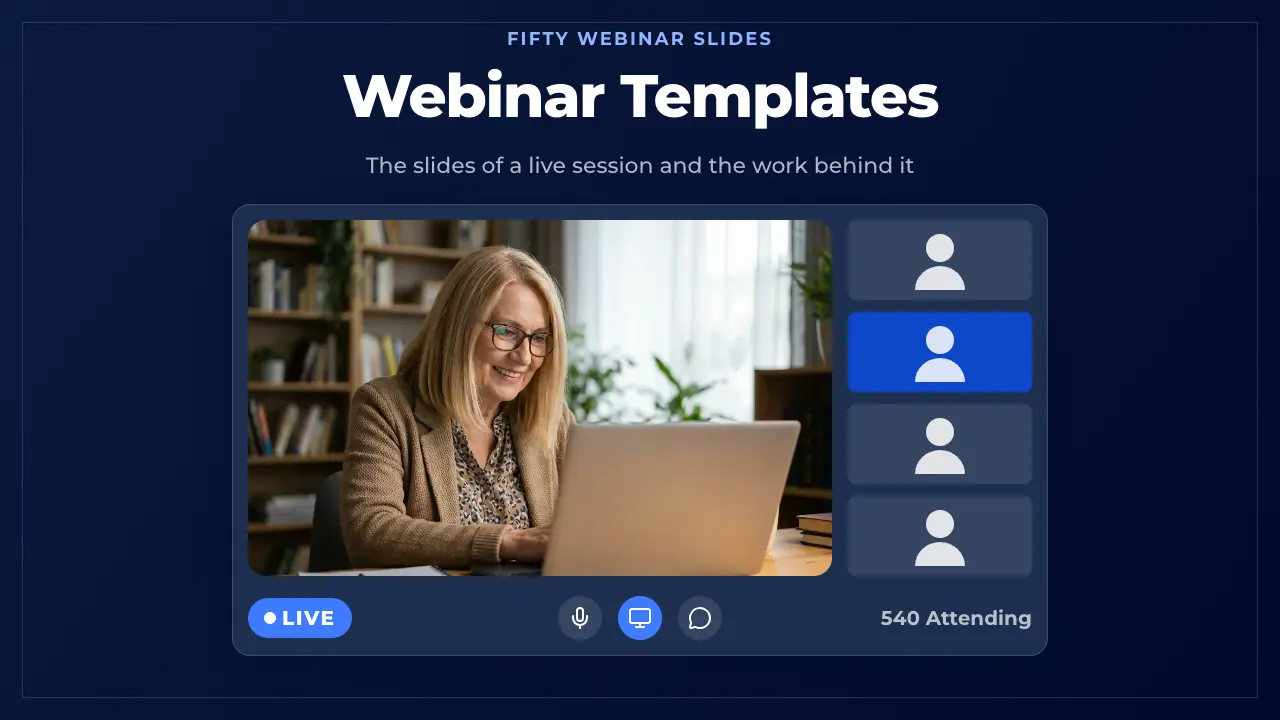
Template Pack · Webinar
Webinar Template Pack: 50 Editable Slides
Fifty webinar slides in one calm blue look, from the title and the agenda to the live poll, the Q&A and the thank you, with the planning, promotion and follow-up behind them. Change the colours and fonts, enter your own session and download the slides as PowerPoint.
- 50 slides
- 16:9
- PowerPoint
This webinar template pack holds both halves of an online session: the slides your audience sees live, and the working slides your team uses to plan it. As a webinar PowerPoint template it downloads with native shapes and real charts, so you can move, resize and retype everything on a slide.
The slides are neutral, with general sections, roles instead of names and round sample figures that fit any team. Every screen, control and chat is a plain drawing, so the deck suits whichever software you broadcast with.
Similar Template Packs
 Sports Presentation Templates50 slides
 Pharmacy Presentation Templates50 slides
 Technology Presentation Templates50 slides
 Real Estate Presentation Templates50 slides
 World Map Templates50 slides
 USA Map Templates50 slides
 Architecture Presentation Templates50 slides
 Science Presentation Templates50 slides
What Is Inside The Pack
Title and speaker slides by role, an agenda with minute stamps, housekeeping, a live poll, a live question, a demo frame, chapter breaks, key takeaways, a Q&A queue, resources and a thank you, followed by the work behind them: topic, formats, run of show, roles, technical checks, promotion, registration, reminders, follow-up, replay, budget and results.
How To Use This Webinar Template
Pick Your Slides
Open the webinar template and choose the slides for your session, from a short talk with a poll to a full hour with a demo and Q&A.
Set Your Colours
Use the colour and font bar to bring the slides, charts and headings into your own look.
Add Your Session
Type in your topic, speakers by role, timings and figures, and edit the chart data with your own results.
Present Or Download
Present in the browser, share a link, or download the deck as a PPTX file for PowerPoint.
Slides For The Live Hour
Open with the speakers on slide 2, today's agenda on slide 4 and the housekeeping on slide 5, so nobody has to ask how the session works. Slide 6 runs a quick poll, slide 7 puts one question to the room, and slide 8 frames a live demo in three steps.
Slides 9 and 10 give the audience a breath between chapters. Slide 11 holds the three key takeaways, slide 12 opens the Q&A with the most-voted questions, slide 13 lists the resources to keep, and slide 15 closes with a thank you and a rating.
The Work Behind A Webinar
Slide 16 plans a session in six steps, slide 17 tests a topic, slide 20 lays out the run of show by the minute, and slide 22 spreads the preparation over eight weeks. Slides 24 and 25 settle who does what, and slides 26 and 27 cover the technical check and the fallbacks.
For promotion, slide 29 is the calendar, slide 30 the invitation and slide 31 the registration page. Afterwards, slide 33 follows the funnel from invitation to lead, slide 37 shows who stayed, slide 39 plans the follow-up, slide 40 tracks the replay and slide 44 sets the budget against the return.
Frequently Asked Questions
Is this webinar PowerPoint template free?
Yes. You can view all 50 slides here, and a free ExpertSlides account lets you edit the webinar template and download it as a PPTX file.
Does it work with my webinar software?
Yes. The webinar template shows no platform or logo: every screen, control and chat is a plain drawing, so you can share the slides from whichever software you broadcast with.
Can I edit the charts and shapes in PowerPoint?
Yes. Texts, shapes and connectors stay editable, and the charts on slides 6, 21, 32, 33, 34, 37 and 40 are real PowerPoint charts that you change through their data. Only the navy half of slide 10 belongs to its background.
Which slides do I show during the session?
Slides 1 to 15 are made for the live hour: title, speakers, agenda, housekeeping, poll, live question, demo, chapter breaks, takeaways, Q&A, resources, next step and thank you.
Which slides help me plan a webinar?
Slides 16 to 31 cover the planning: the steps, the topic, the audience, the format, the run of show, the roles, the technical checks, the promotion and the sign-up page.
Which slides measure the results?
Slide 33 shows the funnel, slide 36 the attendance, slide 37 the retention, slide 38 the engagement, slide 42 the results against targets and slide 44 the return on the budget.
Can I change the colours and fonts?
Yes. The colour and font bar recolours all 50 slides at once, and you can also change any single shape, chart or text in the editor.
Can the AI build a deck for my topic?
Yes. Press Fill With AI, describe your topic and your audience, and the AI builds a webinar deck of your own in this look, with your words and figures.
Try ExpertSlides AI For Free — The Ultimate AI Presentation Maker
Describe any topic or upload a document, and ExpertSlides designs and writes the whole deck — editable in the browser and as a PowerPoint file.
Build Your Webinar Deck Today
Open the slides in the editor, make them yours and present or download them in minutes.