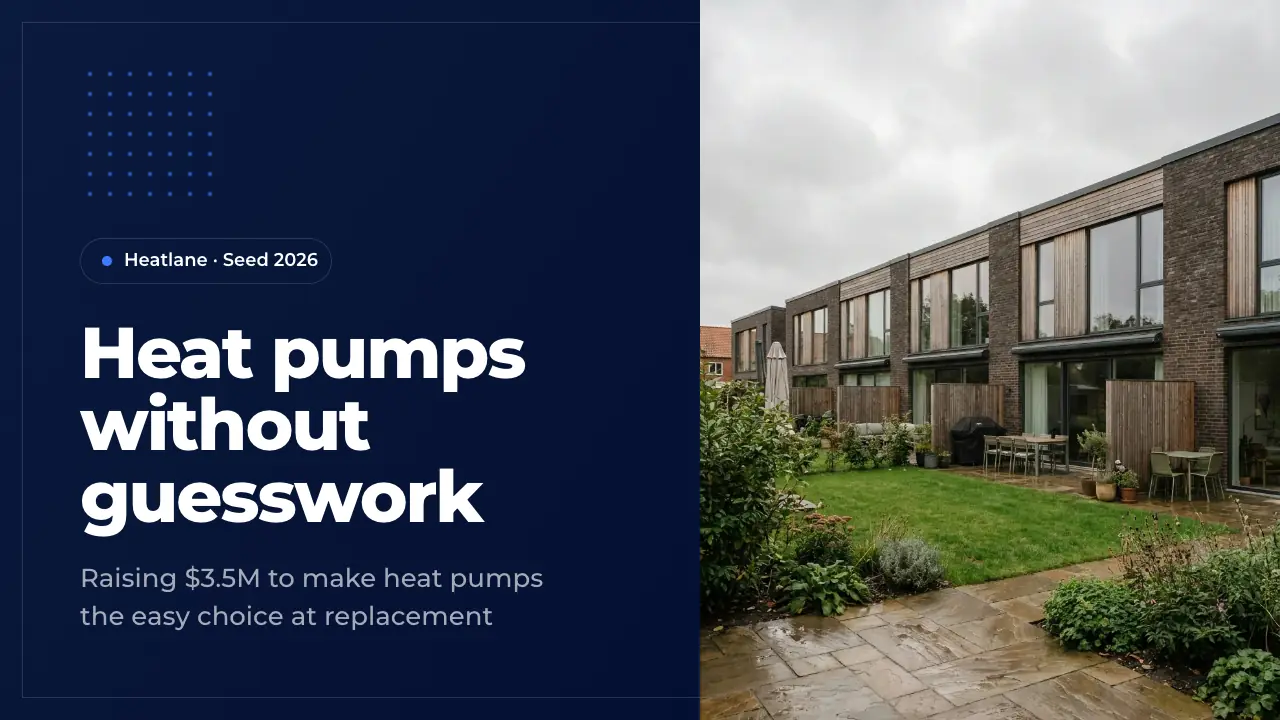
Fifty company profile slides in one calm blue look, from the cover and the key figures to the leadership team, the locations and the goals ahead. Every slide is a finished layout with round sample figures you replace with your own.
This company profile template gives you 50 slides that introduce a firm the way clients, partners and investors expect: who you are, where you come from, what you offer and the figures that prove it. As a company profile template PPT, it downloads as an editable PowerPoint file, and every slide opens in the ExpertSlides editor exactly as you see it here.
The pack is neutral, so it fits any business in any industry. The firm is simply called Our Company, people appear by role, locations by type and clients by kind, and every figure is a round sample. Change the colours and fonts in the bar above, or describe your own company and let the AI build a deck in this look for you.
Your Own Company Profile In Minutes
Describe your company or attach your notes, and the AI writes and builds your profile in this blue look.
All 50 slides with their words. Open any slide in the editor or download the whole pack as PPTX.
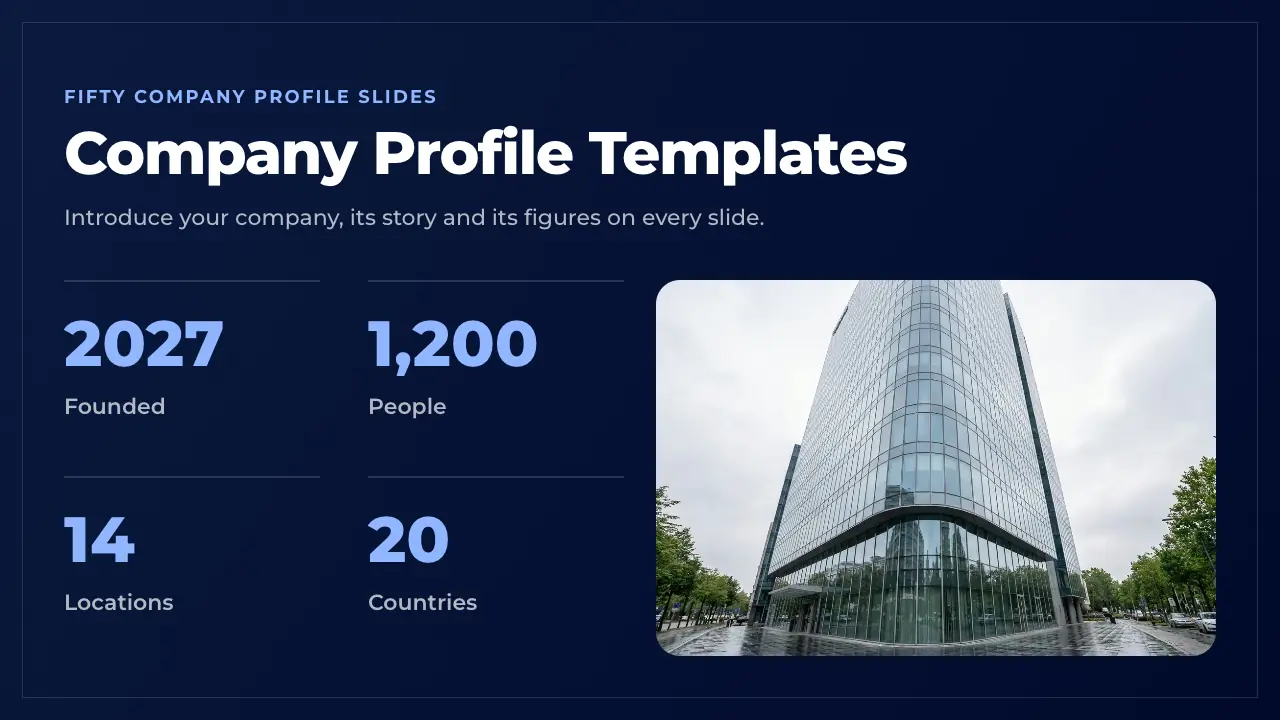
1 · Cover With Key Figures And PhotoThe opening slide of a company profile: the title, a one-line promise and the four figures that introduce any firm at a glance — year founded, people, locations and countries. A photo of the company's building or team fills the right. Replace the figures with your own and keep the four short labels.
2 · About Us Beside A PhotoAn about-us slide: a short paragraph says what the company does, three fact rows with icons give the founding year, the headcount and the number of locations. The photo at the left shows the team at work. Use it right after the cover.
3 · Six Key Figures In Two RowsThe company at a glance in six large figures, each with a bold label and a one-line caption. Use it early in the profile so the audience knows the size of the firm at once. Swap in your own six figures; keep each caption to one short line.
4 · Mission And Vision CardsTwo equal cards put the mission and the vision side by side, each with an icon, a one-line statement and a short explanation. Use it to show why the company exists and where it wants to be. Keep each statement to a few words.
5 · Company History On One AxisThe company's story told as five milestones on one line, from its founding to its next goal. Each milestone has a year, a short title and a two-line caption; the last marker, a ring, is the goal still ahead. Replace the years and milestones with your own.
6 · Four Service Cards With SharesWhat the company offers in four equal cards: an icon, the name of the service line, a three-line description and the share of revenue it brings. Use it to show the range of the business at a glance. Rename the service lines and adjust the shares so they add up to 100 per cent.
7 · Leadership Portraits In A RowThe leadership team as four round portraits on one line, each with a short role, the full title and a two-line note on what the role leads. Use it to put faces to the company. Replace the photos with your own leaders and keep the roles short.
8 · Five Values As HexagonsThe company's values as five hexagons in one row, each with an icon, a one-word title and a two-line explanation. Use it to show what the company stands for. Keep each value to one word and its explanation to one short sentence.
9 · Locations By Type In ColumnsWhere the company works, told by type of location: five columns with an icon, the number of sites, the type and its task. A line at the foot gives the total. Use it instead of a map when the places matter less than what each one does.
10 · Revenue Columns With Key FigureRevenue growth as eight rising columns, one a year, with the value above each and the latest year in the full highlight. A card at the right gives the latest revenue and the growth rate. Replace the values with your own; the column heights follow them.
11 · Client Types As Share BarsWho the clients are, by type: four horizontal bars show the share of large enterprises, mid-sized firms, public bodies and start-ups, with the total number of clients at the top right. Use it to show whom the company serves. Replace the types and shares with your own.
12 · Industries Under A Photo BandThe industries the company serves, as six icons in one row under a wide office photo. Each industry has a short label and a two-line note on the kind of clients. Swap the photo for one of your own work and adjust the industries.
13 · Certifications As ShieldsThe company's certifications as four shields in a row, each with an icon, the year it was first awarded, the field it covers and a short note. Use it to show proof of quality, security and safety. Name your own certificates and the years they were awarded.
14 · Fact Sheet Beside A PhotoThe company's key facts as a calm list of six rows — founded, headquarters, people, revenue, locations and clients — beside a tall photo. Use it as a fact sheet in a short profile or a proposal. Replace the values with your own and keep one fact a row.
15 · Five-Step Way Of WorkingHow the company works with its clients, in five steps on one line from the first talk to ongoing support. Each step has an icon, a one-word title and a two-line note. Rename the steps to match your own process.
16 · Organisation Chart With Four DivisionsThe structure of the company as a simple chart: the chief executive at the top, four divisions below, each with an icon, the role that leads it and its headcount. Use it to show how the company is organised. Rename the divisions and roles to match your own structure.
17 · Headcount With Function BandThe team in numbers: the headcount as a large figure, three facts about the people beside it and one band that splits the workforce by function. Use it in the people section of a profile. Replace the figures and the shares with your own.
18 · Vertical Milestones With Key FigureThe milestones of the company on a vertical line, each with its year, a title and one line of detail, beside a card that holds the key figure of today. Use it to link the story of the company to where it stands now. Replace the milestones and the figure with your own.
19 · Client Quote On A PhotoA single client quote in large type on a full-bleed photo under a navy overlay, with the role of the person and the kind of client under it. Use it to let a client speak for the company. Quote a real client with their permission and name them by role and industry.
20 · Three Reasons With Large NumeralsThree reasons to choose the company, each under a large pale numeral and a thin line, with a bold title and a three-line explanation. Use it to state the company's strengths in a calm, confident way. Replace the reasons with the ones your clients name most.
21 · Sustainability Goals With Progress BarsThe company's sustainability goals as four progress bars beside a photo: renewable power, recycled waste, emissions cut so far and the way to net zero. Use it to show where the company stands on its environmental promises. Replace the goals and percentages with your own.
22 · Three Ring GaugesThree key performance figures as ring gauges on the navy ground, each with its percentage in the centre, a title and a short explanation. Use it to prove the quality of the company's work in numbers. Replace the figures with your own; the arcs follow the percentages.
23 · Three Solution Cards With PhotosThe company's solutions on three cards, each with a photo at the top, a title, a two-line description and one figure that shows its size. Use it to present products or service lines in a visual way. Swap the photos for pictures of your own work.
24 · Reach In Concentric CirclesThe reach of the company as three circles, one inside the other: the home market in the centre, nearby markets around it and overseas markets at the edge, each with its number of countries. The total sits at the right with a line on each circle. Use it instead of a map when the places matter less than the scale.
25 · Revenue Donut With LegendThe revenue of the company split by service line in a donut, with the total in its centre and a legend of four rows with amounts and shares. Use it in the financial section of a profile. Replace the service lines and shares with your own; the arcs follow the shares.
26 · Growth Stages As Rising StairsThe growth of the company as five rising steps, each a stage with its year and headcount, from a start-up in 2027 to the goal for 2035. Use it to show how far the company has come and where it is heading. Replace the stages and figures with your own.
27 · Executive Board In Six RolesThe executive board as six roles in two columns, each with an icon, the role and its area of responsibility in one line. Use it when the profile introduces management by role rather than by face. Rename the roles to match your own board.
28 · Key Figures Beside A Full PhotoFour key figures stacked on the navy ground, each with a label and a short caption, beside a photo that runs to the edges of the slide. Use it to pair the company's scale with a picture of its people. Replace the figures with your own and choose a photo of your team.
29 · R&D Key Figure With Focus AreasResearch and development at a glance: the yearly budget as a large figure with its share of revenue, the number of engineers and patents, and three focus areas with icons. Use it to show how the company invests in its future. Replace the figures and focus areas with your own.
30 · Three Pillars Of ResponsibilityCorporate responsibility in three pillars — people, planet and community — each on a tall card with an icon, one key figure and a short explanation. Use it to show what the company gives back beyond its business. Replace the figures with your own results.
31 · Partner Network Around A HubThe company at the centre with six kinds of partners linked to it: technology partners, universities, suppliers, associations, investors and local communities. Each has an icon and a one-line note on what it brings. Use it to show the network the company works in.
32 · Culture With Two PhotosLife at the company shown with two photos of colleagues, a short paragraph on how the company treats its people and three benefits with check marks. Use it in the careers or culture part of a profile. Replace the photos and benefits with your own.
33 · Four KPI CardsFour financial highlights on equal cards, each with an icon, a label, one large figure and a short note on the change. Use it in the financial part of a profile or an investor summary. Replace the four figures with your own key results.
34 · Awards As Four MedalsThe awards the company has won, shown as four medals in a row with the year above and a short note on what each was given for. Use it to add outside proof to the profile. Replace the awards with your own and keep the names short.
35 · Key Figure Ring With Five PromisesOne key figure in a ring at the left — the share of clients who stay — and five promises at the right, each with a check mark and a short explanation. Use it to explain what makes the company different. Replace the figure and the promises with your own.
36 · Headquarters On A Full PhotoThe company's headquarters on a full-bleed photo under a navy overlay, with the title at the left and four figures along the bottom: space, workplaces, the year it opened and its renewable power. Use it to introduce a main site or campus. Swap the photo for your own building.
37 · Alternating History On One AxisThe history of the company in seven steps that alternate above and below one axis, each with its year, a short title and one line of detail. The alternation gives every step room even with seven of them. Replace the years and steps with your own story.
38 · Headcount Bars By FunctionThe workforce split by function in five horizontal bars, each with an icon, the function's name and its headcount. Use it to show where the company's people work. Replace the functions and numbers with your own; the bars follow the figures.
39 · Rating With Stars And Sub ScoresClient satisfaction in one view: the average rating as a large figure with five stars, and four sub scores with thin bars at the right. Use it to show how clients rate the company's work. Replace the rating and the sub scores with your own survey results.
40 · Ownership As One Split BandWho owns the company, shown as one band split by share — founders, investors and employees — with a note on each owner under its part and a line on governance at the foot. Use it in an investor or partner profile. Replace the owners and shares with your own.
41 · Three Strengths Under A Photo BandThree strengths that set the company apart, in three columns with icons under a wide photo of the team at work. Use it as a confident, visual summary of the company's character. Swap the photo and rename the three strengths to your own.
42 · Four Chevrons Of The ServiceThe company's service as four chevrons from advice to operation, each with its number, a two-line explanation and the team that runs it. Use it to show how the parts of the business fit together. Rename the stages and teams to match your own.
43 · Three Goal CardsThe company's goals for 2035 on three cards, each with a large target figure, its subject and a line on where the company stands today. Use it to close a profile with ambition. Replace the targets with your own goals.
44 · Locations As Sized BubblesThe company's locations by type, each as a bubble sized by its headcount, with the number in the bubble and the type and count of sites under it. Use it to show at a glance where the people are. Replace the figures with your own; size each bubble to its share.
45 · Culture Principles Beside A PhotoThe company's culture in three principles, each with a bold title and a short explanation, beside a photo of the team that runs to the slide's edges. Use it in the people or careers part of a profile. Replace the principles and the photo with your own.
46 · Six Capability CardsThe company's capabilities as six cards in two rows, each with an icon, a one-word title and a two-line note. Use it to show the breadth of skills the company brings. Rename the capabilities to your own and keep each title to one word.
47 · Expansion Plan On A Curved RoadThe company's plan for growth as five steps along one curved road, each with its year, a short title and a line of detail. Use it to show where the company is heading next. Replace the steps and years with your own plan.
48 · One-Page Company OverviewThe whole company on one page in three calm columns: a short overview, four key figures and the four service lines with icons. Use it as a summary at the start or the end of a profile, or as a one-page handout. Replace the texts and figures with your own.
49 · Team Photo With Three FiguresA wide photo of the team across the top of the slide, with the title and three figures about the people under it: headcount, nationalities and average tenure. Use it to put the people of the company first. Swap in a photo of your own team.
50 · Closing Slide With Three Next StepsThe closing slide of a company profile: a thank-you, the invitation to work together and three cards with the next steps — start a project, visit a location or join the team. Use it as the last slide. Adjust the three steps to what you want your audience to do.
Fifty Forms Of A Company Profile In One Blue Look
A cover with four key figures and a photo of an office building; who we are beside a photo; six key figures at a glance; mission and vision on two cards; the company's story on one axis, as a vertical timeline beside a key figure, as rising stairs and year by year above and below one line; four service lines on cards, as chevrons from advice to operation and on one page with the key figures; the leadership team as round portraits, the executive board in six roles and the organisation as a simple chart; values as hexagons; locations by type, by size as bubbles and the reach in three circles; clients by type as share bars, the industries served and a client quote on a full photo; revenue as rising columns and as a donut by service line; financial highlights, performance rings, client satisfaction and the ownership structure; certifications as shields and awards as medals; the team in numbers, the workforce by function, life at the company and its culture; sustainability goals, corporate responsibility, research and development and the partner network; goals for 2035, the expansion plan on a curved road and a closing slide with three next steps.
How To Use This Company Profile Template
01
Pick Your Slides
Choose the slides your company profile template needs: a short profile works with ten, a full one for a tender or an investor meeting with twenty or more.
02
Set Your Look
Pick the colours and fonts in the bar above, or apply your own Design Kit, so every slide carries your brand.
03
Put In Your Facts
Replace the sample figures, roles and texts with your own. Keep the short titles and one idea a slide, and the layouts stay calm.
04
Present Or Download
Present straight from the browser, share a web link or download the deck as an editable PowerPoint file.
What A Company Profile Should Show
A good company profile answers what a new client or partner asks first: who you are, what you do, how big you are and why they should trust you. Open with the key figures and a short statement of who you are, then show your offer, your people and your proof — clients, certifications, awards and results.
Keep each slide to one point. Slide 3 puts six figures on one page, slide 6 shows four service lines with their share of revenue, and slide 13 lists the certifications with the year each was awarded. Close with your goals and a clear next step, as slide 50 does.
A Company Profile Template PPT For Every Occasion
The same pack serves a sales meeting, a tender, an investor update, a careers fair or the first day of new colleagues. For a sales meeting lead with your clients and results; for investors with revenue, ownership and goals; for new hires with culture, values and life at the company.
Because every slide is built from editable shapes, texts and icons, you can reorder, shorten or recolour the profile in the editor or in PowerPoint without breaking the layout.
Company Profile Template FAQ
Is this company profile template free?
Yes. You can view all 50 slides, edit them in the browser and download the company profile template as a PPTX file with a free ExpertSlides account.
Can I use it as a company profile template PPT in PowerPoint?
Yes. Download PPTX gives you an editable PowerPoint file: texts, shapes, charts and icons stay editable, and the photos can be replaced with your own.
Which sections does a company profile need?
Most profiles cover who you are, your story, what you offer, key figures, leadership, locations, clients, values and certifications. This company profile template has slides for each of them, plus finances, culture, sustainability and goals.
Can the AI build a profile of my own company in this look?
Yes. Describe your company or attach a fact sheet or brochure, and Fill with AI writes and builds a new deck in this design with your own content.
Can I change the colours and fonts?
Yes. Pick colours and fonts in the bar above the slides, or apply your own Design Kit. Every slide follows the change, on the navy, light and white grounds alike.
Are the names and figures real?
No. The firm is simply called Our Company, people appear only by role, locations by type and every figure is a round sample that you replace with your own.
How many slides should a company profile have?
A short profile for a first meeting works with eight to twelve slides; a full profile for a tender or an investor pack may use twenty to thirty. Pick the forms that suit your story.
Try ExpertSlides AI For Free — The Ultimate AI Presentation Maker
Describe any topic or upload a document, and ExpertSlides designs and writes the whole deck — editable in the browser and as a PowerPoint file.