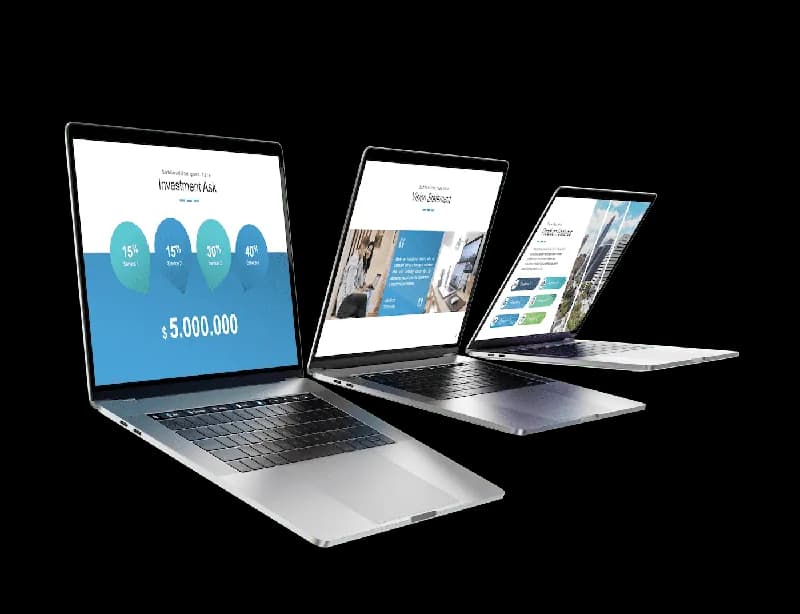
Presentation help comes in three layers that are often confused. Design makes slides look professional. Content decides what the deck says and in which order. Delivery coaching prepares the speaker. A PowerPoint expert usually covers design and the technical side; a presentation agency adds content and storytelling; a speaking coach handles delivery. Knowing which layer you need is the first step to buying the right help.
The options side by side
| Option | What you get | Best for | Typical turnaround |
|---|---|---|---|
| Freelance PowerPoint expert | Redesign of your content, clean masters, animations, technical fixes | Decks with good content that look amateur | Days |
| Presentation design agency | Story, structure, copy, design, sometimes video and coaching | High-stakes keynotes, launches, investor decks | Weeks |
| In-house design team | Brand-consistent decks and templates | Large organisations with many decks | Depends on the queue |
| Template marketplace | A finished design you fill yourself | Tight budgets, simple decks | Immediate, plus your time |
| AI presentation maker | A complete designed draft from a prompt or your documents | Fast first drafts, frequent decks | Minutes, plus your review |
What a PowerPoint expert does
A good PowerPoint designer takes your slides — often dense, inconsistent and text-heavy — and turns them into a clean, consistent deck: clear hierarchy, charts redrawn for the point, pictures that fit, animations that reveal the story. Just as valuable, they build things right: a proper slide master and layouts, theme colours and fonts, editable charts, so the deck survives your later edits. Many also build company templates (see our guide to making your own PowerPoint template).
What they usually do not do is decide your message. If the content is unclear, a designer will make an unclear deck look good. Fix the story first, or hire someone who does both.
What a presentation agency adds
Agencies start earlier: workshops to find the message, interviews with stakeholders, a storyline, copywriting, then design, sometimes custom illustration, motion and video, and rehearsal coaching for the speaker. That depth makes sense for decks that will be seen by thousands, used for years or carry a large decision. For a weekly sales deck it is usually too much.
What drives the cost
Prices vary widely by country, experience and scope, so there is no honest single figure. Freelancers often quote per slide or per hour, agencies per project. What moves the price:
- Number of slides and how many are unique layouts versus repeats.
- Content work: redesigning finished text is cheaper than writing the story.
- Custom elements: illustrations, icons, infographics, animations and video take time.
- Brand work: building a template or master adds a one-off cost but pays back on every later deck.
- Rounds of changes and the deadline: rush jobs and open-ended revisions cost more.
How to brief a presentation designer
The quality of the result depends on the brief more than on the designer. A good brief fits on one page:
Write a one-page briefAny
Purpose and audience
Who will see the deck, what they know, and what they should do afterwards. “Persuade the procurement team to shortlist us” is a purpose; “a nice deck” is not.
A one-page presentation brief The one message
The sentence the audience must remember. If you cannot write it, the designer cannot design it.
Content and sources
Your draft slides or notes, the figures with their sources, logos and pictures you own, and anything that must not change (legal wording, approved figures).
Format and use
Presented or read? Live, on a call, or sent as a file? 16:9? Will others edit it in PowerPoint or Google Slides?
The format section of the brief Brand and examples
Brand guidelines and template, plus two or three decks or websites whose look you like — and one you do not.
Deadline and rounds
The final date, the dates for drafts, and how many rounds of changes are included.
How to judge the result
- Read only the titles. They should tell the story on their own.
- Edit something. Change a figure in a chart, add a bullet, insert a slide from a layout. A deck built properly takes it without breaking.
- Open it on the target computer. Fonts, videos and links must work where the deck will be shown.
- Check the numbers against your sources — designers retype more than you think.
- Present a slide aloud. If you find yourself reading it, it still has too much text.
Where AI fits
AI presentation makers have changed the economics for everyday decks. They draft a complete, designed deck from a prompt or a document in minutes, which covers much of what people used to hire help for: structure, layouts, consistent design, charts. They do not replace judgement — you still decide the message and check every fact — and for a once-a-year keynote, a human designer’s craft and a coach’s feedback are still worth it. A common mix today: AI for the draft and the routine decks, an expert for the template and the few decks that matter most.
| Situation | Better choice |
|---|---|
| A weekly sales or status deck | AI draft, your edits |
| A deck built from a long document | AI draft from the document, your review |
| A company template for everyone | A PowerPoint expert, or a brand kit in an AI tool |
| A keynote for a large audience | Agency or expert, plus coaching |
| An investor deck | AI or expert for the draft, a mentor for the story |
Where to find a good presentation expert
- Recommendations from colleagues who had a deck made — ask to see the before and after.
- Freelance platforms, filtered for presentation design and for reviews that mention decks like yours.
- Specialised presentation agencies for larger projects; most show case studies with the client’s problem and the result.
- Your own organisation: marketing or communications teams often have designers or approved suppliers, and a template you must use anyway.
Whoever you choose, start with a small paid test — redesigning three slides of your deck — before committing a whole project. It shows how they think, how they handle feedback and whether their files are built properly.
Designs for this kind of deck
Every design brings its own colours, fonts and layouts to the whole deck.



ExpertSlides: the expert’s draft in a minute
ExpertSlides is built to do the routine part of a presentation designer’s work. You describe the deck or attach your documents, choose a design, and the AI writes the structure, chooses a layout for every slide from the design’s library, writes each text to fit its place, turns figures into charts and fills picture frames. Every element stays editable, instructions in plain words change what you want, and Magic Fix tidies a slide’s layout after your edits.
For a company look, brand kits (Pro and Business) read your colours, fonts and logo from your template, brand guide or website and put them on every new deck — the job a template designer would otherwise do. When a designer or colleague continues in PowerPoint, the export (Pro and Business) writes native, editable objects. Many teams use both: ExpertSlides for drafts and everyday decks, an expert for the moments that need a human touch.
Compare plans on Pricing, see how the AI presentation maker works, and browse the Design Templates. For doing it yourself, start with presentation design rules; for another tool’s approach, read our Beautiful.ai review.
Questions, answered
What does a PowerPoint expert do?
A PowerPoint expert redesigns your content into a clean, consistent deck, redraws charts, adds purposeful animation and builds the file properly with masters, theme colours and editable charts. Most do not write your message for you.
How much does a presentation designer cost?
It varies widely by country, experience and scope. Freelancers often charge per slide or per hour, agencies per project. Number of slides, content work, custom graphics, brand work and deadlines drive the price; compare quotes on the same brief.
What should a presentation brief include?
Purpose and audience, the one message, content and sources, format and use, brand guidelines and examples, the deadline and the number of revision rounds.
Should I use AI or hire a presentation designer?
AI fits frequent and everyday decks and drafts from documents; a human expert fits company templates and the few high-stakes decks where craft and coaching matter. Many teams combine both.
Can ExpertSlides replace a presentation designer?
For drafts and everyday decks it does much of a designer’s routine work: structure, layouts, consistent design and charts, with brand kits for company looks. For major keynotes a human designer and coach still add value.