30 60 90 Day Plan Template: 50 Editable Slides For The First 90 Days In A New Role
Fifty 30-60-90 day plan slides in one blue look, each a different form of the first 90 days: phase cards, chevrons, stairs, tracks with checkpoints, sprints, workstream bands, quota bars and plans beside a photo. Change the colours and fonts of all of them at once, let the AI build your own deck in this look, download them as PowerPoint or edit each slide in the editor.
This 30 60 90 day plan template holds 50 slides, and each one shows the first 90 days in a new role in a different form: three phase cards for Learn, Contribute and Lead, three chevrons with goals and measures, stairs that rise to full quota, a track with the reviews at day 30, 60 and 90, six two-week sprints, workstream bands, a countdown on a photo and a one-page summary. All of them share one blue look on light, white and navy grounds, so any five of them sit in one deck without looking borrowed.
Most files give you three empty boxes headed 30, 60 and 90. Here every slide is a finished plan with its phases, goals, actions and measures written out in neutral sample content that fits anyone who starts something new — a new hire, a new manager, a team lead, a sales lead or an executive taking over a team — with roles instead of names and round sample figures. Beside the overviews you find the work around the phases: the first week day by day, the people to meet, the quick wins, the review meetings with your manager, the pitfalls and the plan for year one presented on day 90.
If you searched for a 30 60 90 day plan PowerPoint template free to download, a free account downloads the slides as a PPTX file whose texts and shapes stay editable. You can also stay in the browser: pick your colours and fonts in the bar above the slides, describe your new role and let the AI build your own deck in this look, or open the slides one to one in the editor.
Your New Role In This 30 60 90 Day Plan Look
Describe the role you are starting, the team, what your manager expects and what you want to have done by day 90. Or attach the job description or your notes. ExpertSlides builds your own deck in this look in a few minutes, with your phases, your goals and your measures.
Every slide is a complete 30-60-90 day plan with neutral sample content — three phases with their goals and measures in a few words, roles instead of names and round figures — that fits any new role. Replace its texts, days and figures with yours.
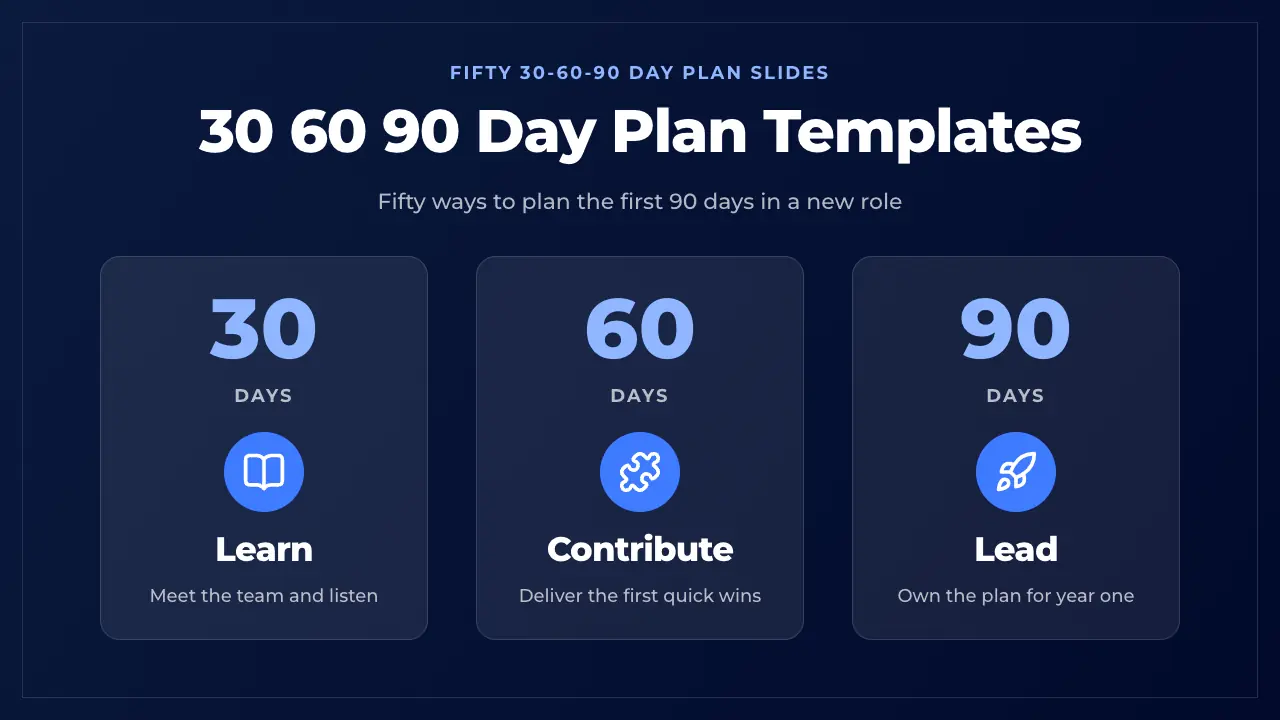
1 · Title Slide With Three Phase CardsA title slide that is a 30-60-90 day plan itself: kicker, headline and lead stand centred over three equal cards, one for each phase. Each card shows its day figure, an icon and the phase with a one-line goal. Use it to open an onboarding plan, a new manager's plan or a plan for any new role.
2 · Three Phase Cards With MeasuresThe classic plan in three equal cards: a pill with the days over each card, an icon, the phase, two lines on what happens and the measure that proves it. Use it as the overview of any 30-60-90 day plan before going into the phases one by one.
3 · Photo Beside Three PhasesA tall photo beside the plan of a new manager: three rows with large figures for day 30, 60 and 90, each with a one-line goal and two lines on what to do. Use it for leadership onboarding or any plan that starts with people.
4 · Three Big Numerals Over An AxisThree checkpoints on one calm axis: a very large day figure over each marker and the goal under it, the last marker filled as the end of the plan. Use it to agree with your manager on one clear goal for day 30, 60 and 90.
5 · Three Chevrons With Goals And MeasuresThree chevrons lead from Learn to Contribute to Lead, and a card under each names the phase's goal, its main action and the measure of success. Use it to show in one look what success means in each part of the first 90 days.
6 · Rising Stairs To Full QuotaThree blocks rise like stairs from day 30 to day 90, each with its share of quota on top, the phase inside and a short caption under its foot. A flag on the top step marks the goal. Use it for any ramp to full productivity: a sales quota, a workload or a skill level.
7 · Four Milestones On A Full PhotoA full-bleed office photo under a navy overlay carries the headline and one axis with four ring markers: day 1, day 30, day 60 and day 90. Over each marker stands the day, under it a title and a two-line caption. Use it to open an onboarding plan or to show what a new hire should reach at each milestone.
8 · First Month Week By WeekThe first phase of the plan in detail: a royal blue card holds the phase and its key figure, four white rows beside it show the four weeks, each with a week pill, an icon, a title and one line. Use it to plan the learning month of a new role, one focus a week.
9 · Progress Track With CheckpointsOne thick track runs across the slide, filled up to the current checkpoint and marked We Are Here. Four markers stand for the start and the reviews at day 30, 60 and 90, each with its title and the question the review answers. Use it to agree the review meetings with your manager and to show where the plan stands.
10 · The Middle Phase In DetailThe second phase of the plan in detail: three phase pills show where it stands in the 90 days, and three equal cards hold its goals, its actions and its measures of success. Use it to present what the second month is about and how its results will be measured.
11 · Vertical Timeline Beside A PhotoA vertical line with three checkpoints at day 30, 60 and 90 runs down the left side, each with a bold title and a two-line goal; a tall photo fills the right side. Use it for a new sales lead or any manager taking over a team. Put one clear outcome at each checkpoint.
12 · Six Sprint Columns On An AxisThe 90 days as six two-week sprints: sprint pills on a thin axis, three soft bands over them that group the sprints into the phases Learn, Contribute and Lead, and under each sprint a card with an icon and a short task. Use it for an agile team member or anyone who plans in short cycles. Put one outcome into each sprint.
13 · Three Key Figures In ColumnsThree calm columns, one per checkpoint: the day and the phase, one very large figure, a short rule and a two-line caption, separated by thin hairlines. Use it to show the one measure of success that proves each phase worked. Replace the sample figures with your own targets.
14 · Photo Band Over Three PhasesA photo band across the top carries the headline under a navy shade; under it three columns, one per phase, each with an icon, a pill with its days, a bold title and a three-line text. Use it for the onboarding of an engineer or any specialist role. Name one concrete result for each phase.
15 · Gantt-Like Workstream BandsA scale of three 30-day phases runs across the top; under it four workstreams, each a label at the left and a royal blue band that spans its days, with a short result inside. Use it when several streams of work overlap in the first 90 days. Move the bands to the days each stream really runs.
16 · Hexagon Milestones On One LineFive equal hexagons stand on one thin axis, each with a white icon, its day above and a title with a two-line caption below. Use it to show the milestones of the first 90 days in any new role, from the first day to the approved plan for year one.
17 · Alternating Milestones On One AxisSix milestones sit on one horizontal axis, their titles and captions alternating above and below it with thin connectors, the day next to each marker. Use it for the first 90 days of a product role or any start with six steps from listening to owning the work.
18 · Three Photo CardsThree equal white cards float side by side, each with a photo at the top, a royal blue pill with its days, a bold phase title and a two-line body; small chevrons lead from card to card. Use it to tell the three phases of a new role as three scenes.
19 · Growing DiscsThree discs on one level grow from left to right, each with its day in white, a bold title and a two-line caption under it. Use it to show how the scope of a new role widens from own tasks to own projects to own outcomes.
20 · Arc Over A Key FigureA wide half-circle arc carries three pill markers for day 30, 60 and 90, with the share of full productivity beside each; the key figure stands large under the arc. Use it to show how fast a new hire ramps up to full speed in the first three months.
21 · Day Cards With IconsThe first week of a 30-60-90 day plan as five equal day cards: a weekday pill on a thin axis, the day number and a card with an icon, a title and a two-line caption. Use it to show a new hire or a new manager what each day of week one holds. Put one focus and one concrete step into each day.
22 · Round Portraits On One LineFour round portraits stand on one horizontal axis in the order you meet them, the day in a pill over each and the role with a two-line caption below. Use it to plan the people to meet in a 30-60-90 day plan: your manager, the team, key customers and the leadership team. Put one role, one day and one purpose into each column.
23 · Two Tracks On One ScaleTwo horizontal tracks run in parallel under one scale of days: relationships above, results below, each with a milestone at day 30, 60 and 90. Use it to show that a new role is about people and outcomes at the same time. Put one milestone and one short measure on each marker.
24 · Milestone Cards In Two RowsEight dated milestones of the first 90 days on cards in two rows: the first row runs to day 30, the second from day 45 to day 90, the days in pills on a thin line. Use it when the plan is best told as a series of checkpoints. Put one milestone and one short caption on each card.
25 · Three Phases On A PhotoAn executive's first three months as three columns on a full photo under a navy overlay: a large day figure, a short rule, the phase and a two-line caption. Use it as an opening or summary slide for a leadership onboarding plan. Put one verb as the phase and its main step in each caption.
26 · Quota Bars By CheckpointFour bars rise on one baseline, one for each checkpoint of the first 90 days, with the share of the quota over each bar and the day under it. The last bar is outlined as the target. Use it for a sales ramp or any plan where one measure grows toward a goal; put your own figures and checkpoints in.
27 · Zigzag Of Ups And DownsA zigzag runs across the slide with five day markers on its corners, alternately high and low, each with a title and a short caption. It shows that the first 90 days in a new role are not a straight line. Use it for onboarding talks, mentoring or a new hire's own reflection.
28 · Snake Road In Two RowsA road runs from the top left to the right, turns down and runs back to the bottom left, with seven checkpoints along it from day 1 to day 90. Each checkpoint has its day, a title and one line. Use it to show regular check-ins over the first three months; rename the checkpoints to fit your plan.
29 · Status Report Beside A PhotoA photo stands at the left; at the right a card shows the day of the plan with a progress bar, and three rows show each phase with its own bar and status: Done, In Progress, Next. Use it for the review with your manager at the half-way point or any status update on a 30-60-90 day plan.
30 · Speech Bubbles Over Three PhasesOne axis with three markers, one for each phase of the plan; over each marker a speech bubble with the question that guides the phase, under it the days and a short answer. Use it to open or close a talk about your 30-60-90 day plan with the thinking behind it.
31 · Dates As Large FiguresThe four dates that frame a 30-60-90 day plan, each as a very large day figure over one thin axis: Day 1, Day 30, Day 60 and Day 90, with the calendar date, a title and a two-line caption. Use it to fix the checkpoints of a new role in the calendar from the first day on. Put your own start date and the purpose of each review under the figures.
32 · First Phase Beside A PhotoThe first phase of a 30-60-90 day plan in detail: what to learn in days 1 to 30, as four rows with a check tile, a title and one caption line, beside a calm photo. Use it to show what a new hire or a new manager studies first. Replace the four topics with the areas of your own role.
33 · Three Quick-Win CardsThe middle phase of a 30-60-90 day plan as three quick wins: three floating cards with a large numeral, a title, a two-line text and two pills that rate the effort and the impact. A small bar at the top shows that the plan stands in its second phase. Use it to agree with your manager on the first visible results.
34 · Vertical Timeline With Key FigureThe last phase of a 30-60-90 day plan as a vertical timeline: four steps from the first draft of the year plan to its presentation on day 90, beside a card with the key figure of the phase. Use it to show how a new leader turns what was learned into a plan of their own. Put your own result into the card.
35 · Staggered ArrowsA 30-60-90 day plan as three arrow bands that step to the right, one per phase: guided, supported and independent. Beside each band a short text says who sets the tasks. Use it to agree with a new hire how responsibility moves from the manager to them over the first 90 days.
36 · Round Photo With Four MilestonesA round photo in a royal blue ring stands in the middle; four milestones of the first 90 days sit beside it, two on the left and two on the right, read down the left and then down the right. Each milestone has a day pill, a one-line title and two lines. Use it for the onboarding of a team lead, a new manager or any new hire.
37 · Progress Track At Day 45One thick track runs from day 0 to day 90 and is filled up to today, day 45; the markers up to day 30 carry a check. Under the track each phase shows its status — done, in progress or next — with a title and two lines. Use it for a status update with your manager halfway through the plan.
38 · Swiss One-Page SummaryThe whole plan on one page in three calm columns, split by thin hairlines and no cards. Each column has its figure, the phase, one goal and one measure. Use it as the summary slide of a 30-60-90 day plan in an interview or a first meeting with your manager.
39 · Growth Rings Of InfluenceThree concentric rings show how the circle of influence widens in the first 90 days: the team by day 30, the department by day 60, the company by day 90. Beside the rings each phase has its day, a one-line title and two lines. Use it for a new manager or team lead who grows into the role step by step.
40 · Vertical Chevrons Beside A PhotoThree chevrons stacked one under the other carry the days of each phase; beside each a one-line title and two lines say what happens. A tall photo with rounded corners fills the right. Use it for the plan of a new marketing lead, or any role that audits, tests and then scales.
41 · Curved Road To Day 90The first 90 days drawn as one road that rises from the bottom left to the top right. Four day markers sit on it, each with a short title and a two-line caption beside it, and a flag marks the goal at the end. Use it to show how each phase of a new role builds on the one before.
42 · Phase One Beside A PhotoThe first 30 days as a phase of listening: a photo on the left, on the right a large key figure and a short axis with three markers at day 10, 20 and 30. Each marker names who to listen to and how many conversations it takes. Use it to show the learning phase of a new role in detail.
43 · Milestones With IconsFive milestones on one axis, each a royal blue disc with a white icon, a day pill over it and a short title and caption under it. The sample plan is for a new hire who works remotely: set up, meet on video, weekly check-ins, a goal of their own and a visit to the team. Use it for any plan with five clear moments in the first 90 days.
44 · Three Review Meeting CardsThe three checkpoints of a 30-60-90 day plan as review meetings with the manager: three equal cards on one line, each with the day, the name of the review, a two-line agenda and the rating given. Use it to agree on the reviews before the start and to report the ratings as the plan goes on.
45 · Phases With PitfallsOne pitfall for each phase of the first 90 days: an axis with three day pills and markers, under each a white card with a warning icon, the pitfall as a title and a two-line tip on how to avoid it. Use it to prepare a new hire or a new manager for the traps that come with a new role.
46 · Countdown On A PhotoA countdown of the plan on a full photo under a navy overlay: four very large figures show the days left at each checkpoint, from 90 at the start to 0 when the plan is presented. A thin axis with dots ties the figures together, each with a short title and a two-line caption. Use it to show how the 90 days run toward one moment.
47 · Five Arrow StepsFive touching arrow steps in a row, from pale blue to deep royal, each with its time above it, carry the plan from the time before the first day through the three phases to the time after day 90. Under each arrow a bold title and a two-line caption say what happens in that step. Use it when the plan should start with the preparation and end with the goals for year one.
48 · Three Ring GaugesThree white cards, one for each phase of the plan, each with a ring gauge and a large figure for the share of goals met: 100 % in the learning phase, 80 % in the second and 60 % in the third. Under each gauge the days, the phase and a two-line note say what was met and what moved. Use it to report the results of a 30-60-90 day plan at day 90.
49 · Now, Next, Later Beside A PhotoA full-height photo on the left and, on the right, the first 90 days as three plain steps: now, next and later, each with its days in a royal blue pill and a two-line note. Thin hairlines part the steps. Use it in onboarding to tell a new colleague what to expect in each month.
50 · Three Phases Into One ResultOne axis with three checked markers for the phases at day 30, 60 and 90 and a larger flag marker for year one. Under the axis a faint card holds the result of the 90 days as a key figure. Use it at the day 90 review to show that every phase is done and what the plan for year one contains.
Fifty Forms Of A 30-60-90 Day Plan In One Blue Look
A title slide that is a 30-60-90 day plan itself; the three phases as cards with measures, as three big numerals over an axis, as chevrons with goals and measures, as rising stairs to full quota, as growing discs, as staggered arrows from guided to independent, as growth rings of influence and as three calm columns on one page; the 90 days as a progress track with checkpoints and the same track at day 45, as a vertical timeline, as six sprints, as workstream bands, as hexagon milestones, as milestones alternating above and below one axis, as eight milestone cards in two rows, as a zigzag of ups and downs, as a snake road with seven checkpoints, as a curved road with a flag and as five arrow steps from the offer to the goals for year one; the first month week by week, the first week day by day, the middle phase in detail, three quick-win cards, the last phase as a vertical timeline with its key figure and thirty days of listening; the ramp as an arc over a key figure, as quota bars and as three key figures; the stakeholders to meet as round portraits, two tracks for relationships and results, speech bubbles with the question of each phase, four dates as large figures, three review meeting cards with their ratings, pitfalls by phase, three ring gauges of goals met and a closing slide with the plan for year one. Seventeen slides stand on navy and thirty-three on light blue or white, fourteen of them with a photo.
How To Use This 30 60 90 Day Plan Template
01
Pick Your Plan Slides
Look through the 50 slides and note the forms that fit your role: an overview of the three phases, a slide for each phase in detail, a ramp for a sales role, the reviews with your manager. Most plans need four to seven of them.
02
Set Colours And Fonts
Choose your colours and your font in the bar above the slides. The whole 30 60 90 day plan template changes at once, so you see your brand on every slide before you download anything.
03
Put In Your Goals And Measures
Press Fill With AI and describe your new role, or press Edit Slides and replace the sample phases, goals, days and figures by hand, slide by slide, in the editor.
04
Download Or Present
Download the slides as a PPTX file with a free account and copy them into your own PowerPoint deck, or present them to your manager straight from the browser.
Which Slide Fits Which Part Of Your Plan
Start with one overview of the three phases. The three phase cards with measures (slide 2) name what happens in each phase and the measure that proves it; the chevrons (5) add a goal, a main action and a measure under each phase, and the one-page summary (38) puts the whole plan into three calm columns without cards, which suits a job interview. When one goal per checkpoint is enough, take the three big numerals over an axis (4) or the plan beside a photo (3).
Then go into the phases one by one. The first month week by week (8), the first phase beside a photo (32) and thirty days of listening (42) cover the learning phase; the middle phase in detail (10) and the three quick-win cards (33) cover the second month; the vertical timeline with a key figure (34) shows how the last phase turns into the plan for year one. For the very start, the first week day by day (21) gives each weekday one focus, and the round portraits (22) list the people to meet and when.
A role with one number to reach wants a ramp. The rising stairs (6) and the quota bars (26) show the share of quota at each checkpoint, the arc over a key figure (20) shows the share of full productivity, and the three key figures (13) give each phase the one measure that proves it worked. For a role that runs several streams of work at once, the workstream bands (15) show which stream runs on which days, and the two tracks on one scale (23) set relationships above results.
For the reviews with your manager, agree on them before the start with the progress track with checkpoints (9) or the three review meeting cards (44), and fix them in the calendar with the four dates as large figures (31), from Day 1 on 4 January 2027 to Day 90 on 3 April 2027. Halfway through, report with the progress track at day 45 (37) or the status report beside a photo (29); at day 90, the three ring gauges (48) show the goals met and the closing slide (50) presents the plan for year one.
How To Make A 30 60 90 Day Plan In PowerPoint With This Pack
Download the pack as a PPTX file and open it in PowerPoint. Every text is a text box and every card, chevron, marker and bar is a shape, so you change a goal by typing over it and recolour a phase by clicking it. Copy the slides you need into your own presentation and delete the rest.
Give every phase one verb and one measure. The sample plans call the phases Learn, Contribute and Lead, or Assess, Align and Act; a phase that carries five goals is a list nobody remembers. Write the measure as a number your manager can check — ten one-on-ones held, three quick wins delivered, a plan for year one approved — and put it on the slide, as the cards of slide 2 do.
Keep the days the slide was drawn for. Three phases of 30 days read in a few seconds; if your plan starts before the first day or goes on after day 90, take the five arrow steps (slide 47), and if you plan in two-week cycles, the six sprints (12). Where a phase needs more than two lines, give it a slide of its own instead of shrinking the type.
Set colours and fonts before you download. The bar above the slides recolours all 50 at once, which is quicker than changing card after card in PowerPoint. If your organisation has a Design Kit in ExpertSlides, the slides take its colours, fonts and logo instead.
Questions About The 30 60 90 Day Plan Template
Is This 30 60 90 Day Plan Template Free?
Yes. All 50 slides of the 30 60 90 day plan template are free. You can look at every slide and try colours and fonts on this page without an account; a free account, with no credit card, downloads the PPTX file or opens the slides in the editor.
Is There A 30 60 90 Day Plan PowerPoint Template Free To Download?
Yes. Press Download PPTX with a free account and open the file in PowerPoint. Texts stay text boxes and cards, chevrons and markers stay shapes, so you edit the 30 60 90 day plan template there like any slide of your own, and you can copy single slides into an existing presentation.
What Goes Into A 30-60-90 Day Plan?
Three phases of about 30 days, each with its goal, its main actions and the measure that shows it worked — often called Learn, Contribute and Lead. Around them come the first week, the people to meet, the quick wins, the review meetings with your manager at day 30, 60 and 90 and the plan for year one presented at the end.
Which Slide Should I Use In A Job Interview?
Take the one-page summary (slide 38), which shows each phase with its figure, one goal and one measure, or the three phase cards with measures (2). If the role has a quota, add the rising stairs to full quota (6); if it leads a team, the plan of a new manager beside a photo (3).
Are There Slides For A Sales Ramp Or A New Manager?
Yes. For sales roles there are the sales lead's 90-day ramp (slide 11), the rising stairs to full quota (6) and the quota bars by checkpoint (26). For managers and team leads there are the new manager's first 90 days (3), the round portraits of the stakeholders to meet (22), the team lead's onboarding (36) and the executive onboarding plan (25).
Can The AI Build A 30-60-90 Day Plan For My Own Role?
Yes. Press Fill With AI and describe the role you are starting and what your manager expects, or attach the job description. The AI builds your own deck in this look, with your phases, goals and measures, and you can ask for changes slide by slide afterwards.
Can I Change The Colours And Fonts?
Yes. The bar above the slides sets the colours and the font of all 50 slides at once, and the download and the editor take over what you chose. In the editor you can also change a single slide, or put your own Design Kit on the whole deck.
Which Slides Show Progress During The 90 Days?
The progress track with checkpoints (slide 9) marks where the plan stands, the progress track at day 45 (37) and the status report beside a photo (29) show each phase as done, in progress or next, and the three ring gauges (48) report the share of goals met in each phase at day 90.
Try ExpertSlides AI For Free — The Ultimate AI Presentation Maker
Describe any topic or upload a document, and ExpertSlides designs and writes the whole deck — editable in the browser and as a PowerPoint file.

 Meet The Team Presentation Templates50 slides
 Teamwork Presentation Templates50 slides
 Employee Onboarding Presentation Templates50 slides
 Company Culture50 slides
 Business Plan Presentation Templates50 slides
 Timeline Templates50 slides
 SWOT Analysis Presentation Templates50 slides
 Gantt Chart Templates50 slides