Action Plan Template: 50 Editable Action Plan Slides
Fifty action plan slides in one blue look, each a different form of the same idea: one goal, a handful of actions, who does each and by when. Change the colours and fonts of all of them at once, let the AI build your own action plan deck in this look, download them as PowerPoint or edit each slide in the editor.
This action plan template pack holds 50 slides, and each one turns a goal into concrete actions in a different form: the classic list of four actions with owners, due dates and status, a goal card that leads to three actions, a 30-60-90 day plan, a priority sort into do now, schedule, delegate and drop, a status board, progress bars, risks with their countermeasures, the budget of the plan and the next steps. All of them share one blue look on light, white and navy grounds, so any five of them sit in one deck as if they were made together.
Every slide is a finished action plan with neutral sample content on matters any organisation has — on-time delivery, response times, customer satisfaction, costs, onboarding, a rollout or a launch — with roles instead of names, round sample figures and dates in 2027 and 2028. Each action has one owner and one due date, and the status reads the same everywhere: done, in progress, open or late. You see how many actions and words each form carries before you choose it.
If you are looking for a PowerPoint action plan template, a free account downloads the slides as a PPTX file whose texts and shapes stay editable. You can also stay in the browser: pick your colours and fonts in the bar above the slides, describe your goal and let the AI build your own action plan deck in this look, or open the slides one to one in the editor.
Your Action Plan In This Look
Describe your goal, the actions, who owns them and by when, or attach the notes of your last meeting. ExpertSlides builds your own action plan deck in this look in a few minutes, with your actions, your owners and your dates.
Every slide is a complete action plan with neutral sample content — general goals, short actions, roles instead of names and round figures — that fits any team. Replace its goal, actions, owners and dates with yours.
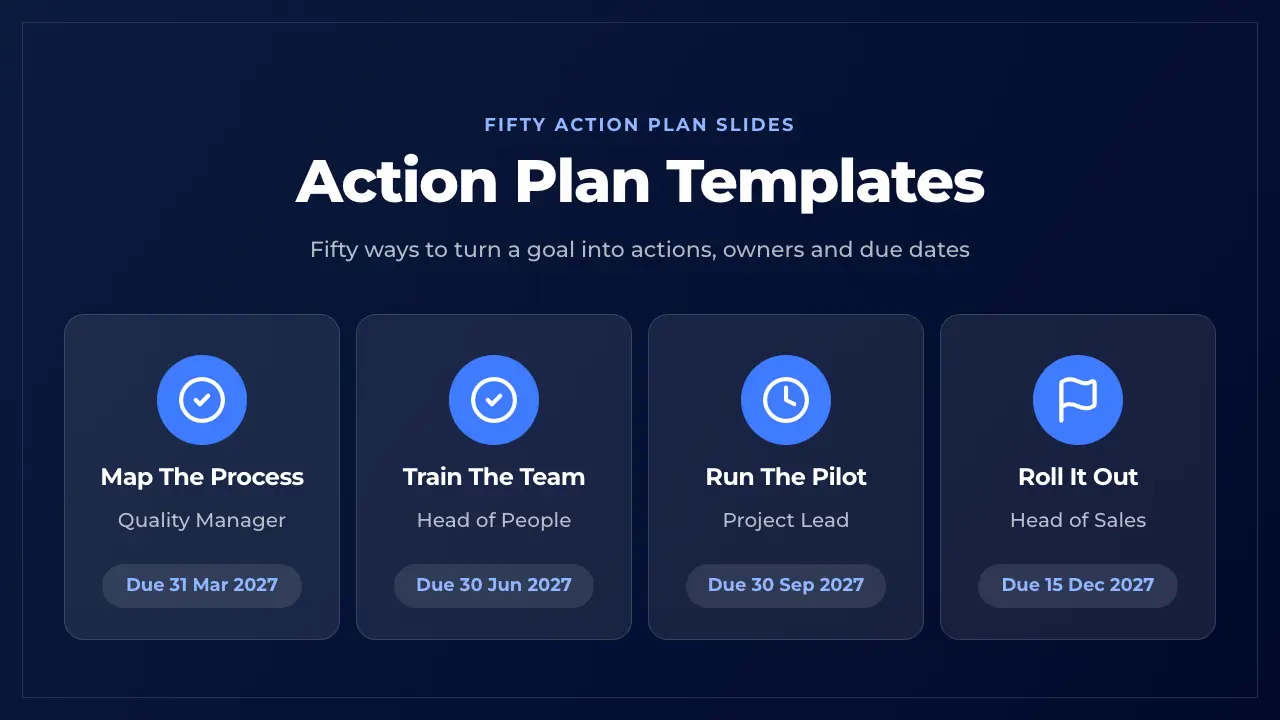
1 · Title Slide With Four Action CardsThe pack's title slide is a small action plan itself: four actions side by side, each with a status icon, the owner's role and the due date. Use it to open an action plan or to show the four main actions at a glance. Replace the actions, roles and dates with your own and swap the icons to show what is done and what is still open.
2 · Action List In Four Row CardsThe classic action plan: one goal in the kicker and four numbered actions in white row cards, each with its owner, its due date and a status pill. Use it as the first slide of any plan or as the weekly status view. Keep one owner and one date per action and update the pills as work moves on.
3 · Four Next Steps Beside A PhotoA short action plan after a workshop: a tall photo at the left and four next steps at the right, each with a check tile, its owner and its due date. Use it to close a workshop or a meeting with clear follow-ups. Swap the photo for one of your own session and keep the steps short.
4 · Goal Card With Three ActionsOne goal and the actions that carry it: a tall royal blue goal card with its key figure at the left, an arrow, and three numbered action cards at the right, each with its owner and due date. Use it whenever one number is the reason for the plan. Put your own target in the goal card and keep three actions or fewer.
5 · Three Horizons In Three CardsThree horizons side by side: what happens this week, this month and this quarter, each as a white card with an icon, the action, a short reason and the owner. Use it to show that a plan starts small and concrete and grows from there. Change the horizons to days, weeks or months as your plan needs.
6 · Three Quick Wins With Big NumeralsThree quick wins side by side on plain white: a large numeral, a short title, one sentence that names the owner and a pill with the effort. Use it to show what a team can finish within a month before the larger actions start. Keep each win small and give it a realistic effort.
7 · Goal And Actions On A Full PhotoThe year's goal as one large figure on a full photo under a navy overlay, and under it the three actions that carry it, each with a short line and its owner. Use it to open a yearly plan with energy. Swap the photo for one of your own team and keep the key figure to one number.
8 · The 30-60-90 Day Plan In Three TilesThe classic 30-60-90 day plan as three slanted tiles in three tones of blue, each with its day, its month and under it the focus and what gets done. Use it for a new role, a new team or the first three months of a project. Change the months and the three verbs to fit your start date.
9 · Four Priorities In Four ColumnsFour columns sort every action of a plan by urgency and importance: do now, schedule, delegate and drop, each with a coloured icon tile, its rule, a sample action and the owner. Use it when a plan has more actions than people and time. Put your own actions into the four columns and agree on what to drop.
10 · Four Owners With Hexagon IconsWho does what by when, in four columns: a hexagon tile with an icon for each role, the role as a title, its action in one sentence and a pill with the due date. Use it to agree on responsibilities in a kick-off or a leadership meeting. Replace the roles, actions and dates with your own.
11 · Four Owners As Round PortraitsEvery action has a face: four round portraits in thin blue rings, a pill with each owner's role above and the action with its due date below. Use it to make ownership visible in a kick-off or a team meeting. Replace the photos with your own team and keep the roles, never personal details, on the slide.
12 · Status Board In Three ColumnsA status board read in a second: three columns for done, in progress and open, each headed by a pill with its count and holding two action cards with owner and date. Use it in a weekly or monthly review to show where every action stands. Move the cards between the columns as the plan moves on.
13 · Progress Bars For Five ActionsHow far each action has come, as five progress bars: the action and its owner at the left, a track with a royal blue fill in the middle and the percentage at the right. Use it in a status report when the question is how far, not what. Update the fills and figures at every review.
14 · Arc Of Progress With Open ActionsA half-circle arc shows how much of the plan is done, with the share as a large figure under its crown, and three white cards name the actions still open with owner and due date. Use it for a status update when most of the work is behind you. Change the arc and the figure together.
15 · Five Actions As Arrows In OrderFive actions that build on each other, shown as five arrows in one row from pale blue to navy, each with its number and verb, and under it the owner and what is done by when. Use it when the order of the actions matters as much as the actions themselves. Keep the verbs short and the dates in order.
16 · Rising Stairs To The GoalFive actions as rising stairs on one baseline, each step higher than the one before, with the action on top and the owner and month inside it; a flag marks the goal on the highest step. Use it when each action lifts the plan one level closer to a launch. Rename the steps and keep the months in order.
17 · Three Actions Beside A PhotoA month's action plan in three numbered rows, each with a short title and one line that ends with owner and date, beside a photo that runs the full height of the slide. Use it for a monthly plan or a short sprint. Replace the photo with one of your own team at work.
18 · Five Due Dates As Large FiguresThe deadlines of a plan as five pale blue cards in a row, each with its due date as a large figure, the action it closes and the owner. Use it when the dates are the message, for instance at the start of a year or a project. Put your own dates in order from left to right.
19 · One Action Per QuarterA year's action plan as four quarter cards, each with one main action, a short line on what it means and the owner in a pill; the current quarter is filled royal blue. Use it for a yearly plan that the whole team can remember. Move the highlight as the year goes on.
20 · Problem, Action, Result CardsA corrective action in one line of thought: the problem, the action and the expected result as three cards joined by arrows, with the action in the middle highlighted. Use it for a single fix that needs a clear reason and a clear target. Keep each card to one title and one sentence.
21 · Four Actions Under A Photo BandA yearly action plan under a wide photo band: four columns, each with an icon tile, the action and one line on what it means, who owns it and by when. Use it as the opening of an annual plan or a strategy update. Swap the photo for one of your own workplace.
22 · SMART Goal In Five Letter TilesThe goal of an action plan checked letter by letter: five tiles for specific, measurable, achievable, relevant and time-bound, each with one short answer, and the whole goal in one sentence at the foot. Use it before the actions, so everyone agrees on what success means. Write each answer in a few words.
23 · Goal Over Three ObjectivesOne goal at the top, three objectives under it and two concrete actions under each objective, each with its month. Use it to show how a big goal turns into work people can start on Monday. Keep the goal to one sentence and each action to one line.
24 · Seven Actions In One RowA whole rollout as seven numbered actions in one row: a royal blue tile with the number, the action in one word and the owner and due date under it. Use it when a plan has many small steps that still fit on one slide. Replace the words and dates and keep each action to one word.
25 · Cost Goal Beside Four ActionsA cost goal as one large figure over a photo at the left, and beside it the four actions that reach it, each with a check tile, its owner and its due date. Use it for any plan with one number as its target. Change the figure, the photo and the four actions.
26 · The Week In Five Day ColumnsA one-week action plan in five day columns: a pill with the weekday and date on one thin line and under it a white card with an icon, the action of the day and its result. Use it for a sprint, a workshop week or the first week of a project. Change the days and keep one action a day.
27 · Six Actions Beside A Round PhotoOne goal in the middle as a round photo with its name, and six actions in two lists at its left and right, each with its owner and month, a title and one line on what it does. Use it when several small actions serve one shared goal. Swap the photo and keep three actions on each side.
28 · Short-Term And Long-Term ActionsEight actions sorted by horizon: one row for the next 90 days and one for the next 12 months, each headed by a pill and holding four cards with the action, its owner and month. Use it to separate quick fixes from the work that takes the year. Move actions between the rows as plans change.
29 · Five Areas In Hexagon TilesOne action in each area of the business: five hexagon tiles with icons for people, process, tools, customers and budget, each with its action in one line and its month. Use it for a yearly plan that touches the whole organisation. Rename the areas to fit your own structure.
30 · Budget Of The Plan As BarsWhat an action plan costs, action by action: five horizontal bars sorted from the largest to the smallest, each with its owner and amount, and the total budget as a key figure at the top right. Use it to ask for or report a budget. Keep the bars in proportion to the amounts.
31 · Three Actions With Three PhotosA quarter's action plan in three columns, each with a photo of the work, its due date, the action and one line that names the owner. Use it when the actions are easy to picture, such as visits, trainings or operations. Replace the photos with scenes of your own team.
32 · Eight Actions In Two ColumnsA whole project plan on one page: eight numbered actions in two calm columns, from defining the goal to reviewing the result, each with its owner and due date. Use it as the master list of a project. Keep the order of the numbers the order of the work.
33 · Start, Stop, Continue CardsThe three decisions of a team review side by side: what we start, what we stop and what we continue, each as a pale blue card with an icon, a short title, one sentence and the owner. Use it after a retrospective or a yearly review. Keep each card to one clear decision.
34 · Plan Status In Three Key FiguresA status report read in one look: three key figures for the actions done, in progress and late, a bar across the slide split in the same proportions and the date of the next review under it. Use it as the opening of a monthly or quarterly status meeting. Update the figures and the segments together.
35 · Service Goal With Photo And Four ActionsA service goal on one slide: a photo and a key figure card with the target at the left, and four actions with icon tiles, owners and due dates at the right. Use it for any plan with one measurable target, such as reply time or delivery time. Change the figure and the four actions.
36 · Six Departments, Six ActionsA company's action plan by department: six pale blue cards in two rows, each with an icon, the department and its one action with the month it is due. Use it to show how a yearly plan lands in every team. Rename the departments to match your own organisation.
37 · Three Risks And CountermeasuresA plan names what can go wrong and who acts: three risks at the left, each joined by an arrow to its countermeasure at the right with what is done, by whom and by when. Use it before a launch or whenever a plan depends on things outside the team. Keep one countermeasure for each risk.
38 · From Today To TargetThe gap between today and the target, closed by three actions: a white card with today's figure at the left, a royal blue card with the target at the right and between them three arrow bands, each with an action, its owner and its date. Use it whenever a plan moves one number. Put your own two figures in the cards.
39 · Round Photo And Four MonthsA launch plan in four months: a round photo with the goal at the left and four columns at the right, each with the month as a large figure, the action, one line on what it means and the owner. Use it for any plan that leads to one date. Change the months and keep one action in each.
40 · Three Actions Aimed At One TargetThree actions aimed at one target: a target of concentric rings with the goal's key figure under it at the left, and three numbered actions at the right, each with a title and one line that names the owner. Use it for a plan with one clear number to hit. Replace the figure and the three actions.
41 · Three Owners With Two Actions EachThe action plan sorted by who is responsible: three white cards, one for each owner, each with an icon, the role and the two actions it owns with their due dates. Use it when every owner should find their own work at a glance. Add or remove a card for each role in your plan.
42 · Three Decisions In Speech BubblesThree open questions that block the plan, each in a speech bubble, with the role that decides, the date and what is on the table under it. Use it to get decisions from a leadership team before work can start. Phrase each question so it can be answered in one word.
43 · Five Quarters Beside A PhotoA growth plan over five quarters: at the left a pill with each quarter, the action and its owner, at the right a photo that runs the full height of the slide and fades into the navy ground. Use it for a plan that runs longer than a year. Fill the first pills to show what is already under way.
44 · Three Phases With Two Actions EachAn action plan in three phases: three large arrows from pale blue to navy with the phase and its months, and under each arrow the two actions of that phase with their owners. Use it when a plan has a clear before, during and after. Rename the phases and keep two actions in each.
45 · The Plan On One PageA whole action plan on one page in three layers: the goal in a royal blue band at the top, three numbered actions with owners and due dates in the middle and the measure of success in an outlined band at the foot. Use it as the summary slide of any plan. Keep the goal and the measure to one line each.
46 · One Action On A Fact SheetThe fact sheet of a single action: a royal blue card with its number, its name and what it changes, and six tiles with the owner, the due date, the budget, the team, the success measure and the status. Use it when one action needs a closer look in a review. Copy the slide for each important action.
47 · Three Commitments Beside A PhotoThree commitments a team makes at the end of a meeting, each with a check, a short title and one line with the owner and the date, beside a large round photo of two colleagues. Use it to close a meeting with promises everyone can hold each other to. Keep the commitments small and concrete.
48 · The Follow-Up Rhythm In Four CardsA plan lives by its reviews: four cards for the daily stand-up, the weekly status check, the monthly numbers review and the quarterly reset, each with what is checked and the role that runs it. Use it at the end of a plan to agree how it is followed up. Change the meetings to the rhythm your team already has.
49 · Next Steps As Three Tagged RowsA closing slide with the next steps: three calm rows, each with an arrow tag for the step, the action and one line on it, and the owner and due date at the right. Use it at the end of any plan presentation so everyone leaves knowing what happens next. Keep it to three steps within one month.
50 · Now, Next, Later Beside A PhotoA closing slide with the plan's three horizons: now, next and later, each with its time in a pill and one sentence on what happens, beside a landscape photo that runs the full height of the slide. Use it to end a plan presentation with the road ahead. Swap the photo and the seasons for your own.
Fifty Forms Of An Action Plan In One Blue Look
A title slide that is a small action plan itself, with four action cards; the classic action list in four row cards, next steps beside a photo, a goal card with three actions, three numbered actions beside a photo, eight actions in two columns, seven actions in one row and the plan on one page for the plain lists; this week, this month and this quarter, the 30-60-90 day plan, one action per quarter, short term and long term, the week in five day columns, five due dates as large figures, four months beside a round photo and now, next, later for plans that follow the calendar; a SMART goal in five letter tiles, goal, objectives and actions, from problem to result, from today to target, a cost goal, a service goal and three actions aimed at one target for the goal behind the plan; who does what by when, owners as round portraits, three owners with two actions each, actions by department and five areas in hexagons for the owners; the priority sort, three quick wins, start, stop, continue, three decisions in speech bubbles and risks with their countermeasures for what comes first; the status board, progress bars, an arc of progress, the status in three key figures, one action on a fact sheet and the budget as bars for the status report; and five actions as arrows, rising stairs to the goal, three phases with two actions each, the follow-up rhythm, three commitments and the next steps to close the plan. Seventeen slides stand on navy, seventeen on light blue and sixteen on white, thirteen of them with a photo.
How To Use This Action Plan Template
01
Pick Your Action Plan Slides
Look through the 50 slides of the action plan template and note the forms that fit your plan: the classic action list for a handful of actions, a goal card when one number matters, a status board when the progress is the message. Most decks need three to five of them.
02
Set Colours And Fonts
Choose your colours and your font in the bar above the slides. All 50 slides change at once, so you see your brand on every form before you download anything.
03
Put In Your Actions
Press Fill With AI and describe your goal and actions, or press Edit Slides and replace the sample actions, owners and dates by hand, slide by slide, in the editor.
04
Download Or Present
Download the slides as a PPTX file with a free account and copy them into your own PowerPoint deck, or present them straight from the browser.
Which Action Plan Slide Fits Which Job
A plan starts with its goal. The SMART goal in five letter tiles (slide 22) checks that the goal can be measured, the goal card with three actions (4) puts one key figure before the work, and from today to target (38) shows the gap that the actions close. When the goal breaks down into several objectives, goal, objectives and actions (23) gives each objective its two actions.
A list wants owners and dates. The classic action list in four row cards (2) gives each action its owner, its due date and a status pill, who does what by when (10) sets four roles side by side, and three owners with two actions each (41) sorts the plan by the person responsible. Write roles rather than names, so the slide stays valid when the team changes.
A plan in time wants its horizons. This week, this month and this quarter (5), the 30-60-90 day plan (8), one action per quarter (19) and now, next, later (50) each split the actions by when they happen, and the week in five day columns (26) plans a sprint day by day. Five due dates as large figures (18) puts the deadlines first when they are the message.
A review wants its status. The status board (12) sorts the actions into done, in progress and open, the progress bars (13) show how far each action has come, the arc of progress (14) and the status in three key figures (34) give the whole plan in one number, and the next steps (49) close the meeting with what happens in the next thirty days.
How To Make An Action Plan In PowerPoint With This Pack
Download the pack as a PPTX file and open it in PowerPoint. Every text is a text box and every card, tile and bar is a shape, so you rename an action by typing over it and recolour a status pill by clicking it. Copy the slides you need into your own presentation and delete the rest.
Keep the number of actions the slide was drawn for. Four actions with owner and date are read in a few seconds; at twelve the type shrinks until nobody at the back can read it. If your plan is longer, show the key actions and give the rest as a count (slide 34), sort them by priority (9), or split them into phases (44) or departments (36).
Write the actions the way the pack does. An action starts with a verb and runs to two to four words, the line under it names one owner and one due date, and the status uses the same four words on every slide: done, in progress, open and late. A goal holds one number and one date, so everyone can check later whether it was reached.
Set colours and fonts before you download. The bar above the slides recolours all 50 at once, which is quicker than changing card after card in PowerPoint. If your organisation has a Design Kit in ExpertSlides, the slides take its colours, fonts and logo instead.
Questions About The Action Plan Template
Is This Action Plan Template Free?
Yes. All 50 slides of the action plan template are free. You can look at every slide and try colours and fonts on this page without an account; a free account, with no credit card, downloads the PPTX file or opens the slides in the editor.
Can I Use It As A PowerPoint Action Plan Template?
Yes. Press Download PPTX and open the file in PowerPoint. Texts stay text boxes and cards stay shapes, so you edit the action plan template there like any slide of your own, and you can copy single slides into an existing presentation.
Which Slide Is Best For A Simple Action Plan?
Start with the classic action list in four row cards (slide 2): four numbered actions, each with its owner, its due date and a status pill. For more actions, the eight actions in two columns (32) or the plan on one page (45), with the goal above the actions and the measure of success below them, hold the whole plan on one slide.
Which Slides Show The Status Of A Plan?
The status board (slide 12) sorts the actions into done, in progress and open, the progress bars (13) show how far each action has come, the arc of progress (14) puts the share of finished actions in one large figure, and the status in three key figures (34) counts done, in progress and late actions with one bar under them.
Which Slides Show Who Does What By When?
Who does what by when (slide 10) sets four roles side by side with one action and one due date each, the owners as round portraits (11) give every action a face, three owners with two actions each (41) sorts the plan by the person responsible, and actions by department (36) gives each team one action and its month.
Can The AI Write My Own Action Plan?
Yes. Press Fill With AI and describe your goal and the actions behind it, or attach meeting notes, a project plan or a status report. The AI builds your own action plan deck in this look, with your actions, owners and dates, and you can ask for changes slide by slide afterwards.
Can I Change The Colours And Fonts?
Yes. The bar above the slides sets the colours and the font of all 50 slides at once, and the download and the editor take over what you chose. In the editor you can also change a single slide, or put your own Design Kit on the whole deck.
Is There An Action Plan Slide With Photos?
Yes. Thirteen slides carry a photo, among them the next steps beside a photo (slide 3), the goal on a full photo (7), the owners as round portraits (11), the plan under a photo band (21), three actions with three photos (31), five quarters beside a photo (43) and now, next, later beside a landscape (50). Replace each picture with your own in the editor or in PowerPoint.
Try ExpertSlides AI For Free — The Ultimate AI Presentation Maker
Describe any topic or upload a document, and ExpertSlides designs and writes the whole deck — editable in the browser and as a PowerPoint file.