Blue Glass: A Strategy Deck Template for Leadership
A strategy deck that lists ten priorities has none. The most useful thing a strategy presentation can do is show what you chose, what you gave up, and why. Leaders in the room can then argue with a clear position instead of nodding at a list of good intentions.
A structure for choices
Start with the situation in a few facts everyone accepts. Then the complication: what has changed, or what will happen if nothing changes. Then the choice you recommend, with the alternatives you considered and rejected. Rejected options are not a weakness on the slide; they are proof that you thought it through.
After the choice come the priorities, ranked. A ranking forces a conversation that a bulleted list avoids: if budget gets cut, which item goes first? Then show how the strategy turns into work, for instance as a flowchart from goal to initiatives to owners. Finish with the decisions you need from this meeting.
- Situation, complication, recommendation
- Rejected alternatives on one slide
- Priorities as a ranking, not a list
- A flow from goal to initiatives and owners
- The decisions needed today
Why Blue Glass suits strategy
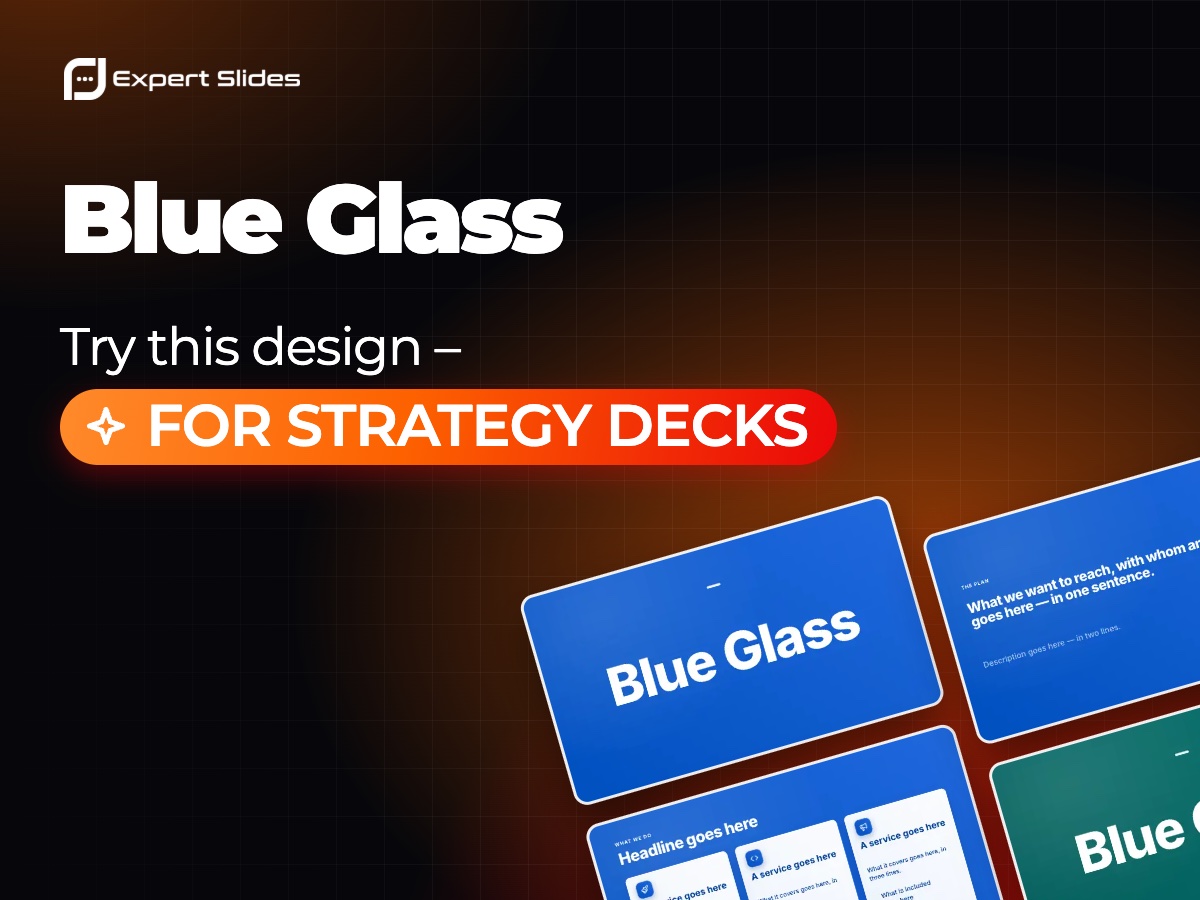
Blue Glass is built from blue glass rims for polished business presentations, a calm and serious look for leadership rooms. It is set in Inter, a clean typeface that stays readable in dense tables. Among its ready-made slides are rankings, press slides and flowcharts: rankings for the priorities, flowcharts for the cascade, and press slides to show what the outside world is saying about your market. The four colour styles are Azure Rim, Violet Rim, Teal Rim and Azure Ember.
Building your deck
On the ExpertSlides homepage, type your topic in the prompt, such as "strategy proposal for the leadership team: enter the Nordic market, alternatives considered, three ranked priorities", and choose Blue Glass in the design gallery below. The AI fills every slide with your content in that design; you can edit everything afterwards. The guide to SWOT analysis slides helps with the situation part, and the design catalogue has more business looks.