
Pitch Deck Maker
A pitch deck investors read to the end, made with AI
Tell ExpertSlides what your startup does, attach your numbers and get a pitch deck in the order investors expect — ready to sharpen, not to start from scratch.
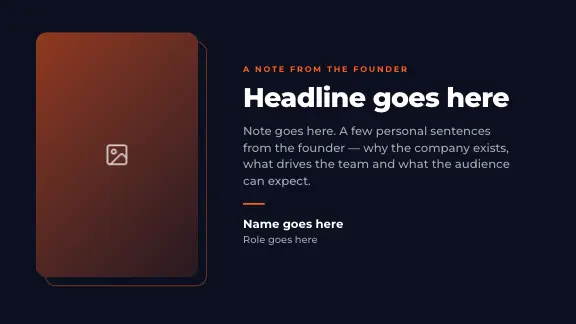
What a pitch deck is for
A pitch deck is the short presentation a startup uses to raise money: ten to fifteen slides that explain the problem you solve, why now, why you, and what an investor gets for backing you. It is read in two very different situations — sent ahead by email, where it has to stand on its own, and presented in a meeting, where it supports what you say. A good pitch deck for a startup works in both.
Most first reads are short. An associate opens the deck between meetings, reads the headlines, looks at the traction chart and the team, and decides whether the partner should see it. That is why the order and the headlines matter more than decoration: if the story survives a fast read, it earns the meeting where you tell the rest.
Why build it with an AI pitch deck generator
The hard part of a pitch deck is not the layout. It is deciding what to say on each slide and saying it in one sentence. ExpertSlides writes a first version of every slide from your description and your documents — the problem, the market, the business model — in the order investors expect, and lays each slide out in a design with charts, timelines and team slides built in. You spend your time sharpening the argument instead of aligning boxes.
The pitch deck structure, slide by slide
Most investor decks follow the same twelve slides. The order can move; the questions every investor has do not.
How to make a pitch deck with AI, step by step
From a description of your startup to a deck you can send — usually in a few minutes for the first draft, then as long as the sharpening takes.
Describe your startup in the prompt
Type a few sentences at the top of this page: what the product does, who the customer is, the stage you are at and how much you are raising. “A 12-slide seed pitch deck for a B2B app that schedules hospital shifts, raising £1.5m” gives the AI everything it needs to plan the story.
The prompt: the product, the customer, the stage and the round in a few sentences. Attach your one-pager, plan or numbers
Drop your business plan, a one-pager, a spreadsheet of your metrics or a previous deck onto the prompt. PDF, Word, CSV and pictures are read for their content; the traction and financial charts are then built from your own figures instead of placeholders.
Attached files: a business plan and the monthly revenue as CSV. Set the audience to Investors
Open Slide Settings next to the prompt and choose Investors as the audience. The language of the deck and how closely your text is kept — word for word or summarised — are set there too; the slide count stands beside the prompt.
Slide Settings: the audience, the language and the text handling. Choose a pitch deck template
Pick a design and its colour style — or your own brand kit. Every design is a complete pitch deck template: title, problem, market chart, timeline, team and closing slides are part of each, so the AI finds a fitting layout for every slide.
A design and one of its colour styles; a brand kit stands first in the list where you have one. Read it as an investor would, then sharpen
The slides arrive one after another in the editor. Read only the headlines from start to end: do they tell the story on their own? Click any text to change it, or tell the AI in plain words — “make the problem slide about one customer”, “add a chart of monthly revenue”.
The editor: change a slide by hand or by asking. Present, share or export
Present from the browser with the presenter view, send a read-only web link, or export the deck. Download an editable PowerPoint file on Pro and Business. Every plan exports PDF; on Free a PDF carries the ExpertSlides mark.
Export: PowerPoint, PDF and files for Google Slides, Canva and Figma.
Watch a pitch deck being made
Pitch deck templates
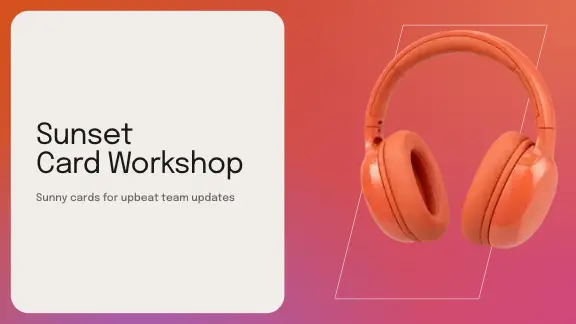
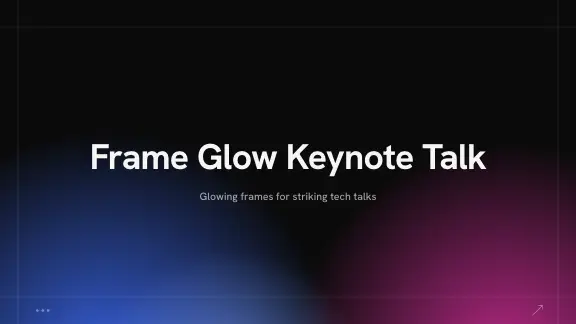
Every design is a full pitch deck template: title, problem, market chart, timeline, team and closing slides.






Example pitch deck outlines by stage
Start from the shape that fits your round. Each example is an outline the AI fills with your own content — name the stage in your prompt.
Pre-seed
Ten slides, heavy on problem, insight and team — the story before the numbers. Traction can be interviews, a waiting list or a pilot.
Seed
Early traction up front, a clear business model and how far the round takes you: the milestones that make the next round possible.
Series A
Growth charts, unit economics and the plan to scale, with the market built bottom-up and a hiring plan behind the ask.
Demo day
Five to seven slides that work at a glance on a big screen, with one number per slide and a headline you could shout.
Investor update
Not a pitch, but close: what happened since the last update, the numbers against plan, what you need help with.
Grant or competition
The same story with the judges’ criteria as headings — impact, feasibility, team — in the order the call names them.
Who uses the pitch deck maker
Founders raising a round
A first full draft from your notes in minutes, so the week before investor meetings goes into the argument, not the layout.
Accelerators and studios
Many startups, one consistent look: a brand kit on Pro and Business keeps every cohort deck in the programme’s colours, fonts and logo.
Advisers and consultants
Turn a client’s business plan into a pitch-ready deck, then hand over an editable PowerPoint file they can keep working on.
Students and competitions
Business-plan competitions and course projects: the structure investors expect, explained slide by slide as you go.
Tips for a pitch deck that gets a second meeting
- One message per slide, written as the headline. A reader who only reads headlines should get the whole story.
- Show traction as a chart, not a paragraph — and label the axis and the period.
- Keep it to twelve slides or fewer; move detail into an appendix you send on request.
- Build the market bottom-up. “1% of a £50bn market” tells an investor you have not done the work.
- Name real competitors and the status quo. “No competition” reads as “no market”.
- Say what you are asking for and what it buys on the last slide, not just “thank you”.
- Check every figure before you send the deck — the AI builds charts from what you give it, so the numbers are only as good as your source.
What you get beyond the template
Charts from your figures
Bar, line, area, pie and more, with their data editable in a table. Upload a CSV or a spreadsheet into a chart and it takes your figures.
Current facts on request
On Pro and Business the AI can look up current market figures while it writes — always check the source before a figure goes to an investor.
A file investors can open
On Pro and Business the deck downloads as a native PowerPoint file with editable text, charts and tables. Every plan exports PDF, the format most decks are sent in.
Questions, answered
What should a pitch deck include?
Problem, solution, why now, market, product, traction, business model, competition, team, financials and the ask. The order can change; the questions every investor has do not.
How many slides should a startup pitch deck have?
Ten to twelve for a deck that is sent ahead, fewer for one presented on stage. You set the number of slides before the deck is made. On Free a deck has up to 5 slides; Pro and Business make decks of as many slides as you choose.
Is the pitch deck template free?
Start free — no credit card required. Download an editable PowerPoint file on Pro and Business. Every plan exports PDF; on Free a PDF carries the ExpertSlides mark.
Where do the numbers come from?
From you: type them into the prompt or upload the document they are in, and the charts are built from them. A deck made from a document keeps to what the document says. Check every figure before you send a deck to investors.
Should I send a pitch deck as PDF or PowerPoint?
Send a PDF: it looks the same on every device and cannot be changed by accident. Keep the PowerPoint file for yourself and for editing.
Can I keep working on it in PowerPoint?
Yes — on Pro and Business the exported file is a normal PowerPoint deck with editable text, shapes and native charts.
Can I see an example pitch deck first?
The designs on this page are shown with their real covers, and Design Templates shows their slides. Pick one and describe your startup — the example you get is your own.
Create Slides in Under 90 Seconds
No credit card required · Instant access