Fifty change management slides in one calm blue look, from the case for change and the vision to the change curve, stakeholders, resistance and training. Change the colours and fonts, fill them with your own content, and download them as PowerPoint.
This change management template pack gives you 50 slides that lead people and an organisation from the current state to a future state: the case for change, the vision and its pillars, stakeholders and their readiness, the change curve, communication, resistance, training and the figures that show adoption. Every slide is complete, with sample content you can replace in minutes.
Use it as a change management PowerPoint template or edit it right here. The forms range from From and To rows, rising stairs and large chevrons to a stakeholder map on two axes, a force field of driving and restraining forces, a communication plan along a line of months and a training plan in bands over twelve weeks, on navy, light and white grounds.
Your Own Change Plan In This Look
Describe the change you are leading and the AI builds a deck of your own in this blue style, with your stages, your figures and your words.
Every slide with its words. Open one in the editor to change it 1:1.
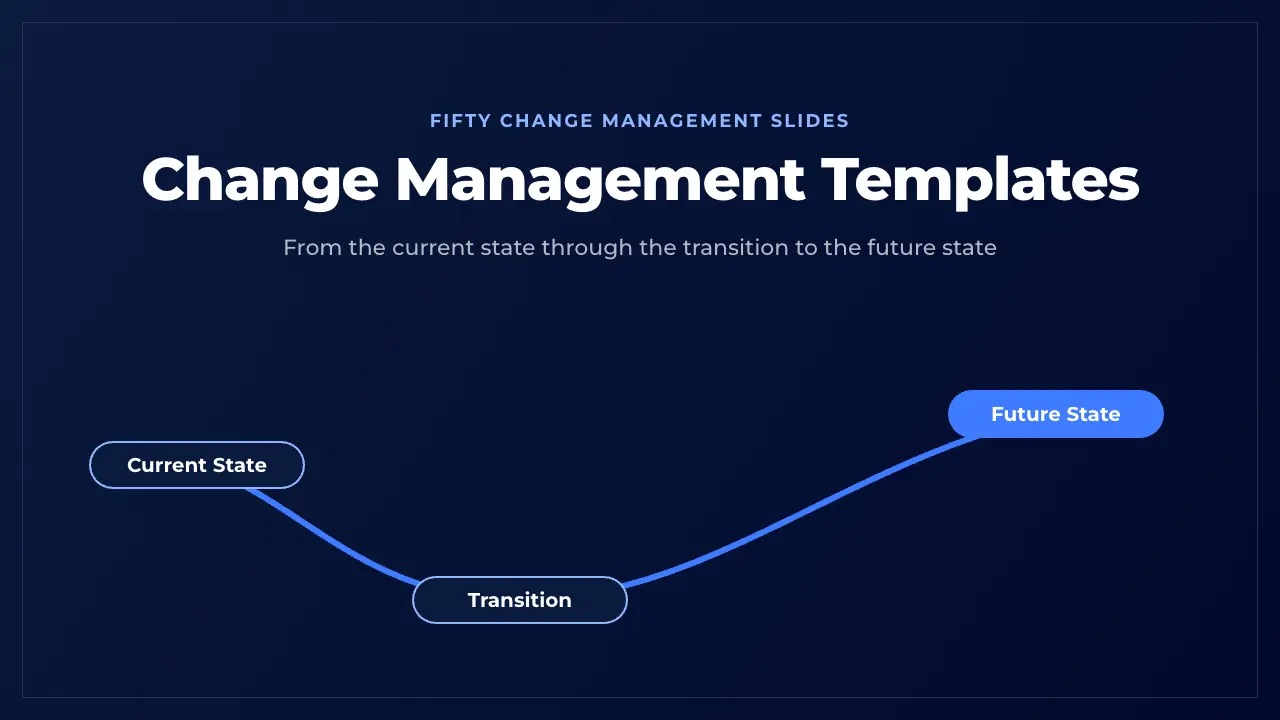
1 · Title Slide With The Change CurveThe opening slide of the pack: a centred title over the change curve itself, one calm line that dips through the transition and rises to the future state. Three pill markers name the stages. Use it to open a change programme, a workshop or a sponsor briefing.
2 · Three Cards For The CaseThe case for change in three equal cards: why the change is needed, why it has to start now and what happens if we wait. Each card carries an icon, a short answer and one figure that proves it. Replace the figures with the three facts your people will remember.
3 · Vision Statement Beside A PhotoThe vision of the future state in one sentence, set large beside a tall photo, and the three pillars that carry it. Use it early in a change story so everyone knows where the change leads. Keep the statement short enough to repeat from memory.
4 · Four Key Figures Of The Burning PlatformThe burning platform in four large figures, each under a thin highlight line with a short title and caption. A closing line states what the figures mean together. Use it to show in seconds why the current state cannot stay.
5 · From And To Shifts In Five RowsFive shifts of the change, each a row from the old way to the new way. White pills hold today, blue pills the future state, an arrow leads between them. Use it to make the change concrete for every team; keep each side to three or four words.
6 · Change Curve With Six StagesThe change curve as one wide line across the slide: morale dips after the news and rises again as people explore and accept the new way. Six markers on the curve name the stages, with a short caption for each under it. Use it to prepare leaders for the dip and to plan support for each stage.
7 · Three Chevrons Of ChangeThe three classic phases of change as three large chevrons: unfreeze, change and refreeze. The middle phase is highlighted; under each chevron stand its weeks and a short description. Use it to explain the shape of a change programme in one look.
8 · Five Rising Stairs Of Personal ChangeFive stairs rise from left to right, one for each stage a person passes through in a change: see why, want it, learn it, apply it and keep it. The top step is highlighted as the goal. Use it to check where a team stands and what it needs next.
9 · Stakeholder Map By Influence And ImpactA stakeholder map on two axes: influence rises upwards, the impact of the change grows to the right. Six groups are placed as dots, and the four fields name how to engage them, from monitor to involve closely. Move the dots to where your own groups stand.
10 · Readiness Score Bars With TotalA readiness assessment in six score bars, one per dimension, each filled to its score out of five. The weakest dimension is set apart in a lighter blue, and a card on the right gives the overall score. Use it after a readiness survey to show where to act first.
11 · Change Roles On A Vertical LineThe roles that lead a change, from the executive sponsor at the top to the line managers close to every team, set on one vertical line with a ring marker each. A tall photo of leaders at work fills the right side. Use it to show who does what before the change starts.
12 · Eight Steps In Two Rows Of CardsEight steps of leading a change in two rows of four cards, each with a large number, a short title and a caption. Small arrows show the order along each row. Use it as the backbone of a change plan and mark the step your programme has reached.
13 · Impact Bars By Group With LevelsA change impact assessment in five horizontal bars, one per group, filled to the share of daily work that changes. The most affected group is highlighted, and a pill at the end of each row names the level of impact. Use it to decide where training and support go first.
14 · Communication Plan On A Month AxisA communication plan along one axis of months: six messages, from the announcement in January to the results update in July, in cards that alternate above and below the axis. Each card names the month, the message and the channel or audience. Use it to plan when each group hears what.
15 · Statement And Figures On A Full PhotoA statement slide on a full photo under a navy overlay: a large headline, one lead line and three key figures in a row at the bottom. Use it to open a chapter about the people side of a change. Put the three numbers that show its human scale.
16 · Resistance Reasons And ResponsesFour common reasons why people resist a change, each in a pale bar with an icon, and the response to it in a blue bar beside it, linked by an arrow. Use it to prepare leaders for the objections they will hear and to agree how the team answers them.
17 · Force Field Of Driving And RestrainingA force field analysis around one central line: the driving forces push from the left as blue arrows, the restraining forces push back from the right as pale arrows. Each arrow is as long as the force is strong, and the totals stand under each side. Use it to decide which restraining force to weaken first.
18 · Training Plan As Bands On Twelve WeeksA training plan as bands on a scale of twelve weeks: each module is a blue band across the weeks it runs, named on the left with its audience. A dark line marks go-live, and the refresher after it is set in a lighter blue. Use it to plan training so that every person is ready on the day.
19 · Adoption Columns With Key Figure CardAdoption after go-live in six rising columns, one per month, the latest highlighted, with a target line at 85 per cent. A key figure card on the left states today’s adoption and the target. Use it in steering meetings to show how fast the new way takes hold.
20 · Three Champion Figures Beside A PhotoThe change champion network in three figures stacked on the left: how many champions there are, how many people each supports and how much time they give. A large photo of colleagues helping each other fills the right half. Use it to introduce the champions and what they commit to.
21 · Three Quick Win Cards With Day PillsThree quick wins of a change, each in a card with a check icon, a short title, one sentence on the result and a pill with the day it was reached. Use it in the first months of a change to show that the new way already pays off.
22 · Roadmap Of Five Stages On One AxisThe change roadmap on one horizontal axis: five stages from preparing in 2027 to sustaining in 2029, the date above each marker and the stage under it. The axis is solid up to the current stage, which is highlighted. Use it to show everyone where the programme stands today.
23 · Three Ring Gauges Of A Pulse SurveyThe results of a pulse survey in three ring gauges, each filled to its share with the figure large in the middle and a label and caption under it. Use it before and after go-live to track how people understand, support and feel ready for the change.
24 · Four Layers Of Lasting ChangeFour layers that make a change last, stacked like a foundation: leadership role models at the base, then measures and feedback, recognition and rewards, and habits and culture at the top. A short line beside each layer says what it means. Use it when planning how to sustain a change after go-live.
25 · Leader Commitments Beside A Round PhotoThe commitments of the leadership team in a change: one short statement and four promises, each with a check marker, beside a round photo framed by a thin ring. Use it in a kick-off to show that leaders go first. Replace the four lines with what your leaders really commit to.
26 · Four Risk Cards With LikelihoodFour risks to a change in four white cards, each with an alert icon, a pill for how likely it is and one sentence on how the team reduces it. The most likely risk is highlighted. Use it in a steering meeting to agree which risks to watch and who acts on them.
27 · Governance Bars Widening DownwardsThe governance of a change from top to bottom: four centred bars grow wider from the executive sponsor to the champion network, joined by one vertical line. Each bar names the body and how often it meets. Use it to show who decides, who steers and who helps every day.
28 · Before And After Split With BadgeA split slide that sets the old way against the new one: four points before the change on the white half, four matching points after it on the navy half, with a round arrow badge on the seam. Use it to make the result of a change concrete; keep the points in the same order on both sides.
29 · Adoption Funnel In Five BandsAn adoption funnel of five bands narrowing from top to bottom: aware, trained, using, proficient and advocating. Beside each band stand its share and the number of people. Use it to show where people drop off on the way to the new way and where to act next.
30 · Training Figures Under A Photo BandThe training of a change in four figures under a wide photo band: people trained, sessions held, how satisfied they were and hours per person. Use it in a progress report or a sponsor update after the training phase.
31 · Six Channel Cards In One RowThe channels of a change communication plan in one row of six tall cards: town hall, email, team talk, intranet, Q&A and chat. Each card shows an icon, the audience and the rhythm. Use it to agree which channel carries which message and how often.
32 · Three Numbered Columns Of ResistanceThree roots of resistance to change in three tall cards with large numerals: rational, emotional and political. Each card names the cause and, under a small label, how to answer it. Use it to train managers to hear what lies behind an objection.
33 · Four KPI Cards With Progress BarsFour measures of a change in four cards: adoption, proficiency, satisfaction and help requests. Each card shows the figure today, its target and a progress bar of how much of the target is reached. Use it in monthly reviews to see where the change stands.
34 · Go-Live Steps Beside A PhotoThe weeks around go-live as a vertical timeline beside a tall photo: six steps from final training four weeks before to the hand-over twelve weeks after, each with a week pill, a title and a caption. Go-live itself is highlighted. Use it to plan the support around the day the new way starts.
35 · Three Large Numerals Over An AxisThree large numerals stand over one thin axis, each with a title and a short body under it: explain why, listen and support. Use it to brief line managers on their part in a change; three jobs are easy to remember.
36 · Progress Track Of Five Readiness GatesA progress track of the readiness gates before go-live: five markers on one axis, the passed gates filled with a check, the open gate highlighted and the last one still ahead. A status above and a caption under each marker say where things stand. Use it in go or no-go meetings.
37 · Six Hexagons In A Gentle HoneycombThe six parts of a change plan as hexagon tiles in two offset rows, each with a white icon, a name and a short caption: vision, sponsorship, communication, training, support and measures. Use it as a checklist when you set up a change or review a plan.
38 · Three Steps On A Full PhotoA full photo of a workshop under a navy gradient that clears to the right, with a headline, a lead and three steps on the left, each with an icon. Use it to open the part of a change story about involvement and co-design.
39 · Half Gauge Over A Key FigureA large half-circle gauge runs from go-live to the target, filled to today’s adoption, with the key figure in its centre. Three small figures under it add the detail. Use it when one number tells how far the change has come.
40 · Engagement Scale With Today And TargetFour stakeholder groups as rows on an engagement scale of five levels, from unaware to committed. A hollow ring marks where each group stands today and a filled dot where it should be; a line between them shows the way to go. Use it to plan engagement group by group.
41 · You Said, We Did In Three RowsThree pairs of cards side by side: what people said in a survey or a workshop on the left, what the change team did about it on the right. An arrow between each pair links the two. Use it to show that feedback is heard and acted on.
42 · Four Numbered Steps Beside A PhotoFour numbered steps on a vertical line that make a change last: measure, recognise, build the new way into roles and review after a year. A tall photo on the right gives the slide air. Use it when the go-live is behind you and the work turns to sustaining the change.
43 · Rollout Waves On A Quarter ScaleFour rollout waves as staggered bands on a scale of six quarters, each wave named with its groups on the left and its quarters in the band. Every wave starts later than the one before. Use it to show who changes when and how the waves overlap.
44 · Zigzag Of Five MilestonesFive milestones of a change on a zigzag line from the first pilot team to the target reached, each with a star in a blue disc, a title and its month. The last one carries a trophy. Use it to plan the moments when you thank people and mark progress.
45 · Keep, Improve And Stop ColumnsLessons learned from a change in three equal columns: what to keep, what to improve and what to stop, each with an icon in a disc and three short points. Use it in the review at the end of a change or of a rollout wave.
46 · Round Portrait With A Role CardA round portrait on the left and a white role card on the right that names the role and lists five responsibilities, each with a check mark. Use it to introduce the change champion role, or any other change role, to a team.
47 · Stacked Bar Of The Change BudgetOne long stacked bar shows how the change budget is shared out, each share with its percentage inside and its name and amount beside it. A band at the bottom gives the total. Use it to show sponsors where the money for a change goes.
48 · Town Hall Agenda Beside A PhotoA photo on the left and a session plan on the right: five agenda items on a thin vertical line, each with its time, a title and a caption. Use it to announce a change town hall or any all-hands session about a change.
49 · Seven Numbered Rules In Two ColumnsSeven principles of change management as numbered lines in two columns of four and three, each a short title and a one-line caption, with a note card to close the second column. Use it as a checklist when you plan or review a change.
50 · Three Next Steps On A Full PhotoThe closing slide: a full photo under a navy overlay with a centred headline and lead, and three cards for the next steps, each with an icon, the role that owns it, a title and a short body. Use it to end a change presentation with clear actions.
What Is Inside The Pack
A vision statement with three pillars, From and To rows, the change curve with six markers, chevrons and stairs for the stages, a stakeholder map, readiness scores, eight steps in two rows, key figures for adoption, a communication plan by month, reasons for resistance with their responses, a force field and a training plan over twelve weeks, with photos on several slides. Every text, shape and colour stays editable.
How To Use This Change Management Template
01
Pick Your Slides
Choose the slides of the change management template that tell your story: the case for change, the vision, the stages and the plan.
02
Set Your Colours
Use the colour and font bar to match your brand; every slide follows at once.
03
Write Your Change
Replace the sample content with your own current state, future state, stakeholders, dates and figures.
04
Present Or Download
Present straight from the browser or download the slides as a PPTX file for PowerPoint.
What A Change Management Deck Should Cover
Start with the case for change and a clear picture of the future state, so that people know why the change matters and where it leads. Then show who is affected, how ready they are and what each group needs to hear.
Follow with the plan: the stages, the communication by month, the training and the support. Close with the figures you will track, such as adoption and readiness, and how the change will be sustained.
Tips For Clear Change Slides
Give each slide one message. A From and To slide shows what changes for people better than a long list, and the change curve helps teams see that a dip in mood is expected.
Name resistance openly and pair every reason with a response. Keep figures few and large, and save the strongest colour for the stage or result you want people to remember.
Frequently Asked Questions
Is this change management template free?
Yes. You can view and edit every slide of this change management template for free, and download the deck as PPTX with a free account.
Can I use it as a change management PowerPoint template?
Yes. Download the slides as a PPTX file and open them in PowerPoint; the shapes and texts stay editable there.
What does the change curve slide show?
It draws the emotional path people go through during a change, a dip followed by a rise, with six markers you can name for your own stages.
How do I show stakeholders and their readiness?
Use the stakeholder map on two axes to place groups by influence and interest, and the score bars to show how ready each group is.
Can I change the colours and fonts?
Yes. The colour and font bar changes every slide of the change management template at once, and you can still adjust single shapes in the editor.
Can the AI build a deck from my topic?
Yes. Fill With AI takes your topic and builds a new deck of your own in this look, with your stages, figures and words.
Is the sample content tied to a particular organisation?
No. The sample sections and figures are general, so the slides fit any team or organisation once you add your own content.
Try ExpertSlides AI For Free — The Ultimate AI Presentation Maker
Describe any topic or upload a document, and ExpertSlides designs and writes the whole deck — editable in the browser and as a PowerPoint file.

 Organizational Chart Presentation Templates50 slides
 Executive Summary Presentation Templates50 slides
 Business Case Presentation Templates50 slides
 Dashboard Templates50 slides
 OKR Presentation Templates50 slides
 Meeting Presentation Templates50 slides
 Business Presentation Templates50 slides
 Human Resources Presentation Templates50 slides