Funnel Template: 50 Editable Funnel Slides For Any Process
Fifty funnel slides in one blue look, each a different form: stacked bands, a sieve, dots, an hourglass, a stage-gate process, a funnel seen from above and one drawn in two thin lines. Change the colours and fonts of all of them at once, let the AI build your own deck in this look, download them as PowerPoint or edit each slide in the editor.
This funnel template shows how many become few, stage by stage, in 50 different forms: applicants becoming hires, ideas becoming products, enquiries becoming enrolled students, proposals becoming funded grants. Every slide is a complete funnel with its stages, and most carry sample counts or pass rates that you replace with your own.
It is also a funnel template PowerPoint opens directly: texts stay text boxes and the funnel bands stay shapes you can move and recolour. The sample content is general, with roles instead of names and round figures, so it fits any team, school, research group or public body.
Your Process In This Funnel Look
Describe what you are narrowing down, its stages and the figures you have, or attach a report or a spreadsheet. ExpertSlides builds your own funnel deck in this look in a few minutes, with your stages, your counts and your pass rates.
Every slide is a complete funnel with neutral sample content: general stages, roles instead of names and round figures that fit any organisation. Replace its stages and numbers with yours.
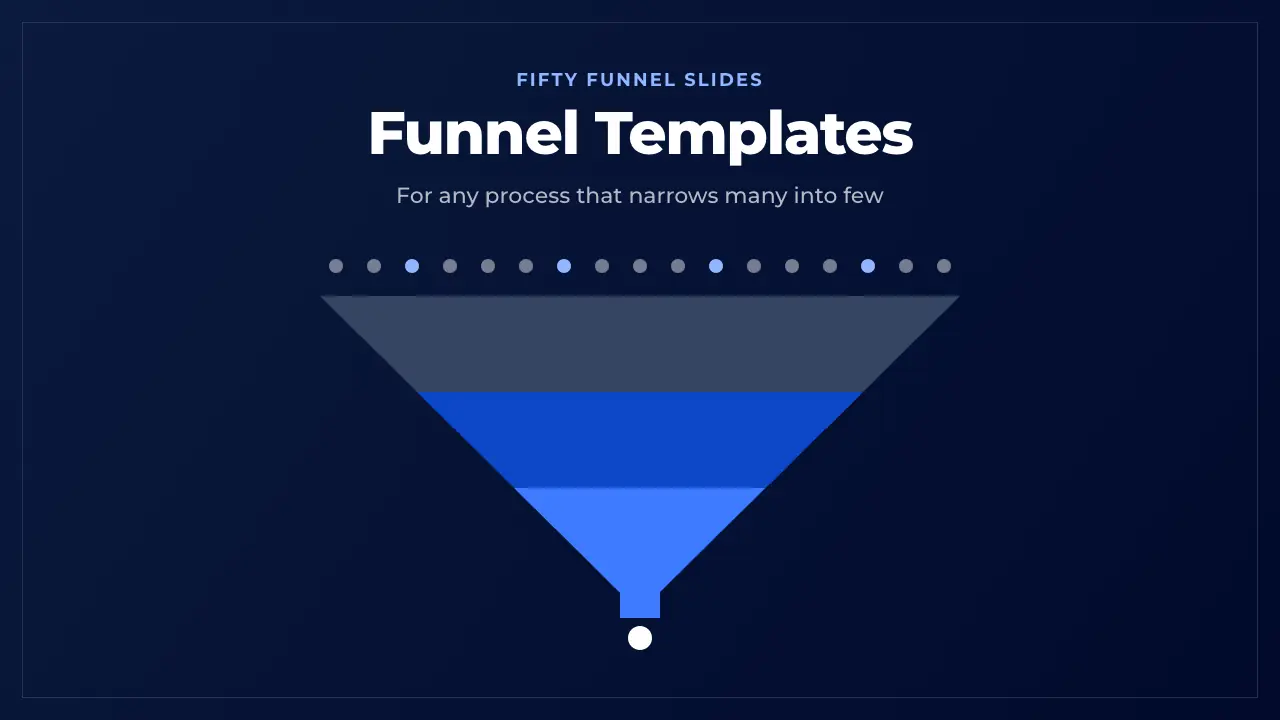
1 · Funnel Cover With DotsThe title slide of the pack: many small dots enter one wide funnel and a single bright dot leaves it. Use it to open any talk about a process that narrows many into few.
2 · Funnel Anatomy With CalloutsOne funnel with its four parts named on hairlines, two on each side. Use it to explain how a funnel works before you show your own numbers.
3 · Hiring Funnel Beside A PhotoFive stages of a hiring round with the count and the pass rate of each, beside a photo. Use it for recruiting reports and replace the sample figures with your own.
4 · Horizontal Funnel With A PipeA funnel lying on its side: four tapered stages run into a narrow pipe with the result. Use it for innovation pipelines or any process read from left to right.
5 · Dot Funnel With FiguresEach dot stands for 100 website visitors, and each row is shorter than the one before. Use it when you want an audience to feel the size of the drop at a glance.
6 · Research Screening FlowA screening flow for literature reviews: the boxes narrow from all records to the studies included, and each exclusion stands beside the step it belongs to. Replace the counts and the reasons with those of your review.
7 · See-Through Funnel On A PhotoA decision in three moves, drawn as a funnel over a full photo. Use it to open a decision meeting or to show how a choice was reached.
8 · Solid Cone FunnelA solid funnel with a visible rim, each band a stage of an admissions round. It works for schools, universities and any programme with a yearly intake.
9 · Card Funnel, Four To OneCards in rows of four, three, two and one show how a decision was narrowed round by round. Name your options and the test each round applied.
10 · Funnel Ending In A PortraitThree rounds of selection narrow to one round portrait at the tip of the funnel. Use it to present a new colleague or to explain how a role was filled.
11 · Sieve With Three FiltersDots fall through three filters and fewer remain below each. Use it to explain selection criteria in any process, from choosing suppliers to shortlisting proposals.
12 · Typographic FunnelThe figures themselves form the funnel, each smaller than the last between two thin lines. Use it when the numbers are the message and the slide should stay quiet.
13 · Escalation Funnel With IconsFour tiers of support, from self-service to engineering, with the tickets that reach each one. Use it to show how much is solved early and what still reaches the experts.
14 · Bar Funnel Under A PhotoA wide photo above and four centred bars below follow a training programme from enrolment to certificate. Use it for courses, academies and internal learning.
15 · Many Sources Into One FunnelFive sources feed a single funnel and one shortlist comes out. Use it when applications, ideas or requests arrive through several channels and are judged in one process.
16 · Butterfly Funnel Of Two GroupsTwo funnels mirrored on one axis compare two groups stage by stage. Use it for two years, two teams or two locations; the longer bar shows at once who keeps more people.
17 · Honeycomb Funnel Of HexagonsTen hexagons, one for each idea, stand in rows by how far they got. Use it for an idea contest, a pitch day or an award and write your own entries into the cells.
18 · Column Funnel ChartThe funnel chart known from analytics tools: five columns fall to the right and a shaded connector shows what is kept between them. Use it for any measured process with five steps.
19 · Grant Funnel With Tall PhotoFour stages of a grant round with the number of proposals and the sum at each stage, beside a tall photo. Use it for funding bodies, foundations and research programmes.
20 · Seven Bands, Labels By TurnsA funnel of seven bands whose labels alternate left and right, so a long process keeps its air. Use it for detailed selection rounds and rename the stages to fit yours.
21 · Stage-Gate FunnelA stage-gate process as a funnel: four stages and a diamond gate between each pair, with the question each gate asks. Use it for product development and for large projects that need approval.
22 · Smooth Curved FunnelOne flowing curve narrows across four stages, with the figure of each stage inside it. Use it for a calm overview of requests, orders or cases moving through a team.
23 · Funnel With Round PhotoAn event funnel from invitations to attendance, with the rate between each pair of stages in a chip and a round photo beside it. Use it for conferences, webinars and open days.
24 · Flow Funnel With ExitsA stream that loses a share at each stage, with curved exits that show how many left and why. Use it whenever the reasons for dropping out matter as much as the result.
25 · Two Funnels Into OneTwo funnels point at each other and meet in one result. Use it when two groups, such as internal and external candidates, go through separate rounds into one shortlist.
26 · Kept And Dropped ColumnsEach column shows one stage and splits it into what moves on and what is dropped. Use it when the size of every loss should be read as exactly as the result.
27 · Funnel Bands Beside A PhotoFour wide bands carry both the figure and a short line, with a photo beside them. Use it for clubs, charities and communities that want to show how people become active.
28 · Hourglass FunnelAn hourglass: many views narrow to one decision, and from it clear actions spread out again. Use it for steering groups and for any decision that has to be carried by many people.
29 · Question Funnel In BubblesThe question funnel of good interviews: open questions first, then probing and specific ones, and a closed one at the end. Use it in training for interviews, research and coaching.
30 · Slim Funnel With Edge PhotoA slim funnel with its stages written out beside it and a tall photo at the slide edge. Use it for editorial plans, publishing and any review chain with several hands.
31 · Nested Half CirclesHalf circles nest inside one another and lead the eye down to the small core. Use it for feedback, surveys and any material that is condensed step by step.
32 · Sliced Inverted TriangleA single triangle is cut into four slices, each a step from a broad topic to one exact hypothesis. Use it to plan research, a thesis or a study.
33 · Funnel With ChecklistsThree gates of a review, each with one question and two criteria that must be ticked. Use it to make selection rules visible to applicants and reviewers.
34 · Funnel Beside A Half PhotoA compact funnel on the left and a photo that fills the right half to the edge. Use it for tenders and procurement, or any choice between many offers.
35 · Funnel Seen From AboveThe view down into a funnel: four rings shrink towards one point and each has its own label. Use it for a fresh look at audiences, members or participants.
36 · Circles Down A DiagonalFive circles grow smaller as they run down a diagonal, each with its figure inside. Use it for communities, memberships and any group that deepens its commitment over time.
37 · Status Funnel With A MarkerFive stages of a project with the current one lit and a marker beside it. Use it in status meetings so that everybody sees at once where the work stands.
38 · Funnel Beside A Rounded PhotoFour stages of a research programme beside a tall photo with rounded ends. Use it for laboratories, studies and experiments of any kind.
39 · Bars With Rate ChipsBars run from one left edge and a small chip between each pair shows the share that moved on. Use it for online forms, sign-up flows and any step-by-step process.
40 · Three Funnels, Three YearsThe same process drawn three times, once a year, with its result in large type under each funnel. Use it to show that a process improves over time.
41 · Line Funnel Beside A PhotoThe quietest funnel of the pack: two thin lines, four words between them and a photo beside them. Use it when the idea matters more than the numbers.
42 · Funnel Into Three OutcomesA funnel whose stem branches into three outcome cards. Use it where a process does not end in one result, such as budget requests, applications or change requests.
43 · Shrinking ChevronsFive chevrons point to the right and lose height at each step, so the slide moves and narrows at once. Use it for a decision made in several rounds.
44 · Data Funnel With OutputA data pipeline as a funnel, ending in a single pill with the insights it produced. Use it for analytics, reporting and data projects.
45 · Calendar FunnelThe months of one selection round run down an axis and each band shows what happens then. Use it to publish a timetable for applicants or to plan an annual intake.
46 · Key Figure Beside A FunnelOne strong number in a card, with the funnel that explains it beside it. Use it when the audience should remember a single figure from the slide.
47 · App Funnel With IconsFour stages of an app with an icon for each, beside a photo of someone using a phone. Use it for digital products, tools and services.
48 · Pill Funnel With CountsFive centred pills, each holding its stage with the count that comes in on the left and goes out on the right. Use it for backlogs, queues and triage.
49 · Budget Funnel On A PhotoSee-through bands on a full photo follow the budget from the first requests to the approved sum. Use it for annual planning and for reports to a board.
50 · Closing Slide With Five RulesA small funnel in the middle and the rules for a useful funnel around it. Use it as the last slide of a talk or as a checklist for the team.
Fifty Forms Of A Funnel In One Blue Look
A title slide with dots falling into one funnel and an anatomy that names its parts; stacked trapezoids, solid cones, a funnel on its side, a smooth curve, nested half circles, rings seen from above and two thin lines; funnels made of dots, cards, hexagons, pills, chevrons, circles and figures alone; a sieve of three filters, a stage-gate process, checklists for each gate and a question funnel for interviews; a research screening flow, a stream with its exits and columns of what is kept and dropped; two cohorts on one axis, two routes into one shortlist, three years side by side, an hourglass and a funnel that opens into three outcomes; hiring, admissions, grants, support tickets, events, training, volunteering, publishing, procurement, data, an app and a budget. Seventeen slides stand on navy, seventeen on light blue and sixteen on white, fourteen of them with a photo.
How To Use This Funnel Template
01
Pick Your Funnel Slides
Look through the 50 slides of the funnel template and note the forms that fit your talk: the anatomy to explain the idea, the pass rates for a review, the outcome cards for a decision. Most decks need three to five of them.
02
Set Colours And Fonts
Choose your colours and your font in the bar above the slides. All 50 funnels change at once, so you see your brand on every form before you download anything.
03
Put In Your Numbers
Press Fill With AI and describe your process, or press Edit Slides and replace the sample stages, counts and rates by hand, slide by slide, in the editor.
04
Download Or Present
Download the slides as a PPTX file with a free account and copy them into your own PowerPoint deck, or present them straight from the browser.
What A Good Funnel Slide Should Show
A funnel slide answers three questions at a glance: how many enter, how many reach each stage and where the most are lost. Keep to four to six stages, name them the way your team does and show one number for each.
Then add the one thing your audience has to decide on. That may be the weakest pass rate, the criteria of a gate or the reason most people leave. The other figures can wait for the appendix.
Which Funnel Form Fits Your Process
For hiring, take the funnel beside a photo (slide 3) or the seven stages of selection (20). For innovation, use the funnel on its side (4), the stage gates (21) or the ten hexagons of an idea contest (17). Research teams will find the screening flow (6) and the step from a broad topic to one hypothesis (32).
For a review, the column chart (18), the stage-to-stage rates (39) and the three years side by side (40) show the trend. For a decision, the four options that become one (9), the hourglass (28) and the three outcomes (42) say the most on one slide.
Questions About The Funnel Template
Is This Funnel Template Free?
Yes. All 50 slides of the funnel template are free. You can look at every slide and try colours and fonts on this page without an account; a free account, with no credit card, downloads the PPTX file or opens the slides in the editor.
Is This A Funnel Template PowerPoint Can Open?
Yes. Press Download PPTX and open the file in PowerPoint. Texts stay text boxes and most funnel bands stay shapes, so you can edit this funnel template there like your own slides and copy single slides into an existing presentation.
Is It Only For Sales?
No. The slides follow general processes: hiring (slide 3), ideas to launch (4), website visitors (5), research screening (6), admissions (8), support tickets (13), grants (19), events (23) and procurement (34). Every label is a text you can overwrite.
Which Slide Shows Pass Rates And Drop-Off?
The stage-to-stage rates (slide 39) put a chip between each pair of bars, the invitation funnel (23) marks the rate beside each step, the stream with exits (24) shows how many leave at each stage, and the columns (26) split every stage into kept and dropped.
Can I Compare Two Groups Or Years?
Yes. The butterfly funnel (slide 16) sets two intakes on one axis, the two routes (25) meet in one shortlist, and three small funnels (40) show the same process in 2027, 2028 and 2029.
Can The AI Build My Own Funnel?
Yes. Press Fill With AI and describe your process, or attach a report or a spreadsheet. The AI builds your own funnel deck in this look, with your stages and your figures, and you can ask for changes slide by slide afterwards.
Can I Change The Colours And Fonts?
Yes. The bar above the slides sets the colours and the font of all 50 slides at once, and the download and the editor take over what you chose. In the editor you can also change a single slide, or put your own Design Kit on the whole deck.
Are There Funnel Slides With Photos?
Yes. Fourteen slides carry a photo, among them the funnel beside a photo (slide 3), the see-through funnel on a full photo (7), the funnel ending in a round portrait (10) and the budget funnel over a city view (49). Replace each picture with your own in the editor or in PowerPoint.
Try ExpertSlides AI For Free — The Ultimate AI Presentation Maker
Describe any topic or upload a document, and ExpertSlides designs and writes the whole deck — editable in the browser and as a PowerPoint file.