Marketing Funnel Template: 50 Editable Slides For Every Stage
Fifty marketing funnel slides in one blue look, each a different form: an hourglass, side funnels, droplets drawn to scale, channel bands, lead scoring, attribution charts and a flywheel. Change the colours and fonts of all of them at once, let the AI build your own deck in this look, download them as PowerPoint or edit each slide in the editor.
This marketing funnel template follows people from the first time they hear of you to the moment they buy, come back and recommend you, in 50 different forms: awareness, interest, consideration, intent, conversion, loyalty and advocacy; the top, middle and bottom of the funnel; the content and channels that serve each stage; and the path of a lead from visitor to marketing-qualified.
It is also a marketing funnel PowerPoint template that stays editable: charts open with their data, funnel bands stay shapes you can move and recolour, and texts stay text boxes. The sample figures are round and agree across the pack, with roles instead of names, so it fits any team that plans, runs or reports on marketing.
Your Marketing Funnel In This Look
Describe your audience, your stages and the figures you have, or attach a campaign report or a spreadsheet. ExpertSlides builds your own marketing funnel deck in this look in a few minutes, with your stages, your rates and your channels.
Fifty forms of one idea, from the first glance to the loyal customer. Open any slide to see its words and use it.
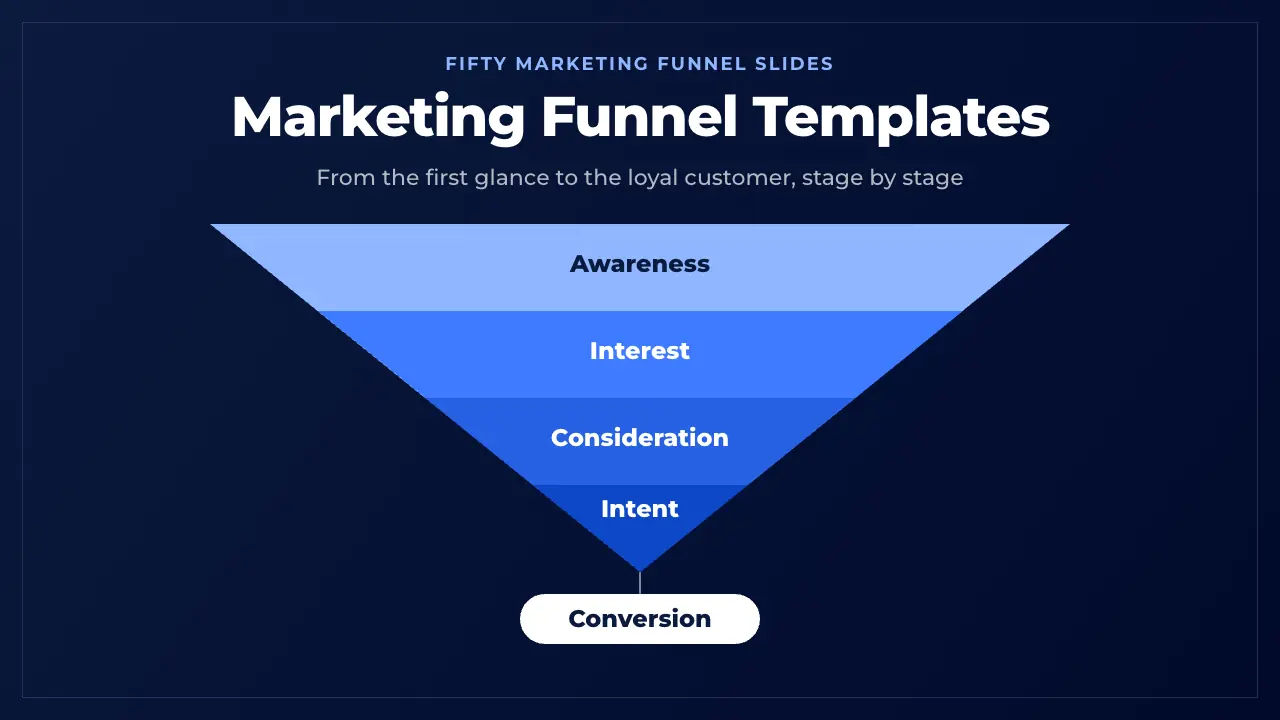
1 · Marketing Funnel CoverThe title slide of the pack: a centred funnel whose bands carry the marketing stages and end in conversion. Use it to open a marketing review or a campaign plan.
2 · Seven-Stage Marketing HourglassThe funnel does not end at the sale: this hourglass narrows through four stages to conversion and opens again through loyalty and advocacy. Use it to explain the whole customer path in one picture.
3 · Top, Middle And Bottom ColumnsThree cards stand side by side, each headed by a narrower band of the funnel. Put the goal of each part in the card and the content kinds that serve it in the pills.
4 · Side Wedge FunnelOne wedge runs from reach on the left to customers on the right, with each stage named under its band. The band heights show the order of the stages and are not to scale. Replace the sample figures with your own.
5 · Droplets Drawn To ScaleFive circles whose areas are true to the figures, so the audience sees how sharply a funnel narrows. Change a figure and resize its circle by the square root of the value.
6 · Photo With Stage Bars To ScaleA photo stands beside four stages from visitor to customer, each with a bar drawn to its true share of visitors. Use it when the audience should feel how few visitors become customers.
7 · Channel Bands Across StagesFive channel kinds run as bands across the five stages, so one look shows where each does its work. Move a band to match your own channel mix.
8 · Indented Content LadderFive rows step inward like a funnel, each pairing a stage with the content that serves it. Replace the content kinds with what your team really produces.
9 · Diamond Gates To QualifiedA path runs from visitor to marketing-qualified lead through three diamond gates. Write under each gate what must be true before a person moves on.
10 · Conversion Rate Column ChartA real chart shows the share of people who move on at each step, with the weakest step lit. Edit the data in the chart and update the card beside it.
11 · Kept And Lost Stacked ChartA real stacked chart splits every step into those who moved on and those who dropped out, with the people lost named beside it. Edit the percentages in the chart and the counts in the list.
12 · Split Flow Drawn To ScaleOne column of leads splits into three ribbons whose heights are true to their share. Use it to show where the leads of a period went and what happens to each group next.
13 · Band Funnel With Key FigureFive bands with icons name the stages, and a card holds the one figure the whole funnel leads to. The band widths show the order of the stages and are not to scale.
14 · Nurture Path Under A PhotoA photo band opens the slide and five touches follow on one line, from the welcome on day one to the offer on day 21. Rename the touches and days to match your own sequence.
15 · Two Inflows Into One FunnelTwo small funnels for paid and earned attention pour into one shared funnel. Use it to show that different sources meet in one nurture and one conversion path.
16 · Attribution Models Stacked ChartA real stacked chart shows how four attribution models share the credit for a sale across four touches, with each model explained beside it. Edit the shares in the chart to match the model you use.
17 · Leads By Channel Pie ChartA real pie chart shows where the leads of the year came from, and a ranked list gives each channel its count and a bar to scale. Replace the channels with your own.
18 · Narrowing Chevrons With PhotoFour chevrons get lower as they run to the right, each carrying the rate of one move between stages. The chevron heights show the order and are not to scale. Keep the photo or swap it for one of your own audience.
19 · Outlined Funnel On A PhotoA calm outlined funnel lies over a full photo under a navy veil, its last band lit. Use it as an opening for the part of a talk that explains how attention becomes action.
20 · Questions Stepping DownFive speech bubbles step down the slide, each with the question a person has at that stage. Use it to brief content writers: answer the question of the stage.
21 · Funnel Feeding A FlywheelA funnel ends at the sale; a flywheel uses its customers to start the next round. Use this slide when you want to move the conversation from one-off campaigns to lasting growth.
22 · Rising Stairs After The SaleAfter the funnel comes the climb: three stairs take people from first customer to repeat buyer to advocate. The stair heights show the climb and are not to scale.
23 · Stage Measures On One LineA line with five markers carries the stages, and a card under each names the one measure to watch. Replace the sample figures with those of your own funnel.
24 · Budget Bar To Scale With PhotoOne bar, drawn to scale, shows how the marketing budget is split across the funnel. The rows below say what each part buys. Change the widths with your own shares.
25 · Cost Per Stage Bar ChartA real bar chart shows how the cost of one person rises as the funnel narrows, with the return on a customer in the card. Enter your own budget divided by each stage.
26 · Conversion Line With Key FigureA real line chart follows the rate from visitor to customer through the year, and a card holds the result. Enter your own quarterly rates in the chart.
27 · Monthly Leads Area ChartA real area chart shows the leads of every month of the year, with the quarter totals beneath it. Enter your own monthly figures and update the four totals.
28 · Mirrored Two-Year FunnelTwo years stand mirrored around the names of the stages, so growth at each stage is read at a glance. The bar lengths are shortened to fit and are not to scale, so the figures carry the comparison.
29 · Bullet Bars Target And ActualEach stage gets a bar for the result and a mark for the target, so misses and wins stand out at once. Bars are drawn to scale against the target. Replace the targets and results with your own.
30 · Days Between Stages To ScaleOne track, drawn to scale, shows how the 45 days from first visit to purchase divide between the stages. Use it to find the stage where people wait longest.
31 · Audience Rings Around A PhotoRings close in on a round photo: the outer ring is everyone reached, the photo at the centre your customers. The rings show the order and are not to scale. Use it to talk about who the funnel is really for.
32 · Landing Page Column FunnelA real column chart follows one landing page from its views to the submitted forms, with the page conversion in the card. Replace the five steps with those of your own page.
33 · Email Campaign Bar FunnelA real horizontal chart reads like a funnel on its side: one email campaign from sent to converted, with the three rates that matter beside it. Enter the figures of your own campaign.
34 · Three Side Funnels By ChannelThree small funnels run side by side, one for each channel, with the leads they bring and the customers they end in. The wedges show the order and are not to scale.
35 · Shrinking Hexagons FrameworkFour hexagons shrink from left to right, naming the audience of each step of the see, think, do, care framework. Use it to plan what to say to whom.
36 · Campaign Arrows Over A Photo BandFour arrows follow one campaign from impressions to customers, with the rate of each step beneath, over a wide photo. Replace the figures with those of your own campaign.
37 · Side Funnel With A Return PathA side funnel runs left to right, and a thin path leads those who left at intent back to the interest stage. Use it to explain retargeting and reminder campaigns.
38 · Lead Score TrackA single track shows how a lead earns points from cold to marketing-qualified, with the threshold marked. Set your own threshold and write your own signals in the cards.
39 · Stepped Roles Beside A PhotoFive rows step inward beside a photo, each naming the marketing role that owns one stage. Replace the roles with those of your own team.
40 · Funnel Dashboard With ChartA real funnel chart, drawn to its data, stands beside the four figures that tell how healthy the funnel is. Edit the data in the chart and the figures in the tiles.
41 · Side Funnel With A Lit BottleneckA side funnel names its five stages and the rate between them, with the weakest step lit and its fix in a card below. The wedge shows the order and is not to scale.
42 · A/B Test Columns With PhotoA real chart compares two versions of one stage, with the gain in a card and a photo beside it. Use it to report a test and to argue for testing one stage at a time.
43 · Waterfall Of Small GainsA waterfall of shapes drawn to scale shows how four small improvements at different stages add up. Change the heights to match the gains you expect.
44 · Zigzag Of Seven TouchesA zigzag leads through the seven touches a person typically sees before buying, from the first ad to the purchase. Rename the touches to match your own customer path.
45 · Vertical Stage Line With PhotoA vertical line leads through four stages, each saying what earns trust there, with a bar that grows as trust does. Keep the photo or use one of your own customers.
46 · Lift Scenario Line ChartA real line chart shows what happens when each of the four steps gets ten per cent better, against today. Enter your own customers and the lift you are aiming for.
47 · Three-Year Line On One ScaleA real line chart shows customers for three years on one scale, and three cards give the funnel figures behind them. Use it for a plan or a year-end review.
48 · Funnel Audit ChecklistSix checks, two for each part of the funnel, each with a status. Work through it once a quarter and mark what is done.
49 · Four Measuring Steps With PhotoFour numbered steps say how to measure a funnel: define the stages, track them, compare and improve. Use it to agree on the method before you discuss the results.
50 · One-Page Funnel SummaryThe closing slide puts the year into four figures and three next moves, beside a photo. Replace them with your own results and the decisions you want from the room.
Fifty Forms Of A Marketing Funnel In One Blue Look
A cover funnel that carries the stage words, the hourglass on slide 2 and the side funnel on slide 4; figures drawn to scale on slides 5, 12 and 30; channels and content by stage on slides 7 and 8; the path to marketing-qualified on slide 9 and lead scoring on slide 38; conversion rates and drop-off on slides 10 and 11; a nurture path on slide 14, attribution on slide 16 and the flywheel on slide 21; budget and cost on slides 24 and 25; an audit checklist on slide 48 and a one-page summary on slide 50. Seventeen slides stand on navy, seventeen on light blue and sixteen on white, twelve of them with a photo.
How To Use This Marketing Funnel Template
01
Pick Your Stages
Start with the hourglass on slide 2 or the top, middle and bottom on slide 3, and decide which stages your marketing funnel template should show.
02
Enter Your Figures
Replace the sample reach, visitors, leads and customers. Charts such as those on slides 10, 26 and 27 open with their data, so the columns and lines follow.
03
Find The Weakest Step
Use the conversion rates on slide 10 and the narrowest point on slide 41 to show where people drop out, then explain what you will change.
04
Present Or Download
Recolour all slides at once, present them in the browser or download a PowerPoint file. Every slide stays editable there.
A Marketing Funnel PowerPoint Template For Every Stage
The top of the funnel earns attention with articles, short videos and social posts, the middle earns trust with guides, webinars and email, and the bottom makes the decision easy with proof, demos and offers. Slides 3 and 8 map those content kinds to the stages, and slide 7 shows which channel works where.
After the sale the funnel opens again. Slide 22 follows customers to repeat buyers and advocates, and slide 21 turns the funnel into a flywheel in which happy customers bring in the next ones.
Marketing Funnel Or Sales Funnel
A marketing funnel covers the path from a stranger to a qualified lead and on to loyalty: reach, content, channels, nurture and attribution. A sales funnel follows deals through a pipeline once a salesperson is talking to the buyer.
This pack stays on the marketing side. It shows how a visitor becomes a marketing-qualified lead on slide 9, how leads are scored on slide 38 and how the credit for a sale is shared on slide 16, ready to hand over to the team that closes the deal.
Questions About The Marketing Funnel Template
What Is A Marketing Funnel Template?
A marketing funnel template is a ready-made set of slides that shows how people move from awareness to conversion, loyalty and advocacy. You replace the sample stages and figures with your own.
Is This Marketing Funnel PowerPoint Template Free?
Yes. You can view all 50 slides here, and a free account lets you download them as a PowerPoint file, with charts and shapes that stay editable.
Which Stages Does It Cover?
Awareness, interest, consideration, intent, conversion, loyalty and advocacy, as well as the top, middle and bottom of the funnel. Slide 2 shows all seven stages in one hourglass.
Are The Stages Drawn To Scale?
Where a slide says so, yes: the circles on slide 5, the ribbons on slide 12 and the track on slide 30 are true to their figures. Where stages differ too widely, as on slide 4, the slide says that it is not to scale.
Can I Edit The Charts?
Yes. The column, line, area, pie and funnel charts are real charts with their own data, in the editor and in PowerPoint, so they change when you change the numbers.
Can The AI Build My Own Funnel Deck?
Yes. Fill With AI builds your own deck in the look of this marketing funnel template from your description, a report or a spreadsheet. You can then change any slide by hand or by instruction.
Whose Figures Are On The Slides?
Nobody's. All figures are round samples that agree across the pack, and the slides name roles rather than people, so nothing has to be removed before you add your own.
Try ExpertSlides AI For Free — The Ultimate AI Presentation Maker
Describe any topic or upload a document, and ExpertSlides designs and writes the whole deck — editable in the browser and as a PowerPoint file.