Expert Slides
AI Presentation MakerDesign TemplatesPricingSolutionsDesign KitsFree Tools
Log inGet started freeMy ProjectsGet free credits
HomePresentation TemplatesRisk Management Presentation Templates
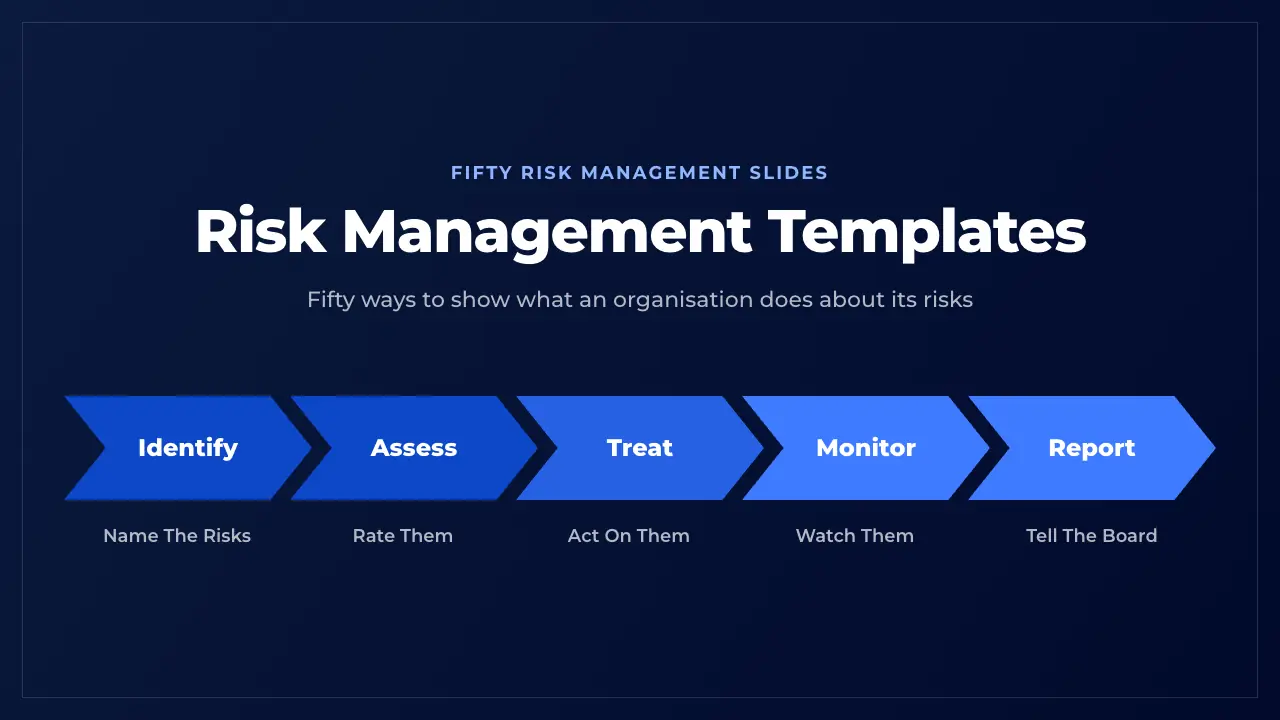
Risk management template cover with the five process steps as one chevron band on a navy background
1 / 50

Template Pack · Risk Management

Risk Management Template: 50 Editable Slides For PowerPoint

Fifty risk management slides in one blue look, each a different form: the five-step process, the three lines of defence, the four responses, treatment plans, controls, risk appetite, indicators and reports. Change the colours and fonts of all of them at once, let the AI build your own risk deck in this look, download them as PowerPoint or edit each slide in the editor.

  • 50 slides
  • 16:9
  • PowerPoint
Edit slides 1:1 in editor

This risk management template pack holds 50 slides about what an organisation does with its risks over time: the process from identify to report as a band of chevrons, the framework as a temple, the three lines of defence under the board, the four responses Treat, Tolerate, Transfer and Terminate, a treatment plan on a time scale, layers of control, risk appetite against tolerance and capacity, and the report that goes to the committee. All of them share one blue look on light, white and navy grounds, so any five of them sit in one deck without looking borrowed.

As a risk management PowerPoint template it stays editable where it counts. Nine slides carry real charts that you change through their data, and the steps, cards, bars and connectors are shapes you can move and retype. Every slide is written out with neutral sample content that fits any organisation: roles instead of names, round figures such as 48 risks on the register or an exposure falling from $2.4M to $1.1M, and general risks such as a supplier failure, a cyber attack or a regulatory change.

A free account downloads the slides as a PPTX file. You can also stay in the browser: pick your colours and fonts in the bar above the slides, describe your organisation and its risks and let the AI build your own risk management deck in this look, or open the slides one to one in the editor.

Your Risks In This Blue Look

Describe your organisation, your top risks and what you are doing about them, or attach your risk register or a policy. ExpertSlides builds your own risk management deck in this look in a few minutes, with your owners, your controls and your figures.

Similar Template Packs

  • Organizational Chart Presentation Templates50 slides
  • Executive Summary Presentation Templates50 slides

  • Business Case Presentation Templates50 slides
  • Dashboard Templates50 slides
  • OKR Presentation Templates50 slides
  • Meeting Presentation Templates50 slides
  • Business Presentation Templates50 slides
  • Human Resources Presentation Templates50 slides

The 50 Slides Of The Risk Management Template

Every slide is a complete view of one part of managing risk, with neutral sample content — roles, general risks and round figures — that fits any organisation. Replace the words and the data with yours.

  1. 1 · Risk Management Process CoverThe title slide of the pack: the headline over the five steps of the risk management process as one band of chevrons. Use it to open a risk review, a policy briefing or a board session.
  2. 2 · Five Chevron Risk ProcessThe whole risk management process in five chevrons, with what happens in each step and the role that leads it. Use it to explain the process to a new team or a steering group.
  3. 3 · Five Questions Beside A PhotoFive plain questions that walk a team through the risk management process, next to a photo. Use it to open a workshop or to brief people who are new to the topic.
  4. 4 · Five Steps And Their OutputsWhat each step of the risk management process hands over to the next: a register, ratings, an action plan, indicators and a report. Use it when people ask what the process actually produces.
  5. 5 · Framework As A TempleThe risk framework drawn as a temple: governance on top, four pillars for policy, process, people and systems, and risk culture as the foundation. Use it to explain how the parts hold each other up.
  6. 6 · Three Numerals Over An AxisThree things to agree before anyone names a risk: the scope, the criteria and the stakeholders. Use it at the start of a risk programme or a new project.
  7. 7 · Three Lanes Under The BoardThe three lines of defence as three lanes under one band for the board: those who own the risk, those who set the rules and those who give assurance. Use it to explain who does what in risk governance.
  8. 8 · Organisation Tree Of Risk RolesThe chain of responsibility for risk, from the board through the risk committee and the chief risk officer to the owners of each risk area. Use it to show who answers for what.
  9. 9 · Four Round Portraits On One LineThe four roles every risk process needs, each with a portrait and its duty. Replace the photos with your own people or keep them as neutral examples.
  10. 10 · Risk Policy On A Full PhotoThe four principles of a risk policy on a full-slide photo under a navy overlay. Use it to state in plain words how the organisation treats risk.
  11. 11 · Four Quarters Of Risk ReviewsA year of risk reviews in four quarters, each with its focus. Use it to agree the rhythm of the risk committee and to put the dates in the calendar.
  12. 12 · Escalation As Rising StairsWho decides at which size of exposure, as four rising stairs from the line manager to the board. Change the amounts to your own limits.
  13. 13 · The Four Ts On Tall CardsThe four classic responses to a risk, each on its own card with what it means and when it fits best. Use it when a team has to decide what to do about a risk.
  14. 14 · Bar Chart Of Falling ExposureHow treatment brings the exposure down quarter by quarter, as a real chart you can edit, beside the total saved. Replace the values with your own figures.
  15. 15 · Treatment Plan As Gantt BandsFive treatment actions as bands over the four quarters of a year, each with the role that owns it. Use it to show what happens when and who is responsible.
  16. 16 · Five Actions Beside A PhotoFive treatment actions, each with one owner and a due quarter, next to a photo. Use it to close a risk review with clear commitments.
  17. 17 · One Risk, Three Transfer RoutesThree ways to pass a risk on: insurance, contracts and outsourcing, drawn as arrows from one source. Use it when a risk is too large or too specialised to carry alone.
  18. 18 · Control Cost Against Loss AvoidedA simple test for any new control: what it costs each year against the loss it avoids. The chart is editable, so you can enter your own figures.
  19. 19 · Decision Path To A ResponseThree plain questions lead every risk to one of the four responses. Use it in workshops so that teams reach the same answer in the same way.
  20. 20 · Response Phases Under A PhotoThe incident response plan in four phases on one line, under a wide photo: detect, contain, recover and learn. Use it to brief teams on what happens when something goes wrong.
  21. 21 · Three Control Types With IconsThe three types of control side by side with large icons and examples: those that prevent, those that detect and those that correct. Use it to check that a process has all three.
  22. 22 · Layers Of Control As PlatesFour layers of control as plates: a risk passes through the gaps of the first three and is stopped by the fourth. Use it to explain why no single control is ever enough.
  23. 23 · Three Donuts Of Control HealthThree real donut charts show how many controls of each type passed their last test, with the total in the middle. Edit the data to show your own results.
  24. 24 · Horizontal Bars Of Test ResultsThe share of controls that passed their test in six areas, as a real chart, beside the overall figure. Use it in the quarterly report to the risk committee.
  25. 25 · Key Controls Checklist With PhotoFive controls every organisation should have in place, as a checklist beside a photo. Tick what you already have and plan the rest.
  26. 26 · Area Chart Of Residual ExposureResidual exposure over eight quarters as a real area chart, so the trend can be read at a glance. Replace the values with your own figures from the register.
  27. 27 · Nested Bars Of AppetiteRisk appetite, tolerance and capacity as three nested bars on one scale, with a marker for the exposure today. Use it to show the board how close the organisation is to its limits.
  28. 28 · Appetite As Five GaugesHow much risk the organisation is willing to take in five areas, as five vertical gauges. Use it to make the appetite statement visible in one picture.
  29. 29 · Key Figure Beside A PhotoOne large figure says how many risks lie within appetite, a bar shows the share, and three small figures break down the rest. Use it as the opening of a board report.
  30. 30 · Six Indicator CardsSix key risk indicators, each with its current value against its limit and a small bar. Use it as the monthly dashboard of the risk team.
  31. 31 · Line Chart Of Open RisksOpen risks and the risks closed each quarter as a real line chart over two years. Use it to show that the register is being worked through.
  32. 32 · One-Page Risk ReportA whole quarterly risk report on one page: three key figures, the trend as a real chart and the top risks. Use it as the standing first page of the report to the committee.
  33. 33 · Ranked Risks With ArrowsThe six top risks and how each moved since the last quarter, up, down or level. Use it to focus the discussion on what has changed.
  34. 34 · Reporting Levels With PhotoWho receives which risk report and how often, in three levels beside a photo. Use it to agree the reporting calendar.
  35. 35 · Threshold Bar With Three ZonesOne indicator on a bar of three zones, with a marker for today and the action each zone calls for. Use it to agree in advance what happens when a limit is reached.
  36. 36 · Hours Scale Above And BelowWhat has to happen in the first three days after an incident, on one scale with milestones above and below it. Use it as the backbone of a crisis plan.
  37. 37 · Three Lessons Over A Photo BandAfter every incident three things are done: capture what happened, change what failed and share what was learned. Use it to close an incident review.
  38. 38 · Five Rising Maturity StepsFive levels of risk maturity as rising steps, from ad hoc work to a process that keeps improving. Use it to show where the organisation stands and where it wants to go.
  39. 39 · Stepped Pyramid Of Risk CultureA strong risk culture as a stepped pyramid: daily habits carry open reporting, clear roles and the tone from the top. Use it in leadership sessions and staff briefings.
  40. 40 · Training Roadmap On A RoadA five-year training roadmap on one road, from awareness for everyone to expert training for risk owners. Use it to plan the budget and the rollout of risk training.
  41. 41 · Donut Of A Staff SurveyHow confident staff feel about raising a risk, as a real donut chart with three findings beside it. Replace the shares with the results of your own survey.
  42. 42 · Six Risk Areas In HexagonsThe six areas of risk an organisation manages, each with its owner by role. Use it to show that nothing has been left out.
  43. 43 · Recovery Tiers As BarsBusiness continuity in three tiers: how fast critical, important and other services must be back. Use it to agree recovery times with the business.
  44. 44 · Hub With Six Supplier ChecksSix checks on every key supplier, arranged around one hub. Use it to explain how third-party risk is managed before and during a contract.
  45. 45 · Nested Layers Beside A PhotoThree layers of protection around data and systems: prevent, detect and recover, as nested frames beside a photo. Use it to explain a security approach to a non-technical audience.
  46. 46 · Project Phases Under A PhotoWhat risk work happens in each phase of a project, on five arrows under a wide photo. Use it in project kick-offs and steering meetings.
  47. 47 · Pie Chart Of The Risk BudgetHow the yearly risk budget is split over five areas, as a real pie chart beside the total. Replace the shares with your own budget.
  48. 48 · Rising Five-Year RoadmapA five-year roadmap of the risk programme, rising step by step from a first framework to an optimised process. Use it to show the board the long-term plan.
  49. 49 · Three Priorities Beside A PhotoThe three most important risk actions for the next quarter, with large numerals beside a photo. Use it to close a review with clear priorities.
  50. 50 · Five Habits Under A Wide PhotoThe closing slide: five habits that good risk management comes down to, under a wide photo. Use it to end a training or a board session on a clear note.

Fifty Forms Of Risk Management In One Blue Look

A title slide with the five steps of the process as one band of chevrons; the process with its leading roles, as five questions beside a photo and as five outputs joined by arrows; the framework as a temple and the context under three large numerals; governance as three lanes under the board, an organisation tree of risk owners, four round portraits and a policy on a full photo; a year of reviews by quarter and escalation as rising stairs; the four responses on tall cards and as a decision path; a treatment plan in bands over four quarters, five actions with their owners, three ways to transfer a risk and the cost of a control against the loss it avoids; incident response under a wide photo and the first 72 hours on one scale; the three types of control, four layers that stop a risk, donuts and bars of test results and a checklist of key controls; exposure falling in a bar chart and an area chart; appetite, tolerance and capacity as nested bars, appetite by area as five gauges and a key figure for the risks within appetite; six indicator cards, a threshold bar with three zones, a line chart of open risks, a one-page report and top risks on the move; who receives which report and the lessons from each incident; a maturity ladder, a stepped pyramid of risk culture, a training roadmap and a staff survey; six risk areas in hexagons, recovery tiers, a hub of supplier checks and nested layers around data and systems; risk across the phases of a project, the budget as a pie chart, a five-year roadmap, the priorities for next quarter and five habits to close. Seventeen slides stand on navy, seventeen on light blue and sixteen on white, thirteen of them with a photo.

How To Use This Risk Management Template

  1. 01

    Pick Your Risk Slides

    Look through the 50 slides of the risk management template and note the forms your meeting needs: the process for a briefing, the three lines of defence for governance, the one-page report for the committee. Most decks need five to ten of them.

  2. 02

    Set Colours And Fonts

    Choose your colours and your font in the bar above the slides. All 50 change at once, so you see your brand on every form before you download anything.

  3. 03

    Put In Your Risks

    Press Fill With AI and describe your organisation and its risks, or press Edit Slides and replace the sample roles, actions and figures by hand. Charts change through their data.

  4. 04

    Download Or Present

    Download the slides as a PPTX file with a free account and copy them into your own PowerPoint deck, or present them straight from the browser.

Which Risk Management Slide Fits Which Meeting

A team that is new to the subject needs the process first. The five chevrons (slide 2) show the steps and who leads each, the five questions (3) put them in plain words, and the outputs (4) show what every step hands over. To explain how it all holds together, use the framework as a temple (5) and agree the scope, criteria and stakeholders on slide 6.

A governance discussion is about who answers for what. The three lines of defence (7) separate those who own a risk, those who set the rules and those who give assurance. The organisation tree (8) follows the chain from the board to the risk owners, the four roles (9) describe their jobs, and the escalation stairs (12) say who decides at which size of exposure.

A workshop on what to do about a risk wants the responses on the wall. The four cards (13) explain Treat, Tolerate, Transfer and Terminate, the decision path (19) leads a risk to one of them in three questions, and the cost of a control against the loss it avoids (18) tests whether a fix is worth paying for. The treatment plan (15) and the five actions with owners (16) turn the decision into work.

A board or committee report needs the state of things on few slides. The one-page report (32) carries the key figures, the trend and the top risks; the nested bars (27) show the exposure against appetite, tolerance and capacity; the indicator cards (30) and the moved risks (33) show what has changed since the last meeting.

How To Build A Risk Management PowerPoint Template Deck

Download the pack as a PPTX file and open it in PowerPoint. Every text is a text box, the steps, cards and connectors are shapes, and the nine charts (slides 14, 18, 23, 24, 26, 31, 32, 41 and 47) are PowerPoint's own, so you open their data and type your figures. Copy the slides you need into your own presentation and delete the rest.

Build the deck in the order of the work: where we stand, what we decided, who does it, how we know it works. A quarterly review can run on six slides: the report at a glance (32), the top risks on the move (33), the exposure trend (26), control test results (24), the treatment plan (15) and the priorities for next quarter (49).

Keep each slide to one message. A risk register with forty rows belongs in a spreadsheet; on a slide, show the six risks that moved or the five actions that are due. Name roles rather than people where a deck travels widely, and give every action one owner and one date.

Set colours and fonts before you download. The bar above the slides recolours all 50 at once, which is quicker than changing shape after shape in PowerPoint. If your organisation has a Design Kit in ExpertSlides, the slides take its colours, fonts and logo instead.

Questions About The Risk Management Template

Is This Risk Management Template Free?

Yes. All 50 slides of the risk management template are free. You can look at every slide and try colours and fonts on this page without an account; a free account, with no credit card, downloads the PPTX file or opens the slides in the editor.

Can I Use It As A Risk Management PowerPoint Template?

Yes. Press Download PPTX and open the file in PowerPoint. Texts stay text boxes, shapes stay shapes and the charts stay PowerPoint charts with their data, so you edit this risk management template there like any slide of your own and can copy single slides into an existing presentation.

What Is The Difference To The Risk Assessment Template?

The risk assessment pack rates risks: likelihood, impact, scores and heat maps. This pack is about what the organisation does next: the process, owners, responses, controls, appetite, monitoring and reporting. Many decks use both, the assessment to find the top risks and these slides to show how they are managed.

Which Slide Shows The Three Lines Of Defence?

Slide 7 shows them as three lanes under one band for the board and audit committee: the first line owns the risk, the second sets the rules, the third gives assurance. The organisation tree (8) and the four roles (9) go with it when you need to name who holds each job.

Which Slides Cover Risk Appetite?

Slide 27 sets appetite, tolerance and capacity on one scale with a marker for today, slide 28 shows the appetite of five areas as gauges, and slide 29 gives the share of risks that lie within appetite as one large figure. The threshold bar (35) shows what happens when an indicator nears its limit.

Can The AI Build My Own Risk Management Deck?

Yes. Press Fill With AI and describe your organisation and its risks, or attach a risk register, a policy or a spreadsheet. The AI builds your own deck in this look, with your owners, actions and figures, and you can ask for changes slide by slide afterwards.

Can I Change The Colours And Fonts?

Yes. The bar above the slides sets the colours and the font of all 50 slides at once, and the download and the editor take over what you chose. In the editor you can also change a single slide, or put your own Design Kit on the whole deck.

Are There Risk Management Slides With Photos?

Yes. Thirteen slides carry a photo, among them the five questions (slide 3), the round portraits of the four roles (9), the policy on a full photo (10), the incident response plan (20), the key controls checklist (25) and the five habits that close the pack (50). Replace each picture with your own in the editor or in PowerPoint.

Try ExpertSlides AI For Free — The Ultimate AI Presentation Maker

Describe any topic or upload a document, and ExpertSlides designs and writes the whole deck — editable in the browser and as a PowerPoint file.

Try it for free

Use This Risk Management Template

A free account, no credit card. The 50 slides open in the editor, every text, shape and chart editable, and download as PowerPoint.

Use This TemplateMore presentation designs
Expert Slides
AI presentation maker: type a topic, pick a style, get a finished deck in 60 seconds.
Product
AI Presentation MakerDesign TemplatesPricingSolutionsPowerPoint & Google Slides Add-insPowerPoint TemplatesPresentation TemplatesProject Management TemplateFree PowerPoint TemplatesFree Presentation Tools
Company
Help CenterGuidesContact
Legal
PrivacySecuritySubprocessorsTermsLicensingImprint
© 2026 ExpertSlides · ES Solutions GmbH